1
\\Miyoshi-win\data1 (k)\+++NouhinMiyoshi+++\DPF-D1020_IM\0723M_4259440111DPFD710_IM_GB\050C03.fm
Master: Left
010COV.book Page 18 Friday, July 23, 2010 4:10 PM
PNote
• You cannot play the following
type of video file:
– Video files processed with
other video codec than
Motion JPEG
– Video files that exceed
maximum number of pixels
either in width or height
(We cannot guarantee operation
with video files not mentioned
above.)
• Fast forward/backward playback
and playback pause are not
available during Slideshow
display.
Playing a video file (DPF-D1020/
D820/D720 only)
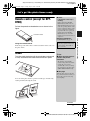
The operations described in this section are based on those with the
buttons on the supplied remote control.
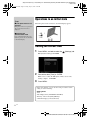
1
Select a video file.
1 Press SINGLE.
2 Press B/b to select the desired style and press ENTER.
3 Press B/b to advance/reverse the files to select a video file
you want to play.
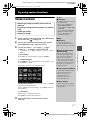
Using the Index display
1 Press
(INDEX).
2 Press B/b/v/V to select a video file you want to play.
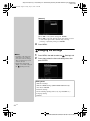
2
Press ENTER.
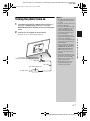
The selected video file starts playback.
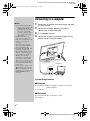
To adjust the volume
Press v/V during playback or playback pause of the video file.
To pause playback
Press ENTER during playback of the video file.
To resume playback, press ENTER again.
Fast forward/backward playback
Press B/b during playback of the video file. The file is played
forward or backward at high speed while you hold down the b or B
button. When you release the button, normal playback starts from
that point.
Depending on the video file, fast forward/backward playback may
not be available with the photo frame.
To stop playback
Press BACK while the video file is being played.
18 GB
DPF-D1020/D1010/D820/D810/D720/D710/D700 4-259-440-11 (1)