1
10Services
The phone supports a number of features that
help you handle and manage the calls.
Auto conference
To join an external call with another handset,
press
.
Activate/Deactivate auto conference
1
2
3
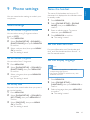
Press MENU/OK.
Select the recall duration
Ensure that the recall time is set correctly
before you can answer a second call. In normal
case, the phone is already preset for the recall
duration. You can select among 3 options:
[SHORT], [MEDIUM] and [LONG]. The
number of available options varies with different
countries. For details, consult your service
provider.
1
2
3
Select [SERVICES] > [CONFERENCE],
then press MENU/OK to confirm.
Select [AUTO]/[OFF], then press
MENU/OK to confirm.
»» The setting is saved.
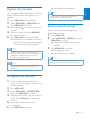
Press MENU/OK.
Select [SERVICES] > [RECALL TIME],
then press MENU/OK to confirm.
Select an option, then press MENU/OK
to confirm.
»» The setting is saved.
Dial mode
Note
Network type
Note
•• This feature only applies to models with
network type support.
1
2
3
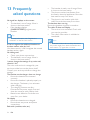
Press MENU/OK.
Select [SERVICES] > [NETWORK
TYPE], then press MENU/OK.
Select a network type, then press MENU/
OK.
»» The setting is saved.
•• This feature only applies to models that
support both tone and pulse dial.
Dial mode is the telephone signal used in your
country. The phone supports tone (DTMF) and
pulse (rotary) dial. Consult the service provider
for detailed information.
Set the dial mode
1
2
3
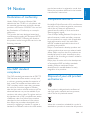
Press MENU/OK.
Select [SERVICES] > [DIAL MODE],
then press MENU/OK to confirm.
Select a dial mode, then press MENU/OK
to confirm.
»» The setting is saved.
Note
•• If your phone is in pulse dial mode, press *
during a call for temporary tone mode. Digits
entered for this call are then sent out as tone
signals.
20
EN