1
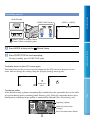
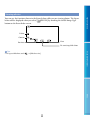
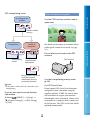
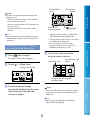
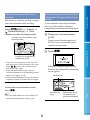
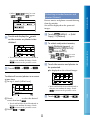
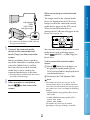
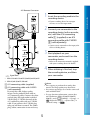
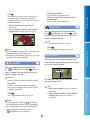
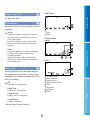
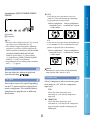
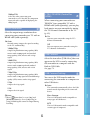
Operating the camcorder while playing a movie Table of Contents You can use the functions shown in the figure below while the camcorder is playing a movie. MOVIE/PHOTO] (the default The figure below will be displayed when you select [ MOVIE] by touching the Switch Image Type button on the Event Index setting) or [ screen. Volume adjustment Delete Context To stop* Next Previous To fast-forward* To pause*/play * These buttons can be used only when the camcorder is playing a movie. Notes You may not be able to play back the images with other devices than camcorder. Tips Touching the button on the playback screen displays functions you can currently use, and allows you to use those functions easily. When playback from the selected image reaches the last image, the screen returns to the INDEX screen. / during pause to play back movies slowly. Touch / during playback, movies are played as fast as about 5 times As you repeat touching about 10 times about 30 times about 60 times. The recording date, time, and shooting conditions , and coordinates (HDR-CX360VE/PJ30VE/PJ50VE) are recorded automatically during recording. This information is not displayed during recording, but you (MENU) [Setup] [ (Playback Settings)] can display it during playback by touching . [Data Code] a desired setting In the default setting, a protected demonstration movie is pre-recorded. While playing back movies, touch adjust with GB 31 / . Index To adjust the sound volume of movies Enjoy Useful Functions To fast-reverse*