1
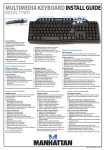
Advanced Multimedia Keyboard • User Manual
English
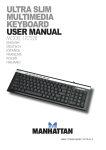
Thank you for purchasing the MANHATTAN® Advanced Multimedia Keyboard,
Model 177511. To view a datasheet with a full list of features and specifications, go to www.manhattan-products.com.
Setup
Plug the keyboard into a USB port on your PC. The
operating system will automatically detect it and install
the drivers. Adjust the tilt mechanism (at right) for your
preferred typing position.
Operation
In addition to all the typical keys and functions, the 12 hotkeys along the
left and right edges of the keyboard allow 1-touch access to frequently used
multimedia, Windows and Internet functions.
activates the Windows Media Player.
increases the volume level.
decreases the volume level.
mutes or resumes the sound.
www opens the Web browser.
opens the e-mail application.
plays/resumes or pauses the selected song, playlist or recorded video.
stops the current audio/video.
speeds up audio/video being played.
rewinds audio/video being played.
plays the previous song (CD or playlist) or chapter (DVD); for recorded TV, .
goes back 5 seconds.
skips to the next song (CD or playlist) or chapter (DVD); for recorded TV,
goes ahead 29 seconds.
2
ENGLISH