1
Basic Printing
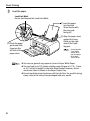
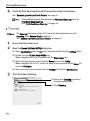
z This section describes the procedure for selecting the paper
source with the Paper Feed Switch on the printer. For a detailed
description of the Paper Source settings, refer to the Printer
Driver Guide.
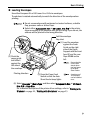
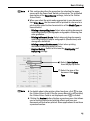
z When you select the print mode appropriate to your document
from Print Mode, the document will be printed in color and at a
print quality suited to the characteristics of the Media Type you
have selected.
- Printing a top-quality photo: Select when printing documents
consisting mainly of photographs and graphics featuring fine
color gradation.
- Printing tables and charts: Select when printing documents
consisting mainly of graphs and graphics (illustrations) with
strong color definition.
- Printing a composite document: Select when printing
documents consisting mainly of text.
- Detailed Setting: Select to fine-tune the Print Quality and
Halftoning settings.
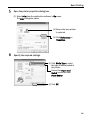
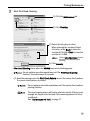
(6) Select Color Options
from the pop-up menu.
(7) Select the type of the
document from Print
Type.
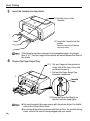
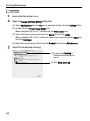
z For details about other printer driver functions, click
to view
the Printer Driver Guide. If the On-screen Manual is not installed,
is clicked.
the Printer Driver Guide is not displayed even if
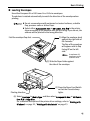
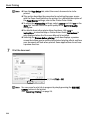
z Clicking the Preview button displays a preview screen that allows
you to confirm the selected printing effects and how your
document will look when printed. Some applications do not have
a preview function.
25