1
OPERATIONAL INSTRUCTIONS
TROUBLESHOOTING GUIDE
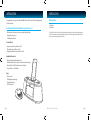
Charging your iPhone or iPod
The stereo speaker system (iMM178) does not turn on.
If your iPhone or iPod is connected to the unit, it will charge automatically.
- The AC adapter may not be connected properly. Check the connection.
- The wall outlet may not function. Try another outlet.
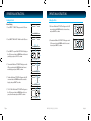
Adjusting the Brightness of the LCD Screen
Your iPhone or iPod does not fit into the built-in universal dock.
Press SNOOZE/DIMMER to adjust the brightness of the display. It will return to normal after three
(3) seconds. Brightness setting ranges from OFF to 9.
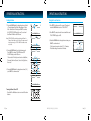
Setting the Bass and Treble
1.
2.
3.
4.
While unit is in playing, press SETUP.
Rotate the SEARCH wheel to select “5. BASS” or “6. TREBLE”.
Press SELECT to enter and rotate the SEARCH wheel to change.
Press SELECT again to confirm and exit.
Resetting the Unit
If the system does not respond, there may have been a power surge that triggered the internal
computer to shut down automatically. If this occurs, disconnect the main power and connect it
again after approximately one minute.
Maintenance
· Place the unit on a level surface away from sources of direct sunlight or excessive heat.
· Protect your furniture when placing your unit on a natural wood and lacquered finish. A cloth or
other protective material should be placed between it and the furniture.
· Clean your unit with a soft cloth moistened only with mild soap and water. Stronger cleaning
agents, such as Benzine, thinner or similar materials can damage the surface of the unit.
17 | iLuv
- The installed dock adapter is not the correct one. Check whether a correct dock adapter is installed.
- There might be some obstructions on the dock. Check whether there are any obstructions on the connector and
on the dock. If everything is secured, place your iPhone or iPod back into the dock.
It does not recognize your iPhone or iPod when docked.
- Your iPhone or iPod may not be properly docked. Take your iPhone or iPod out of the dock, and remove any
obstructions on the connector from the dock and on your iPhone or iPod. Place your iPhone or iPod back into the
dock.
- Your iPod is frozen or locked up. Check whether your iPhone or iPod operates correctly before placing it back into
the dock. Please refer to the owner’s instruction manual of your iPhone or iPod.
- The software of your iPhone or iPod is outdated. Upgrade the software on your iPhone or iPod. For the details on
how to upgrade the software on your iPhone or iPod, please visit the Apple website: http://www.apple.com.
Your iPhone or iPod is not charged even though it is in the dock.
- Your iPhone or iPod might not be properly docked. Take your iPhone or iPod out of the dock, and remove any
obstructions on the connector from the dock and on your iPhone or iPod. Place your iPhone or iPod back into the
dock.
- Your iPod is frozen or locked up. Check whether your iPhone or iPod operates correctly before placing it back into
the dock. Please refer to the owner’s instruction manual of your iPhone or iPod.
When playing music, the sound gets distorted
- The volume level on the connected device or the iMM178 is set too high. Decrease the volume until the distortion
has disappeared.
- The source sound is distorted. If the original sound source (MP3) on your iPhone or iPod is poor quality, the
distortion and noises are easily noticed with high-power speakers. Try a different audio source like a music CD to
test.
iMM178 | V10M10_IM_EN_01262010
iLuv | 18