1
2
5-4 Advanced Function
for Remote Control
Advanced Functions
After you finish the BIOS setting (please refer to the previous section) for the remote
control, you can use the advanced function of the remote control.
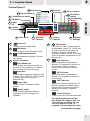
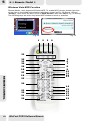
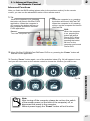
1. TV:
When the computer is on, pressing
the button will launch WinFast PVR2
application. When the computer is
off, pressing the button will turn on
the computer and launch WinFast
PVR2 application.
Power:
Turn the computer on.
FM:
When the computer is on, pressing
the button will launch WinFast FM.
When the computer is off, pressing
will turn on the computer and launch
WinFast FM.
DVD:
When the computer
is on, pressing the
button will launch
Power DVD. When
the computer is off,
pressing the button
will turn on the
computer and launch
Power DVD.
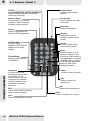
2. When WinFast PVR2/WinFast FM/Power DVD is on, pressing the “Power” button will
end the current application.
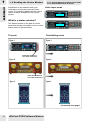
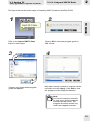
3. Pressing “Power” button again, one of the selection below (Fig. 34) will appear in turns
and you can use cursor on the remote control to choose the function you wish to use.
Note:
After turning off the computer, please do not turn the switch
of the master power (on the back of the computer) off, or
disconnect the power to the computer.
Without power supply the “Power” button will not function.
REMOTE CONTROL
Fig. 34
47