1
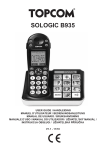
Sologic B935
Note
• Only use the charger plug supplied. Do not use other chargers, as this may damage the
batteries cells.
• The wall outlet for the power supply must be close and accessible.
• Only use rechargeable batteries of the same type. Place the batteries with correct
polarity inside the battery compartment (polarity is marked inside the handset). Never
use normal non rechargeable batteries!
As this telephone cannot be used in case of a power cut, you should
use a mains-independent telephone for emergency calls, e.g. a mobile
phone.
2
Disposal of the device (environment)
At the end of the product lifecycle, you should not throw this product into the
normal household garbage but bring the product to a collection point for the
recycling of electrical and electronic equipments. The symbol on the product, user
guide and/or box indicate this.
Some of the product materials can be re-used if you bring them to a recycling point. By reusing some parts or raw materials from used products you make an important contribution to
the protection of the environment.
Please contact your local authorities in case you need more information on the collection
points in your area.
3
Cleaning
Clean the telephone with a slightly damp cloth or with an anti-static cloth. Never use cleaning
agents or abrasive solvents.
4
ECO mode (low-radiation)
This cordless telephone (compliant with the DECT standard) facilitates low-radiation
operation. The radiation intensity of the radio signal between the base station and handset is
reduced to a minimum when the handset is on the base station. Only when the handset is
removed from the base station or a call is received does the radiation intensity of the radio
signal increase to the normal strength.
This does not mean that normal DECT radiation is harmful to health. The low-radiation mode
prevents unnecessary DECT radiation load when no communication is required between the
base station and handset.
For technical reasons, no additional handsets can be operated in low-radiation mode (an
additional handset that is not located in the immediate vicinity of the base station would
always be "searching for base station" due to the weak radio signal).
Low-radiation mode is enabled in the factory settings. Low-radiation mode is automatically
disabled if you log on an additional handset.
Sologic B935
5
ENGLISH
Poisoning danger
• Keep batteries away from small children.