1
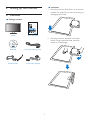
• Please use approved power cord provided
by Philips all the time. If your power cord
is missing, please contact with your local
service center. (Please refer to Customer
Care Consumer Information Center.)
1. Important
This electronic user’s guide is intended for
anyone who uses the Philips monitor. Take time
to read this user manual before you use your
monitor. It contains important information and
notes regarding operating your monitor.
• Do not subject the monitor to severe
vibration or high impact conditions during
operation.
The Philips guarantee applies provided the
product is handled properly for its intended use,
in accordance with its operating instructions
and upon presentation of the original invoice
or cash receipt, indicating the date of purchase,
dealer’s name and model and production
number of the product.
• Do not knock or drop the monitor during
operation or transportation.
Maintenance
• To protect your monitor from possible
damage, do not put excessive pressure
on the Monitor panel. When moving your
monitor, grasp the frame to lift; do not lift
the monitor by placing your hand or fingers
on the Monitor panel.
1.1 Safety precautions and maintenance
• Unplug the monitor if you are not going to
use it for an extensive period of time.
Warnings
Use of controls, adjustments or procedures
other than those specified in this documentation
may result in exposure to shock, electrical
hazards and/or mechanical hazards.
• Unplug the monitor if you need to clean it
with a slightly damp cloth. The screen may
be wiped with a dry cloth when the power
is off. However, never use organic solvent,
such as, alcohol, or ammonia-based liquids
to clean your monitor.
Read and follow these instructions when
connecting and using your computer monitor.
• To avoid the risk of shock or permanent
damage to the set, do not expose the
monitor to dust, rain, water, or excessive
moisture environment.
Operation
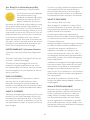
• Risk of electric shock or fire!
• Keep the monitor out of direct sunlight
and away from stoves or any other heat
source.
• If your monitor gets wet, wipe it with dry
cloth as soon as possible.
• If foreign substance or water gets in
your monitor, please turn the power off
immediately and disconnect the power
cord. Then, remove the foreign substance
or water, and send it to the maintenance
center.
• Remove any object that could fall into
ventilation holes or prevent proper cooling of the monitor’s electronics.
• Do not block the ventilation holes on the
cabinet.
• When positioning the monitor, make
sure the power plug and outlet are easily
accessible.
• Do not store or use the monitor in
locations exposed to heat, direct sunlight or
extreme cold.
• If turning off the monitor by detaching the
power cable or DC power cord, wait for 6
seconds before attaching the power cable
or DC power cord for normal operation.
1