1
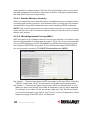
3.3.4.1 DoS – Advanced Settings
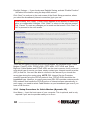
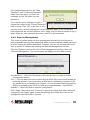
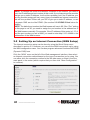
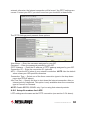
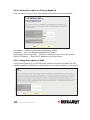
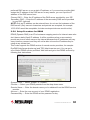
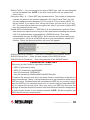
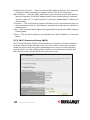
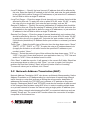
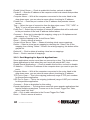
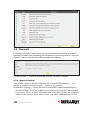
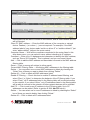
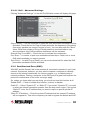
Clicking “Advanced Settings” on the first DoS Module screen will display this page.
Ping of Death — Set the threshold of when this DoS prevention mechanism will be
activated. Check the box for Ping of Death and enter the frequency of threshold
(how many packets per second, minute or hour). You can also enter the “Burst”
value: When this number of Ping of Death packets is received within a very
short timeframe, this DoS prevention mechanism will be activated.
Discard Ping From WAN — Check the box to activate this mechanism.
Port Scan — A number of port scan methods are listed here. Check one or more
DoS attack methods you want to prevent.
Sync Flood — As with Ping of Death, you can set the threshold for when this DoS
prevention mechanism will be activated.
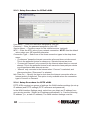
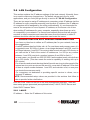
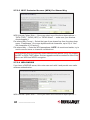
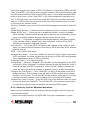
3.3.5 Demilitarized Zone (DMZ)
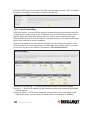
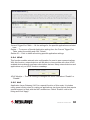
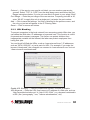
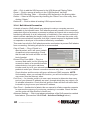
With NAT and the firewall, this router protects all connected computers in your local
network. Sometimes, however, you may want to expose a computer or network
device to the Internet intentionally for various reasons; e.g., troubleshooting of
network problems. Placing a computer in the DMZ puts it at great risk because the
protection mechanisms of the router no longer apply.
So, unless you know what you are doing, you should not use this function at all.
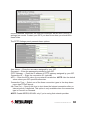
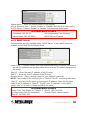
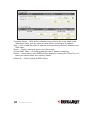
Enable DMZ — Check to enable this function; uncheck to disable.
Public IP — Select “Dynamic IP” or “Static IP.” If you select “Dynamic IP,” you need
to select an Internet connection session from the drop-down menu; if you select
“Static IP,” enter the IP address that you want to map to a specific private IP
address.
Client PC IP Address — Enter the private IP address that the Internet IP address
will be mapped to. That is the computer you want to bypass the firewall and NAT.
ADVANCED FUNCTIONS
53