1
Table of Contents
Chapter 1: Introduction
1.1 Overview
1.2 Features
1.3 Package Contents
1.4 Product Overview - Front
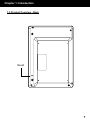
1.5 Product Overview - Back
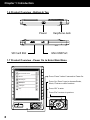
1.6 Product Overview - Bottom & Top
1.7 Product Overview - Power On to Enter Main Menu
1.8 Product Overview - Basic Operation
1.9 Product Overview - Reading Operation
04
05
05
05
06
07
08
08
09
09
Chapter 2: Operating Instructions
2.1 Charging the Battery
2.2 Inserting a Memory Card
2.3 Power On
2.4 To read an eBook on the included memory card
2.5 Finding and downloading free eBooks online
2.6 To copy an eBook to the Libre
2.7 Resetting your Libre
10
10
10
10
11
11
12
12
Chapter 3: Recent Readings
3.1 Recent Readings
14
14
Chapter 4: eBooks
4.1 To Read an eBook
4.2 To Go to a Particular Bookmark
4.3 To Bookmark a Page
4.4 To Remove Bookmark
4.5 To Search a Particular Keyword Within a Document
4.6 To Jump to a Certain Page
4.7 To Change a Font Size
4.8 To Setup Auto Turn Page
4.9 To Rotate
4.10 To Set the Codepage
4.11 To Set the Alignment
4.12 To Start / Stop Background Music
15
15
15
15
15
15
16
16
16
16
16
17
17
Chapter 5: Pictures
5.1 To Display Picture
5.2 To Rotate a Picture
5.3 To Zoom In / Out
5.4 To View the Picture in Full Screen
18
18
18
18
18