1
AN-PR1000H
Troubleshooting chart (continued)
Error indicators and warnings
ENGLISH
If trouble occurs
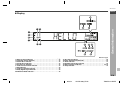
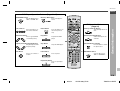
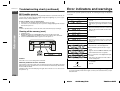
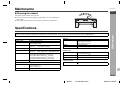
When you fail to perform operations properly, the following messages are displayed
on the unit.
When this product is subjected to strong external interference (mechanical shock, excessive static electricity, abnormal supply voltage due to lightning, etc.) or if it is operated incorrectly, it may malfunction.
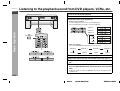
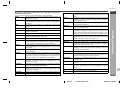
Display
If such a problem occurs, do the following:
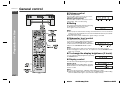
1 Set the unit to the stand-by mode and turn the power on again.
2 If the unit is not restored in the previous operation, unplug and plug in the unit, and
then turn the power on.
Note:
If neither operation above restores the unit, clear all the memory by resetting it.
References
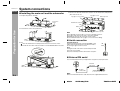
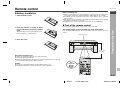
Clearing all the memory (reset)
1
2
3
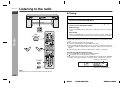
Unplug the unit.
Whilst holding down the FUNCTION button, plug in the AC power lead.
"RESET" is displayed on the display for about 1 second, the unit is turned off.
Press the ON/STAND-BY button again to turn the power on.
Meaning
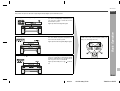
The cooling fan at the rear of the unit does
not run.
Unplug the AC power lead and check if foreign objects get caught around the cooling
fan.
Malfunction of the surround circuit.
Place the unit away from noise source and
plug the AC power lead into another wall
socket. (*)
Malfunction of circuits other than the surround circuit.
Place the unit away from noise source and
plug the AC power lead into another wall
socket. (*)
When there is no input signal.
Play back the connected equipment.
Nonstandard signal. Cannot be recognised.
Signals other than DOLBY DIGITAL, DTS,
Linear PCM cannot be recognised.
Poor connection of the digital audio input
terminal.
Turn off the unit and check if the cable is
connected properly.
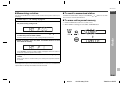
When the protection circuit of the amplifier
is activated.
See left.
Caution:
If the unit is reset, each setting returns to default.
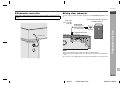
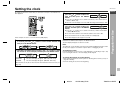
When the protection circuit is activated:
If the speaker connection lead is short-circuited, the protection circuit will be activated.
When the protection circuit functions, the unit is turned off automatically. At that time,
the timer indicator blinks.
Unplug the AC power lead and plug it in again after 5 minutes or more. Then check
the operation. (*)
Timer indicator
(*): Should the same message appear even if the unit is unplugged and plugged in or
is set to the stand-by mode and on again, contact your local dealer where you purchased the unit.
E-39
06/3/14
AN-PR1000_EN.fm
TINSEA127AWZZ