1
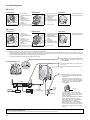
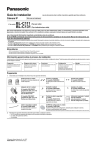
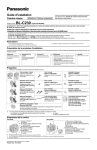
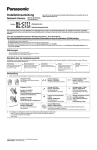
Camera Diagrams
BL-C111
Front View
Bottom View
A
B
C
D
E
*1
*2
A Lens housing
(pan/tilt mechanism)
B Lens
C Indicator*1/
PRIVACY button*2
D Built-in sensor
(pyroelectric infrared
sensor)
E Microphone
Rear View
F
G
H
I
J
K
L Tripod mounting hole
M Wall mounting holes
F Tripod mounting hole
G FACTORY DEFAULT
RESET button
H LAN port
I DC IN jack
J MAC address label
K Serial number label
L
M
See 1.1 Understanding the Camera Indicator in the Troubleshooting Guide on the CD-ROM for indicator meaning.
See “PRIVACY Button” on page 4 for information about the PRIVACY button.
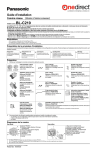
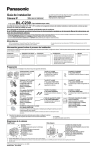
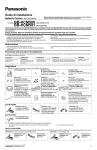
BL-C131
Front View
Bottom View
A
B
C
D
E
F
*1
*2
A Antenna
B Lens housing
(pan/tilt mechanism)
C Lens
D Indicator*1/
PRIVACY button*2
E Built-in sensor
(pyroelectric infrared
sensor)
F Microphone
Rear View
G
H
I
J
K
L
M
G Tripod mounting hole
H FACTORY DEFAULT
RESET button
I WIRELESS/WIRED
switch
J LAN port
K DC IN jack
L MAC address label
M Serial number label
N Tripod mounting hole
O Wall mounting holes
N
O
See 1.1 Understanding the Camera Indicator in the Troubleshooting Guide on the CD-ROM for indicator meaning.
See “PRIVACY Button” on page 4 for information about the PRIVACY button.
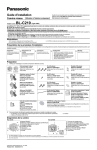
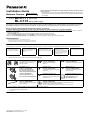
Connections
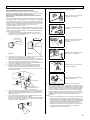
Connect the camera to your router and to the power outlet as described below.
• Before proceeding, confirm that your PC is connected to your router and can access the Internet. Also confirm that your router’s UPnP™ feature is
enabled. (Most routers have UPnP™ turned off by default.) Refer to the operating instructions included with your router or to the Panasonic Network
Camera website (http://panasonic.net/pcc/ipcam/) for more information.
• The camera illustrations in this document depict the BL-C131.
1
WIRELESS/WIRED switch
2
3
4
Bottom of BL-C131
Router
Internet
LAN cable
(Cat-5 straight cable)
Modem
PC
To the
power
outlet
AC adaptor
BL-C131 only: Confirm that the WIRELESS/
WIRED switch on the bottom of the camera
is set to WIRED.
Connect the LAN cable to the camera and
the router.
Connect the AC adaptor cord to the DC IN
jack.
Plug the AC adaptor into the power outlet.
• The lens will pan and tilt when the camera
is turned on.
• Confirm that the indicator lights green
after about 1 minute. If the indicator does
not light green, see 1.2 Camera Indicator
Issues in the Troubleshooting Guide on
the CD-ROM.
Green
• The AC adaptor is used as the main
disconnect device. Ensure that the AC
outlet is installed near the product and is
easily accessible.
• Use only specified Panasonic AC adaptor
(BL-C111CE/BL-C131CE: model no.
PQLV206CE [order no. PQLV206CEY],
BL-C111E/BL-C131E: model no.
PQLV206E [order no. PQLV206EY]).
• When the lens pans or tilts, a sound can
be heard from the camera. This is normal.
• The camera may become warm. This is
normal.
After the camera’s indicator turns green, you may set up the camera. Continue by following the procedure described
in the included Setup Guide.
• If the indicator does not turn green, see 1.2 Camera Indicator Issues in the Troubleshooting Guide on the included CD-ROM.
2