1
8. RDS OPERATIONS
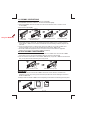
5) AF BUTTON(ALTERNATIVE FREQUENCIES)
When pressed short, AF switching mode is selected.
When AF switching mode is selected, the radio check the signal strength of the AF all the time.
When pressed long, it is activated as regional mode ON/OFF.
- Regional mode ON:
AF Switching or PI SEEK is implemented to the station which have all PI codes are same as
current station. REG segment is turned on, in LCD display.
- Regional mode OFF:
The Regional code in the format of PI code is ignored when AF switching or PI SEEK is
implemented.
Some broadcasting stations may change their program from normal broadcasting to
regional broadcasting for a certain period. When regional mode is off, the region
identification in the PI code is ignored; the radio may switch to a local variant of the current
program. When region mode is on, the radio will only switch to a program carrying the
exact same PI code.
Note: When AF switch is on, at this moment use tuning up/down to search station
will only stop at station which has RDS broadcasting.
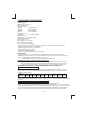
17)TA BUTTON(TRAFFIC ANNOUNCEMENT)---------OPERATION ON REMOTE CONTROL
When pressed short, it is activated as TA mode on or off
When TA mode is on and traffic announcement is transmittude
- When the unit is in CD mode, it will switch to radio mode temporarily.
- If the volume lever was under the threshold point, it will be raised to the threshold point.
- When TP station is received, TP segment is turned on in LCD display.
When pressed long, EON TA LOCAL /EON TA DISTANCE mode is selected.
- EON TA LOCAL mode
When the field strength level of EON linked is less than the threshold level. The radio does not
switch that station and user can hardly listen to any disturbances. “EON TA LO “ is displayed a
few second.
- EON TA DISTANCE mode
EON TA switching is try to implemented by the information of current station “EON TA DX” is
displayed a few second this mode is selected
Note: When TA switch is on, at this moment use tuning up/down to search station will
only stop at station which has TA broadcasting.
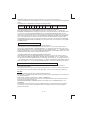
16)PTY BUTTON
Each time when this button is pressed, the PTY mode will toggle in the following order:
PTY Music Group -> PTY Speech Group ->PTY Off
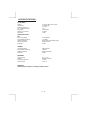
The current PTY code is displayed on the LCD, use the 6 preset buttons to select the other
PTY code, the distribution of program type are as follow:
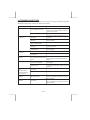
Button Number
Music Group
M1
POP , ROCK
M2
EASY, LIGHT
CLAS SIC S,
M3
M4
JAZZ, COUNTRY
M5
NATION, OLDIES
M6
FOLK
Speech Group
NEWS, AFFAIRS, INFO
SPORT, EDUCATE, DRAMA
CULTURE, SCIENCE, VARIED
WEATHER,FINANCE, CHILDREN
SOCIAL, RELIGION, PHONE IN
TRAVEL, LEISURE, DOCUMENT
When PTY code is selected, the radio will search the band for the station that matches the
PTY code.
E - 10