1
Chapter 2: Motherboard Installation
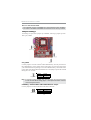
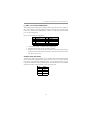
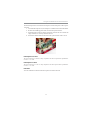
Follow the steps below to install an PCI Express x16/PCI Express x1/PCI expansion card.
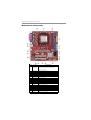
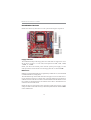
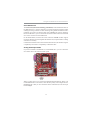
1. Locate the PCI Express x16, PCI Express x1 and PCI slots on the mainboard.
2. Remove the blanking plate of the slot from the system chassis.
3. Install the edge connector of the expansion card into the slot. Ensure the
edge connector is correctly seated in the slot.
4. Secure the metal bracket of the card to the system chassis with a screw.
PCI Express x16 slot
The one PCI Express x16 slot is fully compliant to the PCI Express Base Specification
revision 1.1 as well.
PCI Express x1 Slot
The one PCI Express x1 slot is fully compliant to the PCI Express Base Specification
revision 1.1 as well.
PCI Slots
You can install the 32-bit PCI interface expansion cards in the slots.
17