1
User Guide
Linksys E3000
High Performance Wireless-N Router
Table of Contents
Linksys E3000
Contents
Chapter 1: Product Overview
1
Top . . . . . . . . . . . . . . . . . . . . . . . . . . . . . . . . . . . . . . . . . . . . . . . . . . . . . . . 1
Back . . . . . . . . . . . . . . . . . . . . . . . . . . . . . . . . . . . . . . . . . . . . . . . . . . . . . . . 1
Chapter 2: Advanced Configuration
3
How to Access the Browser-Based Utility . . . . . . . . . . . . . . . . . . . . . . . . . . . . . . . 3
Setup > Basic Setup . . . . . . . . . . . . . . . . . . . . . . . . . . . . . . . . . . . . . . . . . . . . . 3
Setup > DDNS . . . . . . . . . . . . . . . . . . . . . . . . . . . . . . . . . . . . . . . . . . . . . . . . 7
Setup > MAC Address Clone . . . . . . . . . . . . . . . . . . . . . . . . . . . . . . . . . . . . . . . 8
Setup > Advanced Routing . . . . . . . . . . . . . . . . . . . . . . . . . . . . . . . . . . . . . . . . 8
Wireless > Basic Wireless Settings . . . . . . . . . . . . . . . . . . . . . . . . . . . . . . . . . . . . 9
Wireless > Wireless Security . . . . . . . . . . . . . . . . . . . . . . . . . . . . . . . . . . . . . . . 12
Wireless > Wireless MAC Filter . . . . . . . . . . . . . . . . . . . . . . . . . . . . . . . . . . . . . 16
Wireless > Advanced Wireless Settings . . . . . . . . . . . . . . . . . . . . . . . . . . . . . . . . 16
Security > Firewall . . . . . . . . . . . . . . . . . . . . . . . . . . . . . . . . . . . . . . . . . . . . . 18
Security > VPN Passthrough . . . . . . . . . . . . . . . . . . . . . . . . . . . . . . . . . . . . . . 18
Storage > Disk . . . . . . . . . . . . . . . . . . . . . . . . . . . . . . . . . . . . . . . . . . . . . . . 19
Storage > Media Server . . . . . . . . . . . . . . . . . . . . . . . . . . . . . . . . . . . . . . . . . 21
Storage > FTP Server . . . . . . . . . . . . . . . . . . . . . . . . . . . . . . . . . . . . . . . . . . . 22
Storage > Administration . . . . . . . . . . . . . . . . . . . . . . . . . . . . . . . . . . . . . . . . 23
Access Restrictions > Internet Access Policy . . . . . . . . . . . . . . . . . . . . . . . . . . . . 25
Applications and Gaming > Single Port Forwarding . . . . . . . . . . . . . . . . . . . . . . . 26
Applications and Gaming > Port Range Forwarding . . . . . . . . . . . . . . . . . . . . . . . 26
Applications & Gaming > Port Range Triggering . . . . . . . . . . . . . . . . . . . . . . . . . .27
Applications and Gaming > DMZ . . . . . . . . . . . . . . . . . . . . . . . . . . . . . . . . . . . 27
Applications and Gaming > QoS . . . . . . . . . . . . . . . . . . . . . . . . . . . . . . . . . . . . 28
Administration > Management . . . . . . . . . . . . . . . . . . . . . . . . . . . . . . . . . . . . 30
Administration > Log . . . . . . . . . . . . . . . . . . . . . . . . . . . . . . . . . . . . . . . . . . . 31
Administration > Diagnostics . . . . . . . . . . . . . . . . . . . . . . . . . . . . . . . . . . . . . . 32
Administration > Factory Defaults . . . . . . . . . . . . . . . . . . . . . . . . . . . . . . . . . . 33
Administration > Firmware Upgrade . . . . . . . . . . . . . . . . . . . . . . . . . . . . . . . . . 33
Status > Router . . . . . . . . . . . . . . . . . . . . . . . . . . . . . . . . . . . . . . . . . . . . . . . 33
Status > Local Network . . . . . . . . . . . . . . . . . . . . . . . . . . . . . . . . . . . . . . . . . . 34
Status > Wireless Network . . . . . . . . . . . . . . . . . . . . . . . . . . . . . . . . . . . . . . . . 34
Appendix A: Troubleshooting
36
Appendix B: How to Install and Access USB Storage
38
Overview . . . . . . . . . . . . . . . . . . . . . . . . . . . . . . . . . . . . . . . . . . . . . . . . . . 38
Windows 7 . . . . . . . . . . . . . . . . . . . . . . . . . . . . . . . . . . . . . . . . . . . . . . . . . 38
Windows Vista . . . . . . . . . . . . . . . . . . . . . . . . . . . . . . . . . . . . . . . . . . . . . . . 40
High Performance Wireless-N Router
i
Table of Contents
Linksys E3000
Windows XP . . . . . . . . . . . . . . . . . . . . . . . . . . . . . . . . . . . . . . . . . . . . . . . . 42
Mac OS X . . . . . . . . . . . . . . . . . . . . . . . . . . . . . . . . . . . . . . . . . . . . . . . . . . 45
Advanced Configuration
(Advanced Users Only) . . . . . . . . . . . . . . . . . . . . . . . . . . . . . . . . . . . . . . . . . . 48
Appendix C: Specifications
High Performance Wireless-N Router
50
ii
Chapter 1: Product Overview
Linksys E3000
Chapter 1: Product Overview
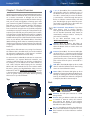
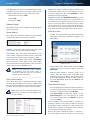
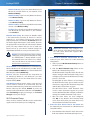
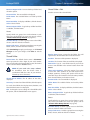
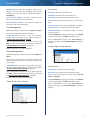
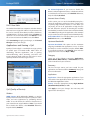
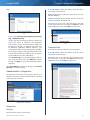
1, 2, 3, 4 (Green/Blue) These numbered LEDs,
corresponding with the numbered ports on
the Router’s back panel, serve two purposes.
The LED is continuously lit when the Router
is connected to a device through that port. It
flashes to indicate network activity over that
port. The LED lights up green when the port is
connected to a gigabit port or blue when the
port is connected to a 10/100 port.
Thank you for choosing the Linksys E3000 High Performance
Wireless-N Router. The Router lets you access the Internet
via a wireless connection or through one of its four
switched Gigabit Ethernet ports. With the built‑in Storage
Link, you can easily add gigabytes of storage space onto
your network using USB 2.0 hard drives, or plug in a USB
flash disk to access your portable data files. The Router’s
built-in media server streams music, video and photos
from an attached storage device to any UPnP‑compatible
media adapter or player. A variety of security features help
to protect your data and your privacy while you are online.
Security features include Wi‑Fi Protected Access 2 (WPA2)
security which encrypts data on your wireless network, a
Stateful Packet Inspection (SPI) firewall to block unwanted
access to your Router, and Network Address Translation
(NAT) technology, which enhances network protection by
allowing your computers to share Internet access through
a single, public Internet IP address. (IP stands for Internet
Protocol.)
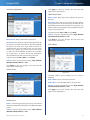
Wi-Fi Protected Setup Button If you have
client devices, such as wireless adapters,
that support Wi-Fi Protected Setup, then you
can use the Wi-Fi Protected Setup button to
automatically configure wireless security for
your wireless network(s).
To use Wi-Fi Protected Setup, refer to
“Wi-Fi Protected Setup” on page 11.
Wireless (Blue) The Wireless LED lights up
when the wireless feature is enabled. It flashes
when the Router sends or receives data over
the network.
Setup and use of the Router is easy using Cisco Connect,
the software that is installed when you run the included
CD. Advanced configuration of the Router is available
through the provided browser‑based utility.
Internet (Green/Blue) The Internet LED lights
up when there is a connection made through
the Internet port. It flashes to indicate network
activity over the Internet port. The LED lights up
green when the port is connected to a gigabit
port or blue when the port is connected to a
10/100 port.
For more wireless bandwidth, the Router can create two
simultaneous yet separate Wireless-N networks, one
using the 5 GHz band and one using the 2.4 GHz band.
For example, use the Wireless-N 2.4 GHz network to
surf, e-mail, and print while keeping the less crowded,
Wireless-N 5 GHz network free for time‑sensitive traffic
like music, gaming, and high‑definition video. For more
information, refer to “Simultaneous Networks” on page
9. The Guest Access features allows you to provide Internet
access to guests visiting your home without granting
them access to your local network.
USB (Blue) The USB LED lights up when a USB
device is attached. It flashes when data is being
sent to or received from this device.
Power (Blue) The Power LED lights up when
the Router is powered on. When the Router goes
through its self-diagnostic mode during every
boot-up, the LED flashes. When the diagnostic
is complete, the LED is continuously lit.
Top
Back
USB
Internet
4
3 Ethernet
2
1
Reset
12VDC
Power
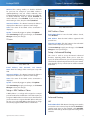
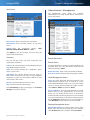
USB Port The USB port connects to a USB
storage device.
Internet Using an Ethernet cable (also called
a network or Internet cable), the Internet
port connects the Router to your Internet
connection, which is typically a cable or Digital
Subscriber Line (DSL) modem.
4, 3, 2, 1 Using Ethernet cables , these Ethernet
ports connect the Router to computers on your
wired network and other Ethernet network
devices.
High Performance Wireless-N Router
1
Chapter 1: Product Overview
Linksys E3000
Wall-Mounting Placement
Reset There are two ways to reset the Router
to its factory defaults. Either press and hold
the Reset Button for approximately five
seconds, or restore the defaults from the
Administration > Factory Defaults screen in
the Router’s browser-based utility (refer to
“Administration > Factory Defaults” on page
33).
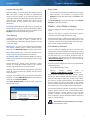
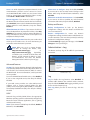
The Router has two wall-mount slots on its bottom panel.
The distance between the slots is 175.56 mm.
Two screws are needed to mount the Router.
Suggested Mounting Hardware
2.5-3.0 mm
Power Switch Press the I end to power on the
Router. Press the O end to power off the Router.
4-5 mm
Power The Power port connects to the
included power adapter.
1-1.5 mm
NOTE: Cisco is not responsible for damages
incurred by unsecured wall-mounting hardware.
Horizontal Placement
The Router has four rubber feet on its bottom panel. Place
the Router on a level surface near an electrical outlet.
Follow these instructions:
1. Determine where you want to mount the Router. Make
sure that the wall you use is smooth, flat, dry, and
sturdy. Also make sure the location is within reach of
an electrical outlet.
2. Drill two holes into the wall. Make sure the holes are
175 mm apart.
3. Insert a screw into each hole and leave 3 mm
of its head exposed.
4. Position the Router so the wall-mount slots line up
with the two screws.
5. Place the wall-mount slots over the screws and slide
the Router down until the screws fit snugly into the
wall-mount slots.
175 mm
Print this page at 100% size.
Cut along the dotted line, and place on the wall to drill precise spacing.
Wall-Mounting Template
High Performance Wireless-N Router
2
Chapter 2: Advanced Configuration
Linksys E3000
Chapter 2: Advanced Configuration
After setting up the Router with the setup software
(located on the CD-ROM), the Router will be ready for use.
If you would like to change its advanced settings, use the
Router’s browser-based utility. This chapter describes each
web page of the utility and each page’s key functions. You
can access the utility via a web browser on a computer
connected to the Router.
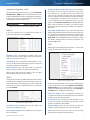
Setup > Basic Setup
The first screen that appears is the Basic Setup screen. This
allows you to change the Router’s general settings.
The browser-based utility has these main tabs: Setup,
Wireless, Security, Storage, Access Restrictions, Applications
& Gaming, Administration, and Status. Additional tabs will
be available after you click one of the main tabs.
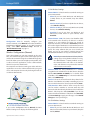
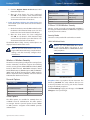
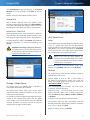
How to Access the Browser-Based Utility
To access the browser-based utility, launch the web
browser on your computer, and enter the Router’s default
IP address, 192.168.1.1 in the Address field. Then press
Enter.
NOTE: You can also access the browser‑based
utility on Windows computers by entering the
device name in the Address field. Refer to Device
Name under “Router Address” on page 6.
A login screen will appear. (Non-Windows 7 users will see
a similar screen.) In the User name field, enter admin. Then
enter the password created during the setup software.
(If you did not run the setup software, then use the
default password, admin. You can set a new password
on the Administration > Management screen. Refer to
“Administration > Management” on page 30.) Click OK
to continue.
Setup > Basic Setup
Language
Select your language To use a different language, select
one from the drop-down menu. The language of the
browser-based utility will change five seconds after you
select another language.
Click Save Settings to apply your changes, or click Cancel
Changes to clear your changes.
Internet Setup
Windows 7 Login Screen
NOTE: You can also access the browser‑based
utility through Cisco Connect.
High Performance Wireless-N Router
The Internet Setup section configures the Router to your
Internet connection. Most of this information can be
obtained through your Internet Service Provider (ISP).
Internet Connection Type
Select the type of Internet connection your ISP provides
from the drop-down menu. The available types are:
••
Automatic Configuration - DHCP
••
Static IP
••
PPPoE
••
PPTP
••
L2TP
••
Telstra Cable
3
Chapter 2: Advanced Configuration
Linksys E3000
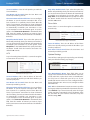
Automatic Configuration - DHCP
The default Internet Connection Type is set to Automatic
Configuration - DHCP. Keep the default only if your ISP
supports DHCP (Dynamic Host Configuration Protocol) or
if you connect using a dynamic IP Address. (This option
usually applies to cable connections.)
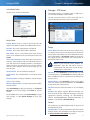
Internet Connection Type > Automatic Configuration - DHCP
Static IP
If you are required to use a permanent IP address to
connect to the Internet, select Static IP.
Connect on Demand: Max Idle Time You can configure
the Router to cut the Internet connection after it has
been inactive for a specified period of time (Max Idle
Time). If your Internet connection has been terminated
due to inactivity, Connect on Demand enables the Router
to automatically re-establish your connection as soon
as you attempt to access the Internet again. To use this
option, select Connect on Demand. In the Max Idle Time
field, enter the number of minutes you want to elapse
before your Internet connection terminates. The default is
5 minutes.
Keep Alive: Redial Period If you select this option, the
Router will periodically check your Internet connection. If
you are disconnected, then the Router will automatically
re-establish your connection. To use this option, select
Keep Alive. In the Redial Period field, specify how often
the Router should check the Internet connection. The
default is 30 seconds.
PPTP
Point-to-Point Tunneling Protocol (PPTP) is a service that
applies to connections in Europe only.
Internet Connection Type > Static IP
IP Address This is the Router’s IP address, when seen
from the Internet. Your ISP will provide you with the IP
address you need to enter here.
Subnet Mask This is the Router’s Subnet Mask, as seen
by users on the Internet (including your ISP). Your ISP will
provide you with the Subnet Mask.
Default Gateway Your ISP will provide you with the
Gateway address, which is the ISP server’s IP address.
DNS Your ISP will provide you with at least one DNS
(Domain Name System) server IP address.
PPPoE
Some DSL-based ISPs use PPPoE (Point-to-Point Protocol
over Ethernet) to establish Internet connections. If you are
connected to the Internet through a DSL line, check with
your ISP to see if they use PPPoE. If they do, you will have
to enable PPPoE.
Internet Connection Type > PPTP
If your ISP supports DHCP or you are connecting through
a dynamic IP address, then select Obtain an IP Address
Automatically. If you are required to use a permanent IP
address to connect to the Internet, then select Specify an
IP Address. Then configure the following:
Internet IP Address This is the Router’s IP address, as
seen from the Internet. Your ISP will provide you with the
IP Address you need to specify here.
Internet Connection Type > PPPoE
Subnet Mask This is the Router’s Subnet Mask, as seen
by users on the Internet (including your ISP). Your ISP will
provide you with the Subnet Mask.
User Name and Password Enter the User Name and
Password provided by your ISP.
Default Gateway Your ISP will provide you with the
Gateway address, which is the ISP server’s IP address.
Service Name (optional) If provided by your ISP, enter
the Service Name.
DNS Your ISP will provide you with at least one DNS
(Domain Name System) Server IP address.
High Performance Wireless-N Router
4
Linksys E3000
Server IP Address Your ISP will provide you with the
Server IP Address.
User Name and Password Enter the User Name and
Password provided by your ISP.
Connect on Demand: Max Idle Time You can configure
the Router to cut the Internet connection after it has
been inactive for a specified period of time (Max Idle
Time). If your Internet connection has been terminated
due to inactivity, Connect on Demand enables the Router
to automatically re-establish your connection as soon
as you attempt to access the Internet again. To use this
option, select Connect on Demand. In the Max Idle Time
field, enter the number of minutes you want to elapse
before your Internet connection terminates. The default is
5 minutes.
Keep Alive: Redial Period If you select this option, the
Router will periodically check your Internet connection. If
you are disconnected, then the Router will automatically
re-establish your connection. To use this option, select
Keep Alive. In the Redial Period field, specify how often
the Router should check the Internet connection. The
default is 30 seconds.
L2TP
Layer 2 Tunneling Protocol (L2TP) is a service that applies
to connections in Israel only.
Chapter 2: Advanced Configuration
Keep Alive: Redial Period If you select this option, the
Router will periodically check your Internet connection. If
you are disconnected, then the Router will automatically
re-establish your connection. To use this option, select
Keep Alive. In the Redial Period field, specify how often
the Router should check the Internet connection. The
default is 30 seconds.
Telstra Cable
Telstra Cable is a service that applies to connections in
Australia only.
Internet Connection Type > Telstra Cable
Server IP Address This is the IP address of the Telstra
Cable. Your ISP will provide you with the IP Address you
need to specify here.
User Name and Password Enter the User Name and
Password provided by your ISP.
Optional Settings
Some of these settings may be required by your ISP. Verify
with your ISP before making any changes.
Optional Settings
Internet Connection Type > L2TP
Server IP Address This is the IP address of the L2TP
Server. Your ISP will provide you with the IP Address you
need to specify here.
User Name and Password Enter the User Name and
Password provided by your ISP.
Connect on Demand: Max Idle Time You can configure
the Router to cut the Internet connection after it has
been inactive for a specified period of time (Max Idle
Time). If your Internet connection has been terminated
due to inactivity, Connect on Demand enables the Router
to automatically re-establish your connection as soon
as you attempt to access the Internet again. To use this
option, select Connect on Demand. In the Max Idle Time
field, enter the number of minutes you want to elapse
before your Internet connection terminates. The default is
5 minutes.
High Performance Wireless-N Router
Host Name/Domain Name These fields allow you to
supply a host and domain name for the Router. Some ISPs,
usually cable ISPs, require these names as identification.
You may have to check with your ISP to see if your
broadband Internet service has been configured with a
host and domain name. In most cases, leaving these fields
blank will work.
MTU MTU is the Maximum Transmission Unit. It specifies
the largest packet size permitted for Internet transmission.
Select Manual if you want to manually enter the largest
packet size that is transmitted. To have the Router select
the best MTU for your Internet connection, keep the
default setting, Auto.
5
Chapter 2: Advanced Configuration
Linksys E3000
Size When Manual is selected in the MTU field, this option
is enabled. Leave this value in the 1200 to 1500 range. The
default size depends on the Internet Connection Type:
••
DHCP, Static IP, or Telstra: 1500
••
PPPoE: 1492
••
PPTP or L2TP: 1460
Network Setup
The Network Setup section configures the IP settings for
your local network.
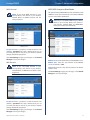
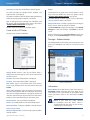
DHCP Server DHCP is enabled by factory default. If you
already have a DHCP server on your network, or you do
not want a DHCP server, then select Disabled (no other
DHCP features will be available).
DHCP Reservation Click DHCP Reservation if you want
to assign a fixed local IP address to a specific device on
your network. This is helpful if you have a device you need
to access at the same address all the time such as a media
server or print server. You can reserve the IP address for
the specific device by selecting it from the list of devices
or by manually entering the MAC address of the device.
DHCP Reservation
Router Address
You will see a list of DHCP clients with the following
information: Client Name, Interface, IP Address, and
MAC Address.
This presents the Router’s IP Address, the Subnet Mask,
and the Device Name as seen by your network.
Router IP Address
IP Address This is the IP address of the router and is used
as the base for all of your local network settings.
Subnet Mask This is the subnet mask address for your
router. It offers a selection of addresses from a drop-down
menu. Most users will not need to change this setting.
Device Name The default device name is Ciscoxxxxx.
xxxxx represents the last 5 digits of your serial number.
This can be found on the bottom of the router. (The Device
name is also the Router’s NetBIOS name.)
NOTE: If you used the setup software
for installation, then the device name is
synchronized with the name of your wireless
network (up to 15 characters).
DHCP Server Settings
The settings allow you to configure the Router’s DHCP
server function. The Router can be used as a DHCP server
for your network. A DHCP server automatically assigns an
IP address to each computer or device on your network.
NOTE: If you choose to enable the DHCP server
option, make sure there is no other DHCP server
on your network.
DHCP Reservation
••
Select Clients from DHCP Table Click the Select
check box to reserve a client’s IP address. Then click
Add Clients.
••
Manually Add Client To manually assign an IP
address, enter the client’s name in the Enter Client
Name field. Enter the IP address you want it to have
in the Assign IP Address field. Enter its MAC address in
the To This MAC Address field. Then click Add and click
Save Settings.
Clients Already Reserved
A list of DHCP clients and their fixed local IP addresses
are displayed at the bottom of the screen. If you want
to remove a client from this list, click Remove.
Click Save Settings to apply your changes, or click
Cancel Changes to clear your changes. To update
the on-screen information, click Refresh. To exit this
screen, click Close.
Start IP Address The Start IP Address specifies the
starting IP address for the range of addresses assigned
by your Router when it functions as a DHCP server. (The
first IP address assigned by the Router will be randomly
selected within the range you specify.)
DHCP Server Setting
High Performance Wireless-N Router
Because the Router’s default IP address is 192.168.1.1,
the Start IP Address must be 192.168.1.2 or greater, but
6
Chapter 2: Advanced Configuration
Linksys E3000
smaller than 192.168.1.254. The default Start IP Address is
192.168.1.100.
Maximum Number of Users Enter the maximum
number of computers that you want the DHCP server to
assign IP addresses to. This number cannot be greater
than 253. The default is 50.
IP Address Range The range of available IP addresses is
displayed.
Client Lease Time The Client Lease Time is the amount
of time a network user will be allowed connection to the
Router with their current dynamic IP address. Enter the
amount of time, in minutes, that the user will be “leased”
this dynamic IP address. After the time is up, the user will
be automatically assigned a new dynamic IP address, or
the lease will be renewed. The default is 0 minutes, which
means one day.
Static DNS (1-3) The Domain Name System (DNS) is how
the Internet translates domain or website names into
Internet addresses or URLs. Your ISP will provide you with at
least one DNS Server IP Address. If you wish to use another,
enter that IP Address in one of these fields. You can enter up
to three DNS Server IP Addresses here. The Router will use
these for quicker access to functioning DNS servers.
Setup > DDNS
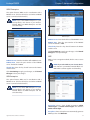
The Router offers a Dynamic Domain Name System
(DDNS) feature. DDNS lets you assign a fixed host and
domain name to a dynamic Internet IP address. It is useful
when you are hosting your own website, FTP (File Transfer
Protocol) server, or other server behind the Router.
Before you can use this feature, you need to sign
up for DDNS service with a DDNS service provider,
www.dyndns.org or www.tzo.com. If you do not want to
use this feature, keep the default, Disabled.
DDNS
DDNS Service
If your DDNS service is provided by DynDNS.org, then
select DynDNS.org from the drop-down menu. If your
DDNS service is provided by TZO, then select TZO.com.
The features available on the DDNS screen will vary,
depending on which DDNS service provider you use.
DynDNS.org
WINS The Windows Internet Naming Service (WINS)
manages each computer’s interaction with the Internet. If
you use a WINS server, enter that server’s IP address here.
Otherwise, leave this blank.
Time Settings
Time Setting
Time Zone Select the time zone in which your network
functions from this drop-down menu.
Automatically adjust clock for daylight saving
changes Select this option to have the Router
automatically adjust for daylight saving time.
Click Save Settings to apply your changes, or click Cancel
Changes to clear your changes.
Reboot
Setup > DDNS > DynDNS
Username Enter the Username for your DDNS account.
Password Enter the Password for your DDNS account.
Host Name The DDNS URL assigned by the DDNS service
is displayed.
System Select the DynDNS service you use: Dynamic,
Static, or Custom. The default selection is Dynamic.
Mail Exchange (Optional) Enter the address of your mail
exchange server, so emails to your DynDNS address go to
your mail server.
Reboot
Reboot Use this option to reboot your Router.
High Performance Wireless-N Router
Backup MX This feature allows the Mail eXchange (MX)
server to be a backup. To disable this feature, keep the
default, Disabled. To enable the feature, select Enabled. If
you are not sure which setting to select, keep the default,
Disabled.
7
Chapter 2: Advanced Configuration
Linksys E3000
Wildcard This setting enables or disables wildcards
for your host. For example, if your DDNS address is
myplace.dyndns.org and you enable wildcards, then
x.myplace.dyndns.org will work as well (x is the wildcard).
To disable wildcards, keep the default, Disabled. To
enable wildcards, select Enabled. If you are not sure
which setting to select, keep the default, Disabled.
Internet IP Address The Router’s Internet IP address is
displayed here. Because it is dynamic, it will change.
Status The status of the DDNS service connection is
displayed.
Update To manually trigger an update, click Update.
Setup > MAC Address Clone
MAC Address Clone
Click Save Settings to apply your changes, or click Cancel
Changes to clear your changes.
Enabled/Disabled To have the MAC address cloned,
select Enabled.
TZO.com
MAC Address Enter the MAC address registered with
your ISP here.
Clone My PC’s MAC Click this button to clone the MAC
address of the computer you are using.
Click Save Settings to apply your changes, or click Cancel
Changes to clear your changes.
Setup > Advanced Routing
Setup > DDNS > TZO
This screen is used to set up the Router’s advanced
functions. Operating Mode allows you to select the
type(s) of advanced functions you use. Dynamic Routing
automatically adjusts how packets travel on your network.
Static Routing sets up a fixed route to another network
destination.
E-mail Address, TZO Password, and Domain
Name Enter the settings of the account you set up with
TZO.
Internet IP Address The Router’s Internet IP address is
displayed here. Because it is dynamic, it will change.
Status The status of the DDNS service connection is
displayed.
Update To manually trigger an update, click Update.
Click Save Settings to apply your changes, or click Cancel
Changes to clear your changes.
Setup > MAC Address Clone
A MAC address is a 12-digit code assigned to a unique
piece of hardware for identification. Some ISPs require you
to register a MAC address in order to access the Internet. If
you do not wish to re-register the MAC address with your
ISP, you can use the MAC Address Clone feature to assign
the currently registered MAC address to the Router.
High Performance Wireless-N Router
Setup > Advanced Routing
Advanced Routing
NAT
Enabled/Disabled If this Router is hosting your network’s
connection to the Internet, keep the default, Enabled. If
another router exists on your network, select Disabled.
When the NAT setting is disabled, dynamic routing will be
available.
8
Chapter 2: Advanced Configuration
Linksys E3000
Dynamic Routing (RIP)
Dynamic routing uses the Routing Information Protocol
(RIP). This option enables the Router to automatically
adjust to physical changes in the network’s layout and
exchange routing tables with other router(s). The Router
determines the network packets’ route based on the
fewest number of hops between the source and the
destination.
Enabled/Disabled When the NAT setting is enabled, the
Dynamic Routing option is automatically disabled. When
the NAT setting is disabled, this option is available. Select
Enabled to use the Dynamic Routing option.
Routing Table
For each route, the Destination LAN IP address, Subnet
Mask, Gateway, and Interface are displayed. Click
Refresh to update the information. Click Close to exit
this screen.
Click Save Settings to apply your changes, or click Cancel
Changes to clear your changes.
Wireless > Basic Wireless Settings
The basic settings for wireless networking are set on this
screen.
Static Routing
There are two ways to configure the Router’s wireless
network(s), manual and Wi-Fi Protected Setup.
A static route is a pre-determined pathway that network
information must travel to reach a specific host or
network. Enter the information described below to set up
a new static route.
Wi-Fi Protected Setup is a feature that makes it easy to set
up your wireless network. If you have client devices, such
as wireless adapters, that support Wi-Fi Protected Setup,
then you can use Wi-Fi Protected Setup.
Route Entries To set up a static route between the Router
and another network, select a number from the dropdown list. Click Delete This Entry to delete a static route.
Simultaneous Networks
Enter Route Name Enter a name for the Route here,
using a maximum of 25 alphanumeric characters.
Destination LAN IP The Destination LAN IP is the address
of the remote network or host to which you want to assign
a static route.
Subnet Mask The Subnet Mask determines which
portion of a Destination LAN IP address is the network
portion, and which portion is the host portion.
Gateway This is the IP address of the gateway device that
allows for contact between the Router and the remote
network or host.
Interface This interface tells you whether the Destination
IP Address is on the LAN & Wireless (Ethernet and wireless
networks) or the Internet (WAN).
Click Show Routing Table to view the static routes you
have already set up.
For more wireless bandwidth, the Router can create two
simultaneous yet separate Wireless-N networks, one using
the Wireless-N 5 GHz band and one using the Wireless-N
2.4 GHz band. You can use Wi-Fi Protected Setup to
easily configure and connect to both networks (refer to
“Wi-Fi Protected Setup” on page 11), or you can manually
configure the Router.
If you use manual configuration, then set up each network
with the following:
••
Unique Network Name (SSID)
••
Wireless
security
settings
(refer
to
“5 GHz or 2.4 GHz Wireless Security” on page 12)
Decide which computers and other wireless devices
should join which network. Wireless-N devices support
both the 5 GHz and 2.4 GHz bands, so they can join either
the 5 GHz or 2.4 GHz network. Wireless-G and Wireless-B
devices support only the 2.4 GHz band, so they should
join the 2.4 GHz network. Wireless-A devices support only
the 5 GHz band, so they should join the 5 GHz network.
For the 5 GHz network, configure all computers and other
wireless devices with the same 5 GHz Network Name
(SSID) and wireless security settings. For the 2.4 GHz
network, configure all computers and other wireless
devices with the same 2.4 GHz Network Name (SSID) and
wireless security settings.
Routing Table
High Performance Wireless-N Router
NOTE: Make sure each network uses a unique
Network Name (SSID).
9
Chapter 2: Advanced Configuration
Linksys E3000
5 GHz Wireless Settings
Network Mode Select the wireless standards running on
your 5 GHz network.
Wireless > Basic Wireless Settings
Configuration View To manually configure your
wireless networks, select Manual. Proceed to the Wireless
Configuration (Manual) section. To use Wi-Fi Protected
Setup, select Wi-Fi Protected Setup. Proceed to
“Wi-Fi Protected Setup” on page 11.
Wireless Configuration (Manual)
••
Mixed If you have both Wireless-A and Wireless-N
(5 GHz) devices in your network, keep the default,
Mixed.
••
Wireless-A Only If you have only Wireless-A devices,
select Wireless-A Only.
••
Wireless-N Only If you have only Wireless-N (5 GHz)
devices, select Wireless‑N Only.
••
Disabled If you do not have any Wireless-A and
Wireless-N (5 GHz) devices in your network, select
Disabled.
Network Name (SSID) The Service Set Identifier (SSID)
is the network name shared by all devices in a wireless
network. It is case-sensitive and must not exceed 32
keyboard characters. The default is Ciscoxxxxx (xxxxx are
the last five digits of the Router’s serial number, found on
the product label on the left side of the Router’s bottom
panel). The setup software that you use to install your
Router and set up your wireless network changes the
default Network Name to an easy-to-remember name.
Your Linksys E3000 can run two networks at the same
time, one network using the 5 GHz radio frequency band
and the other network using the 2.4 GHz radio frequency
band. This allows you to isolate higher-priority traffic, such
as video and voice applications, on the 5 GHz network,
which is less prone to interference.
The computers and devices running your video and voice
applications can use the 5 GHz network, while your guest
access and computers that are only browsing the web can
use the 2.4 GHz network.
Internet
NOTE: If you restore the Router’s factory default
settings (by pressing the Reset button or using
the Administration > Factory Defaults screen),
the Network Name will return to its default
value, and all devices on your wireless network
will need to be reconnected.
Channel Width For best performance in a network
using Wireless-A and Wireless-N (5 GHz) devices, keep the
default, Auto (20MHz or 40MHz). For a channel width
of 40 MHz, select 40MHz only. For a channel width of 20
MHz, select 20MHz only.
Channel Select the channel from the drop-down list for
Wireless-A and Wireless-N (5 GHz) networking. If you are
not sure which channel to select, keep the default, Auto.
Modem
Family Notebook
Printer
Router
Gaming Console
1
2
1
2
Blu-ray Player
SSID Broadcast When wireless clients survey the local
area for wireless networks to associate with, they will
detect the SSID broadcast by the Router. To broadcast the
Router’s SSID, keep the default, Enabled. If you do not
want to broadcast the Router’s SSID, then select Disabled.
Click Save Settings to apply your changes, or click Cancel
Changes to clear your changes.
2.4 GHz Wireless Settings
5 GHz Wireless Network (Local Devices Only)
2.4 GHz Wireless Network (Local or Guest Devices)
If you set the Configuration View to Manual, the Basic
Wireless Settings screen displays the following fields.
High Performance Wireless-N Router
Network Mode Select the wireless standards running on
your 2.4 GHz network.
••
Mixed If you have both Wireless-B, Wireless-G and
Wireless-N (2.4 GHz) devices in your network, keep the
default, Mixed.
10
Linksys E3000
••
Wireless-B/G Only If you have both Wireless-B and
Wireless-G (2.4 GHz) devices in your network, select
Wireless-B/G Only.
••
Wireless-B Only If you have only Wireless-B devices,
select Wireless-B Only.
••
Wireless-G Only If you have only Wireless-G devices,
select Wireless-G Only.
••
Wireless-N Only If you have only Wireless-N (2.4 GHz)
devices, select Wireless-N Only.
••
Disabled If you do not have any Wireless-B, Wireless-G
and Wireless-N (2.4 GHz) devices in your network,
select Disabled.
Network Name (SSID) The Service Set Identifier (SSID)
is the network name shared by all devices in a wireless
network. It is case-sensitive and must not exceed 32
keyboard characters. The default is Ciscoxxxxx (xxxxx are
the last five digits of the Router’s serial number, found on
the product label on the left side of the Router’s bottom
panel). The setup software that you use to install your
Router and set up your wireless network changes the
default Network Name to an easy-to-remember name.
NOTE: If you restore the Router’s factory default
settings (by pressing the Reset button or using
the Administration > Factory Defaults screen),
the Network Name will return to its default
value, and all devices on your wireless network
will need to be reconnected.
Channel Width For best performance in a network using
Wireless-B, Wireless-G and Wireless-N (2.4 GHz) devices,
select Auto (20MHz or 40MHz). For a channel width of 20
MHz, keep the default, 20MHz only.
Channel Select the channel from the drop-down list
for Wireless-B, Wireless-G, and Wireless-N (2.4 GHz)
networking. If you are not sure which channel to select,
keep the default, Auto.
SSID Broadcast When wireless clients survey the local
area for wireless networks to associate with, they will
detect the SSID broadcast by the Router. To broadcast the
Router’s SSID, keep the default, Enabled. If you do not
want to broadcast the Router’s SSID, then select Disabled.
Click Save Settings to apply your changes, or click Cancel
Changes to clear your changes.
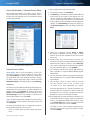
Wi-Fi Protected Setup
There are three methods available. Use the method that
applies to the client device you are configuring.
Chapter 2: Advanced Configuration
Wireless > Basic Wireless Settings (Wi-Fi Protected Setup)
NOTE: Wi-Fi Protected Setup configures one
client device at a time. Repeat the instructions
for each client device that supports Wi-Fi
Protected Setup.
1. Use the Wi-Fi Protected Setup Button Use this
method if your client device has a Wi-Fi Protected
Setup button.
a. Click or press the Wi-Fi Protected Setup button on
the client device.
b. Click the Wi‑Fi Protected Setup button on the
Router’s Wi-Fi Protected Setup screen.
The Wi-Fi Protected Setup LED flashes blue for two
minutes during the Wi-Fi Protected Setup process
and lights up blue when the Wi-Fi Protected Setup
process is successful.
The LED lights up amber if there is an error during
the Wi‑Fi Protected Setup process. Make sure the
client device supports Wi‑Fi Protected Setup. Wait
until the LED is off, and then try again.
The LED flashes when a Wi‑Fi Protected Setup
session is active. The Router supports one session
at a time. Wait until the LED is solidly lit, or off before
starting the next Wi-Fi Protected Setup session.
c. After the client device has been configured,
click OK on the Router’s Wi-Fi Protected Setup
screen. Then refer back to your client device or its
documentation for further instructions.
2. Enter the client device’s PIN on the Router Use
this method if your client device has a Wi-Fi Protected
Setup PIN number.
a. Enter the PIN number from the client device in the
field on the Router’s Wi-Fi Protected Setup screen.
High Performance Wireless-N Router
11
Chapter 2: Advanced Configuration
Linksys E3000
b. Click the Register button on the Router’s Wi-Fi
Protected Setup screen.
c. After the client device has been configured,
click OK on the Router’s Wi-Fi Protected Setup
screen. Then refer back to your client device or its
documentation for further instructions.
3. Enter the Router’s PIN on your client device Use
Security Option
Strength
WPA2 Enterprise
Strongest
WPA2/WPA Enterprise Mixed
Mode
WPA2: Strongest
WPA: Strong
WPA Enterprise
Strong
RADIUS
Basic
this method if your client device asks for the Router’s
PIN number.
5 GHz or 2.4 GHz Wireless Security
a. On the client device, enter the PIN number listed on
the Router’s Wi-Fi Protected Setup screen. (It is also
listed on the label on the bottom of the Router.)
Wireless security is strongly recommended, and WPA2 is
the strongest method available. Use WPA2 if it is supported
by all of your wireless devices.
b. After the client device has been configured,
click OK on the Router’s Wi-Fi Protected Setup
screen. Then refer back to your client device or its
documentation for further instructions.
Security Mode
The Network Name (SSID), Security, and Passphrase are
displayed at the bottom of the screen.
NOTE: If you have client devices that do not
support Wi-Fi Protected Setup, note the wireless
settings, and then manually configure those
client devices.
Select the security method for each wireless network.
WPA2/WPA Mixed Mode
NOTE: If you select WPA2/WPA Mixed Mode
as your Security Mode, each device in your
wireless network MUST use WPA2/WPA and the
same passphrase.
Wireless > Wireless Security
The wireless security settings configure the security of your
wireless network(s). The Router supports the following
wireless security options: WPA2/WPA Mixed Mode, WPA2
Personal, WPA Personal, WPA2/WPA Enterprise Mixed
Mode, WPA2 Enterprise, WPA Enterprise, WEP, and RADIUS.
(WPA stands for Wi-Fi Protected Access. WEP stands for
Wireless Equivalent Privacy. RADIUS stands for Remote
Authentication Dial-In User Service.)
WPA2/WPA Mixed Mode
Personal Options
Security Option
Strength
WPA2 Personal
Strongest
WPA2/WPA Mixed Mode
WPA2: Strongest
WPA: Strong
WPA Personal
Strong
WEP
Basic
Passphrase Enter a passphrase of 8-63 characters. The
default is password. The setup software that you use
to install your Router and set up your wireless network
changes the default passphrase.
Click Save Settings to apply your changes, or click Cancel
Changes to clear your changes.
Office Options
The office options are available for networks that use
a RADIUS server for authentication. The office options
are stronger than the personal options because WPA2
or WPA provides encryption while RADIUS provides
authentication.
High Performance Wireless-N Router
12
Chapter 2: Advanced Configuration
Linksys E3000
WPA2/WPA Enterprise Mixed Mode
WPA2 Personal
NOTE: If you select WPA2 Personal as your
Security Mode, each device in your wireless
network MUST use WPA2 Personal and the
same passphrase.
This option features WPA2/WPA used in coordination with
a RADIUS server. (This should only be used when a RADIUS
server is connected to the Router.)
NOTE: If you select WPA2/WPA Enterprise Mixed
Mode as your Security Mode, each device in
your wireless network MUST use WPA2/WPA
Enterprise and the same shared key.
WPA2 Personal
Passphrase Enter a passphrase of 8-63 characters. The
default is password. The setup software that you use
to install your Router and set up your wireless network
changes the default passphrase.
Click Save Settings to apply your changes, or click Cancel
Changes to clear your changes.
WPA Personal
WPA2/WPA Enterprise Mixed Mode
RADIUS Server Enter the IP address of the RADIUS server.
RADIUS Port Enter the port number of the RADIUS
server. The default is 1812.
NOTE: If you select WPA Personal as your
Security Mode, each device in your wireless
network MUST use WPA Personal and the same
passphrase.
Shared Key Enter the key shared between the Router
and the server.
Click Save Settings to apply your changes, or click Cancel
Changes to clear your changes.
WPA Personal
Passphrase Enter a passphrase of 8-63 characters. The
default is password. The setup software that you use
to install your Router and set up your wireless network
changes the default passphrase.
Click Save Settings to apply your changes, or click Cancel
Changes to clear your changes.
High Performance Wireless-N Router
13
Chapter 2: Advanced Configuration
Linksys E3000
WPA2 Enterprise
This option features WPA2 used in coordination with a
RADIUS server. (This should only be used when a RADIUS
server is connected to the Router.)
NOTE: If you select WPA2 Enterprise as your
Security Mode, each device in your wireless
network MUST use WPA2 Enterprise and the
same shared key.
WPA Enterprise
RADIUS Server Enter the IP address of the RADIUS server.
RADIUS Port Enter the port number of the RADIUS
server. The default is 1812.
Shared Key Enter the key shared between the Router
and the server.
Click Save Settings to apply your changes, or click Cancel
Changes to clear your changes.
WPA2 Enterprise
RADIUS Server Enter the IP address of the RADIUS server.
RADIUS Port Enter the port number of the RADIUS
server. The default is 1812.
Shared Key Enter the key shared between the Router
and the server.
WEP
WEP is a basic encryption method, which is not as secure
as WPA.
NOTE: If you select WEP as your Security Mode,
each device in your wireless network MUST use
WEP and the same encryption and shared key.
Click Save Settings to apply your changes, or click Cancel
Changes to clear your changes.
WPA Enterprise
This option features WPA used in coordination with a
RADIUS server. (This should only be used when a RADIUS
server is connected to the Router.)
NOTE: If you select WPA Enterprise as your
Security Mode, each device in your wireless
network MUST use WPA Enterprise and the
same shared key.
WEP
Encryption Select a level of WEP encryption, 64 bits
10 hex digits or 128 bits 26 hex digits. The default is
64 bits 10 hex digits.
Passphrase Enter a Passphrase to automatically generate
WEP keys. Then click Generate.
High Performance Wireless-N Router
14
Chapter 2: Advanced Configuration
Linksys E3000
Key 1-4 If you did not enter a Passphrase, enter the WEP
key(s) manually.
TX Key Select a default TX (Transmit) Key (choose which
Key to use). The default is 1.
RADIUS
This option features WEP used in coordination with a
RADIUS server. (This should only be used when a RADIUS
server is connected to the Router.)
Disabled
If you choose to disable wireless security, you will be
informed that wireless security is disabled when you first
attempt to access the Internet. You will given the option to
enable wireless security, or confirm that you understand
the risks but still wish to proceed without wireless security.
NOTE: When wireless security is disabled,
anyone can access your wireless network at any
time.
NOTE: If you select RADIUS as your Security
Mode, each device in your wireless network
MUST use RADIUS and the same WEP encryption
and shared key.
Disabled
Click Save Settings to apply your changes, or click Cancel
Changes to clear your changes.
RADIUS
RADIUS Server Enter the IP address of the RADIUS server.
RADIUS Port Enter the port number of the RADIUS
server. The default is 1812.
Shared Key Enter the key shared between the Router
and the server.
Encryption Select a level of WEP encryption, 64 bits
10 hex digits or 128 bits 26 hex digits. The default is
64 bits 10 hex digits.
Passphrase Enter a Passphrase to automatically generate
WEP keys. Then click Generate.
Key 1-4 If you did not enter a Passphrase, enter the WEP
key(s) manually.
TX Key Select a default TX (Transmit) Key (choose which
Key to use). The default is 1.
Click Save Settings to apply your changes, or click Cancel
Changes to clear your changes.
High Performance Wireless-N Router
15
Chapter 2: Advanced Configuration
Linksys E3000
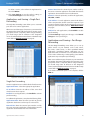
Wireless > Wireless MAC Filter
Wireless access can be filtered (restricted) by specifying
the MAC addresses of the devices in your wireless network.
Wireless Client List
This screen shows computers and other devices on
the wireless network. The list can be sorted by Client
Name, Interface, IP Address, MAC Address, and Status.
Select Save to MAC Address Filter List for any device
you want to add to the MAC Address Filter List. Then
click Add.
To update the on-screen information, click Refresh.
To exit this screen and return to the Wireless MAC Filter
screen, click Close.
MAC 01-32 Enter the MAC addresses of the devices
whose wireless access you want to control.
Click Save Settings to apply your changes, or click Cancel
Changes to clear your changes.
Wireless > Advanced Wireless Settings
The Advanced Wireless Settings screen is used to set up
the Router’s advanced wireless functions. These settings
should only be adjusted by an advanced user because
incorrect settings can reduce wireless performance. In
most cases, keep the default settings.
Wireless > Wireless MAC Filter
Wireless MAC Filter
Enabled/Disabled To filter wireless users by the MAC
addresses of their computers or devices, select Enabled.
Otherwise, keep the default, Disabled.
Access Restriction
Prevent When the Wireless MAC Filter is enabled and this
option is selected, computers listed in the MAC Address
filter list will be prevented from accessing the wireless
network.
Permit When the Wireless MAC Filter is enabled and
this option is selected, only computers listed in the MAC
Address filter list will be granted access to the wireless
network.
MAC Address Filter List
Wireless Client List Click this to open the Wireless Client
List screen.
Wireless > Advanced Wireless Settings
5 GHz and 2.4 GHz Advanced Wireless
Wireless Client List
High Performance Wireless-N Router
AP Isolation This isolates all wireless clients and wireless
devices on your network from each other. Wireless devices
will be able to communicate with the Router but not
with each other. To use this function, select Enabled. AP
Isolation is disabled by default.
16
Linksys E3000
Frame Burst Enabling this option should provide your
network with greater performance, depending on the
manufacturer of your wireless products. To use the Frame
Burst option, keep the default, Enabled.
Authentication Type The default is Auto, which allows
either Open System or Shared Key authentication to be
used. With Open System authentication, the sender and
the recipient do NOT use a WEP key for authentication.
With Shared Key authentication, the sender and recipient
use a WEP key for authentication.
Basic Rate The Basic Rate setting is not actually one rate
of transmission but a series of rates at which the Router
can transmit. (The Basic Rate is not the actual rate of
data transmission. If you want to specify the Router’s rate
of data transmission, configure the Transmission Rate
setting.) The Router will advertise its Basic Rate to the other
wireless devices in your network, so they know which
rates will be used. The Router will also advertise that it will
automatically select the best rate for transmission. The
default setting is Default, for transmission at all standard
wireless rates (1-2 Mbps, 5.5 Mbps, 11 Mbps, 18 Mbps, and
24 Mbps).
Transmission Rate The rate of data transmission should
be set depending on the speed of your wireless network.
You can select from a range of transmission speeds, or you
can select Auto to have the Router automatically use the
fastest possible data rate and enable the Auto-Fallback
feature. Auto-Fallback will negotiate the best possible
connection speed between the Router and a wireless
client. The default value is Auto.
N Transmission Rate The rate of data transmission
should be set depending on the speed of your Wireless-N
networking. You can select from a range of transmission
speeds, or you can select Auto to have the Router
automatically use the fastest possible data rate and enable
the Auto-Fallback feature. Auto-Fallback will negotiate the
best possible connection speed between the Router and a
wireless client. The default is Auto.
Chapter 2: Advanced Configuration
Beacon Interval A beacon is a packet broadcast by the
Router to synchronize the wireless network. Enter a value
between 20 and 1000 milliseconds. The Beacon Interval
value indicates the frequency interval of the beacon. The
default value is 100.
DTIM Interval This value, between 3 and 255, indicates
the interval of the Delivery Traffic Indication Message
(DTIM). A DTIM field is a countdown field informing
clients of the next window for listening to broadcast
and multicast messages. When the Router has buffered
broadcast or multicast messages for associated clients, it
sends the next DTIM with a DTIM Interval value. Its clients
hear the beacons and awaken to receive the broadcast
and multicast messages. The default value is 3.
Fragmentation Threshold This value specifies the
maximum size for a packet before data is fragmented
into multiple packets. If you experience a high packet
error rate, you may slightly increase the Fragmentation
Threshold. Setting the Fragmentation Threshold too low
may result in poor network performance. Only minor
reduction of the default value is recommended. In most
cases, it should remain at its default value of 2346.
RTS Threshold Should you encounter inconsistent data
flow, only minor reduction of the default value, 2347, is
recommended. If a network packet is smaller than the
preset RTS threshold size, the RTS/CTS mechanism will
not be enabled. The Router sends Request to Send (RTS)
frames to a particular receiving station and negotiates
the sending of a data frame. After receiving an RTS, the
wireless station responds with a Clear to Send (CTS) frame
to acknowledge the right to begin transmission. The RTS
Threshold value should remain at its default value of 2347.
Click Save Settings to apply your changes, or click Cancel
Changes to clear your changes.
Transmission Power Select the appropriate level of
transmission power: High, Medium, or Low. In most
cases, keep the default, High.
CTS Protection Mode The Router automatically
uses CTS (Clear-To-Send) Protection Mode when your
Wireless-N and Wireless-G devices are experiencing severe
problems and are not able to transmit to the Router in an
environment with heavy 802.11b traffic. This option boosts
the Router’s ability to catch all Wireless-N and Wireless-G
transmissions but severely decreases performance. To use
this option, keep the default, Auto. To disable this option,
select Disabled.
High Performance Wireless-N Router
17
Chapter 2: Advanced Configuration
Linksys E3000
Security > Firewall
The Firewall screen is used to configure a firewall that can
filter out various types of unwanted traffic on the Router’s
local network.
Java Java is a programming language for websites. If you
deny Java, you run the risk of not having access to Internet
sites created using this programming language. Select
this option to enable Java filtering. Deselect the feature to
allow Java usage.
ActiveX ActiveX is a programming language for websites.
If you deny ActiveX, you run the risk of not having access to
Internet sites created using this programming language.
Select this option to enable ActiveX filtering. Deselect the
feature to allow ActiveX usage.
Cookies A cookie is data stored on your computer and
used by Internet sites when you interact with them. Select
this option to filter cookies. Deselect the feature to allow
cookie usage.
Click Save Settings to apply your changes, or click Cancel
Changes to clear your changes.
Security > Firewall
Firewall
SPI Firewall Protection To use firewall protection,
keep the default selection, Enabled. To turn off firewall
protection, select Disabled.
Security > VPN Passthrough
The VPN Passthrough screen allows you to enable VPN
tunnels using IPSec, L2TP, or PPTP protocols to pass through
the Router’s firewall.
Internet Filters
Filter Anonymous Internet Requests This feature
makes it more difficult for outside users to work their
way into your network. This option is enabled by default.
Disable it to allow anonymous Internet requests.
Filter Multicast Multicasting allows for multiple
transmissions to specific recipients at the same time. If
multicasting is permitted, then the Router will allow IP
multicast packets to be forwarded to the appropriate
computers. Select this option to enable the filter. This
option is disabled by default.
Filter Internet NAT Redirection This feature is used to
prevent a local computer from using a URL or Internet
address to access the local server. Select this option to
enable the filter. This option is disabled by default.
Filter IDENT (Port 113) The Filter IDENT (Identification)
option keeps port 113 from being scanned by devices
outside of your local network. This option is enabled by
default. Disable it to allow port 113 to be scanned.
Web Filters
Proxy Use of WAN proxy servers may compromise the
Gateway’s security. Denying Proxy will disable access to
any WAN proxy servers. Select this option to enable proxy
filtering. Deselect the feature to allow proxy access.
High Performance Wireless-N Router
Security > VPN Passthrough
VPN Passthrough
IPSec Passthrough Internet Protocol Security (IPSec) is
a suite of protocols used to implement secure exchange
of packets at the IP layer. To allow IPSec tunnels to pass
through the Router, keep the default, Enabled.
L2TP Passthrough Layer 2 Tunneling Protocol is the
method used to enable Point-to-Point sessions via the
Internet on the Layer 2 level. To allow L2TP tunnels to pass
through the Router, keep the default, Enabled.
PPTP Passthrough Point-to-Point Tunneling Protocol
(PPTP) allows the Point-to-Point Protocol (PPP) to be
tunneled through an IP network. To allow PPTP tunnels to
pass through the Router, keep the default, Enabled.
Click Save Settings to apply your changes, or click Cancel
Changes to clear your changes.
18
Chapter 2: Advanced Configuration
Linksys E3000
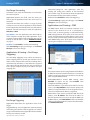
Storage > Disk
Disk Management
Your Linksys E3000 has a USB port on the back of the
Router. This allows you to connect an external USB drive
and access the contents over the network.
If a formatted disk is connected to the Router, then its name
is displayed. For each partition of the disk, the Partition,
File System, Capacity, and Free Space information are
displayed.
USB
Internet
4
3 Ethernet
2
1
Reset
12VDC
Power
Safely Remove Disk Before physically disconnecting a
disk from the Router, click Safely Remove Disk first. This
prevents the possible loss of data, which may occur if you
remove the disk while it is transferring data.
Create Share To create a shared folder, click this option
for the appropriate partition, and the Shared Folder screen
appears.
When a USB drive is connected to the USB port of the
Router, a shared folder titled public is automatically
created and shared on the USB drive. You can access the
contents via Windows Explorer or the Mac Finder. For
details on accessing the contents, refer to How to Install
and Access USB Storage - Overview, page 38.
Create Share > Shared Folder
Use this screen to create a shared folder.
The Storage options can be edited in the browser-based
utility when a USB drive is plugged in.
The Disk screen describes the disk (USB drive) currently
attached to the Router. Use this screen to create shared
folders, safely remove a disk, or format a disk (any data on
the disk will be deleted during formatting).
Shared folders are folders on the disk that are accessible
via the network. You can specify individual folders that
you want shared or share the entire partition. By default,
existing files and folders are not shared on a disk that is
plugged in for the first time. The only folder that is shared
by default is the public folder that is automatically created.
You can manually provide access to additional folders and
grant access to specific users or groups.
Shared Folder
Display Name Create a name for the folder. This will
appear in the Shared Folder table on the Disk screen.
Partition The name of the partition is displayed.
Location The location of the current folder is displayed.
If you haven’t selected a folder or shared the partition, a
location will not be displayed.
New Folder Type in a new folder name if you want to
create a new subfolder in the current location. Then click
Create.
Storage > Disk
High Performance Wireless-N Router
Share entire Partition Select this option if you want
to share the entire partition. If your disk doesn’t have
multiple partitions, selecting this option will share the
entire disk. If you do not want to share the entire partition,
then select the folder you do want to share.
Enter into Folder Select to go into the specified
subfolder.
19
Chapter 2: Advanced Configuration
Linksys E3000
Return to Upper Folder To move back up a folder level,
select this option.
Current Folder The current folder is displayed.
Shared Folder > Edit
Use this screen to edit a shared folder.
Folder Name The available folders are listed by Folder
Name.
Enter into Folder To display subfolders, click this button.
Select Select a folder.
Return to Upper Folder To go back up a folder level from
a subfolder, click this button.
Access
Specify which user groups have read-and-write or readonly access to the folder. (To create user groups, refer to
“Create or Edit a Group Account” on page 24.)
Available Groups To allow a group access to the folder,
select it, and then click the >> button.
Groups with Access To block a group from accessing the
folder, select it, and then click the << button.
Click Save Settings to apply your changes, or click Cancel
Changes to clear your changes. Click Close to exit the
screen.
Shared Folder
Device Name The default device name is Ciscoxxxxx.
xxxxx represents the last 5 digits of your serial number.
This can be found on the bottom of the router. (The Device
name is also the Router’s NetBIOS name.)
NOTE: If you used the setup software
for installation, then the device name is
synchronized with the name of your wireless
network (up to 15 characters).
Shared Disk IP Address The IP address of the disk is
displayed.
Summary To view a list of shared folders, click this option.
For each shared folder, the Display Name, Partition, and
Shared Folder location are displayed.
Edit To change the access settings of a shared folder, click
this option, and the Shared Folder screen appears.
Shared Folder
Display Name Create a name for the folder. This will
appear in the Shared Folder table on the Disk screen.
Partition The name of the partition is displayed.
Location The location of the current folder is displayed.
New Folder Type in a new folder name if you want to
create a new subfolder in the current location. Then click
Create.
Share entire Partition Select this option if you want
to share the entire partition. If your disk doesn’t have
multiple partitions, selecting this option will share the
entire disk. If you do not want to share the entire partition,
then select the folder you do want to share.
Current Folder The current folder is displayed.
Folder Name The available folders are listed by Folder
Name.
Enter into Folder To display subfolders, click this button.
Select Select a folder.
Return to Upper Folder To go back up a folder level from
a subfolder, click this button.
Access
Specify which user groups have read-and-write or readonly access to the folder. (To create user groups, refer to
“Create or Edit a Group Account” on page 24.)
Available Groups To allow a group access to the folder,
select it, and then click the >> button.
Groups with Access To block a group from accessing the
folder, select it, and then click the << button.
High Performance Wireless-N Router
20
Chapter 2: Advanced Configuration
Linksys E3000
Click Save Settings to apply your changes, or click Cancel
Changes to clear your changes. Click Close to exit the
screen.
Delete To delete a shared folder, click this option.
Format Disk
Disk To format a disk and create a new partition, select
the disk you want to format, and then click Format Disk. (If
your disk was formatted with multiple partitions, then the
formatting will delete them and create a single partition.
Format Disk > Claim Disk
Enter a partition’s name Create a name for the partition.
(If your disk was formatted with multiple partitions, then
formatting will delete them and create a single partition.)
To format the disk as FAT32, click Format and follow the
on‑screen instructions. To cancel the formatting, click
Cancel.
WARNING: Formatting a disk erases all data on
the disk. Be sure to save any files that you want
to keep from the disk onto another computer or
drive before formatting a disk.
Storage > Media Server
UPnP Media Server
Setup
Server Name Enter the UPnP Media Server Name, which
serves as a display name only. Use only alphanumeric
characters (letters A to Z and numbers 0 to 9). The default
UPnP Media Server name of the Router is Ciscoxxxxx.
xxxxx represents the last 5 digits of your serial number.
This can be found on the bottom of the router.
NOTE: If you used the setup software for
installation, then the UPnP Media Server name
is synchronized with the name of your wireless
network (up to 15 characters).
UPnP Media Server To use the Router’s media server
function, select Enabled. Otherwise, select Disabled.
Database
This section lets you select content to add to the database
of the Router’s media server.
Storage > Media Server
Specify Folder to Scan To add a media folder to
the database of the Router’s media server, click this
button. The Media Folder screen appears. Proceed to
“Add a Media Folder” on page 22.
The Storage options are available when a USB drive is
connected to the USB port of the Router.
Last scanning time The last time the media server
scanned for content is displayed.
The Media Server feature allows you to share stored
content with other computers and devices on your home
network and on the Internet.
Auto-scan every __ To automatically scan the media
folders, select this option. Then select the appropriate
interval: 2 Hours (default), 6 Hours, 12 Hours, 24 Hours,
or 48 Hours.
Format Disk
For example, if you have a digital media adapter that sends
content to your entertainment system, then the digital
media adapter can locate the Router using the UPnP AV
standard. The folders you specify can then be accessed
and played by the digital media adapter.
Scan All To scan all media files, click this button.
The database table lists the media folders with the
following information: Display Name, Partition, and Folder.
Scan To scan a folder, click Scan.
Delete To delete a folder, click Delete.
High Performance Wireless-N Router
21
Chapter 2: Advanced Configuration
Linksys E3000
Add a Media Folder
Storage > FTP Server
Use this screen to add a media folder.
The Storage options are available when a USB drive is
connected to the USB port of the Router.
The FTP Server tab creates an FTP server that can be
accessed from the Internet or your local network.
Media Folder
Media Folder
Display Name Create a name for the folder. This will
appear in the Database table on the Media Server screen.
Storage> FTP Server
Partition The name of the partition is displayed.
Setup
Location The location of the folder is displayed.
Server Name Enter the FTP Server Name, which serves
as a display name only. Use only alphanumeric characters
(letters A to Z and numbers 0 to 9). The default FTP Server
name of the Router is Ciscoxxxxx. XXXXX represents the
last 5 digits of your serial number. This can be found on
the bottom of the router.
New Folder Type in a new folder name if you want to
create a new subfolder in the current location. Then click
Create.
Share entire Partition Select this option if you want to
share the entire partition with your UPnP AV devices. If
your disk doesn’t have multiple partitions, selecting this
option will share the entire disk. If you do not want to
share the entire partition, then select the folder you do
want to share.
Current Folder The current folder is displayed.
Folder Name The available folders are listed by Folder
Name.
Enter into Folder To display subfolders, click this button.
Select Select a folder.
Return to Upper Folder To return to the previous folder,
click this button.
Click Save Settings to apply your changes, or click Cancel
Changes to clear your changes. Click Close to exit the
screen.
On the Media Server screen, click Save Settings to apply
your changes, or click Cancel Changes to clear your
changes.
NOTE: If you used the setup software for
installation, then the FTP Server name is
synchronized with the name of your wireless
network (up to 15 characters).
FTP Server Select Enabled to use the Router as an FTP
server. Otherwise, select Disabled. An external USB hard
drive or USB disk must be connected to the USB port to
use this service.
Internet Access Select Enabled to allow access of the
FTP server from the Internet. Otherwise, select Disabled
to only allow local network access.
FTP Port Enter the FTP Port number to use. The default
is 21.
Encoding The Router supports different character sets
for the transfer of files in different languages. Select the
appropriate character encoding set: Unicode(UTF-8),
Chinese Simplified(GB18030), Vietnamese(CP1258), or
ISO8859_1. The default is Unicode(UTF-8).
Access
This section lets you add FTP folders that can be accessed
through the FTP client.
Specify Folder To add an FTP folder to the Access table,
click this button. The FTP Folder screen appears. Proceed
to “Create or Edit an FTP Folder” on page 23.
High Performance Wireless-N Router
22
Chapter 2: Advanced Configuration
Linksys E3000
Summary To view a list of FTP folders, click this option.
Access
For each FTP folder, the Display Name, Partition, and
Folder location are displayed.
Specify which user groups have read-and-write or readonly access to the folder. (To create user groups, refer to
“Create or Edit a Group Account” on page 24.)
The database table lists the FTP folders with the following
information: Display Name, Partition, and Folder.
Edit To change the access settings of an FTP folder, click
this option, and the FTP Folder screen appears. Proceed to
“Create or Edit an FTP Folder” on page 23.
Delete To delete an FTP folder, click this option.
Create or Edit an FTP Folder
Use this screen to add an FTP folder.
Available Groups To allow a group access to the folder,
select it, and then click the >> button.
Groups with Access To block a group from accessing the
folder, select it, and then click the << button.
Click Save Settings to apply your changes, or click Cancel
Changes to clear your changes. Click Close to exit the
screen.
On the FTP Server screen, click Save Settings to apply your
changes, or click Cancel Changes to clear your changes.
Storage > Administration
The Administration screen allows you to manage the user
groups and individual users who can access the shared
folders.
FTP Folder Screen
Display Name Create a name for the folder. Enter a
display name that will appear in the Access table of the
FTP Server screen.
Partition The name of the partition is displayed.
Location The location of the folder is displayed.
New Folder Type in a new folder name if you want to
create a new subfolder in the current location. Then click
Create.
Share entire Partition Select this option if you want to
share the entire partition with your FTP clients. If your disk
doesn’t have multiple partitions, selecting this option will
share the entire disk. If you do not want to share the entire
partition, then select the folder you do want to share.
Current Folder The current folder is displayed.
Folder The available folders are listed by Folder name.
Enter into Folder To display subfolders, click this button.
Storage > Administration
Information
Device Name The default device name of the Router is
Ciscoxxxxx. XXXXX represents the last 5 digits of your
serial number. This can be found on the bottom of the
router. (The Device name is also the Router’s NetBIOS
name.)
NOTE: If you used the setup software
for installation, then the device name is
synchronized with the name of your wireless
network (up to 15 characters).
Select Select a folder.
Return to Upper Folder To return to the previous folder,
click this button.
High Performance Wireless-N Router
23
Chapter 2: Advanced Configuration
Linksys E3000
Workgroup Name Enter the workgroup name for the
Router; it should match the workgroup name of the
computers on your local network. The Router’s default is
workgroup.
User Account
Server LAN IP Address The local IP address of the
Router’s media and FTP server is displayed.
Description Enter keywords to describe the user.
Server Internet IP Address The Internet IP address of
the Router’s FTP server is displayed.
User Name Create a name for the user.
Full Name Enter the actual name of the user.
Password Enter the password that the user will use for
login
Confirm Password Enter the password again to confirm.
User Management
Group Member Select the appropriate user group.
By default the Router creates two users, admin and guest.
Account Disabled To temporarily disable an account,
select this option.
The users are listed by User Name and Group.
Create New User To create a new user, click this
button. The User Account screen appears. Proceed to
Create or Edit a User Account, page 24.
Edit To change the settings of a user account, click
Edit, and the User Account screen appears. Proceed to
“Create or Edit a User Account” on page 24.
Click Save Settings to apply your changes, or click Cancel
to clear your changes. Click Close to exit the screen.
On the Administration screen, click Save Settings to
apply your changes, or click Cancel Changes to clear your
changes.
Create or Edit a Group Account
Delete To delete a user, click this button.
Group Management
By default the Router creates two user groups, admin and
guest.
The groups are listed by Group Name and Access level.
There are two levels of access, r & w (read-and-write) and
r (read-only).
Create New Group To create a new group of users, click
this button. The Group Account screen appears. Proceed to
“Create or Edit a Group Account” on page 24.
Edit To change the description or access rights of a group,
click Edit, and the Group Account screen appears. Proceed
to “Create or Edit a Group Account” on page 24.
Delete To delete a group, click this button.
Create or Edit a User Account
Group Account
Group Account
Group Name Create a name for the group.
Description Enter keywords to describe the group.
Access Select the appropriate level of access, read and
write or read only.
Click Save Settings to apply your changes, or click Cancel
to clear your changes. Click Close to exit the screen.
On the Administration screen, click Save Settings to
apply your changes, or click Cancel Changes to clear your
changes.
User Account
High Performance Wireless-N Router
24
Linksys E3000
Access Restrictions > Internet Access Policy
The Internet Access Policy screen allows you to deny or
allow specific kinds of Internet usage and traffic, such as
Internet access, designated services, and websites during
specific days and times.
Chapter 2: Advanced Configuration
2. Enter a Policy Name in the field provided.
3. To enable this policy, select Enabled.
4. Click Edit List to select which computers will be affected
by the policy. The List of PCs screen appears. You can
select a computer by MAC address or IP address. You
can also enter a range of IP addresses if you want this
policy to affect a group of computers. After making your
changes, click Save Settings to apply your changes, or
click Cancel Changes to clear your changes. Then click
Close.
List of PCs
5. Select the appropriate option, Deny or Allow,
depending on whether you want to block or allow
Internet access for the computers listed on the List of
PCs screen.
Access Restrictions > Internet Access
Internet Access Policy
Access Policy Access can be managed by a policy. Use
the settings on this screen to establish an access policy
(after Save Settings is clicked). Selecting a policy from
the drop-down menu will display that policy’s settings.
To delete a policy, select that policy’s number and click
Delete This Policy. To view all the policies, click Summary.
Summary
The policies are listed with the following information: No.,
Policy Name, Access, Days, Time, and status (Enabled). To
enable a policy, select Enabled. To delete a policy, click
Delete. Click Save Settings to save your changes, or click
Cancel Changes to clear your changes. To return to the
Internet Access Policy screen, click Close.
Status Policies are disabled by default. To enable a policy,
select the policy number from the drop-down menu, and
select Enabled.
To create a policy, follow steps 1-11. Repeat these steps to
create additional policies, one at a time.
1. Select a number from the Access Policy drop-down
menu.
High Performance Wireless-N Router
6. Decide which days and what times you want this
policy to be enforced. Select the individual days during
which the policy will be in effect, or select Everyday.
Then enter a range of hours and minutes during which
the policy will be in effect, or select 24 Hours.
7. You can block websites with specific URL addresses.
Enter each URL in a separate Website Blocking by URL
Address field.
8. You can also block websites using specific keywords.
Enter each keyword in a separate Website Blocking by
Keyword field.
9. You can filter access to various services accessed
over the Internet, such as FTP or telnet. (You
can block up to three applications per policy.)
From the Applications list, select the application you
want to block. Then click the >> button to move it to
the Blocked List. To remove an application from the
Blocked List, select it and click the << button.
10.If the application you want to block is not listed or you
want to edit a service’s settings, enter the application’s
name in the Application Name field. Enter its range
in the Port Range fields. Select its protocol from the
Protocol drop-down menu. Then click Add.
To modify a service, select it from the Application list.
Change its name, port range, and/or protocol setting.
Then click Modify.
25
Linksys E3000
To delete a service, select it from the Application list.
Then click Delete.
11.Click Save Settings to save the policy’s settings, or
click Cancel Changes to clear the changes.
Applications and Gaming > Single Port
Forwarding
The Single Port Forwarding screen allows you to customize
port services for common applications.
When users send these types of requests to your network via
the Internet, the Router will forward those requests to the
appropriate servers (computers). Before using forwarding,
you should assign static IP addresses to the designated
servers (use the DHCP Reservation feature on the Basic Setup
screen; refer to “DHCP Reservation” on page 6).
Chapter 2: Advanced Configuration
Internal Port Enter the internal port number used by
the server or Internet application. Check with the Internet
application documentation for more information.
Protocol Select the protocol(s) used for this application,
TCP, UDP, or Both.
To IP Address For each application, enter the IP address
of the computer that should receive the requests. If you
assigned a static IP address to the computer, then you can
look up its static IP address; refer to “DHCP Reservation”
on page 6.
Enabled For each application, select Enabled to enable
port forwarding.
Click Save Settings to apply your changes, or click Cancel
Changes to clear your changes.
Applications and Gaming > Port Range
Forwarding
The Port Range Forwarding screen allows you to set up
public services on your network, such as web servers,
ftp servers, e-mail servers, or other specialized Internet
applications. (Specialized Internet applications are any
applications that use Internet access to perform functions
such as videoconferencing or online gaming. Some Internet
applications may not require any forwarding.)
When users send these types of requests to your network via
the Internet, the Router will forward those requests to the
appropriate servers (computers). Before using forwarding,
you should assign static IP addresses to the designated
servers (use the DHCP Reservation feature on the Basic Setup
screen; refer to “DHCP Reservation” on page 6).
If you need to forward all ports to one computer, click the
DMZ tab.
Applications and Gaming > Single Port Forwarding
Single Port Forwarding
Common applications are available for the first five entries.
Application Name Select the appropriate application.
To IP Address Enter the IP address of the server that
should receive these requests.
Enabled For each application, select Enabled to activate
port forwarding.
For additional applications, complete the following fields:
Application Name Enter the name you wish to give the
application. Each name can have up to 12 characters.
External Port Enter the external port number used by
the server or Internet application. Check with the Internet
application documentation for more information.
High Performance Wireless-N Router
Applications and Gaming > Port Range Forwarding
26
Chapter 2: Advanced Configuration
Linksys E3000
Port Range Forwarding
To forward a port, enter the information on each line for
the criteria required.
Application Name In this field, enter the name you
wish to give the application. Each name can be up to 12
characters.
Start~End Port Enter the number or range of port(s)
used by the server or Internet application. Check with the
Internet application documentation for more information.
Protocol Select the protocol(s) used for this application,
TCP, UDP, or Both.
To IP Address For each application, enter the IP address
of the computer running the specific application. If you
assigned a static IP address to the computer, then you can
look up its static IP address; refer to “DHCP Reservation”
on page 6.
Forwarded Range For each application, enter the
starting and ending port numbers of the forwarded
port number range. Check with the Internet application
documentation for the port number(s) needed.
Enabled Select Enabled to enable port triggering.
Click Save Settings to apply your changes, or click Cancel
Changes to clear your changes.
Applications and Gaming > DMZ
The DMZ feature allows one network computer to be
exposed to the Internet for use of a special-purpose
service such as Internet gaming or videoconferencing.
DMZ hosting forwards all the ports at the same time to
one PC. The Port Range Forwarding feature is more secure
because it only opens the ports you want to have opened,
while DMZ hosting opens all the ports of one computer,
exposing the computer to the Internet.
Enabled Select Enabled to enable port forwarding.
Click Save Settings to apply your changes, or click Cancel
Changes to clear your changes.
Applications & Gaming > Port Range
Triggering
The Port Range Triggering screen allows the Router to
watch outgoing data for specific port numbers. The IP
address of the computer that sends the matching data is
remembered by the Router, so that when the requested
data returns through the Router, the data is pulled back
to the proper computer by way of IP address and port
mapping rules.
Applications and Gaming > DMZ
DMZ
Any computer whose port is being forwarded should have
its DHCP client function disabled and have a new static IP
address assigned to it because its IP address may change
when using the DHCP function.
Enabled/Disabled To disable DMZ hosting, select
Disabled. To expose one PC, select Enabled. Then
configure the following settings:
Source IP Address If you want any IP address to be the
source, select Any IP Address. If you want to specify an IP
address or range of IP addresses as the designated source,
select and complete the IP address range fields.
Applications and Gaming > Port Range Triggering
Port Range Triggering
Application Name Enter the application name of the
trigger.
Destination If you want to specify the DMZ host by IP
address, select IP Address and enter the IP address in
the field provided. If you want to specify the DMZ host
by MAC address, select MAC Address and enter the MAC
address in the field provided. To retrieve this information,
click DHCP Client Table.
Triggered Range For each application, enter the starting
and ending port numbers of the triggered port number
range. Check with the Internet application documentation
for the port number(s) needed.
High Performance Wireless-N Router
27
Chapter 2: Advanced Configuration
Linksys E3000
No Acknowledgement If you want to disable the
Router’s Acknowledgement feature, so the Router will not
re-send data if an error occurs, select Enabled. Otherwise,
keep the default, Disabled.
Internet Access Priority
DHCP Client Table
The DHCP Client Table lists computers and other devices
that have been assigned IP addresses by the Router. The
list can be sorted by Client Name, Interface, IP Address,
and MAC Address. To select a DHCP client, click Select. To
update the on-screen information, click Refresh. To exit
this screen and return to the DMZ screen, click Close.
Click Save Settings to apply your changes, or click Cancel
Changes to clear your changes.
Applications and Gaming > QoS
Quality of Service (QoS) is a method that assigns priority
to specific types of network traffic, which often are
demanding, real-time applications, such as gaming,
videoconferencing, video streaming, and Voice over
Internet Protocol (VoIP) telephony. QoS helps to ensure
optimal performance for these types of uses.
In this section, you can set the bandwidth priority for a
variety of applications and devices. There are four levels
of priority; High, Medium, Normal, or Low. When you
set priority, do not set all applications to High, because
this will defeat the purpose of allocating the available
bandwidth. If you want to select below normal bandwidth,
select Low. Depending on the application, a few attempts
may be needed to set the appropriate bandwidth priority.
Enabled/Disabled To use the QoS policies you set, select
Enabled. Otherwise, select Disabled.
Upstream Bandwidth
Upstream Bandwidth This option sets the maximum
outgoing bandwidth that applications can use. To allow
the Router to set the maximum, keep the default, Auto.
To specify the maximum, select Manual. Then enter the
appropriate value and select Kbps or Mbps.
Category
Select one of the following categories: Applications,
Online Games, MAC Address, or Voice Device. Proceed
to the instructions for your selection.
Summary
This lists the QoS entries you have created for your
applications and devices. Refer to “Summary” on page 30
for more information.
Applications
Applications Select the appropriate application. If you
select Add a New Application, follow the instructions in
the Add a New Application section.
Applications and Gaming > QoS
QoS (Quality of Service)
Priority Select the appropriate priority: High, Medium
(Recommended), Normal, or Low.
Click Apply to save your changes. Your new entry will
appear in the Summary list.
Wireless
WMM Support Wi-Fi Multimedia (WMM) is a wireless
Quality of Service feature that improves quality for audio,
video, and voice applications by prioritizing wireless
traffic. To use this feature, the wireless client devices in
your network must support Wireless WMM. If you would
like to disable this feature, select Disabled. Otherwise,
keep the default, Enabled.
High Performance Wireless-N Router
28
Chapter 2: Advanced Configuration
Linksys E3000
Add a New Application
Click Apply to save your changes. Your new entry will
appear in the Summary list.
Add a New Game
Enter a Name Enter any name to indicate the name of
the entry.
Port Range Enter the port range that the game will be
using. You can have up to three ranges to define for this
bandwidth allocation. Port numbers can range from 1 to
65535. Check your application’s documentation for details
on the service ports used.
Select the protocol TCP or UDP, or select Both.
Add a New Application
Enter a Name Enter a name for this application.
Port Range Enter the port range that the application will
be using. For example, if you want to allocate bandwidth
for FTP, you can enter 21-21. If you need services for an
application that uses from 1000 to 1250, you enter 10001250 as your settings. You can have up to three ranges
to define for this bandwidth allocation. Port numbers
can range from 1 to 65535. Check your application’s
documentation for details on the service ports used.
Priority Select the appropriate priority: High, Medium
(Recommended), Normal, or Low.
Click Apply to save your changes. Your new entry will
appear in the Summary list.
MAC Address
Select the protocol TCP or UDP, or select Both.
Priority Select the appropriate priority: High, Medium
(Recommended), Normal, or Low.
Click Apply to save your changes. Your new entry will
appear in the Summary list.
Online Games
MAC Address
The MAC address of the computer you are using is
displayed.
Enter a Name Enter a name for your device.
MAC Address Enter the MAC address of your device.
Priority Select the appropriate priority: High, Medium
(Recommended), Normal, or Low.
Click Apply to save your changes. Your new entry will
appear in the Summary list.
Online Games
Online Games
Games Select the appropriate game. If you select Add a
New Game, follow the instructions in the Add a New Game
section.
Priority Select the appropriate priority: High, Medium
(Recommended), Normal, or Low.
High Performance Wireless-N Router
29
Chapter 2: Advanced Configuration
Linksys E3000
Administration > Management
Voice Device
The Management screen allows the network’s
administrator to manage specific Router functions for
access and security.
Voice Device
Enter a Name Enter a name for your voice device.
MAC Address Enter the MAC address of your voice
device.
Priority Select the appropriate priority:
(Recommended), Medium, Normal, or Low.
High
Click Apply to save your changes. Your new entry will
appear in the Summary list.
Administration > Management
Summary
Router Password
This lists the QoS entries you have created for your
applications and devices.
Router Access
Priority This column displays the bandwidth priority of
High, Medium, Normal, or Low.
Name This column displays the application, game,
device, or port name.
Information This column displays the port range or
MAC address entered for your entry. If a pre-configured
application or game was selected, there will be no valid
entry shown in this section.
Remove Click this button to remove an entry.
Edit Click this button to make changes.
Click Save Settings to apply your changes, or click Cancel
Changes to clear your changes.
To ensure the Router’s security, you will be asked for your
password when you access the Router’s browser-based
utility. The default is admin.
Router Password Enter a new password for the Router.
Re-enter to confirm Enter the password again to confirm.
Local Management Access
Access via HTTP (HyperText Transport Protocol) is the
communications protocol used to connect to servers
on the World Wide Web. HTTPS uses SSL (Secure Socket
Layer) to encrypt data transmitted for higher security.
Select HTTP or HTTPS. The default is HTTP.
Access via Wireless If you are using the Router in a public
domain where you are giving wireless access to your
guests, you can disable wireless access to the Router’s
web-based utility. You will only be able to access the utility
via a wired connection if you disable the setting. Keep the
default, Enabled, to allow wireless access to the utility, or
select Disabled to block wireless access to the utility.
Remote Management Access
Remote Management To permit remote access of the
Router from the Internet (outside the local network),
select Enabled. Otherwise, keep the default, Disabled.
High Performance Wireless-N Router
30
Chapter 2: Advanced Configuration
Linksys E3000
Access via HTTP (HyperText Transport Protocol) is the
communications protocol used to connect to servers
on the World Wide Web. HTTPS uses SSL (Secure Socket
Layer) to encrypt data transmitted for higher security.
Select HTTP or HTTPS. HTTP is the default.
Remote Upgrade If you want to be able to upgrade
the Router from the Internet (outside the local network),
select Enabled. (You must have the Remote Management
feature enabled as well.) Otherwise, keep the default,
Disabled.
Allowed Remote IP Address If you want to be able to
access the Router from any external IP address, select Any
IP Address. If you want to specify an external IP address or
range of IP addresses, then select the second option and
complete the fields provided.
Remote Management Port Enter the port number that
will be open to outside access. To access the Router, you
will need to enter the Router’s password.
NOTE: When you are in a remote location
and wish to manage the Router, enter
http://xxx.xxx.xxx.xxx:yyyy
or
https://xxx.xxx.xxx.xxx:yyyy,
depending
on whether you use HTTP or HTTPS. Enter the
Router’s specific Internet IP address in place
of xxx.xxx.xxx.xxx, and enter the Remote
Management Port number in place of yyyy.
Allow Users to Configure Keep the default, Enabled,
if you want to be able to make manual changes to the
Router while using the UPnP feature. Otherwise, select
Disabled.
Allow Users to Disable Internet Access Select Enabled,
if you want to be able to prohibit any and all Internet
connections. Otherwise, keep the default, Disabled.
Backup and Restore
Backup Configurations To back up the Router’s
configuration settings, click this button and follow the
on‑screen instructions.
Restore Configurations To restore the Router’s
configuration settings, click this button and follow the onscreen instructions. (You must have previously backed up
the Router’s configuration settings.)
Click Save Settings to apply your changes, or click Cancel
Changes to clear your changes.
Administration > Log
The Router can keep logs of all traffic for your Internet
connection.
Advanced Features
SIP ALG The Session Initiation Protocol (SIP) Application
Layer Gateway (ALG) feature allows SIP packets, which are
used for Voice over Internet Protocol (VoIP), to traverse
the NAT firewall. For more information, contact your VoIP
service provider.
To use the SIP ALG feature for VoIP service, select Enabled.
If you are not using VoIP service, then keep the default,
Disabled.
If your VoIP service provider uses other NAT traversal
solutions such as Session Traversal Utilities for NAT
(STUN), Traversal Using Relay NAT (TURN), or Interactive
Connectivity Establishment (ICE), then keep the default,
Disabled.
Administration > Log
Log
Log To disable the Log function, select Disabled. To
monitor traffic between the network and the Internet,
keep the default, Enabled. With logging enabled, you can
choose to view temporary logs.
View Log When you wish to view the logs, click this
option.
UPnP
Universal Plug and Play (UPnP) allows the appropriate
Windows operating system to automatically configure the
Router for various Internet applications, such as gaming
and videoconferencing.
UPnP If you want to use UPnP, keep the default, Enabled.
Otherwise, select Disabled.
High Performance Wireless-N Router
31
Chapter 2: Advanced Configuration
Linksys E3000
Log
IP or URL Address Enter the address of the PC whose
connection you wish to test.
Packet Size Enter the packet size you want to use. The
default is 32 bytes.
Number to Ping Enter the number of times you wish to
test the connection. The default is 5.
Start Test To run the test, click this button. The Ping
screen shows if the test is successful. Click Close to return
to the Diagnostics screen. Click Stop to stop the test.
Log
••
Type Select Incoming Log, Outgoing Log, Security
Log, or DHCP Client Log.
••
<Type> Log The Incoming Log displays a temporary
log of the source IP addresses and destination
port numbers for the incoming Internet traffic. The
Outgoing Log displays a temporary log of the local
IP addresses, destination URLs/IP addresses, and
service/port numbers for the outgoing Internet traffic.
The Security log displays the login information for the
browser-based utility. The DHCP Client Log displays
the local DHCP server status information.
Click Save the Log to save this information to a file on
your computer’s hard drive. Click Refresh to update
the log. Click Clear to clear all the information that is
displayed.
Ping
Traceroute Test
Traceroute checks the performance of a connection.
IP or URL Address Enter the address of the PC whose
connection you wish to test.
Start Test Click to run the test. The Traceroute screen
shows if the test is successful. Click Close to return to the
Diagnostics screen. Click Stop to stop the test.
Click Save Settings to apply your change, or click Cancel
Changes to clear your change.
Administration > Diagnostics
The diagnostic tests (Ping and Traceroute) allow you to
check the connections of your network devices, including
connection to the Internet.
Traceroute
Administration > Diagnostics
Diagnostics
Ping Test
Ping checks the status of a connection.
High Performance Wireless-N Router
32
Linksys E3000
Chapter 2: Advanced Configuration
Administration > Factory Defaults
Firmware Upgrade
The Factory Defaults screen allows you to restore the
Router’s configuration to its factory default settings.
Before upgrading the firmware, download the
Router’s firmware upgrade file from our website at
www.linksys.com/support/E3000.
Factory Defaults
Restore Factory Defaults To reset the Router’s settings
to the default values, select Restore Factory Defaults.
Any settings you have saved will be lost when the default
settings are restored.
Please Select a File to Upgrade Click Browse and select
the firmware upgrade file.
Start Upgrade After you have selected the appropriate
file, click this button, and follow the on-screen instructions.
WARNING: Do not interrupt the upgrade
process. You should not turn off the power or
press the Reset button during the upgrade
process. Doing so may disable the Router.
Status > Router
The Router screen displays information about the Router
and its current settings.
Administration > Factory Defaults
NOTE: Do not restore the factory defaults unless
you are having difficulties with the Router and
have exhausted all other troubleshooting
measures. Once the Router is reset, you will have
to re-enter all of your configuration settings.
Administration > Firmware Upgrade
The Firmware Upgrade screen allows you to upgrade the
Router’s firmware. Do not upgrade the firmware unless
you are experiencing problems with the Router or the new
firmware has a feature you want to use.
Status > Router
Router Information
Firmware Version The version number of the Router’s
current firmware is displayed.
Administration > Firmware Upgrade
Firmware Verification The unique identifier of the
firmware is displayed.
Current Time The time set on the Router is displayed.
NOTE: The Router may lose the settings
you have customized. Before you upgrade
its firmware, write down all of your custom
settings. After you upgrade its firmware, you
will have to re‑enter all of your configuration
settings.
High Performance Wireless-N Router
Internet MAC Address The Router’s MAC Address, as
seen by your ISP, is displayed.
Server Name The Server Name is the name used for the
USB network storage, FTP, and media server functions of
the Router. The default, Ciscoxxxxx, is displayed. XXXXX
represents the last 5 digits of your serial number. This can
be found on the bottom of the router.
33
Linksys E3000
NOTE: If you used the setup software for
installation, then the name of your wireless
network (up to 15 characters) is the server
name of the Router.
Host Name The Host Name of the Router is displayed (if it
was entered on the Setup > Basic Setup screen).
Domain Name The Domain Name of the Router is
displayed (if it was entered on the Setup > Basic Setup
screen).
Chapter 2: Advanced Configuration
Start IP Address For the range of IP addresses that can
be used by devices on your local network, the starting IP
address is displayed.
End IP Address For the range of IP addresses that can
be used by devices on your local network, the ending IP
address is displayed.
DHCP Client Table Click this option to view a list of
computers or other devices that are using the Router as
a DHCP server.
Internet Connection
This section shows the current network information
stored in the Router. The information varies depending on
the Internet connection type selected on the Setup > Basic
Setup screen.
For a DHCP connection, select Release IP Address or
Renew IP Address as appropriate to release or renew
a DHCP lease. For a PPPoE or similar connection, select
Connect or Disconnect as appropriate to connect to or
disconnect from the Internet.
Click Refresh to update the on-screen information.
Status > Local Network
The Local Network screen displays information about the
local network.
DHCP Client Table
DHCP Client Table
The DHCP Client Table lists computers and other
devices that have been assigned IP addresses by the
Router. The list can be sorted by IP Address, MAC
Address, Interface, and Client Name. To remove a
DHCP client, click Delete. To update the on-screen
information, click Refresh. To exit this screen and
return to the Local Network screen, click Close.
Status > Wireless Network
The Wireless Network screen displays the status information
of your 5 GHz and/or 2.4 GHz wireless network(s).
Status > Local Network
Local Network
Local MAC Address The MAC address of the Router’s
local, wired interface is displayed.
Router IP Address The Router’s IP address, as it appears
on your local network, is displayed.
Subnet Mask The Subnet Mask of the Router is displayed.
DHCP Server
Status > Wireless Network
DHCP Server The status of the Router’s DHCP server
function is displayed.
High Performance Wireless-N Router
34
Linksys E3000
Chapter 2: Advanced Configuration
5GHz/2.4GHz Wireless Network
MAC Address The MAC address of the Router’s local,
wireless interface is displayed.
Mode The wireless mode used by the network is
displayed.
Network Name (SSID) The name of the wireless network,
which is also called the SSID, is displayed.
Radio Band The Radio Band setting selected on the Basic
Wireless Settings screen is displayed.
Wide Channel The Wide Channel setting selected on the
Basic Wireless Settings screen is displayed.
Standard Channel The Standard Channel setting
selected on the Basic Wireless Settings screen is displayed.
Security The wireless security method used by the
Router is displayed.
SSID Broadcast The status of the SSID Broadcast feature
is displayed.
High Performance Wireless-N Router
35
Appendix A: Troubleshooting
Linksys E3000
Appendix A: Troubleshooting
The DSL telephone line does not fit into the Router’s
Internet port.
Your computer cannot connect to the Internet.
The Router does not replace your modem. You still need
your DSL modem in order to use the Router. Connect the
telephone line to the DSL modem, and then insert the
setup CD into your computer. Click Set up your Linksys
Router and follow the on‑screen instructions.
Follow these instructions until your computer can connect
to the Internet:
••
••
Verify that the power adapter is connected to the
Router and to a power outlet. If connected to a power
strip, make sure the power strip is turned on.
Make sure that the Power LED, Internet LED, and
Wireless LED are on. If you have any wired computers
connected to the Router, make sure the appropriate
port LED is lit.
NOTE: The Power LED flashes after the power
adapter is plugged in to the Router. If the light
remains flashing for more than 30 seconds,
it may indicate the Router is not working
properly. For assistance, use a computer or
device with Internet access to refer to our
Linksys E3000 support section on the web,
www.linksys.com/support/E3000
••
Make sure that your DSL or cable modem is connected
to your Router’s Internet port using an Ethernet cable.
••
Reset all of the devices on your network:
1. Turn off all of your network computers and
devices, and then unplug the power adapter
from your Router.
2. Unplug your modem’s power cord (and coaxial
cable if you have a cable modem), and wait two
minutes.
3. Reconnect your modem’s power cord (and
coaxial cable) and wait two more minutes.
4. Reconnect the power adapter to the Router, and
then power on all of your network computers
and devices.
The modem does not have an Ethernet port.
The modem is a dial-up modem for traditional dial-up
service. To use the Router, you need a cable/DSL modem
and high-speed Internet connection.
You cannot use the DSL service to connect manually to
the Internet.
After you have installed the Router, it will automatically
connect to your Internet Service Provider (ISP), so you no
longer need to connect manually.
When you double-click the web browser, you are
prompted for a username and password. If you want to
get rid of the prompt, follow these instructions.
Launch the web browser and perform the following steps
(these steps are specific to Internet Explorer but are similar
for other browsers):
1. Select Tools > Internet Options.
2. Click the Connections tab.
3. Select Never dial a connection.
4. Click OK.
The Router does not have a coaxial port for the cable
connection.
The Router does not replace your modem. You still need
your cable modem in order to use the Router. Connect
your cable connection to the cable modem, and then
insert the setup CD into your computer. Click Set up your
Linksys Router and follow the on‑screen instructions.
The computer cannot connect wirelessly to the network.
Make sure the wireless network name or SSID is the same
on both the computer and the Router. If you have enabled
wireless security, then make sure the same security
method and key are used by both the computer and the
Router.
You need to change the settings on the Router.
Wireless network settings can be changed using Cisco
Connect. To change the Router’s advanced settings, refer
to “How to Access the Browser-Based Utility” on page 3.
You want to access the browser-based utility from Cisco
Connect.
To enter the browser-based utility from Cisco Connect,
follow these steps:
1. Open Cisco Connect.
2. On the Main Menu, click Router Settings.
3. Click Advanced Settings.
4. Write down the username and password that are
displayed. (To help protect your password, you can
copy it to the Clipboard by clicking Copy Password.)
5. Click OK.
High Performance Wireless-N Router
36
Appendix A: Troubleshooting
Linksys E3000
6. Your web browser automatically opens. Enter the
username and password, and then click OK. (If you
copied the password to the Clipboard in step 4, press
Ctrl-V to paste it into the Password field.)
When you try to log into the browser-based utility, your
password does not work.
4. In the Workgroup Name field, enter the workgroup
name of your computer.
5. Click Save Settings.
In Windows XP, you do not see the Router in the My
Network Places screen.
Your wireless security password also serves as the browserbased utility’s login password. To see this password:
In the Network Tasks section, click Show icons for
networked UPnP devices. If the Router does not appear,
follow these instructions:
1. Open Cisco Connect.
1. Go to Start > Control Panel > Firewall.
2. On the Main Menu, click Router Settings.
3. The Password is displayed on the left side of the screen.
2. Click the Exceptions tab.
3. Select UPnP Framework.
The Router does not recognize your USB storage device.
4. Click OK.
Make sure the USB storage device uses the NTFS or FAT
format. To check its format, follow these instructions:
In Windows XP, you do not see your USB storage device
in the View workgroup computers screen.
1. Connect the USB storage device directly to your
computer.
Make sure the Router and your computer use the same
workgroup name. (The default workgroup name of
the Router is workgroup. In Windows XP, go to Start >
Control Panel > System. Click the Computer Name tab.
The workgroup name is displayed.) If they differ, then
change the workgroup name of the Router. Follow these
instructions:
2. On your desktop, double-click Computer or My
Computer icon.
3. Right-click the USB storage device, and click
Properties.
4. The format is listed in the File system
description. If the format is not NTFS or FAT, then
back up the data on the USB storage device.
After you have backed up the data on the USB storage
drive, you can format it. Right-click the USB storage
device, and click Format. Follow the on-screen
instructions. For more information, refer to Windows
Help.
If the Router still does not recognize the USB storage
device, then remove the power adapter from the Router’s
Power port. Wait five seconds, and then re-connect the
power adapter to the Router’s Power port.
1. Access the web-based utility of the Router. (Refer to
“How to Access the Browser-Based Utility” on page
3.)
2. Click the Storage tab.
3. Click the Administration tab.
4. In the Workgroup Name field, enter the workgroup
name of your computer.
5. Click Save Settings.
WEB: If your questions are not addressed here,
refer to our E3000 support section on the web,
www.linksys.com/support/E3000
In Windows Vista, you do not see the USB storage device
in the Network screen.
Make sure the Router and your computer use the same
workgroup name. (The default workgroup name of the
Router is workgroup. In Windows Vista, right-click the
Computer icon and select Properties. Click Advanced
system settings. Click the Computer Name tab. The
workgroup name is displayed.) If they differ, then
change the workgroup name of the Router. Follow these
instructions:
1. Access the web-based utility of the Router. (Refer to
“How to Access the Browser-Based Utility” on page
3.)
2. Click the Storage tab.
3. Click the Administration tab.
High Performance Wireless-N Router
37
Appendix B: How to Install and Access USB Storage
Linksys E3000
Appendix B: How to Install and Access
USB Storage
Overview
The Router’s USB port lets you connect USB storage
that can be accessed over your network. This appendix
covers the main functions of the shared storage feature,
including the following:
••
Connect and access a USB storage device
••
Map a shortcut to a USB storage device
••
Create a shared folder on a USB storage device
(advanced users)
••
Manage access to shared folders using group and user
accounts (advanced users)
Follow the instructions for your operating system,
Windows 7, Windows Vista, Windows XP, or Mac OS X.
\\xxx.xxx.xxx.xxx
The default is 192.168.1.1. You can change this IP
address on the Setup > Basic Setup screen; refer to
“Setup > Basic Setup” on page 3.
Enter Local IP Address of Router
NOTE: Another option is to use the default server
name of the Router. In the Address field, enter:
\\Ciscoxxxxx (xxxxx represents the last
five digits of the Router’s serial number.)
If you used the setup software for installation,
then enter the name of your wireless network
(up to 15 characters) in the Address field.
3. Double-click the Public folder. (By default the Router
creates a shared folder called Public.)
Windows 7
Install the USB Storage Device
1. Make sure your computer has a wired or wireless
connection to the Router.
2. Connect an external USB hard disk drive or USB flash
disk to the USB port of the Router.
USB
2. In the Address field, enter the local IP address of the
Router:
Internet
4
3 Ethernet
2
1
Reset
NOTE: If the USB storage device has
pre‑existing folders, then you will have to
create shared folders so there is network
access to these pre-existing folders. Proceed to
“Create a Shared Folder” on page 46.
12VDC
Power
Access the USB Storage Device
1. On your desktop, click the Windows Explorer icon.
Windows Explorer Icon
NOTE: If the Computer icon is not displayed,
then go to Start > All Programs > Accessories
> Windows Explorer.
High Performance Wireless-N Router
Double-Click Public Folder
NOTE: If the Public folder is not displayed,
right‑click Network. Click Properties. Click
Change advanced sharing settings. Select
Turn on network discovery. Select Turn on
file and printer sharing. Click Save changes.
38
Linksys E3000
4. On the login screen, enter your account user name and
password. (For the admin account, admin is both the
default user name and password.) Click OK.
Appendix B: How to Install and Access USB Storage
3. Right-click the folder you want to map, and click Map
Network Drive.
Enter Account User Name and Password
User accounts are set up on the Storage >
Administration screen; for more information, refer to
“Storage > Administration” on page 23.
Map a Drive
Map Network Drive
4. From the Drive drop-down menu, select an available
drive letter.
1. On your desktop, click the Windows Explorer icon.
Windows Explorer Icon
NOTE: If the Computer icon is not displayed,
then go to Start > All Programs > Accessories
> Windows Explorer.
2. In the Address field, enter the local IP address of the
Router:
\\xxx.xxx.xxx.xxx
The default is 192.168.1.1. You can change this IP
address on the Setup > Basic Setup screen; refer to
“Setup > Basic Setup” on page 3.
Select Drive Letter
5. If the login screen appears, enter your account user
name and password. (For the admin account, admin
is both the default user name and password.) Click OK.
Enter Local IP Address of Router
NOTE: Another option is to use the default server
name of the Router. In the Address field, enter:
\\Ciscoxxxxx (xxxxx represents the last
five digits of the Router’s serial number.)
If you used the setup software for installation,
then enter the name of your wireless network
(up to 15 characters) in the Address field.
High Performance Wireless-N Router
Enter Account User Name and Password
User accounts are set up on the Storage >
Administration screen; for more information, refer to
“Storage > Administration” on page 23.
39
Appendix B: How to Install and Access USB Storage
Linksys E3000
Windows Vista
6. Click Finish.
Install the USB Storage Device
1. Make sure your computer has a wired or wireless
connection to the Router.
2. Connect an external USB hard disk drive or USB flash
disk to the USB port of the Router.
USB
Internet
4
3 Ethernet
2
1
Reset
12VDC
Power
Click Finish
Access Mapped Drive
1. On your desktop, click the Windows Explorer icon.
Access the USB Storage Device
1. On your desktop, double-click the Computer icon.
Windows Explorer Icon
NOTE: If the Computer icon is not displayed,
then go to Start > All Programs > Accessories
> Windows Explorer.
2. Double-click the mapped drive to access it.
Computer Icon
NOTE: If the Computer icon is not displayed,
then go to Start > All Programs > Accessories
> Windows Explorer.
2. In the Address field, enter the local IP address of the
Router:
\\xxx.xxx.xxx.xxx
The default is 192.168.1.1. You can change this IP
address on the Setup > Basic Setup screen; refer to
“Setup > Basic Setup” on page 3.
Double-Click Mapped Drive
Enter Local IP Address of Router
NOTE: Another option is to use the default server
name of the Router. In the Address field, enter:
\\Ciscoxxxxx (xxxxx represents the last
five digits of the Router’s serial number.)
If you used the setup software for installation,
then enter the name of your wireless network
(up to 15 characters) in the Address field.
High Performance Wireless-N Router
40
Appendix B: How to Install and Access USB Storage
Linksys E3000
3. Double-click the Public folder. (By default the Router
creates a shared folder called Public.)
2. In the Address field, enter the local IP address of the
Router:
\\xxx.xxx.xxx.xxx
The default is 192.168.1.1. You can change this IP
address on the Setup > Basic Setup screen; refer to
“Setup > Basic Setup” on page 3.
Enter Local IP Address of Router
Double-Click Public Folder
NOTE: If the USB storage device has
pre‑existing folders, then you will have to
create shared folders so there is network
access to these pre-existing folders. Proceed to
“Create a Shared Folder” on page 46.
4. Enter your account user name and password. (For the
admin account, admin is both the default user name
and password.) Click OK.
NOTE: Another option is to use the default server
name of the Router. In the Address field, enter:
\\Ciscoxxxxx (xxxxx represents the last
five digits of the Router’s serial number.)
If you used the setup software for installation,
then enter the name of your wireless network
(up to 15 characters) in the Address field.
3. Right-click the folder you want to map, and click Map
Network Drive. (The default shared folder is named
Public.)
NOTE: If the USB storage device has
pre‑existing folders, then you will have to
create shared folders so there is network
access to these pre-existing folders. Proceed to
“Create a Shared Folder” on page 46.
Enter Account User Name and Password
User accounts are set up on the Storage >
Administration screen; for more information, refer to
“Storage > Administration” on page 23.
Map a Drive
1. On your desktop, double-click the Network icon.
Map Network Drive
Network Icon
NOTE: If the My Computer icon is not displayed,
then go to Start > All Programs > Accessories
> Windows Explorer.
High Performance Wireless-N Router
41
Appendix B: How to Install and Access USB Storage
Linksys E3000
4. From the Drive drop-down menu, select an available
drive letter.
Access Mapped Drive
1. On your desktop, double-click the Computer icon.
Computer Icon
NOTE: If the Computer icon is not displayed,
then go to Start > All Programs > Accessories
> Windows Explorer.
2. Double-click the mapped drive to access it.
Select Drive Letter
5. If the login screen appears, enter your account user
name and password. (For the admin account, admin
is both the default user name and password.) Click OK.
Double-Click Mapped Drive
Windows XP
Enter Account User Name and Password
User accounts are set up on the Storage >
Administration screen; for more information, refer to
“Storage > Administration” on page 23.
6. Click Finish.
Install the USB Storage Device
1. Make sure your computer has a wired or wireless
connection to the Router.
2. Connect an external USB hard disk drive or USB flash
disk to the USB port of the Router.
USB
Internet
4
3 Ethernet
2
1
Reset
12VDC
Power
Click Finish
High Performance Wireless-N Router
42
Appendix B: How to Install and Access USB Storage
Linksys E3000
Access the USB Storage Device
1. On your desktop, double-click the My Computer icon.
4. Enter your account user name and password. (For the
admin account, admin is both the default user name
and password.) Click OK.
My Computer Icon
NOTE: If the My Computer icon is not displayed,
then go to Start > All Programs > Accessories
> Windows Explorer.
2. In the Address field, enter the local IP address of the
Router:
\\xxx.xxx.xxx.xxx
The default is 192.168.1.1. You can change this IP
address on the Setup > Basic Setup screen; refer to
“Setup > Basic Setup” on page 3.
Enter Account User Name and Password
User accounts are set up on the Storage >
Administration screen; for more information, refer to
“Storage > Administration” on page 23.
Map a Drive
1. On your desktop, double-click the My Computer icon.
Enter Local IP Address of Router
NOTE: Another option is to use the default server
name of the Router. In the Address field, enter:
\\Ciscoxxxxx (xxxxx represents the last
five digits of the Router’s serial number.)
If you used the setup software for installation,
then enter the name of your wireless network
(up to 15 characters) in the Address field.
3. Double-click the Public folder. (By default the Router
creates a shared folder called Public.)
My Computer Icon
NOTE: If the My Computer icon is not displayed,
then go to Start > All Programs > Accessories
> Windows Explorer.
2. In the Address field, enter the local IP address of the
Router:
\\xxx.xxx.xxx.xxx
The default is 192.168.1.1. You can change this IP
address on the Setup > Basic Setup screen; refer to
“Setup > Basic Setup” on page 3.
Enter Local IP Address of Router
Double-Click Public Folder
NOTE: Another option is to use the default server
name of the Router. In the Address field, enter:
\\Ciscoxxxxx (xxxxx represents the last
five digits of the Router’s serial number.)
If you used the setup software for installation,
then enter the name of your wireless network
(up to 15 characters) in the Address field.
NOTE: If the USB storage device has
pre‑existing folders, then you will have to
create shared folders so there is network
access to these pre-existing folders. Proceed to
“Create a Shared Folder” on page 46.
High Performance Wireless-N Router
43
Appendix B: How to Install and Access USB Storage
Linksys E3000
3. Right-click the folder you want to map, and click Map
Network Drive.
6. Click Finish.
Click Finish
Map Network Drive
4. From the Drive drop-down menu, select an available
drive letter.
Select Drive Letter
5. If the login screen appears, enter your account user
name and password. (For the admin account, admin
is both the default user name and password.) Click OK.
Enter Account User Name and Password
User accounts are set up on the Storage >
Administration screen; for more information, refer to
“Storage > Administration” on page 23.
High Performance Wireless-N Router
44
Appendix B: How to Install and Access USB Storage
Linksys E3000
Access Mapped Drive
Mac OS X
1. On your desktop, double-click the My Computer icon.
Install the USB Storage Device
1. Make sure your computer has a wired or wireless
connection to the Router.
My Computer Icon
2. Connect an external USB hard disk drive or USB flash
disk to the USB port of the Router.
NOTE: If the My Computer icon is not displayed,
then go to Start > All Programs > Accessories
> Windows Explorer.
USB
Internet
4
3 Ethernet
2
1
Reset
12VDC
Power
2. Double-click the mapped drive to access it.
Access the USB Storage Device
1. From your desktop select Go > Network.
Double-Click Mapped Drive
2. Double-click the server name.
NOTE: If you used the setup software
to install your Router, then the name
of your wireless network will be the
server name (up to 15 characters). If not,
the name will appear as Ciscoxxxxx (xxxxx
represents the last five digits of the Router’s
serial number.)
High Performance Wireless-N Router
45
Linksys E3000
Appendix B: How to Install and Access USB Storage
3. Click Connect As.
6. The selected folder will open. If the user name that you
logged in with is in the admin group you can read/
write to the folder. If the user name is a member of the
guest group you will only have read access.
Connect As button
4. Enter your name and password. (For the admin
account, admin is both the default user name and
password.) Click OK.
User accounts are set up on the Storage >
Administration screen; for more information, refer to
“Storage > Administration” on page 23.
Display Shared Folder on the Desktop
1. Go to Finder > Preferences.
User accounts are set up on the Storage >
Administration screen; for more information, refer to
“Storage > Administration” on page 23.
5. The window should display Connected as: admin (or
whatever name you’ve connected with). The folders
that you have permission to view will be displayed.
Double-click a folder such as Public to open it.
High Performance Wireless-N Router
2. Check Connected Servers.
Connected Servers
46
Linksys E3000
3. The shared folder will be displayed on the desktop and
you can access it by double-clicking on the icon.
Appendix B: How to Install and Access USB Storage
3. Select Login Items.
Add to Startup Login Items
1. Go to the Apple menu and select System Preferences.
4. Drag the shared folder to the Login Items window.
2. Click Accounts.
5. The folder will appear in the list of Login Items. Click
the red x to close the window.
High Performance Wireless-N Router
47
Appendix B: How to Install and Access USB Storage
Linksys E3000
Advanced Configuration
(Advanced Users Only)
3. To create a shared folder, click Create Share.
To manage access to the USB storage device, you can
create shared folders, user groups, and user accounts.
Access the Browser-Based Utility
To access the browser-based utility, launch the web
browser on your computer, and enter the Router’s default
IP address, 192.168.1.1, in the Address field. Then press
Enter.
A login screen will appear. (Non-Windows 7 users will see
a similar screen.) In the User name field, enter admin. Then
enter the password created during the Setup Software.
(If you did not run the Setup Software, then use the
default password, admin. You can set a new password
on the Administration > Management screen. Refer to
“Administration > Management” on page 30.) Click OK
to continue.
Shared Folder
4. In the Display Name field, create a display name for the
shared folder.
5. In the New Folder field, create a name for the physical
location of the shared folder. Then click Create.
6. If the shared folder should include the entire partition,
select Share entire Partition and proceed to step 8.
If you do not want to share the entire partition, then
specify the folder you do want to share.
Login Screen
Create a Shared Folder
1. Click the Storage tab.
2. Click the Disk tab.
7. Select the appropriate folder. To display subfolders,
click Enter into Folder. To return to the previous
folder, click Return to Upper Folder.
8. To allow a group access to the shared folder, select it
from the Available Groups column, and then click the
>> button.
NOTE: Specify which user groups have readand-write or read-only access to the shared
folders.
9. To block a group from accessing the shared folder,
select it from the Groups with Access column, and
then click the << button.
10.Click Save Settings to apply your changes, or click
Cancel Changes to clear your changes. Click Close to
exit the screen and return to the Disk screen.
Storage > Disk
High Performance Wireless-N Router
48
Appendix B: How to Install and Access USB Storage
Linksys E3000
Create a User Group Account
Create a User Account
1. Click the Storage tab.
1. Click the Storage tab.
2. Click the Administration tab.
2. Click the Administration tab.
Storage > Administration
Storage > Administration
3. In the Group Management section, click Create New
Group.
3. In the User Management section, click Create New
User.
Group Account
4. In the Group Name field, create a name for the group.
5. In the Description field, enter keywords to describe the
group.
6. From the Access drop-down menu, select the
appropriate level of access, read and write or read
only.
7. Click Save Settings to apply your changes, or click
Cancel Changes to clear your changes. Click Close to
exit the screen and return to the Administration screen.
User Account
4. In the User Name field, create a name for the user.
5. In the Full Name field, enter the actual name of the
user.
6. In the Description field, enter keywords to describe the
user.
7. In the Password and Confirm Password fields, enter the
password that the user will use for login.
8. From the Group Member drop-down menu, select the
appropriate user group.
NOTE: To temporarily disable an account, select
Account Disabled.
9. Click Save Settings to apply your changes, or click
Cancel Changes to clear your changes. Click Close to
exit the screen and return to the Administration screen.
High Performance Wireless-N Router
49
Appendix C: Specifications
Linksys E3000
Appendix C: Specifications
Model Name
Linksys E3000
Description
High Performance Wireless-N
Router
Model Number
E3000
# of Antennas
6 Total, 3 Internal Antennas per
Each 2.4 GHz & 5 GHz Radio Band
Detachable (y/n)
No
Modulation
802.11b: CCK, QPSK, BPSK
802.11g: OFDM
802.11a: OFDM
802.11n: BPSK, QPSK, 16-QAM,
64-QAM
Receive Sensitivity
2.4 GHz
11 Mbps: -87 dBm @ Typical
54 Mbps: -77 dBm @ Typical
MCS15 (20MHz): -71 dBm @ Typical
MCS15 (40MHz): -68 dBm @ Typical
5 GHz
54 Mbps: -74 dBm @ Typical
MCS15 (20MHz): -68 dBm @ Typical
MCS15 (40MHz): -65 dBm @ Typical
Antenna Gain in dBi
2.4 GHz: RIFA 1 & RIFA 2 &
RIFA 3 <= 4 dBi (Typical)
5 GHz: RIFA 1 & RIFA 2 &
RIFA 3 <= 3.5 dBi (Typical)
UPnP
Supported
Security features
WEP, WPA, WPA2
Security key bits
Up to 128-Bit Encryption
Storage File
System Support
FAT16, FAT32 and NTFS
Environmental
Dimensions
225 x 35 x 180 mm
Unit Weight
452 g
Power
12V, 2A
Certifications
FCC, IC, CE, Wi-Fi A/B/G/N
Operating Temp.
0 to 40°C
Storage Temp.
-20 to 60°C
Operating Humidity 10 to 80%, Relative Humidity and
Noncondensing
Storage Humidity
5 to 90% Noncondensing
Specifications are subject to change without notice.
10081010A-JL
High Performance Wireless-N Router
50
www.linksys.com/support
Cisco, the Cisco logo, and Linksys are trademarks or registered trademarks of Cisco and/or its affiliates in the United States and certain other countries. All other
trademarks mentioned in this document or website are the property of their respective owners.
© 2010 Cisco. All rights reserved.