1
DMZ
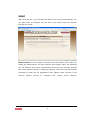
If you have a client PC that cannot run an Internet application (e.g. Games)
properly from behind the NAT firewall, then you can open up the firewall
restrictions to unrestricted two-way Internet access by defining a DMZ Host.
The DMZ function allows you to re-direct all packets going to your WAN port
IP address to a particular IP address in your LAN. The difference between the
virtual server and the DMZ function is that the virtual server re-directs a
particular service/Internet application (e.g. FTP, websites) to a particular LAN
client/server, whereas DMZ re-directs all packets (regardless of services)
going to your WAN IP address to a particular LAN client/server.
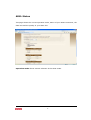
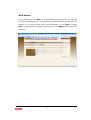
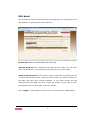
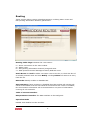
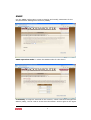
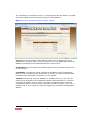
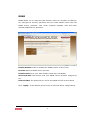
Enable DMZ Enable/disable DMZ
Public IP Address The IP address of the WAN port or any other Public IP
addresses given to you by your ISP
Client PC IP Address Fill in the IP address of a particular host in your LAN
that will receive all the packets originally going to the WAN port/Public IP
address above.
Click <Apply> at the bottom of the screen to save the above configurations.
36