1
Internet
what kind of information the web page
contains.
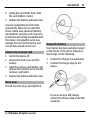
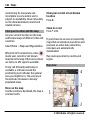
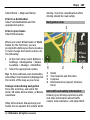
To display an overview of the current
web page, press 8.
To scroll around the overview, use the
scroll key.
To zoom in on a section, scroll to the
section, and select OK.
Web feeds and blogs
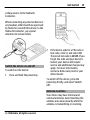
With web feeds, you can easily follow
news headlines and your favourite
blogs.
Select Menu > Internet > Web.
Web feeds are XML files on web pages.
They are used to share, for example, the
latest news headlines or blogs. It is
common to find web feeds on web,
blog, and wiki pages.
The browser application automatically
detects if a web page contains web
feeds.
© 2010 Nokia. All rights reserved.
85
Subscribe to a web feed when a feed
is available on the page
Select Options > Subscribe to web
feeds.
Update a web feed
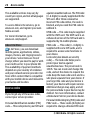
In the Web feeds view, select a feed and
Options > Web feed options >
Refresh.
Set automatic update for all web
feeds
In the Web feeds view, select
Options > Edit > Edit. This option is
not available if one or more feeds are
marked.
Content search
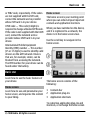
Select Menu > Internet > Web.
To search for text, phone numbers, or email addresses within the current web
page, select Options > Find keyword
and the appropriate option.
To go to the next match, scroll down.
To go to the previous match, scroll up.