1
IMPORTANT!
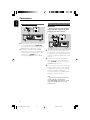
– Depending on the DVD or VIDEO CD,
some operations may be different or
restricted.
– Do not push on the disc tray or put
any objects other than disc on the disc
tray. Doing so may cause the disc player
malfunction.
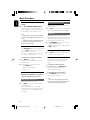
– If the inhibit icon (ø) appears on the
TV screen when a button is pressed, it
means the function is not available on
the current disc or at the current time.
Region Codes
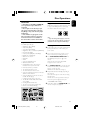
DVDs must be labeled as shown below in order
to play on this DVD system. You cannot play
discs that are labeled for other regions.
ALL
Note:
– If you are having trouble playing a certain disc,
remove the disc and try a different one. Improper
formatted disc will not play on this DVD Player.
Playable Discs
Your DVD Player will play:
– Digital Video Discs (DVDs)
– Video CDs (VCDs)
– Super Video CDs (SVCDs)
– Digital Video Discs + Rewritable (DVD+RW)
– Compact Discs (CDs)
– Picture (Kodak, JPEG) files on CDR(W)
– DivX(R) disc on CD-R(W):
– DivX 3.11, 4.x and 5.x
– DivX Uita
– WMA
– Supported MP3-CD format.
• ISO 9660 / UDF format
• Max. title/album name –12 characters
Max. title number plus album is 255.
• Max. nested directory is 8 levels.
• The max. album number is 32.
• The max. MP3 track number is 999.
• Supported sampling frequencies for MP3 disc:
32 kHz, 44.1 kHz, 48 kHz.
• Supported Bit-rates of MP3 disc are: 32, 64,
96, 128, 192, 256 (kbps).
– Following formats can’t be supported
• The files like *.VMA, *.AAC, *.DLF, *.M3U,
*.PLS, *.WAV
• Non-English Album/Title name
• The discs recorded under Joliet format
• MP3 Pro and MP3 with ID3 tag
5
Playing discs
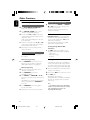
1
2
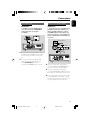
Connect the power cords of the system and TV
(or any optional stereo or AV receiver) to a
power outlet.
Turn on the TV power and set to the correct
Video In channel. (See “Setting up the TV”).
3
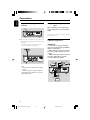
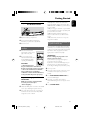
Press ECO POWER/STANDBY-ON y on
the DVD Player front panel or B on the
remote.
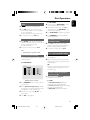
➜ You should see the blue Philips DVD
background screen on the TV.
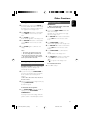
4
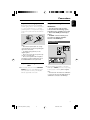
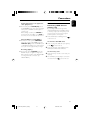
Press OPEN•CLOSE 0 to open the disc tray
and load in a disc, then press the same button
again to close the disc tray.
➜ Make sure the label side is facing up.
5
6
Playback will start automatically (depending on
the disc type).
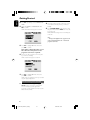
➜ If a disc menu appears on the TV, see “Using
the Disc Menu”.
➜ If the disc is locked by parental control, you
must enter your four-digit password. (See
“PASSWORD SETUP PAGE”).
At any time, simply press PRESET-/9 (9 on the
remote control) to stop playback.
21
pg 001-040_MCD716_58_Eng
21
2010.8.20, 13:26
English
Disc Operations