1
Disc Operations
English
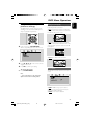
For VCDs/SVCDs/CDs
REPEAT TRACK: Repeats the current track
REPEAT ALL: Plays all the tracks repeatedly
SHUFFLE: Random play
REPEAT OFF: Switchs off play mode
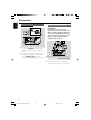
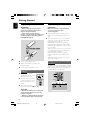
Fast forwarding/reversing
1
2
For DVD/VCD/DivX/WMA/MP3:
During playback, press à / á repeatedly to
select fast search speed in forward (FF) or
reverse (FR) playback.
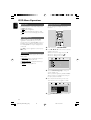
For MP3/WMA/JPEG/DivX
REPEAT ONE: Repeats the current track
REPEAT FOLDER: Plays all the tracks in the
folder repeatedly
SHUFFLE: Random play
REPEAT OFF: Switchs off play mode
To resume to normal playback, pressÉÅ.
Or, press à / á repeatedly until “É” is
displayed on the TV screen.
Helpful hints:
– Fast searching forward/backward is available
only within the same track.
● To return to normal playback, press MODE
repeatedly until “REPEAT OFF” is displayed.
In shuffle playback mode:
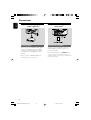
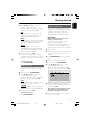
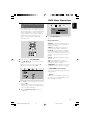
Slow forwarding/reversing
1
2
For DVD/VCD:
During playback, press 3 / 4 repeatedly to
select slow search speed in forward (SF) or
reverse (SR) playback.
To resume to normal playback, press ÉÅ.
Or, press 3 / 4 repeatedly until “É” is
displayed on the TV screen.
● Press ™ button to select another track in a
shuffle order.
● Press 9 to stop shuffle playback.
To cancel Shuffle mode:
● Press MODE repeatedly to select repeat off to
cancel Shuffle mode.
Helpful hints:
– For VCD, slow reverse is unavailable.
Notes:
– In Tuner, AUX 1, AUX2 mode, this button does
not function.
– When the disc tray is opened, Shuffle/Repeat
function will be cancelled automatically.
Different play modes: REPEAT,
SHUFFLE and REPEAT A-B
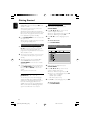
REPEAT
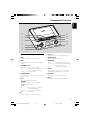
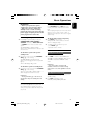
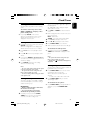
Repeat A-B
For DVDs/VCD/CD/MP3
You can play a specific section in a chapter/track
repeatedly.
● During playback, press repeatedly MODE on
the system to choose desired repeat play modes.
➜ For VCD with PBC feature, PBC must be
turned off first.
For DVDs
CHAPTER REPEAT: Repeats the current
chapter
TITLE REPEAT: Repeats the current title
REPEAT ALL: Plays all the content repeatedly
SHUFFLE: Random play
REPEAT OFF: Switches off play mode
1
2
3
Press A-B at your chosen start point.
Press A-B again at your chosen end point.
➜ The passage will now repeat continuously.
To resume normal play, press A-B again.
Note:
– The A-B function can only be set within the
same chapter or track.
24
pg001-038_MCD139B_98_Eng
24
2007.11.8, 17:04