1
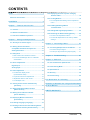
CONTENTS
Cover
. ............................................................ 1
Notice for this monitor............................................... 3
2-12 Displaying the level of power saving by
EcoView Index................................................. 19
2-13 Locking Buttons............................................... 19
CONTENTS.............................................................. 5
● To lock adjustments/settings in the Adjustment
Chapter 1 Features and Overview...................... 6
2-14 Enabling/Disabling DDC/CI communication............................................... 20
1-1 Features................................................................ 6
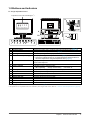
1-2 Buttons and Indicators........................................ 7
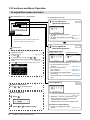
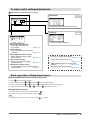
1-3 Functions and Basic Operation.......................... 8
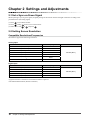
Chapter 2 Settings and Adjustments............... 10
2-1 Set a Sync-on-Green Signal.............................. 10
2-2 Setting Screen Resolution................................. 10
Compatible Resolutions/Frequencies................ 10
Setting Resolution.................................................11
2-3 Utility Disk........................................................... 12
● Disk contents and software overview................. 12
● To use ScreenManager Pro for LCD/EIZO
menu................................................................. 19
2-15 Setting EIZO logo display ON/OFF................. 20
2-16 Resuming the Default Setting [Reset]............ 20
● To reset color adjustment values........................ 20
● To reset all adjustments to the factory default
settings.............................................................. 20
Chapter 3 Connecting Cables........................... 21
3-1 Connecting Multiple PCs to the Monitor ......... 21
● To switch the input signal................................... 21
● To set input signal selection [Input Signal]......... 21
Chapter 4 Troubleshooting................................ 22
ScreenSlicer...................................................... 12
Chapter 5 Reference.......................................... 24
2-4 Screen Adjustment............................................. 13
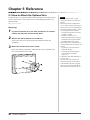
5-1 How to Attach the Optional Arm....................... 24
Digital Input........................................................... 13
Analog Input......................................................... 13
2-5 Color Adjustment............................................... 16
● To select the display mode
(FineContrast mode)......................................... 16
● To perform advanced adjustments..................... 16
● Adjustment items in each mode......................... 16
● To set/adjust color.............................................. 17
2-6 Turning off the monitor automatically [Off Timer]....................................................... 18
2-7 Setting Adjustment Menu Position [Menu Position]............................................... 18
5-2 Power Saving Mode........................................... 25
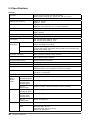
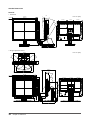
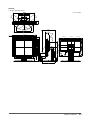
5-3 Specifications..................................................... 26
5-4 Glossary.............................................................. 38
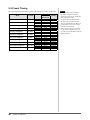
5-5 Preset Timing...................................................... 40
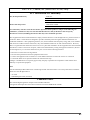
FCC Declaration of Conformity........................... 41
Hinweise zur Auswahl des richtigen Schwenkarms
für Ihren Monitor................................................... 42
LIMITED WARRANTY........................................... 43
2-8 Setting Power Indicator ON/OFF [Power Indicator]............................................ 18
2-9 Displaying Monitor Information [Information].................................................... 18
2-10 Setting Language [Language]......................... 19
2-11 Setting On/Off for the automatic brightness
adjustment function [Auto EcoView]............ 19
CONTENTS
5