1
Use more of your Pocket
E N G L I SH
5
Memo
5.1 Use Philips SpeechExec software
Philips SpeechExec software can be used for
advanced configuration of the Pocket Memo and
automatic download, conversion and routing of
dictation files.
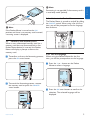
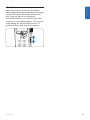
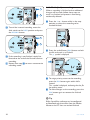
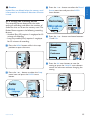
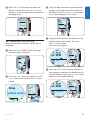
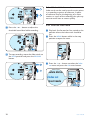
4 Click the Start Wizard... button to open the
wizard. Follow the on-screen instructions to
customize the Pocket Memo.
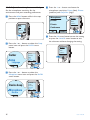
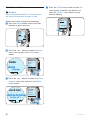
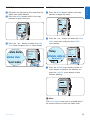
5 Click the Finish button to close the wizard
and confirm the transfer of the new settings
to the Pocket Memo.
D Note
When the Pocket Memo is connected to the
PC for the first time, Windows detects the new
hardware and automatically installs the required
drivers. When the installation is complete,
Windows may prompt you to restart the PC.
D Note
For detailed information about SpeechExec
software, refer to the SpeechExec user manual.
5.1.1 Advanced configuration
The Pocket Memo Configuration Wizard is part
of the Philips SpeechExec Dictate software and
guides users through the device configurations
and settings of their Pocket Memo. The wizard
assists users in configuring the time format,
sound feedback, voice-activated recording,
display appearance (standard or advanced display
mode), the recording format, microphone
sensitivity, author names, and file download to
the PC.
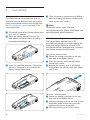
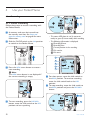
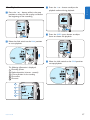
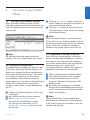
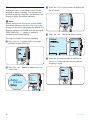
1 Connect the Pocket Memo to the PC using
a USB cable.
2 Start Philips SpeechExec Dictate software.
3 Click Settings > General Settings on
the menu bar of SpeechExec to open
the settings menu and select DPM/DT
Configuration > DPM Wizard from the list on
the left side.
User manual
5.1.2 Download recordings to the PC
With USB mass storage support, the Pocket
Memo is automatically displayed as an external
drive when it is connected to the computer. It
can then be accessed easily with any Microsoft
Windows program as a regular drive.
Use Philips SpeechExec software for automatic
download, conversion and routing of files.
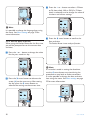
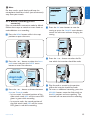
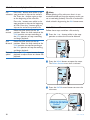
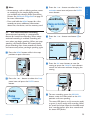
1 Make a recording with the Pocket Memo.
2 Start Philips SpeechExec Dictate software.
3 Connect the Pocket Memo to the PC
using the USB cable or the optional USB
docking station.
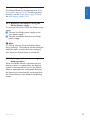
4 By default, the recordings on the Pocket
Memo will be downloaded automatically to
the PC and moved to the Finished dictations
folder of the worklist.
D Note
How and which files are downloaded after a
Pocket Memo is connected can be configured
in the settings menu of SpeechExec or with the
Configuration Wizard.
21