1
PJ513D TOC_ENG.fm Page 2 Monday, October 15, 2007
5:40 PM
Table of Contents
Introduction............................................................. 1
Projector features ................................................................................. 1
Shipping contents ................................................................................. 1
Projector exterior view.......................................................................... 2
Controls and functions .......................................................................... 3
Positioning your projector....................................... 7
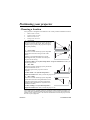
Choosing a location ............................................................................. 7
Obtaining a preferred projected image size .......................................... 8
Connection ............................................................ 11
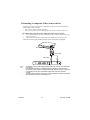
Connecting a computer or monitor .................................................... 11
Connecting Video source devices....................................................... 13
Operation............................................................... 17
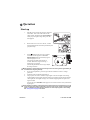
Start up ............................................................................................... 17
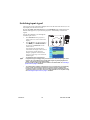
Switching input signal ........................................................................ 18
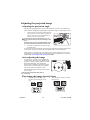
Adjusting the projected image ............................................................ 19
Magnifying and searching for details
on the projected picture ...................................................................... 20
Selecting the aspect ratio ................................................................... 21
Optimizing the image.......................................................................... 22
Hiding the image................................................................................. 25
Locking control keys ......................................................................... 25
Freezing the image.............................................................................. 26
Operating in a high altitude environment .......................................... 26
Adjusting the sound ............................................................................ 27
Personalizing the projector menu display .......................................... 27
Shutting down the projector................................................................ 28
Menu operation ................................................................................... 29
Maintenance .......................................................... 37
Care of the projector .......................................................................... 37
Lamp information ............................................................................... 38
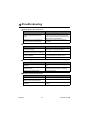
Troubleshooting .................................................... 44
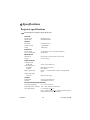
Specifications ........................................................ 45
Projector specifications ...................................................................... 45
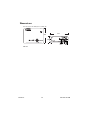
Dimensions ......................................................................................... 46
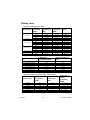
Timing chart....................................................................................... 47