1
AXIS Q7401 Installation Guide
Page 3
AXIS Q7401 Video Encoder
Installation Guide
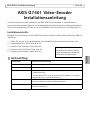
This installation guide provides instructions for installing a AXIS Q7401 Video Encoder on your
network. For all other aspects of using the product, please see the product User’s Manual, available
on the CD included in this package, or from www.axis.com
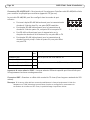
Follow these steps to install the AXIS Q7401 Video Encoder on your local network (LAN):
1.
2.
3.
4.
5.
Check the package contents against the list below.
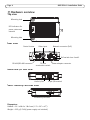
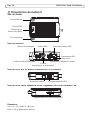
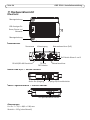
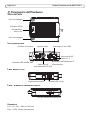
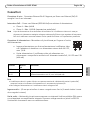
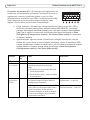
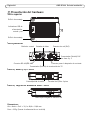
Hardware overview. See page page 4.
Install the hardware. See page 5.
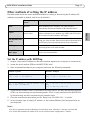
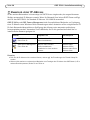
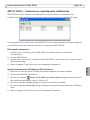
Assign an IP address. See page 6.
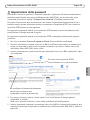
Set the password. See page 9.
Important!
This product must be used in
compliance with local laws and
regulations.
Package contents
Item
Models/variants/notes
Axis video encoder models
AXIS Q7401
Power adapter models
Type PS-K or PS-T
Mounting kit
• 2 screws and plugs to mount the encoder to a concrete wall
• 4 Surface protection pads
• Terminal block connectors (I/O: 6-pin connector, RS-485/422: 2x 2-pin
connector, Power: 2-pin connector)
CD
AXIS Network Video Product CD, including product documentation,
installation tools and other software
Printed Materials
AXIS Q7401 Installation Guide (this document)
Axis Warranty Document
ENGLISH
Installation steps