1
INSTALLATION INSTRUCTIONS
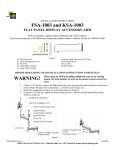
FSA-1002 and KFSA-1002
FLAT PANEL DESK CLAMP ACCESSORY
Prior to assembly, unpack carton completely and verify contents.
If you are missing any of the following components, please contact Customer Service at 1-800/582-6480.
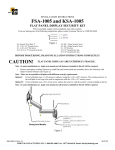
Figure 1
(1)
(1)
(1)
(1)
(1)
Desk Clamp Casting
Thin Steel Washer
Rotational Stop
Clamp Bracket
Alignment Bracket
(1)
(1)
(1)
(1)
(3)
Grommet Bracket
Rotational Stop Spacer
Button Head Cap Screw 4.0” Long
Socket Head Cap Screw .625” Long
Flat Head Cap Screw 10mm
(1) 2.5mm Hex Key
(1) 5/32” Hex Key
(1) 3/16” Hex Key
BEFORE PROCEEDING, READ INSTALLATION INSTRUCTIONS COMPLETELY
FLAT PANEL DISPLAYS ARE EXTREMELY FRAGILE.
1. Using 3/16” hex key, remove the button head cap screw securing the monitor interface to the
arm or other modular flat panel arm component (i.e. Wall plate).
2. Assemble base (see Figure 2).
3. Attach components (see Figure 3).
4. Using the 3/16” hex key, tighten the button head cap screw located at arm pivot point (see
Figure 3 and Figure 4) until the desired amount of pivoting friction is achieved.
5. Refer to FCD manual for further installation instructions.
8804-000139 Rev. B
CHIEF MANUFACTURING INC. 1-800-582-6480, Fax: 1-877-894-6918, Email: [email protected]
12/09/04
Figure 2
Figure 3
Figure 4