1
56
EN
EDITING
Audio Dubbing (DV Deck Only)
● Slide the TV/DVD switch to DVD.
This function allows you to record new audio, without erasing the
original audio, on a DV tape that was recorded with ADV AUDIO
RECB set to A12BITB (A pg. 62).
ATTENTION:
You cannot perform Audio Dubbing on a tape that was recorded
with ADV AUDIO RECB set to A16BITB (A pg. 62), on a tape that
was recorded at the ALPB speed, or on a blank tape.
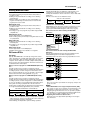
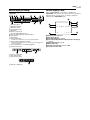
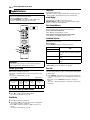
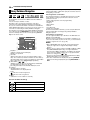
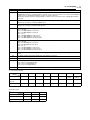
Your unit
Recorder
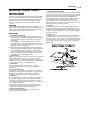
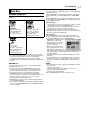
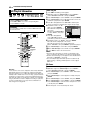
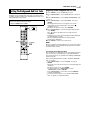
INPUT SELECT
AUDIO DUB.
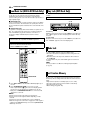
To [AUDIO]
input
1
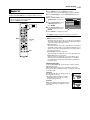
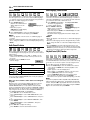
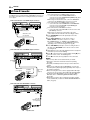
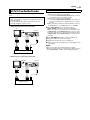
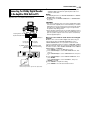
Connect an audio device to the unit’s [AUDIO] input connectors
on the front panel.
● When using a monaural audio device, connect its AUDIO OUT
connector to the [AUDIO-L] input connector on your unit.
2
Load a Mini DV cassette with the erase protection switch set to
ARECB.
3
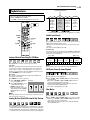
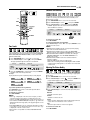
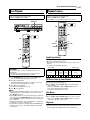
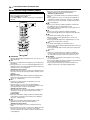
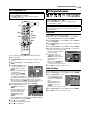
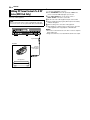
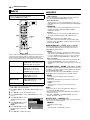
Press DV/HDD/DVD on the unit repeatedly or DV on the remote
so that the DV lamp lights up on the unit.
4
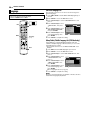
Press INPUT SELECT +/– on the remote control or
INPUT SELECT on the unit to select AF-1B.
5
Start playback slightly before the actual point from where you
wish to start dubbing.
6
7
Press W to pause playback.
Press AUDIO DUB. to engage the audio dubbing mode.
● Your unit enters the Audio Dubbing Pause mode.
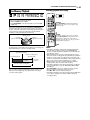
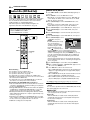
● To perform Audio Dubbing with audio mixing, press AUDIO to
select AL W X RB at this point. When using the DV deck as the
recording deck, also make sure that AAUDIO MODEB is set to
ASOUND1B (A pg. 62).
Audio cable
(not supplied)
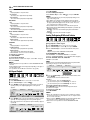
* Audio Dubbing with audio mixing is not possible if you are using a
monaural audio component, or if you don’t have an audio mixer.
8
Engage the audio device’s playback, then press I to start the
tape in the unit. Audio dubbing starts at this point.
● To stop dubbing temporarily, press W. Press I to resume
dubbing.
AUDIO OUT
CD player, etc.
9
NOTES:
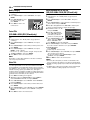
● When monitoring the audio dubbed sound on the DV deck, set
AAUDIO MODEB to ASOUND2B (A pg. 62).
● When playing back an audio dubbed Mini DV tape on the DV
deck, set AAUDIO MODEB to ASOUND2B (A pg. 62).
● Audio dubbing is not possible using the [DV IN/OUT] connector.
● Audio dubbing is not possible on a blank portion of the tape.
CD player, etc.
Mixer output
Audio mixer
Original sound
Your unit
To
[AUDIO]
input
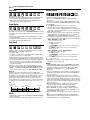
Press o on the unit, then stop playback on the audio device to
end the audio dubbing.
[AUDIO OUTPUT]
INPUT SELECT
Recorder
AUDIO DUB.