1
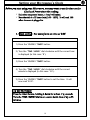
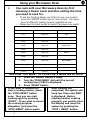
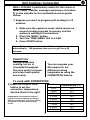
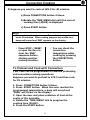
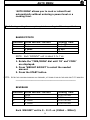
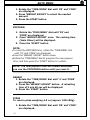
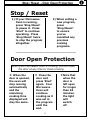
Using your Microwave Oven You cook with your Microwave Oven by first choosing a Power Level and then setting the time you need to cook for. o o To set the Cooking Power you’d like to use, you need to press the ‘MICRO’ button one or more times. You have several different cooking powers available to you. Please see the table below to select the power you want: Press MICRO button to select different cooking power Press Power Description once 100%(P-HI) High twice 90%(P-90) 3 times 80%(P-80) 4 times 70%(P-70) 5 times 60%(P-60) 6 times 50%(P-50) 7 times 40%(P-40) 8 times 30%(P-30) 9 times 20%(P-20) 10 times 10%(P-10) 11 times 0%(P-0) Medium High Medium Med. Low/Defrost Low SUPPOSE YOU WANT TO COOK FOR 5 MINUTES AT 60%. 1. 2. Press the ‘MICRO’ button 5 times. Turn the ‘TIME/MENU’ dial until the correct cooking time (5:00) is displayed. 3. Press ‘START’ button. 9 If you want to temporarily 9 After cooking has stop a cooking session, press completed, the system will the ‘STOP/RESET’ button beep four times and ‘END’ once. Then you can start is displayed. Before cooking again by pressing starting another cooking ‘START’. If you want to cancel program, you need to clear the cooking program the display and reset the altogether, just press the system by pressing the ‘STOP/RESET’ button again. ‘STOP / RESET’ button. 21