1
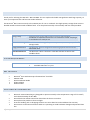
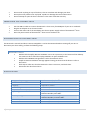
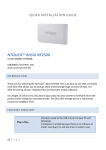
Do not stack anything on top of the drive; this can overheat and damage your drive. Do not place the product near any liquid. Liquids can damage the internal electronics. Do not attempt to open the drive’s enclosure. This action voids the warranty. CONNECTING THE EXTERNAL DRIVE ™ Use the USB 2.0 cable to connect the NoTouch drive to any free USB port of your PC or notebook. Plug the AC adapter to an electrical outlet ™ Connect the other end of the AC adapter into the DC power supply socket of the NoTouch drive. ™ Press the power switch of the NoTouch drive to turn the device on. DISCONNECTING THE EXTERNAL DRIVE The NoTouch™ external hard drive is warm‐swappable. It can be disconnected without turning off your PC. To disconnect your drive safely, perform the following steps: WINDOWS USERS Double‐click the Safely Remove Hardware icon in the system tray at the bottom of the desktop. For some PCs this is called the Unplug Hardware or Eject Hardware icon. Double‐click USB Mass Storage Device. Select the NoTouch drive. A Safe To Remove Hardware message appears letting you know that the device is safe to disconnect. Click Stop to make sure that the NoTouch™ drive is not active, and click Close. Disconnect the drive from the PC. SPECIFICATIONS Supported operating systems Interface Capacity Hard disk type Physical Dimensions (mm) Operating Environment Limit Non‐Operating Environment Limit Power Adapter LED Indicator 3 | P a g e ® ™ Windows 2000/XP/Vista SATA to USB 2.0 Depends on model SATA 5400 / 7200 RPM 204 x 120 x 31 Temperature: 5°C~40°C Relative Humidity: 20%~80% Temperature: ‐10°C~70°C Relative Humidity: From 0%~80% 12V – 2.0A / 5V‐2.0A Blue LED (System Power)