1
1Important
6
Safety6
Notice7
2 Your Docking Entertainment System 7
8 Product information
15
15
9Troubleshooting
16
Specifications
Introduction7
What’s in the box
7
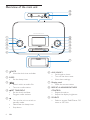
Overview of the main unit
8
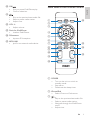
Overview of the remote control
9
3 Get started
10
10
11
11
11
4Play
12
12
12
5 Listen to radio
13
13
13
13
13
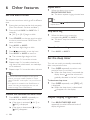
6 Other features
14
14
14
14
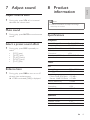
7 Adjust sound
15
15
15
15
15
Install batteries
Connect power
Set time and date
Turn on
Play from iPod/iPhone
Play from an external device
Tune to a radio station
Program radio stations automatically
Program radio stations manually
Select a preset radio station
Set the alarm timer
Set the sleep timer
Adjust display brightness
Adjust volume level
Mute sound
Select a preset sound effect
Enhance bass
EN
3
English
Contents