1
Configuration
Windows 2000/XP/Vista/7
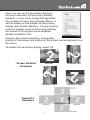
To configure the image being displayed by the monitor that is
connected to USB2DVIPRO, right-click on a blank section of the
desktop, select Properties, then click on the Settings tab to display
the following screen:
For Vista or 7, right-click on a blank section of the desktop and select
Personalize, then select Screen Resolution on the next screen.
5