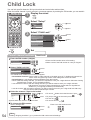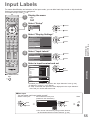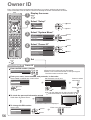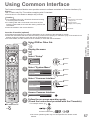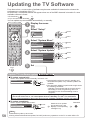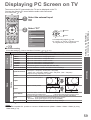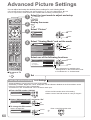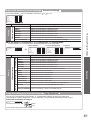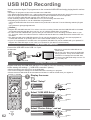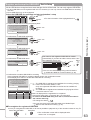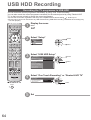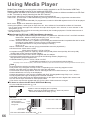
1
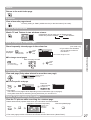
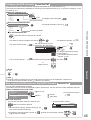
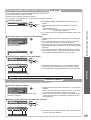
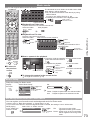
Watching TV
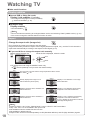
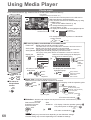
1
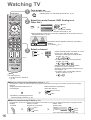
Turn power on
2
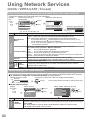
Select the mode (freesat, DVB, Analogue or
Other Sat.)
(Press for about 1 second)
●Mains power On / Off switch should be On. (p. 9)
INPUT
TV
MENU ASPECT
EXIT
watch
IDE
GU
TV Selection
freesat
TV
DVB
select
Analogue
Displayed if Other Satellite
channels are tuned (p. 49)
●Also possible by pressing the TV button repeatedly on the remote control or
side panel of the TV. (p. 9)
Other Sat.
OPTION
STTL
ghi
pqrs
HOLD
abc
def
jkl
mno
tuv
103 ITV Wales
19:35
Coronation Street
19:30 - 20:00
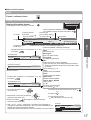
Information banner appears whenever you select a
channel
●For details p. 17
freesat Channel List
For info press
Now
wxyz
LAST VIEW
3
Select a channel
up
down
or
abc
def
ghi
jkl
mno
pqrs
tuv
wxyz
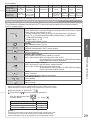
freesat channel position numbers run in the
ranges 100 - 999 and 0100 - 0999.
●To select a three-digit channel position
number, e.g. 133
Volume
def
def
●To select a four-digit channel position
number, e.g. 0246
abc
ghi
mno
DVB and Other Sat. channel position
numbers run from 1 onwards.
Analogue channel position numbers run in
the ranges 0 - 99.
●To select a two or three-digit channel
position number, e.g. 39
TV
Note
●To watch pay-TV
wxyz
def
“Using Common Interface”
(p. 57)
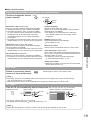
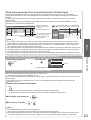
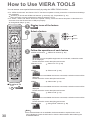
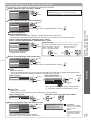
■Select a channel using Information banner (p. 17)
It is possible to confirm the channel name and programme information by using the Information banner before changing
channels.
Display Information banner if it is
not displayed
While the banner is displayed,
select the channel
select channel
watch
●Possible to set display timeout in
“Banner Display Timeout” (p. 35).
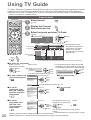
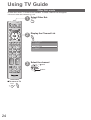
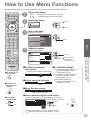
■Select a channel using TV Guide (p. 20)
It is possible to confirm the channel and programme information by using the TV Guide (EPG) before changing channels.
Display
TV Guide
Select a current
programme or channel
select
IDE
GU
16
Select “View”
(DVB mode)
Eastender
19:30- 20:00
View
access
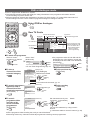
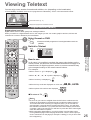
Timer Programming
●To use Timer Programming
select
watch
p. 22