1
1
2
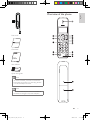
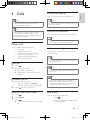
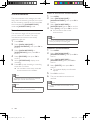
Earpiece
BACK
3
4
5
R
REDIAL
6
7
8
9
INT
10
11
Microphone
MENU
14
10
15
OK
16
17
Buzzer
Battery
door
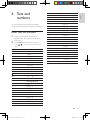
• Confirm selection.
• Enter the options
menu.
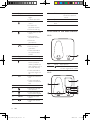
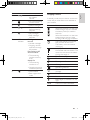
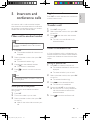
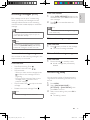
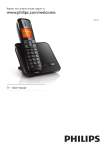
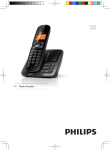
Overview of the base station
SE170
Key
1
Name
Descriptions
• Find handsets.
• Enter registration mode.
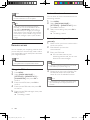
SE175
• Mute/unmute the
microphone.
• Press and hold to
lock/unlock keypad.
• Access the main
menu.
• Make and receive
calls.
12
13
• Delete text or
digits.
• Cancel operation.
• Scroll up on the
menu.
• Increase the
earpiece volume.
• Enter the call log.
• Scroll down on the
menu.
• Decrease the
earpiece volume.
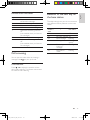
• Enter the
phonebook.
• End the call.
• Exit the menu/
operation.
• Press and hold to
turn the handset
on/off.
• Send the flash signal.
• Enter redial list.
• Press and hold to
enter a pause to
make a predial call
(see “Make a call” in
the Calls section).
• Press and hold to
turn the ringer on/
off.
• Make the intercom
call.
• Press and hold to
make a conference
call.
EN
IFU_SE170-175_05_EN.indd
10
2009-12-17
17:40:06