1
AXIS Q7404 - Video and Audio Streams
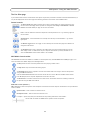
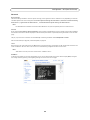
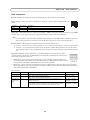
AXIS Media Control (AMC)
The recommended method of accessing live video from the video encoder
is to use the AXIS Media Control in Internet Explorer in Windows.
The AMC Control Panel can be used to configure various video and audio
settings. Please see the AXIS Media Control User’s Manual for more
information.
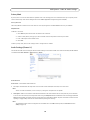
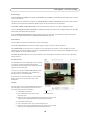
The AMC Control Panel is automatically installed on first use, after which
it can be configured. Open the AMC Control Panel from:
•
•
Windows Control Panel (from the Start menu)
Alternatively, right-click the video image in Internet Explorer and
select Settings.
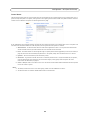
Alternative methods of accessing the video stream
Video/images from the video encoder can also be accessed in the
following ways:
•
•
•
•
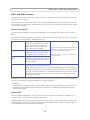
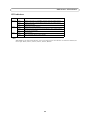
Motion JPEG server push (if supported by the client, Firefox, for example). This option maintains an open HTTP connection
to the browser and sends data as and when required, for as long as required.
Still JPEG images in a browser. Enter the path http://<ip>/axis-cgi/jpg/image.cgi
Windows Media Player. This requires AXIS Media Control and the H.264 decoder to be installed. The paths that can be
used are listed below in the order of preference:
• Unicast via RTP: axrtpu://<ip>/axis-media/media.amp
• Unicast via RTSP: axrtsp://<ip>/axis-media/media.amp
• Unicast via RTSP, tunneled via HTTP: axrtsphttp://<ip>/axis-media/media.amp
• Multicast: axrtpm://<ip>/axis-media/media.amp
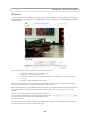
To access the video stream from QuickTime™ the following paths can be used:
• rtsp://<ip>/axis-media/media.amp
• rtsp://<ip>/axis-media/media.3gp
Notes:
•
•
•
•
The video encoder supports QuickTime 6.5.1 and later.
QuickTime adds latency to the video and audio stream (up to 3 seconds)
It may be possible to use other players to view the H.264 stream using the paths above, although Axis does not
guarantee this.
<ip> = IP address
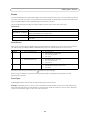
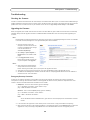
Accessing the audio stream (Channel 1)
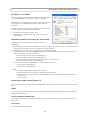
The Live View page provides access to audio through AXIS Media Control; in addition audio can be accessed in the following
ways:
VAPIX®
You can read about accessing audio for the other protocols through the VAPIX® application programming interface (API) at
http://www.axis.com/techsup
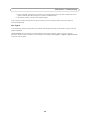
QuickTime/Windows Media Player
It is possible to use QuickTime and Windows Media Player to listen to the audio stream using the same methods to access
video streams.
Java Applet
The Java applet supports simplex audio.
11