1
AXIS P7701 - System Options
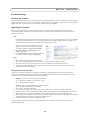
COM Port
The RS-422/RS-485 serial connector allows you to connect legacy and auxiliary equipment to the AXIS P7701. Once
connected, an encoder or camera can be configured to receive data such as alarms and messages from these devices.
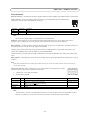
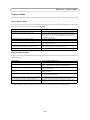
Serial port settings - Select the appropriate settings for connecting your auxiliary device to the AXIS P7701. Consult device’s
user documentation for the appropriate settings.
Use the Mode setting to either manually Off, or automatically Auto, send data from your device to an encoder or camera.
The auxiliary device can be connected to the AXIS P7701 using either the RS-485 or RS-422 serial interface. If RS-485 is
selected, the data direction can be set to either Full or Half duplex.
For more information please see the online help
.
Maintenance
Restart - •The decoder is restarted without changing any settings.
Restore - •The unit is restarted and most current settings are reset to factory default values. The settings that do not reset
are:
• the boot protocol (DHCP or static)
• the static IP address
• the default router
• the subnet mask
• the product interface language
• the system time
Default - The default button should be used with caution. Pressing this returns the decoder's settings to the factory default
values (including the IP address).
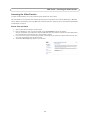
Upgrade Server - See Upgrading the Firmware, on page 27.
Support
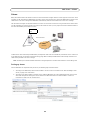
The Support Overview page provides valuable information on troubleshooting and contact information, should you require
technical assistance.
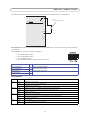
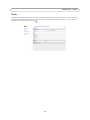
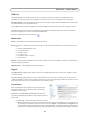
The System Overview page provides an overview of the decoder’s status and settings. Information that can be found here
includes the decoder’s firmware version, IP address, video sources, security and recent log items. Many of the captions are also
links to other pages where you can make adjustments to the decoder’s settings.
Logs & Reports
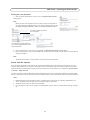
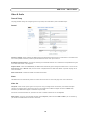
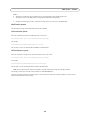
When contacting Axis support, please be sure to provide a valid
Server Report with your query. The Access Log is automatically
included in the server report.
Information - the Server Report and Parameter List may prove
useful when troubleshooting a problem or when contacting the Axis
support web.
•
•
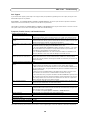
System Log - Provides information about system events.
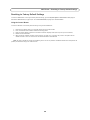
Access Log - By default, the Access Log lists all failed attempts to access the decoder but can be configured to list
all connections to the decoder, whether successful or not. Go to Support > Logs & Reports > Configuration and
select the desired level of information from the list. See Configuration - From the drop-down lists, select the level
of information to be added to the System Log and Access Log files and the permitted size of the log files., on page 22
21