1
Introduction
Understanding RAID Concepts and Terminology
The following concepts and terminology is commonly used when describing the
functions of the RocketRAID 3122 Host Adapter.
Disk initialization
Initializing a disk writes necessary RAID configuration information to that disk. Disks
must be initialized before configuring them into RAID arrays. The initialization
process will destroy all data on the disk.
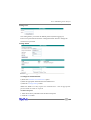
Disk Status
New
The disk contains no data and has not been initialized.
Initialized
The disk has been initialized and can be used for array creation.
Configured
spare disk.
The disk has been assigned to one or more arrays, or configured as a
Legacy
The disk was used on other controllers before use with the
RocketRAID 3122 (see legacy disk below).
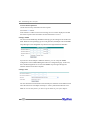
Array initialization
A redundant array (RAID1, in the case of the RR3122 model) needs to be initialized to
ensure full performance and reliability. Non-redundant arrays (RAID0, JBOD) do not
need to be initialized.
When you create a RAID1 array using the RocketRAID 3122 controller’s BIOS
Configuration Utility, it will automatically start the initialization process. When
creating an array using the HighPoint RAID Management Console software, you can
specify an initialization option (Skip initialization, foreground and background).
Online Capacity Expansion (OCE)
This feature allows disks to be added to existing RAID arrays, in order to increase the
array’s capacity, without fear of data loss. Any number of disks can be added to an
array, at any time. Data can be accessed and utilized even while being redistributed.
1-4