1
Linux Driver Support
Installation steps for Fedora Core2
1.
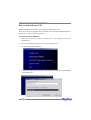
Start installing Fedora Linux by booting from the installation CD.
2. On “Welcome to Fedora Linux” installation screen, a prompted label “boot:” will
appear at the bottom of the screen. Just press Enter.
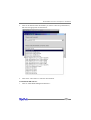
3. When prompted the warning “No hard drives have been found”, press “ALT+F2”
to switch the shell on console 2. Insert the driver diskette into floppy drive and
type the following commands:
# mkdir /dd
# mount /dev/fd0 /dd
# sh /dd/fedora-install-step1.sh
# umount /dev/fd0
Then press “ALT+F1” to switch back to installation screen and select “No” to continue.
4.
Continue the installation as usual. You can refer to Fedora Linux installation
guide.Make sure you have finished the next step before system reboot.
5.
When installation finishes and prompts you to reboot the system, press
“CRL+ALT+F2” to the shell and type the following commands:
# chroot /mnt/sysimage
# mount /dev/fd0 /mnt
# sh /mnt/fedora-install-step2.sh
# umount /dev/fd0
# exit
Then switch back to console 1 and finish the installation.
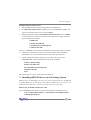
3 - Installing RR3122 driver on an Existing System
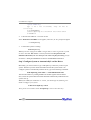
Note: If you use a SCSI adapter to boot your system, you must make sure the RR3122
controller BIOS will be loaded after that adapter’s BIOS. If not, try to move it to
another PCI slot. Otherwise you may be unable to boot up your system.
Remove sata_mv module on Fedora 6 & 7 & 8
If you installed RR3122 controller, you must remove built-in module from system:
# rm –f /lib/modules/‘uname –r‘/kernel/drivers/scsi/hptmviop.ko
# rmmod hptmviop.ko
6-4