1
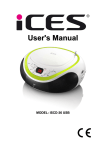
User Manual
SCD-37 USB
For information and support, www.lenco.eu
CONTENT
1. PRECAUTIONS…………………………………………………….….………..01
2. MAINTENANCE………………………………………..…………….…………02
3. SPECIFICATION………………………………………………………………..02
4. PARTS NAME AND FUNCTIONS………………………………………........03
4.1PARTS ON THE FRONT OF THE PLAYER............................................................03
4.2 PARTS ON THE LEFT SIDE OF THE PLAYER......................................................04
4.3 PARTS ON THE REAR OF THE PLAYE………………………………………...05
4.4PARTS ON THE RIGHT OF THE PLAYER…………………………………………….05
5.CHOOSINGTHE POWER SOURCES.................................................................06
5.1 Connecting the AC power cord...............................................................................06
5.2 Connecting to USB storage................................................................................... 06
5.3 Using the player on batteries..................................................................................06
6. PLAYING A CD OR MP3……………………………………………………….06
7. REPEAT AND PROGGRAMMED PLAY……………………………………. 07
7.1 Repeat play.................................................................................................. .......07
7.2 Programmed play...................................................................................................07
8. PLAYING OTHER AUDIO DEVICES THROUGH YOUR SET…………….07
9. LISTENING TO THE RADIO…………………………………………………..08
10.TROUBLE SHOOTING………………………………………………………..09
1. PRECAUTIONS
Thank you for purchasing CD player. Please read this manual carefully before
operating and reserve it for future reference. It will be helpful to you if you
encounter any operational problem.
On Safety
·As the laser beam used in the CD player section may be harmful to the eyes, do not
attempt to disassemble the cabinet. Refer servicing to qualified personnel only.
·The apparatus shall not be exposed to dripping or splashing and that no objects filled
with liquids,such as vases,shall be placed on apparatus.
·Should any solid object or liquid fall into the player, unplug the player, and have it
checked by qualified personnel before operating it any further.
On Placement
·Do not leave the player in a location near a heat source, or in a place subject to direct
sunlight, excessive dust or mechanical shock.
·Do not place the player on an inclined or unstable place.
·Do not place anything within 1 inch of the back of the cabinet. The ventilation holes must
not be covered for the player to operate properly and prolong the life of its components.
·If the player is left in a car parked in the sun, be sure to choose a location in the car
where the player will not be subjected to the direct rays of the sun.
·Since a strong magnet is used for the speakers, keep personal credit cards using
magnetic coding or spring wound watches away from the player to prevent possible
damage from the magnets.
On Power Sources
·For battery operation, use 6 size “C” batteries. We recommend alkaline batteries for
longer life.
·When the batteries will not be used for a few weeks or more, remove them to avoid
damage that can be caused by battery leakage or corrosion.
·Battery shall not be exposed to excessive heat such as sunshine ,fire or the like.
· If the player is brought directly from a cold to a warm location, or is placed in a very
damp room , moisture may condense on the lens inside the CD player section. Should this
occur , the player will not operate properly. In this case, remove the CD and wait about an
hour for the moisture to evaporate.
·To be completely disconnect the power input ,the mains plug of apparatus shall be
disconnected from the mains .As the disconnect devices is the mains plug of apparatus.
·The mains plug of apparatus should not be obstructed OR should be easily accessed
during intended use.
·This CD player is designed to be played on a stable no vibration position. If you bump the
set during CD play, the music will stop or skip for a few seconds. This is normal for this
type of player.
01
Notes on CDs
·Before playing, clean the CD with a cleaning cloth. Wipe the CD from the center out.
·Do not expose the CD to direct sunlight or heat sources such as hot air ducts, not leave
it in a car parked in direct sunlight as there can be a considerable rise in temperature
inside the car.
·Do not stick paper or stickers on the CD, nor scratch the CD.
·After playing, store the CD in its case. If there is a scratch, dirt or fingerprints on the CD,
it may cause a tracking error or skipping.
Scratched Discs
If your disc is badly scratched, it will not play. You may be able to repair the disc if you buy
a disc polisher.
2. MAINTENANCE
Cleaning the Lens
If the lens becomes dirty, it may cause a skipping of sound during CD operation.
Clean with a commercially available lens cleaner and blower.
Cleaning the Cabinet
Clean the cabinet, panel and controls with a soft cloth slightly moistened with a mild
detergent solution. Do not use any type of abrasive pad, scouring powder, or solvent, such
as alcohol or benzene
3.SPECIFICATION
Power source
AC 230V
DC 9V (6 size ”C” batteries)
(Alkaline batteries are recommended)
Speakers
4 ohm
Output power
1.0W/channel
Dimensions
263 X 223 X 121
Weight
1225g(without batteries)
Playable disc type
Any normal CD used in portable players
Radio Frequency range
FM:87.5-108 MHz
02
AM:520-1620KHz
4. PARTS NAME AND FUNCTIONS
4.1 Parts on the front of the main unit
1. Folder : folder play
2. NEXT :skip next track. Press and hold the button to fast forward play during play mode
3. PREV : skip previous track ; Press and hold the button to fast backward play during
play mode
4. Repeat: repeat the track , folder or whole disc
5. Power LED indicator
LED light: main unit is turning on
LED off: main unit is turning off
6. LCD display
03
7. FM ST LED indicator
LED light: main unit is in FM stereo mode
LED off: main unit is in FM mono mode
8. Stop: Press this to stop play mode
9. Play/pause: Press this to play the disc. When pressed in play mode, pause mode is set.
Press again to resume playback.
10. PROG : Programming the play sequence
11. OPEN/CLOSE : open or close CD door
12. CD door
13. FM antenna
14. Speakers
15. USB socket
connecting to USB storage
4.2 Parts on the left side of the main unit
1. Function switch
2. VOLUME control : increase/decrease the volume
04
4.3 Parts on the rear of the main unit
1. Audio input
Input audio signal
2. AC socket
4.4 Parts on the right side of the player
1. Tuning control
2. FM /AM Switch
3. Display FM/ AM frequency
05
5.CHOOSING THE POWER SOURCES
You ca use the AC power or batteries as a power source.
5.1 Connecting the AC power cord
Insert one end of the supplied AC power cord into the socket located at the rear of the
player and the other end to the wall outlet.
5.2 Connecting to USB storage
1)Please connect the USB storage to the USB terminal of the main unit
2) The main unit will read the contents that are available on the USB storage device
automatically.
Note:
(1) When disc play, then insert the USB, the unit will automatically switch to play USB .
(2) When USB play, then place the disk, the unit will automatically switch to play the disc.
(3) When the existence of USB and the disc, the unit will play USB at first.
5.3 Using the player on batteries
Insert 6 size "C" batteries (not supplied) into the battery compartment.
To use the player on batteries, disconnect and remove the AC power cord both from back
of the player and the wall outlet.
Note:
· If the plug of the AC power cord does not match your outlet, do not force it. Reverse it
and try again. The plug is polarized and only fits one way into the wall outlet and rear of
the set.
·Replace the batteries when the POWER lamp dims or when the player stops operating.
Replace all the batteries with new ones. Before you replace the batteries be sure to take
out the CD from the player.
·If the CD does not play on batteries, this means the batteries are almost used up.
However the radio may continue to play on these weak batteries because it uses less
power than the CD player.
6.PLAYING A CD or MP3
(1) Connect the supplied AC power cord or batteries.
(2) Slide the FUNCTION switch to CD/USB/AUX IN position
(3) Open the CD door and place a disc in the CD compartment with the label side up.
(4) Close the CD door, the unit will play the disc.
(5) Press the PLAY/PAUSE button in play mode to pause the playback. Press the
PLAY/PAUSE button again to resume the playback.
(6) Adjust the VOLUME control to your preference.
(7) Press the STOP button to stop the playback.
(8) Slide the FUNCTION switch to OFF position to turn off the power.
NOTE:
" - - - " will show in the display if there is no disc in the CD compartment or if the disc is
upside down.
06
7.REPEAT AND PROGGRAMMED PLAY
7.1 Repeat play
(1) Press the REPEAT button once to play the current song over and over. " r - 1" will
show in the display.
(2) Press the REPEAT button twice to repeat the current folder. " r - F " will show in the
display.
(3) Press the REPEAT button three times to repeat playing all the songs in order. " r - A "
will show in the display.
(4) Press the REPEAT button four times to cancel the repeat play. " r - n " will show in the
display.
7.2 Programmed play
In STOP mode, you can make a program of up to 20 tracks in the order you want them to
be played.
(1) Slide the FUNCTION switch to CD/USB/AUX IN position. Make sure the CD is
stopped.
(2) Press the PROGRAM button. The program number " Pro o1" .
(3) Press the PREV/NEXT button to select the desired track and press the PROGRAM
button to confirm.
(4) REPEAT step 3 to program other tracks till you finish ( up to 20 tracks)
(5) Press the PLAY/PAUSE button to start programmed play.
To play all the programmed tracks repeatedly
Press the REPEAT button in program play mode.
To change the current program
Just create a new program following the programming procedure.
To cancel programmed play
Press the STOP button twice or slide the FUNCTION switch to OFF position.
8.PLAYING OTHER AUDIO DEVICES THROUGH YOUR SET
You can enjoy the music of a digital MP3 player, computer or any other external audio
device (with a 3.5mm stereo jack) through the set.
(1) Insert an audio cable (not included) with 3.5mm plugs on each end into the
HEADPHONES jack or LINE OUT jack of your MP3 player or computer, and the other end
into the AUX IN jack of the set.
(2) Connect the supplied AC power cord or batteries.
(3) Slide the FUNCTION switch to CD/USB/AUX IN position.
(4) Turn on your MP3 player or computer. Adjust the VOLUME control of the MP3
player/computer and the player to the desired level.
(5) Slide the FUNCTION switch to OFF position after use.
NOTE:
When connecting an audio player to the set while the set is playing CD, the set will exit CD
mode and switch to AUX IN mode automatically.
07
9.LISTENING TO THE RADIO
(1) Connect the supplied AC power cord or batteries.
(2) Slide the FUNCTION switch to RADIO position, the POWER lamp will turn on.
(3) Slide the FM /AM switch to the proper position that you want.
(4) Tune into the station you prefer using the TUNING control. Adjust for the clearest
sound.
(5) Adjust the VOLUME control to your preference.
(6) Slide the FUNCTION switch to OFF position to turn off the radio.
NOTE:
Next time you want to listen to the radio, just slide the FUNCTION switch to RADIO
position. The player automatically starts playing the previously tuned station.
To improve broadcast reception
Change position of the antenna for FM/AM
08
10. Trouble shooting
Please refer the following instruction when there are some problems with this unit.
If the problem still exits, please consult your nearest service center
Problem
Remedy
Connect the AC power cord to a wall
outlet securely
The power is not on
General
Make sure the batteries are inserted
correctly and they are fresh
Make sure the FUNCTION switch is at the
right position as you want
There is no sound
Adjust the volume
"- - -"Appears in the display
Insert the CD with the label side up.Try
another compact disc. This set only play
CD, MP3 or WMA discs
Make sure that the CD compartment is
closed
Place the CD with the label side up
Take out the CD and leave the CD DOOR
open for about an hour to dry moisture
condensation
CD does not play
Replace the disc(this set will not play
damaged or scratched CDs), or buy a disc
repair polisher to repair it yourself
CD Player
Clean the CD
Make sure the FUNCTION switch is at
CD/USB/AUX IN position
Make sure to disconnect the audio cable
from the AUX IN jack at the bear side of
the set
Clean the CD, or replace it if the CD is
badly damaged
The sound drips out
Place the player in a location free from
vibration
Check if your batteries are fresh
Radio
CD does not play while the
radio continues to play on
battery power
It is normal since the radio uses less
power than the CD player
The sound is weak or has
poor quality
Replace all the batteries with new ones if
they are weak, or bring the set near a
window, or rotate the set
09
If at any time in the future you should need to dispose of this product please note that :
Waste electrical products should not be disposed of with household waste. Please recycle
where facilities exist. Check with your Local Authority or retailer for recycling advice.
(Waste Electrical and Electronic Equipment Directive)
10