1
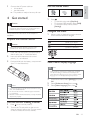
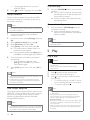
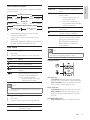
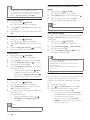
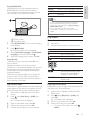
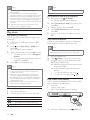
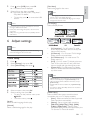
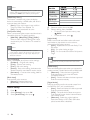
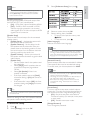
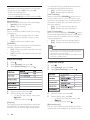
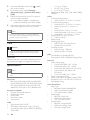
Button Action AUDIO SUBTITLE Select an audio language or channel. Select a subtitle language. Stop play. Note You can only play DivX videos that were rented or 1 2 3 4 A Primary video B Secondary video Press BONUSVIEW to turn on the secondary video window. Press OPTIONS. » The play options menu is displayed. purchased with the DivX registration code of this SURGXFWVHH´$GMXVW6HWWLQJVµ![Advanced Setup] > [DivX® VOD Code] <RXFDQSOD\'LY;YLGHRÀOHVRIXSWR*% This product can display up to 45 characters in the subtitle. Play music Control a track 1 Play a track. 2 Use the remote control to control the play. Button Select [2nd Audio Language] or [2nd Subtitle Language] in the menu, then press . Select the language to play, then press OK. Enjoy BD-LIVE $SSOLFDEOHRQO\WRDGLVFWKDWHQDEOHV%'/LYH ERQXVFRQWHQW $GGLWLRQDOFRQWHQWVVXFKDVPRYLHWUDLOHUV VXEWLWOHVHWFFDQEHGRZQORDGHGWRWKLVSURGXFW·V local storage or a connected USB storage device. Special video data may be played while they are being downloaded. When the disc supporting BD-Live is played, this product or disc’s ID can be sent to the content provider via the internet. Services and functions to be provided vary from discs. Action Pause play. Start or resume play. Stop play. Skip to a previous/next track. / Select an item to play. / REPEAT Search fast-backward or fastforward. Press repeatedly to change the search speed. Select or turn off repeat or VKXIÁHPRGH Play DivX® video Play MP3/WMA music DivX video is a digital media format that retains high quality despite a high rate of compression. You can HQMR\'LY;YLGHRRQWKLV'LY;FHUWLÀHGSURGXFW 1 Insert a disc or USB that contains the DivX videos. 2 Press , select [Play Disc] or [USB], then press OK. » A contents menu is displayed. 03:0$LVDW\SHRIKLJKO\FRPSUHVVHGDXGLRÀOH ÀOHVZLWKPSZPDH[WHQVLRQV 1 Insert a disc or USB that contains the MP3/ WMA music. 2 Press , select [Play Disc] or [USB], then press OK. » A contents menu is displayed. 3 4 5 Select a video folder, then press OK. Select a title to play, then press OK. Use the remote control to control the play. 3 Select a music folder, then press OK. 4 6HOHFWDÀOHWRSOD\WKHQSUHVVOK. To return to the main menu, press BACK. EN 15 E n gl i sh Enjoy BONUSVIEW $SSOLFDEOHRQO\WRDGLVFFRPSDWLEOHZLWKWKH %21869,(:RU3LFWXUHLQ3LFWXUHIHDWXUH <RXFDQLQVWDQWO\YLHZDGGLWLRQDOFRQWHQWVXFKDV FRPPHQWDULHVLQDVPDOOVFUHHQZLQGRZ