1
PS40_manual.qxd
18/11/2008
14:22
Page 2
AVIATOR FOR PS3 AND PC
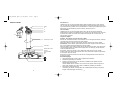
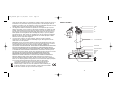
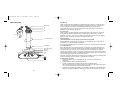
MODE 2 BUTTONS
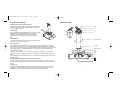
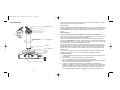
Attaching the wrist rest to the Aviator stick
Postition the two halves of the wrist rest around the collar at the
base of the stick. Insert the two supplied screws in the direction
shown and tighten to secure.
D Pad
L2
L1
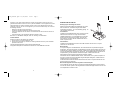
PC installation
k
ite
Sa
Insert the Aviator joystick's USB cable into one of your PC's USB
ports. Follow the device installation wizard to complete the
installation of the new USB device to the system. Go to
www.saitek.com to download the Aviator joystick's software
driver.
R1
R2
PS3 installation
Right Stick X Axis
Insert the USB cable into one of your PS3's free USB ports. Your
joystick will now function with your PS3.
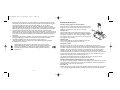
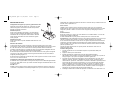
Selecting modes
Your joystick has two modes which configure controls for specific flying games. You can switch
between modes by sliding the switch on the right side of the joystick base to either mode M1 or
M2. In mode M1, all controls will have the default labelled function - please see your game manual
and in-game prompts for a detailed explanation. In mode M2, the controls are changed to the
custom functions opposite.
Left Stick
Right Stick Y Axis
Select
Home
Start
PS3 users can select either mode. In mode M1 your joystick is configured to play Tom Clancy:
HAWX and any future flight simulation games. In mode M2, it is configured for Blazing Angels 1
and 2.
R3
PC users should select mode M2. Please note, your joystick will not function correctly with a PC if
you use mode M1.
Manually configuring the Aviator Joystick for other PC games
You may need to manually assign buttons and axes to in-game controls if you want to use the
Aviator joystick for PC flight games such as Microsoft Flight Simulator 9 and 10 or the IL2 series of
games.
L3
For FS9 or 10
Install your joystick following the procedure above. Select mode M1, Open FS9 or 10, click on
Settings in the main FS window then Controls. Now select Buttons/Keys to change the button
assignments or Control Axes to change axes such as throttle, rudder, elevator etc.
2
3