1
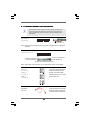
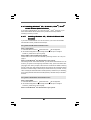
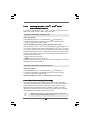
Boot Logo
Use this option to select logo in POST screen. This option only appears when
you enable the option “Full Screen Logo”. Configuration options: [Auto],
[PCIE2.0 Revolution], [Scenery] and [ASRock]. The default value is [Auto].
Currently, the option [Auto] is set to Aircraft.
Boot From Onboard LAN
Use this item to enable or disable the Boot From Onboard LAN feature.
Boot Up Num-Lock
If this item is set to [On], it will automatically activate the Numeric Lock
function after boot-up.
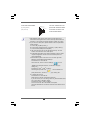
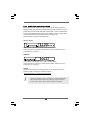
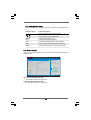
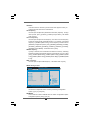
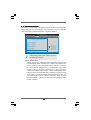
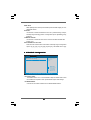
3 . 7 Security Screen
In this section, you may set or change the supervisor/user password for the system. For
the user password, you may also clear it.
Main
BIOS SETUP UTILITY
OC Tweaker Advanced H/W Monitor Boot
Security Settings
Security
Exit
Install or Change the
password.
Supervisor Password : Not Installed
User Password
: Not Installed
Change Supervisor Password
Change User Password
Enter
F1
F9
F10
ESC
Select Screen
Select Item
Change
General Help
Load Defaults
Save and Exit
Exit
v02.54 (C) Copyright 1985-2005, American Megatrends, Inc.
72