1
CONTENTS
1
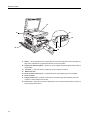
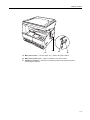
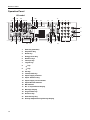
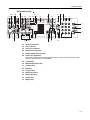
Names of Parts ............................................................................................... 1-1
Main Body ................................................................................................................................1-1
2
Preparations ................................................................................................... 2-1
Loading Paper ..........................................................................................................................2-1
Loading Paper into the Cassette ........................................................................................2-2
Cassette Size Detection .....................................................................................................2-4
Setting Paper in the Multi Purpose Tray .............................................................................2-4
Loading postcards or envelopes in the MP tray .......................................................................2-7
MP Tray Size and Media Type .................................................................................................2-8
Selecting a Size from Regular Sizes ..................................................................................2-8
Selecting a Size from Other Regular Sizes ........................................................................2-8
Specifying Custom Paper Size ...........................................................................................2-9
Selecting Special Paper Type ..................................................................................................2-9
Loading Originals ...................................................................................................................2-10
Placing Originals on the Platen ........................................................................................2-10
Loading Originals in the Document Processor ....................................................................... 2-11
Originals Supported by the Document Processor ............................................................ 2-11
Originals Not Supported by the Document Processor ...................................................... 2-11
Part Names of the Document Processor .......................................................................... 2-11
How to Load Originals ......................................................................................................2-12
Turning Power On ..................................................................................................................2-13
User Interface language .........................................................................................................2-14
3
Basic Operation ............................................................................................. 3-1
Basic Copying Procedure .........................................................................................................3-1
Zoom Copying ..........................................................................................................................3-3
............................................................................................................................................3-3
Auto Zoom ..........................................................................................................................3-3
Manual Zoom ......................................................................................................................3-4
Duplex Copying ........................................................................................................................3-5
2-Sided Copy Reverse Side Rotation Setting ..........................................................................3-7
Split Copying ............................................................................................................................3-8
Two-sided to One-sided ......................................................................................................3-8
Book to One-sided ..............................................................................................................3-8
Collated Copying ......................................................................................................................3-9
Combined Copying .................................................................................................................3-10
2-in-1 ................................................................................................................................ 3-11
4-in-1 (horizontal) .............................................................................................................3-12
4-in-1 (vertical) ..................................................................................................................3-13
Interrupt Copying ....................................................................................................................3-14
Low Power Mode ...................................................................................................................3-15
Auto Sleep ..............................................................................................................................3-16
...............................................................................................................................................3-16
4
Job Accounting .............................................................................................. 4-1
Overview of Job Accounting .....................................................................................................4-1
Job Accounting Operation Procedures ....................................................................................4-2
Department ID Code Registration ............................................................................................4-2
Deleting Department ID Codes ................................................................................................4-3
Clearing the Job Accounting Count ..........................................................................................4-3
Printing the Job Accounting List ...............................................................................................4-3
How to set Job Accounting .......................................................................................................4-4
Making copies in Job Accounting Mode ...................................................................................4-4
i