1
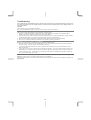
Notice:
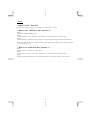
“OSD Lock Out” Function:
When monitor is in normal display, you can enable the “OSD Lock Out” function.
* How to enter “OSD Lock Out” function =>
Step 1:
The monitor is displaying after power on.
Step 2:
To press the buttons “VOL –“ and “VOL+” and “Function >” at the same time for 3 seconds or more.
Step 3:
Monitor will show an “OSD Lock Out” message for 5~10 seconds and the message will disappear automatically.
While the monitor is in the state of “OSD Lock Out”, if press OSD button, “OSD Lock Out” message will appear
for 5~10 seconds on screen.
* How to exit “OSD Lock Out” function =>
Step 1:
When the monitor is in the state of “OSD Lock Out” .
Step 2:
To press the buttons “VOL –“ and “VOL+” and “Function >” at the same time for 3 seconds or more.
Step 3:
Display will show main OSD menu. (Now the monitor already has escaped from “OSD Lock Out” function.)
8