1
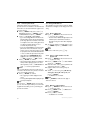
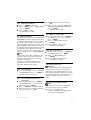
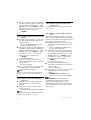
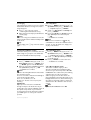
6.7.8 Transfer phonebook
This feature allows you to transfer the
phonebook from one handset to another handset
when there are at least 2 handsets registered to
your base station.
1 Press mMENU in idle mode, scroll : to
Phonebook and press mSELECT, scroll :
to Phbk transfer and press mSELECT.
2 Scroll : to Copy All or Select Entry.
• If you choose Copy All then all entries in the
handset will be copied to the selected handsets.
If the target phonebook contains a name that
is exactly the same as the existing phonebook,
you will be prompted whether or not to
overwrite the phonebook entry.
• If you choose Select Entry, you can browse the
phonebook entries and select the ones you
wish to copy. For each selected entry, you will
be prompted on the selected handsets whether
or not to overwrite the phonebook entry in the
target phonebook. OVERWRITE? will be
displayed on the selected handsets, press
mYES to confirm or >NO to cancel.
3 Press mSELECT to confirm.
• The handset numbers which are available for
transfer will be displayed. If there are more
than 2 handsets, scroll : to All Handsets or
scroll : to select a specific handset.
Note
The receiving handsets must be in idle mode or
screensaver mode before the phonebook entries
can be successfully transferred.
4 Press mSELECT to confirm.
• The copy progress will be displayed on the
screen.
• A message Completed! will be displayed upon
successful completion.
Tip
You can press >BACK anytime to abort the
process. You can only abort this process from the
original handset which you are performing the
phonebook transfer.
22
6.8 Using the Redial list
The redial list stores the last 20 numbers dialled.
A maximum of 24 digits can be displayed for each
entry.
6.8.1 Access Redial list
> REDIAL in idle mode and scroll
: to browse the redial list.
• The last number dialled will appear first in the
redial list. If the redial number matches a
phonebook entry, the name will be displayed
instead.
2 To view the details of a redial number, press
mMENU and press mSELECT to select
View.
Note
To return to idle mode, press e key.
1 Press
6.8.2 Save a redial number into the
phonebook
1 Press > REDIAL in idle mode and scroll
: to select an entry.
2 Press mMENU, scroll : to Save number
and press mSELECT.
3 Enter the name of the contact (maximum 14
characters) and press mOK.
4 Edit the number if necessary and press
mOK.
5 Scroll : to choose a group (<No Group>,
<Group A>, <Group B>, <Group C>) and
press mSELECT.
• A validation tone is emitted.
Note
Press >CLEAR to delete the last digit or
character entered.
6.8.3 Delete a redial number
> REDIAL in idle mode and scroll
: to select an entry.
2 Press mMENU, scroll : to Delete and
press mSELECT.
3 Press mOK to confirm.
• A validation tone is emitted.
1 Press
Use more of your phone