1
About Your Projector
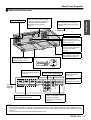
Projector body
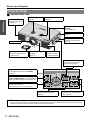
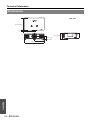
J Top and front view
Preparation
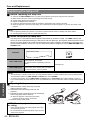
Air exhaust port
Heated air comes out of
this opening.
Lens shift dial • Vertical
(page 16)
Lens shift dial • Horizontal
(page 16)
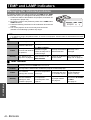
POWER/LAMP/TEMP
indicators
(page 19/page 42)
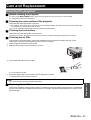
Air filter
(page 43)
MAIN POWER
Switch the projector on/off
(page 20)
Projection lens
Lens cover
Protects the projection lens
from dust or dirt.
Remote control signal
receptor
(page 22)
Air exhaust port
Heated air comes
out of this opening.
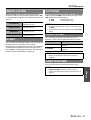
INPUT SELECT
Switch to cycle through the
input method. (page 21)
Navigate through the menus with F G H I,
and activate the menu item with ENTER.
(page 30)
(Push to open/close the cover.)
POWER
While the MAIN POWER is on, switch between
stand-by mode and project mode. (page 19)
MENU
Display the main menu.
Return to the previous menu. (page 30)
RETURN
Return to the previous menu.
(page 30)
FOCUS and ZOOM
Adjust the focus and size of the
image. (page 21)
NOTE:
• Do not cover the ventilation openings or place anything within 50 cm (20") of them as this may cause damage or injury.
• While the projector is not in use, keep the lens cover to protect the lens.
12 - ENGLISH