1
Purchase Options
Certain firmware features may be offered separately from the base unit, in order to
reduce the initial cost for the Server Remote Control unit.
NOTE: If you wish to upgrade after the system is in operation, go to the Manage
Firmware page and scroll down to the section entitled Purchase Options. Look for
a unique code, such as: 4-C80C-B960-1-0. If you provide this code to the technical
support department, they can give you an unlock code that will open any feature you
request. Type in the code provided, exactly, into the area provided and click Submit.
The new features opened by the code will be enabled immediately, but you may need
to reboot the unit to begin using certain features.
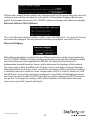
The Status screen displays a system security log, various system settings, and the
ability to generate a copy of the system configuration in plain text format.
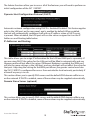
Port Numbers provides a table allowing you to change TCP port values for services
available on the SV1115IPEXT. By default, they are factory-set to common Internet
values. You may wish to enhance security by disabling services that you will not use
with the unit. To disable a service, change its port number to 0. For flexibility, both the
LAN and WAN ports can be configured separately. When you have made any necessary
changes, click Commit Changes to use the settings the next time the SV1115IPEXT
restarts. To force the unit to restart immediately, click Restart Servers.
Help Menu
Provides an FAQ (Frequently Asked Questions) listing to assist you with the features
and operation of the SV1115IPEXT.
Instruction Manual
25