1
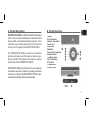
C. Low Battery F. Pairing to a Bluetooth Mobile Phone or PC/Laptop When battery is low, the Bluetooth Indicator / Low Battery Indicator (8) Pair the SUPERTOOTH DISCO to your Bluetooth mobile phone or Bluetoothenabled PC/Laptop to create the link or audio connection between the two. Pairing should be D. Charging 1. 2. Connect the charger’s plug into the Charger Port (10) of the SUPERTOOTH DISCO. Connect the charger to an external power source. The Charge Indicator (11) will turn steady orange while charging. When charging is complete, the Charge Indicator (11) will turn steady green. E. Turning On and Off Power On: Press and hold the On/Off/Stop Button (9) for 1 second. The Bluetooth Indicator (8) will then turn blinking blue. Power Off:Press and hold the On/Off/Stop Button (9) for 5 seconds until the Bluetooth Indicator (8) 4 Pairing to a Bluetooth Mobile Phone: Important: Make sure that your Bluetooth mobile phone supports A2DP* before proceeding. 1. From OFF, press and hold the On/Off/Stop Button (9) for 5 seconds until the Bluetooth Indicator (8) turns blinking red/blue indicating that the SUPERTOOTH DISCO is ready to pair. * A2DP