1
1 Important
2
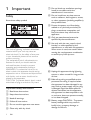
Safety
Notice
2
3
2 Your Docking Entertainment System 5
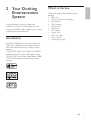
Introduction
What’s in the box
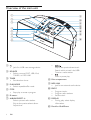
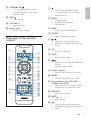
Overview of the main unit
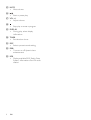
Overview of the remote control
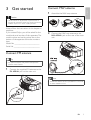
3 Get started
Connect FM antenna
Connect MW antenna
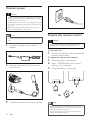
Connect power
Prepare the remote control
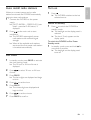
Auto install radio stations
Set clock
Turn on
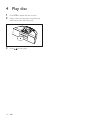
4 Play disc
5
5
6
7
9
9
9
10
10
11
11
11
12
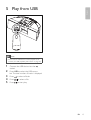
5 Play from USB
13
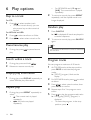
6 Play options
14
Skip to a track
Pause/resume play
Search within a track
Display play information
Repeat play
Random play
Program tracks
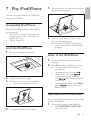
7 Play iPod/iPhone
Compatible iPod/iPhone
Load the iPod/iPhone
Listen to the iPod/iPhone
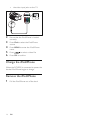
Play video from iPod/iPhone
Charge the iPod/iPhone
Remove the iPod/iPhone
14
14
14
14
14
14
14
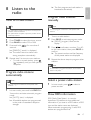
8 Listen to the radio
17
Tune to a radio station
Program radio stations automatically
Program radio stations manually
Select a preset radio station
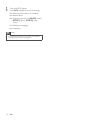
Show RDS information
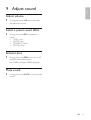
9 Adjust sound
17
17
17
17
17
19
Adjust volume
Select a preset sound effect
Enhance bass
Mute sound
19
19
19
19
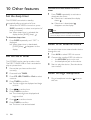
10 Other features
20
Set the sleep timer
Set the alarm timer
Listen to an external device
Listen through headphone
20
20
20
20
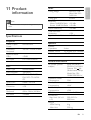
11 Product information
21
Specifications
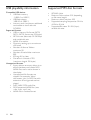
USB playability information
Supported MP3 disc formats
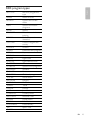
RDS program types
21
22
22
23
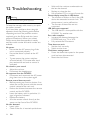
12 Troubleshooting
24
15
15
15
15
15
16
16
EN
1
E n g l i sh
Contents