1
1/29/08
15:43
Page 5
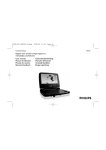
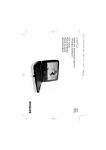
FUNCTIONAL OVERVIEW
1
2
2
3
English
P01-17_Pet702_55_Eng
4
Remote controls ( see figure 2)
1 SETUP ....................Enter or exit the system menu.
2 DISPLAY ................Display information on TFT during playback.
3 ZOOM.....................Enlarge or reduce a picture or active image on the TFT.
4 SUB ........................Select a subtitle language.
5 §............................Skip to the next chapter, track or title.
6 J( ............................Skip to the previous chapter, track or title.
7 3,4,11,22 ....Navigate in a menu.
....( 11 / 22) search backward/forward in a disc at
different speeds.
ENTER ....................Confirm a selection.
8 2;...........................Start or interrupt playback.
9 9 .............................Stop playback
0 0-9...........................Numeric Keypad
! REPEAT 1/ALL .......Repeat a chapter/track/title.
A-B .........................Repeat playback of a specific section on a disc.
@ MENU.....................Enter or exit the disc contents menu.
# AUDIO ....................Select an audio language when playing a DVD disc or
select an audio mode (Stereo, Mono-Left or Mono-Right)
when playing a VCD/CD disc.
$ ANGLE....................Select DVD camera angle
5
6
11
7
8
12
9
13
10
14
CAUTION
Use of controls or adjustments or performance of procedures
other than herein may result in hazardous radiation exposure
or other unsafe operation.
5