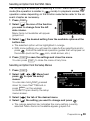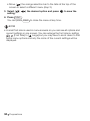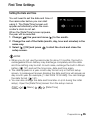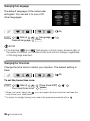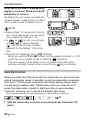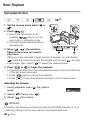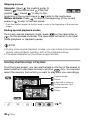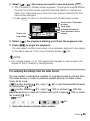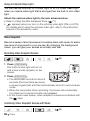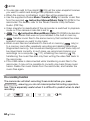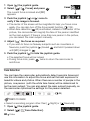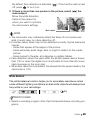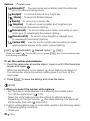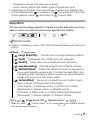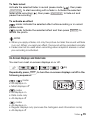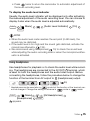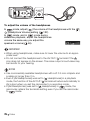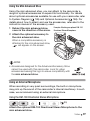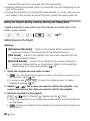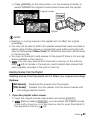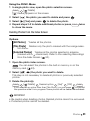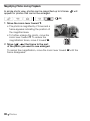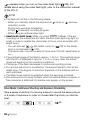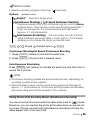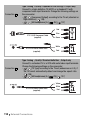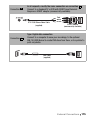
1
PUB. DIE-0325-000 Digital Video Camcorder Instruction Manual Introduction Important Usage Instructions WARNING! TO REDUCE THE RISK OF ELECTRIC SHOCK, DO NOT REMOVE COVER (OR BACK). NO USER SERVICEABLE PARTS INSIDE. REFER SERVICING TO QUALIFIED SERVICE PERSONNEL. WARNING! TO REDUCE THE RISK OF FIRE OR ELECTRIC SHOCK, DO NOT EXPOSE THIS PRODUCT TO RAIN OR MOISTURE. CAUTION: TO REDUCE THE RISK OF ELECTRIC SHOCK AND TO REDUCE ANNOYING INTERFERENCE, USE THE RECOMMENDED ACCESSORIES ONLY. CAUTION: DISCONNECT THE MAINS PLUG FROM THE SUPPLY SOCKET WHEN NOT IN USE. To reduce the risk of electric shock, do not expose this product to dripping or splashing. The Mains plug is used as the disconnect device. The Mains plug shall remain readily operable to disconnect the plug in case of an accident. While using the compact power adapter, do not wrap it or cover it with a piece of cloth, and do not place it in confined narrow spaces. Heat may build up, the plastic case may deform and it could result in electric shock or fire. CA-570 identification plate is located on the bottom. Using any device other than the Compact Power Adapter CA-570 may damage the camcorder. 2 European Union (and EEA) only. These symbols indicate that this product is not to be disposed of with your household waste, according to the WEEE Directive (2002/96/EC), the Battery Directive (2006/66/EC) and/or your national laws implementing those Directives. This product should be handed over to a designated collection point, e.g., on an authorized one-for-one basis when you buy a new similar product or to an authorized collection site for recycling waste electrical and electronic equipment (EEE) and batteries and accumulators. Improper handling of this type of waste could have a possible impact on the environment and human health due to potentially hazardous substances that are generally associated with EEE. Your cooperation in the correct disposal of this product will contribute to the effective usage of natural resources. For more information about the recycling of this product, please contact your local city office, waste authority, approved scheme or your household waste disposal service or visit www.canon-europe.com/environment. (EEA: Norway, Iceland and Liechtenstein) Trademark Acknowledgements • The SD logo is a trademark. The SDHC logo is a trademark. • Microsoft, Windows and Windows Vista are trademarks or registered trademarks of Microsoft Corporation in the United States and/or other countries. • Macintosh and Mac OS are trademarks of Apple Inc., registered in the U.S. and other countries. • x.v.Colour and the x.v.Colour logo are trademarks. • HDMI, the HDMI logo and High-Definition Multimedia Interface are trademarks or registered trademarks of HDMI Licensing LLC. • “AVCHD” and the “AVCHD” logo are trademarks of Panasonic Corporation and Sony Corporation. • Manufactured under license from Dolby Laboratories. “Dolby” and the double-D symbol are trademarks of Dolby Laboratories. • Other names and products not mentioned above may be trademarks or registered trademarks of their respective companies. • This product is licensed under AT&T patents for the MPEG-4 standard and may be used for encoding MPEG-4 compliant video and/or decoding MPEG-4 compliant video that was encoded only (1) for a personal and noncommercial purpose or (2) by a video provider licensed under the AT&T patents to provide MPEG-4 compliant video. No license is granted or implied for any other use for MPEG-4 standard. • About the music files License number: R-0801324 Composer: Keita Miyahara Track names: The new legend, Speed rock, Amazing story, Hit the ceiling, The techno light. 3 Enjoying High-Definition Video with your Camcorder Preserve your most treasured memories, be it unforgettable scenery or cherished moments spent with family and friends, with high-definition video recordings of a quality second only to actually being there. What is High-Definition Video? 1,080 lines Capture the finest detail, like the movement or shine of a single strand of hair Your camcorder features a full high-definition image sensor (Full HD CMOS) that captures video at a resolution of 1,920 x 1,080 pixels1. This results in video recordings of unparalleled high quality, fine detail and lifelike vivid colors. How does full high definition compare with standard-definition TV broadcasts? 5 Approximately 5 times the number of pixels. 1.9 Almost 90% more scanning lines. “Full HD 1080” refers to Canon camcorders compliant with high-definition video composed of 1,080 vertical pixels (scanning lines). 1 4 Video is recorded at this resolution only when the recording mode is set to MXP or FXP mode. In other recording modes, the picture is recorded at 1,440 x 1,080 pixels. What are the advantages of flash memory? Your videos and photos are recorded in the built-in memory ( only) or on commercially available SD/SDHC memory cards2 using AVCHD specifications3. Recording on flash memory means that there are no moving parts in the recorder unit of the camcorder. To you, it means a camcorder that is smaller, lighter and faster. In fact, using the Quick Start function ( 44) you can open the LCD panel and start recording within approximately one second. Any New Functions? Pre-recording When pre-recording ( 64) is activated, the camcorder starts recording video continuously into a temporary 3-second memory. When you press the START/STOP button, the scene recorded will have started 3 seconds before you started shooting. This is especially useful when it is difficult to predict when to start recording. Face Detection With face detection ( 68), have the camcorder automatically detect people's faces and use this information to adjust the focus and set the best exposure for beautiful videos and photos. Video Snapshot Discover a new fun way to shoot video with video snapshot scenes ( 62). Shoot short (approx. 4-second) scenes and arrange them into a video clip set to your favorite background music. Cinema Mode Give your recordings a cinematic look by using the [ Cine Mode] recording program ( 61) with the 25 fps progressive frame rate. 2 For details about memory cards that can be used with this camcorder refer to Using a Memory Card ( 37). 3 AVCHD is the new standard for recording high-definition video. With AVCHD specifications, the video signal is recorded using MPEG-4 AVC/H.264 compression and the audio signal is recorded in Dolby Digital. 5 Can I play back my high-definition video on other devices? Needless to say, you can connect your camcorder to an HDTV to enjoy your recordings with family and friends ( 116). You also have the following options: • You can easily play back video recorded on the memory card by inserting the memory card directly into AVCHD-compatible TV sets and HDD or DVD recorders that feature an SD/SDHC memory card slot4. For details, refer to the instruction manual of your TV or digital video recorder. • You can play back AVCHD discs of your recordings created using the optional DW-100 DVD Burner ( 118) on the DVD Burner itself or on AVCHD-compatible DVD players or Blu-ray Disc players5. 4 Depending on the device used, correct playback may not be possible even if the device is AVCHD-compatible. In such case, play back the recordings on the memory card using the camcorder. 5 AVCHD discs containing scenes recorded in MXP mode cannot be created with the optional DW-100 DVD burner. Use the software on the supplied Video Tools CD-ROM to back up such scenes. 6 7 Table of contents Introduction 4 12 14 14 16 19 Enjoying High-Definition Video with your Camcorder About this Manual Getting to Know the Camcorder Supplied Accessories and CD-ROMs Names of Parts Screen Displays Preparations 23 23 23 26 28 30 30 32 32 35 35 36 36 37 37 38 39 39 Getting Started Attaching the Ferrite Core Charging the Battery Pack Preparing the Wireless Controller and Accessories Adjusting the Position and Brightness of the LCD Screen Basic Operation of the Camcorder Operating Modes Joystick and Joystick Guide Using the Menus First Time Settings Setting the Date and Time Changing the Language Changing the Time Zone Using a Memory Card Memory Cards Compatible for Use with the Camcorder Inserting and Removing a Memory Card Selecting the Memory for the Recordings Initializing the Built-in Memory ( only) or Memory Card 8 Table of contents Video 41 41 42 43 44 46 46 48 49 51 53 55 57 57 59 61 61 62 64 65 66 67 68 69 71 72 73 74 75 77 77 Basic Recording Shooting Video Selecting the Video Quality (Recording Mode) Zooming Quick Start Function Basic Playback Playing Back the Video Selecting what Recordings to Play Back Searching for Scenes Selecting the Playback Starting Point Pre-selecting Recordings from the Index Screen Deleting Scenes Advanced Functions Special Scene Recording Programs Changing the Shutter Speed and Aperture Cinema Mode: Giving a Cinematic Look to your Recordings Mini Video Light Video Snapshot Pre-recording Function Self Timer Manual Exposure Adjustment and Automatic Backlight Correction Manual Focus Adjustment Face Detection White Balance Image Effects Digital Effects On-Screen Displays and Data Code Audio Recording Level Using Headphones Using the Mini Advanced Shoe Using an External Microphone Table of contents 9 79 79 80 84 Playlist and Scene Operations Dividing Scenes Editing the Playlist: Adding, Deleting, Moving and Playing Back Copying Scenes Photos 86 86 87 88 89 89 90 92 93 93 94 95 96 97 98 98 99 100 101 Basic Recording Taking Photos Selecting Photo Size and Quality Deleting a Photo Right After Recording It Basic Playback Viewing Photos Deleting Photos Magnifying Photos during Playback Additional Functions Flash Drive Mode: Continuous Shooting and Exposure Bracketing Taking Photos while Recording Movies (Simultaneous Recording) Light Metering Mode Slideshow Rotating Photos Histogram Display Capturing Photos from the Playback Scene Protecting Photos Copying Photos 104 Printing Photos 104 106 108 109 Printing Photos (Direct Print) Selecting the Print Settings Trimming Settings Print Orders 10 Table of contents External Connections 112 Terminals on the Camcorder 113 116 Connection Diagrams Playback on a TV Screen 117 Saving Your Recordings 117 118 122 123 127 Saving Your Recordings on a Computer Authoring High-Definition (AVCHD) Discs and Photo DVDs Copying your Recordings to an External Video Recorder Transferring Photos to a Computer (Direct Transfer) Transfer Orders Additional Information 129 Appendix: Menu Options Lists 129 132 FUNC. Menu Setup Menus 143 Trouble? 143 148 Troubleshooting List of Messages 158 Do’s and Don’ts 158 163 164 Handling Precautions Maintenance/Others Using the Camcorder Abroad 165 General Information 165 166 171 175 System Diagram Optional Accessories Specifications Index Table of contents 11 About this Manual Thank you for purchasing the Canon LEGRIA HF20/LEGRIA HF200. Please read this manual carefully before you use the camcorder and retain it for future reference. Should your camcorder fail to operate correctly, refer to Troubleshooting ( 143). Conventions Used in this Manual • • IMPORTANT: Precautions related to the camcorder’s operation. NOTES: Additional topics that complement the basic operating procedures. • POINTS TO CHECK: Restrictions or requirements regarding the function described. • : Reference page number within this manual. To complete some operations you will need to refer also to other instruction manuals. This will be indicated with the following icons: Refer to the ‘Digital Video Software’ instruction manual, DVSD included as a PDF file in the supplied DIGITAL VIDEO Solution Disk CD-ROM. DW-100 Refer to the instruction manual of the optional DW-100 DVD Burner. • : Text that applies only to the model shown in the icon. • The following terms are used in this manual: When not specified as “memory card” or “built-in memory”, the term “memory” by itself refers to both. “Scene” refers to one movie unit from the point you press the START/STOP button to start recording until you press again to pause the recording. • The photos included in this manual are simulated pictures taken with a still camera. Unless indicated otherwise, illustrations and menu icons refer to the . 12 Introduction Advanced Functions Special Scene Recording Programs Recording in a very bright ski resort or capturing the full colors of a sunset or a fireworks display becomes as easy as selecting a Special Scene recording program. For details about the available options, refer to the following sidebar. ( Brackets [ ] are used to refer to menu options as they are displayed on screen. FUNC. 30) [ Programmed AE] [ Portrait] Press to display the Special Scene (SCN) recording FUNC. programs Desired recording program NOTES The names of most buttons and switches are indicated within a “button” frame. For example FUNC. . •[ - Night]: Moving subjects may leave a trailing afterimage. Picture quality may not be as good as in other modes. White points may appear on the screen. Autofocus may not work as well as in other modes. In such case, adjust the focus manually. In this manual, the arrow is used to abbreviate menu selections. For a detailed explanation refer to Using the Menus ( 32). In this manual, indicates that a function is available in the operating mode indicated and indicates that the function is not available. For a detailed explanation refer to Operating Modes ( 30). Introduction 13 Getting to Know the Camcorder Supplied Accessories and CD-ROMs The following accessories are supplied with the camcorder: XCA-570 Compact Power Adapter (incl. power cord and ferrite core) BP-809 Battery PackW XWL-D88 Wireless Controller (incl. CR2025 lithium button battery) STV-250N Stereo Video CableW Yellow • Red • White plugs XCTC-100/S Component Cable Red • Green • Blue plugs IFC-400PCU USB CableW XWS-30 Wrist Strap Quick GuideW 14 Introduction The following CD-ROMs and software are supplied with the camcorder: • PIXELA Application - Disc 1 CD-ROM* and ‘PIXELA ImageMixer 3 SE’ Installation Guide - ImageMixer 3 SE Transfer Utility – Software for saving and transferring movies. - Music Transfer Utility – Software for transferring to the camcorder music data for video snapshot playback. • PIXELA Application - Disc 2 CD-ROM* - ImageMixer 3 SE Video Tools – Software for managing, editing, and playing back movies. • DIGITAL VIDEO Solution Disk CD-ROM* – Software for saving, managing, and printing photos. • Instruction Manual/Music Data CD-ROM – Contains the full-version instruction manual of the camcorder (this PDF file) and music files that can be used as background music during playback. The music files on this CD-ROM are for exclusive use with the supplied PIXELA applications, Music Transfer Utility and ImageMixer 3 SE Video Tools. For more details, refer to the ‘Music Transfer Utility Software Guide’ and ‘ImageMixer 3 SE Software Guide’ on the PIXELA Application - Disc 1 CD-ROM. * The CD-ROM includes the instruction manual of the software (on PDF file). Introduction 15 Names of Parts Left side view Right side view Front view 16 Introduction RESET button ( 146) VIDEO SNAP (video snapshot) button ( 62)/ (print/share) button ( 105, 125) DISP. (on-screen display) button ( 73)/ BATT. INFO button ( 22) Speaker ( 46) Memory card slot cover Memory card slot ( 38) AV OUT terminal ( 112, 114)/ (headphones) terminal ( 75) Camera mode dial ( 30) Strap mount ( 27) USB terminal ( 112, 115) HDMI OUT terminal ( 112, 113) Grip belt ( 27) Instant AF sensor ( 134) Stereo microphone ( 74) Mini video light ( 61) Flash ( 93) Top view LCD panel Back view Mini advanced shoe ( 77) PHOTO button ( 86) Zoom lever ( 43) ON/OFF (CHG) (charge) indicator: Green – ON Orange – Standby ( 44) Red – Charging ( 23) POWER button Remote sensor ( 26) LCD screen ( 28) Joystick ( 32) FUNC. button ( 33, 129) / (play/pause) button ( 46)/ START/STOP button ( 41) (stop) button ( 46)/ Zoom out W (wide-angle) button ( 43) PLAYLIST button ( 80)/ Zoom in T (telephoto) button ( 43) (camera/play) button ( 31) MIC terminal ( 78) COMPONENT OUT terminal ( 112, 114) ACCESS indicator ( 41, 86) Battery attachment unit ( 23) START/STOP button ( 41) DC IN terminal ( 23) Serial number The serial number label is located in the battery attachment unit. Remove the battery pack to find it. Introduction 17 Bottom view BATTERY RELEASE switch ( Tripod socket ( 158) 24) Wireless Controller WL-D88 START/STOP button ( 41) FUNC. button ( 33, 129) MENU button ( 33, 132) PLAYLIST button ( 80) Navigation buttons ( / / / ) (frame reverse) button ( 47) (fast reverse) button ( 47) (play) button ( 46) (pause) button ( 46) (stop) button ( 46) PHOTO button ( 86) Zoom buttons ( 43) SET button (frame advance) button ( 47) (fast forward) button ( 47) DISP. (on-screen display) button ( 73) 18 Introduction Screen Displays Recording Movies Operating mode ( 30) Recording program ( 57, 59, 61) White balance ( 69) Image effect ( 71) Digital effect ( 72) Recording mode ( 42) Photo quality/size (simultaneous recording) ( 95) Remote sensor off ( 139) Microphone attenuator ( 135) Pre-recording ( 64) Memory operation ( 22) Instant AF ( 134), MF Manual focus ( 67) Remaining battery time ( 22) While recording/during playback: Scene counter (hours : minutes : seconds) In record pause mode: Total number of scenes Remaining recording time On the memory card In the built-in memory Image stabilizer ( 134) 25F progressive frame rate ( 22, 61) Face detection ( 68) Wind screen off ( 135) 132) x.v.ColourTM ( Audio level indicator ( 74) Mini advanced shoe ( 77) Headphone output ( 75) Level marker ( 136) Backlight correction ( 67) Mini video light ( 61) Introduction 19 Recording Photos Zoom ( 43), Exposure ( 66) Light metering mode ( 96) Drive mode ( 94) Photo quality/size ( 87) Self timer ( 65) Number of available photos On the memory card In the built-in memory Camcorder shake warning ( 134) AF frame ( 134) Focus and exposure lock ( 86) Flash ( 93) Playing Movies (During Playback) Data code ( 73, 136) Scene number 20 Introduction Joystick guide ( 32) Viewing Photos Histogram ( 98) Current photo / Total number of photos Photo number ( 140) Protected photo mark ( 100) Date and time of recording Manual focus ( 67) File size Manual exposure ( 66) Photo size ( 87) Aperture value ( 59) Shutter speed ( 59) Introduction 21 Memory operation Record, Record pause, Playback, Fast reverse playback, Slow playback, Frame advance, Frame reverse. Playback pause, Fast playback, Slow reverse playback, Remaining battery time • The first time you use a battery pack, fully charge it and then use the camcorder until the battery pack is completely exhausted. Doing so will ensure that the remaining recording time will be displayed accurately. • The icon shows a rough estimate 100% 75% 50% 25% 0% of the remaining charge as a percentage of the full charge of the battery pack. The remaining recording/playback time of the battery pack is displayed, in minutes, next to the icon. • When is displayed in red, replace the battery pack with a fully charged one. • When you attach an empty battery pack, the power may turn off without displaying . • Depending on the conditions under which the camcorder and the battery pack are used, the actual battery charge may not be indicated accurately. • When the camcorder is off, press BATT.INFO to display the charge status of a battery pack. The Intelligent System will display the charge status (as a percentage) and the remaining recording time (in minutes) for 5 seconds. If the battery pack is exhausted, the battery information may not be displayed. Remaining recording time When there is no more free space on the memory, “ End” (built-in memory, only) or “ End” (memory card) will be displayed and the recording will stop. 25F progressive frame rate Select the 25F progressive frame rate ( 61) to give your recordings a cinematic look. You can combine this frame rate with the [ Cine Mode] recording program to enhance the effect. Number of available photos in red: There is no memory card in the camcorder. in green: 6 or more photos in yellow: 1 to 5 photos in red: No more photos can be recorded. • When viewing the photos, the display will always be in green. • Depending on the recording conditions, the number of available photos displayed may not decrease even after a recording has been made, or may decrease by 2 photos at once. 22 Introduction Preparations This chapter describes basic operations, such as navigating the menus, and first time settings to help you learn more about your camcorder. Getting Started Attaching the Ferrite Core Attach the enclosed ferrite core before you connect the compact power adapter to the camcorder. Attach the ferrite core to the cable about 4 cm from the plug end (the plug to be connected to the camcorder) of the compact power adapter cable. Pass the cable through the center of the core and wrap it around the core, then close the unit until it clicks shut. Charging the Battery Pack The camcorder can be powered with a battery pack or directly using the compact power adapter. Charge the battery pack before use. For approximate charging times and recording/playback times with a fully charged battery pack, refer to the tables on pages 166-168. Preparations 23 1 Connect the power cord to the compact power adapter. 2 Plug the power cord into a power outlet. 3 Connect the compact power adapter to the camcorder’s DC IN terminal. 4 Attach the battery pack to the camcorder. Press the battery pack softly into the battery attachment unit and slide it up until it clicks in place. 5 Charging will start when the camcorder is turned off. • If the camcorder was on, the green ON/OFF (CHG) indicator will go out when you turn off the camcorder. After a moment, the ON/OFF (CHG) indicator will start flashing in red (battery pack charging). The red ON/ OFF (CHG) indicator will go out when the battery pack is fully charged. • If the indicator flashes quickly, refer to Troubleshooting ( 143). DC IN terminal ON/OFF (CHG) (charge) indicator To remove the battery pack 1 Slide BATTERY RELEASE in the direction of the arrow and hold it pressed down. 2 Slide the battery pack down and then pull it out. BATTERY RELEASE switch 24 Preparations IMPORTANT • Turn off the camcorder before connecting or disconnecting the compact power adapter. After pressing POWER to turn off the camcorder, important data is updated in the memory. Be sure to wait until the green ON/OFF (CHG) indicator goes out. • We recommend charging the battery pack in temperatures between 10 °C and 30 °C. Outside the temperature range of 0 °C to 40 °C, charging will not start. • Do not connect to the camcorder’s DC IN terminal or to the compact power adapter any electrical equipment that is not expressly recommended for use with this camcorder. • To prevent equipment breakdowns and excessive heating, do not connect the supplied compact power adapter to voltage converters for overseas travels or special power sources such as those on aircraft and ships, DC-AC inverters, etc. NOTES • The battery pack will be charged only when the camcorder is off. • If remaining battery time is an issue, you can power the camcorder using the compact power adapter so the battery pack will not be consumed. • Charged battery packs continue to discharge naturally. Therefore, charge them on the day of use, or the day before, to ensure a full charge. • We recommend that you prepare battery packs to last 2 to 3 times longer than you think you might need. Preparations 25 Preparing the Wireless Controller and Accessories First, insert the supplied CR2025 lithium button battery into the wireless controller. 1 Press the tab in the direction of the arrow and pull out the battery holder. 2 Place the lithium button battery with the + side facing up. 3 Insert the battery holder. Tab To use the wireless controller Point the wireless controller at the camcorder’s remote sensor when you press the buttons. You can rotate the LCD panel 180 degrees to use the wireless controller from the front of the camcorder. NOTES • The wireless controller may not work properly when the remote sensor is situated under strong light sources or direct sunlight. • If the wireless controller does not work, check that [Wireless Remote Control] is not set to [ Off ]( 139). Otherwise, replace the battery. 26 Preparations Accessories Fasten the grip belt. Adjust the grip belt so that you can reach the zoom lever with your index finger, and the START/STOP button with your thumb. To remove the grip belt 1 Lift the padded handgrip's flap and detach the strap from the Velcro pad. 2 Pull the strap to remove it first from the front bracket on the camcorder, then to unthread it from the handgrip and finally to remove it from the rear bracket on the camcorder. To attach the wrist strap Pass the attaching end of the wrist strap through the back bracket on the camcorder, thread the wrist strap through the loop and fasten. You can also attach the wrist strap to the strap mount on the grip belt to use both for extra convenience and protection. Preparations 27 To attach a shoulder strap Pass the ends of the shoulder strap through the strap mount on the grip belt and adjust the length of the strap. Adjusting the Position and Brightness of the LCD Screen Rotating the LCD Panel Open the LCD panel 90 degrees. • You can rotate the panel 90 degrees downward. • You can rotate the panel 180 degrees toward the lens. Rotating the LCD panel 180 degrees can be useful in the following cases: - To include yourself in the picture when recording with the self timer. - To allow the camcorder to be operated with the wireless controller from the front. 180° 180° 90° Subject can monitor the LCD screen NOTES • About the LCD screen: The screen is produced using extremely high-precision manufacturing techniques, with more than 99.99% of the pixels operating to specification. Less than 0.01% of the pixels may occasionally misfire or appear as black, red, blue or green dots. This has no effect on the recorded image and does not constitute a malfunction. 28 Preparations LCD Backlight When recording in bright places it may be difficult to use the LCD screen. Turn on the LCD backlight to make it brighter. With the camcorder on, hold DISP. pressed down for more than 2 seconds. • Repeat this action to turn the LCD backlight on (bright) or off (normal). • If [LCD Screen Dimmer] is set to [ On] ( 138), pressing DISP. for more than 2 seconds will turn off the screen dimmer and return the LCD screen to its previous brightness setting. NOTES • The LCD backlight does not affect the brightness of the recordings. • Using the bright setting will shorten the effective usage time of the battery pack. • You can further adjust the brightness of the LCD screen with the [LCD Brightness] setting ( 138), or dim it with the [LCD Screen Dimmer] setting ( 138) to use in places where the light from the LCD screen can be a nuisance. Preparations 29 Basic Operation of the Camcorder Operating Modes Recording When recording video or photos, the camcorder’s operating mode is determined by the position of the camera mode dial. Operating mode Camera mode dial Onscreen icon Operation Easy recording of movies and photos ( 41, 86). Dual Shot Record video and take photos easily, letting the camcorder take care of all the settings – Great for beginners or if you just prefer not to bother with detailed camcorder settings. Recording movies ( 41). Recording photos ( 86). Flexible recording Use one of the dedicated recording modes to enjoy full access to the menus and advanced functions and change the camcorder’s settings to your preference. NOTES • Only the following buttons/functions are available in - START/STOP for recording movies. - PHOTO for recording photos. - Zoom lever and zoom buttons on the LCD panel ( - Quick Start ( 44). - VIDEO SNAP video snapshot ( 62). 30 Preparations mode. 43). • In mode, menus cannot be accessed but the following settings can be changed in advance, before setting the camera mode dial to . - Recording mode of movies - Size/quality of photos Your selection of recording media for movies/photos - Auto slow shutter - Image stabilizer - Backlight correction - All settings under the setup menu’s , and tabs. • Even in one of the flexible recording modes ( or ), the camcorder can help you with the settings. For example, you can use the Special Scene recording programs ( 57) to set at once all the optimal settings to match special recording conditions. Playback For playback, the camcorder’s operating mode is determined by the position of the camera mode dial and the (camera/play) button. Press to switch between camera (recording) mode and playback mode. Operating mode Onscreen icon Camera mode dial or Operation Press Playing back movies (index screen) ( 46). Viewing photos (single photo view) ( 89). NOTES • When switching to a playback mode, the memory selected for playback will be the same currently used for recording ( 39). Preparations 31 Joystick and Joystick Guide Use the joystick to operate the camcorder's menus. Push the joystick up, down, left or right ( , ) to select an item or change settings. Press the joystick itself ( ) to save the settings or confirm an action. On menu screens, this is indicated by the icon . If the joystick guide does not appear on the screen, press or push the joystick ( , ) to display it. The functions that appear depend on the operating mode. • , or mode: Select ( ) a function and press to change the setting. With some functions, you will need to make further adjustments ( ). • mode: First, select ( ) a “row” of functions; then, press to operate the function in the middle or push the joystick ( or ) to operate the function on the left or right, respectively. The joystick guide will minimize after 2 seconds. When the joystick guide is minimized, you can still adjust or turn on/off the selected function; you can also maximize ( ) the joystick guide to select another function or hide ( ) it altogether. Using the Menus Many of the camcorder’s functions can be adjusted from the menus that open after pressing FUNC. . In mode, menus cannot be accessed and, except for a few exceptions, most menu settings will return to their default values. For details about the available menu options and settings, refer to the appendix Menu Options Lists ( 129). 32 Preparations Selecting an Option from the FUNC. Menu The following is an example of selecting a FUNC. menu option in mode (the operation is similar in mode). In playback modes, the operation varies depending on the function selected so refer to the relevant chapter as necessary. 1 Press FUNC. . 2 Select ( ) the icon of the function you want to change from the left side column. Menu items not available will appear grayed out. 3 Select ( ) the desired setting from the available options at the bottom bar. • The selected option will be highlighted in orange. • With some settings you will need to make further selections and/or press . Follow the additional operation guides that will appear on the screen (such as the icon, small arrows, etc.). 4 Press FUNC. to save the settings and close the menu. You can press FUNC. to close the menu at any time. Selecting an Option from the Setup Menus 1 Press FUNC. . 2 Select ( , )[ Menu] and press to open the setup menus. You can also hold FUNC. pressed down for more than 1 second or press MENU on the wireless controller to open directly the setup menus screen. 3 Select ( ) the tab of the desired menu. 4 Select ( ) the setting you want to change and press . • The orange selection bar indicates the menu setting currently selected. Menu items not available appear grayed out. Preparations 33 • Move ( ) the orange selection bar to the tabs at the top of the screen to select a different menu (step 3). 5 Select ( setting. , ) the desired option and press to save the 6 Press FUNC. . You can press FUNC. to close the menu at any time. NOTES • A small font size is used in menu screens so you can see all options and current settings in one screen. You can enlarge the font size by setting [Font Size] to [ Large] but you may have to scroll down to find some menu options and only the icons of the current settings will be displayed. 34 Preparations First Time Settings Setting the Date and Time You will need to set the date and time of the camcorder before you can start using it. The [Date/Time] screen will appear automatically when the camcorder’s clock is not set. When the [Date/Time] screen appears, the year will be selected. 1 Change ( ) the year and move ( ) to the month. 2 Change the rest of the fields (month, day, hour and minutes) in the same way. 3 Select ( ) [OK] and press setup screen. to start the clock and close the NOTES • When you do not use the camcorder for about 3 months, the built-in rechargeable lithium battery may discharge completely and the date and time setting may be lost. In such case, recharge the built-in lithium battery ( 161) and set the time zone, date and time again. • The date appears in a year-month-day format only in the first setup screen. In subsequent screen displays the date and time will appear as day-month-year (for example, [1.Jan.2009 12:00 AM]). You can change the date format ( 141). • You can also change the date and time later on (not during the initial setup). Open the [Date/Time] screen from the setup menus: FUNC. [ Menu] [Date/Time] Preparations 35 Changing the Language The default language of the camcorder is English. You can set it to one of 22 other languages. ( FUNC. [ Menu] Desired language [Language 30) ] FUNC. NOTES • The displays and that appear in some menu screens refer to the name of buttons on the camcorder and will not change, regardless of the language selected. Changing the Time Zone Change the time zone to match your location. The default setting is Paris. ( 30) To set the home time zone FUNC. [ Menu] Your local time zone** [Time Zone/DST] * FUNC. * When you travel, select the icon and select the time zone that matches the local time at your destination. ** To adjust for daylight saving time, select the area name marked with a . 36 Preparations Using a Memory Card Memory Cards Compatible for Use with the Camcorder You can use commercially available SDHC (SD high capacity) memory cards and SD memory cards with this camcorder. However, depending on its Speed Class, you may not be able to record movies on the memory card. Refer to the table below. As of December 2008, the movie recording function has been tested using SD/SDHC memory cards made by Panasonic, Toshiba and SanDisk. We recommend using memory cards with a Speed Class 4 or higher. Memory card SD memory cards Capacity SD Speed Class Recording movies 64 MB or less – – 1,2 – 1 128 MB or more or higher SDHC memory cards 1 2 1 Over 2 GB or higher Movies cannot be recorded when the recording mode is set to MXP (24 Mbps) or FXP (17 Mbps). Depending on the memory card used, it may not be possible to record movies. About the SD Speed Class: The SD Speed Class is a standard that indicates the minimum guaranteed data transfer speed of SD/SDHC memory cards. When you buy a new memory card, look for the Speed Class logo on the package. Preparations 37 Inserting and Removing a Memory Card Make sure to initialize all memory cards before using them with this camcorder ( 39). 1 Turn off the camcorder. Make sure the ON/OFF (CHG) indicator is off. 2 Open the memory card slot cover. 3 Insert the memory card straight, with the label facing up, all the way into the memory card slot until it clicks. 4 Close the memory card slot cover. Do not force the cover closed if the memory card is not correctly inserted. IMPORTANT • Memory cards have front and back sides that are not interchangeable. Inserting a memory card facing the wrong direction can cause a malfunction of the camcorder. Be sure to insert the memory card as described in step 3. NOTES • To remove the memory card: Push the memory card once to release it. When the memory card springs out, pull it all the way out. 38 Preparations Selecting the Memory for the Recordings You can select to record your movies and photos in the built-in memory or on a memory card. The built-in memory is the default memory for recording both. ( FUNC. 30) [ Menu] or [Rec Media for Movies] or [Rec Media for Photos] FUNC. Select the built-in memory or memory card* * When selecting the memory, you can check the total, used and approximate available recording time/number of photos (estimated based on the recording mode (movies) or photo size/quality (photos) currently in use). Initializing the Built-in Memory ( only) or Memory Card Initialize memory cards when you use them with this camcorder for the first time. You can also initialize a memory card or the built-in memory ( only) to permanently delete all the recordings it contains. At the time of purchase, the built-in memory comes pre-initialized and contains music files for use as background music during playback. ( 30) Options [Quick Initialization] Clears the file allocation table but does not physically erase the stored data. [Complete Initialization] FUNC. Erases all data completely. [ Menu] [Initialize / ] [Built-in Mem.] or [Mem. Card] Initialization method FUNC. [Yes]* [OK] Preparations 39 FUNC. [ Menu] Initialization method [Initialize ] [Yes]* [OK] FUNC. * Press to cancel the complete initialization while it is in progress. All recordings will be erased but the memory can be used without any problem. IMPORTANT • Initializing the memory will permanently erase all recordings. Lost original recordings cannot be recovered. Make sure you save important recordings in advance using an external device ( 117). • When the memory is initialized, music files will be erased as well. Use the supplied software Music Transfer Utility to transfer music files from the supplied Instruction Manual/Music Data CD-ROM to the camcorder. For details, refer to the ‘Music Transfer Utility Software Guide’ (PDF file). • The Instruction Manual/Music Data CD-ROM includes also extra music tracks that were not pre-installed in the built-in memory. • Power the camcorder using the compact power adapter before initializing the memory. While the initialization is in progress, do not disconnect the power source or turn off the camcorder. 40 Preparations Video This chapter covers functions related to shooting movies, including recording, playback, advanced functions and playlist and scene operations. Basic Recording Shooting Video ( 1 Set the camera mode dial to . 30) or 2 Turn on the camcorder. By default, movies are recorded in the built-in memory. Alternatively, you can set the memory card as the recording media ( 39). 3 Press START/STOP to begin recording. • Press START/STOP again to pause the recording. • You can also press START/STOP on the LCD panel. When you have finished recording 1 Make sure that the ACCESS indicator is off. 2 Turn off the camcorder. 3 Close the LCD panel. IMPORTANT • Observe the following precautions while the ACCESS indicator is on or flashing. Failing to do so may result in permanent data loss or damage to the memory. Video 41 - Do not open the memory card slot cover. - Do not disconnect the power source or turn off the camcorder. - Do not change the camcorder’s operating mode. • Be sure to save your recordings regularly ( 117), especially after making important recordings. Canon shall not be liable for any loss or corruption of data. NOTES • About the Power Save mode: If [Power Saving Mode] is set to [ On] ( 139), the camcorder will shut off automatically to save power when it is powered by a battery pack and is left without any operation for 5 minutes. Press POWER to turn on the camcorder. • When recording in bright places, it may be difficult to use the LCD screen. In such cases, you can turn on the LCD backlight ( 29) or adjust the brightness of the LCD screen ( 138) accordingly. Selecting the Video Quality (Recording Mode) The camcorder offers 5 recording modes. Changing the recording mode will change the recording time available on the memory. Select MXP or FXP mode for better movie quality; select LP mode for longer recording times. The following table gives approximate recording times. ( [ FUNC. Standard Play 7 Mbps] 30) Desired recording mode FUNC. NOTES • AVCHD discs containing scenes recorded in MXP mode cannot be created with the optional DW-100 DVD Burner. Use the software on the supplied Video Tools CD-ROM to back up such scenes. • The camcorder uses a variable bit rate (VBR) to encode video so the actual recording times will vary depending on the content of the scenes. • The camcorder retains the last setting used even if you set the camcorder to mode. 42 Video Approximate recording times Recording mode → Default value MXP* FXP* XP+ SP 32 GB Built-in memory 2 hr. 55 min. 4 hr. 10 min. 5 hr. 45 min. 9 hr. 35 min. 12 hr. 15 min. 4 GB Memory card 20 min. 30 min. 40 min. 1 hr. 10 min. 1 hr. 30 min. 8 GB Memory card 40 min. 1 hr. 1 hr. 25 min. 2 hr. 20 min. 3 hr. 16 GB Memory card 1 hr. 25 min. 2 hr. 5 min. 2 hr. 50 min. 4 hr. 45 min. 6 hr. 5 min. 32 GB Memory card 2 hr. 55 min. 4 hr. 10 min. 5 hr. 45 min. 9 hr. 35 min. 12 hr. 15 min. LP Memory ↓ * Recorded in 1,920 x 1,080 resolution. Movies recorded using other recording modes are recorded in 1,440 x 1,080 resolution. ** At the time of purchase, the built-in memory contains about 170 MB of music files. Zooming ( able ( 30) mode: In addition to the optical zoom, digital zoom is also avail133). Video 43 15x Optical Zoom Move the zoom lever toward W (wide angle) to zoom out. Move it toward T (telephoto) to zoom in. By default, the zoom lever operates at a variable speed – press gently for a slow zoom; press harder for faster zooms. NOTES • Keep at least 1 m away from the subject. At full wide angle, you can focus on a subject as close as 1 cm. • In or mode, you can also set / [Zoom Speed] W Zoom out T Zoom in ( 133) to one of three constant speeds (3 is the fastest, 1 the slowest). • When [Zoom Speed] is set to [ Variable]: - When you use the T and W buttons on the wireless controller or LCD panel, the zoom speed will be constant at [ Speed 3]. - The zoom speed will be faster in record pause mode than when actually recording, except when pre-recording ( 64) is activated. Quick Start Function When you close the LCD panel with the camcorder on, the camcorder enters the standby mode. In standby mode the camcorder consumes only about 1/3 the power used when recording, saving energy when you are using a battery pack. Additionally, when you open the LCD panel, the camcorder is ready to start recording in approximately 1 second*, allowing you to record the subject right away. * The actual time required varies depending on the shooting conditions. ( 30) 1 With the camcorder on and in a recording mode, close the LCD panel. 44 Video A beep will sound and the green ON/OFF (CHG) indicator will change to orange to indicate the camcorder entered standby mode. 2 When you wish to resume recording, open the LCD panel. The ON/OFF (CHG) indicator turns back green and the camcorder is ready to record. IMPORTANT • Do not disconnect the power source during standby mode (while the ON/OFF (CHG) indicator is lit in orange). NOTES • The camcorder will not enter standby mode if the LCD panel is closed while the ACCESS indicator is on or flashing or while a menu is being displayed. The camcorder may also not enter standby mode if the LCD panel is closed while the memory card slot cover is open or when the battery charge is too low. Check that the ON/OFF (CHG) indicator changes to orange. • The camcorder will shut off if left in standby mode for 10 minutes, regardless of the [Power Saving Mode] setting ( 139). Press POWER to turn on the camcorder. • You can select the length of time until shut-off or turn off the Quick Start function altogether with the [Quick Start] setting ( 139). • Changing the position of the camera mode dial while the camcorder is in standby mode will reactivate the camcorder in the operating mode selected. Video 45 Basic Playback Playing Back the Video ( 1 Set the camera mode dial to . 30) or 2 Press . • Even if the camcorder is off, pressing will turn on the camcorder in playback mode. • The index screen appears after a few seconds. 3 Move ( , ) the selection frame to the scene you want to play back. When you have recorded a large number of scenes, you can display ( ) a slidebar below the scene thumbnails and browse ( ) through index pages; then, return ( ) to select the desired scene. 4 Press / or to begin the playback. • Playback will start from the scene selected and continue until the end of the last scene recorded. • Press / again to pause the playback. • Press to stop the playback and return to the index screen. Adjusting the Volume 1 During playback, open ( guide. 2 Select ( ) the top row ( 3 Adjust ( ) the volume. ) the joystick ). IMPORTANT • Observe the following precautions while the ACCESS indicator is on or flashing. Failing to do so may result in permanent data loss. 46 Video - Do not open the memory card slot cover. - Do not disconnect the power source or turn off the camcorder. - Do not change the camcorder’s operating mode. • You may not be able to play back with this camcorder movies recorded on a memory card using another device. NOTES • Depending on the recording conditions, you may notice brief stops in video or sound playback between scenes. Special playback modes To enter the special playback modes, use the wireless controller ( 18) or the joystick guide ( 32). There is no sound during the special playback modes. Fast playback Perform the following operation during normal playback. Repeat to increase the playback speed to approximately 5x → 15x → 60x the normal speed. Camcorder: Open ( ) the joystick guide Select ( Push the joystick ( ) toward or . Wireless controller: Press or . ) the middle row Slow playback Perform the following operation during playback pause. Repeat to increase the playback speed 1/8 → 1/4 the normal speed. Camcorder: Open ( ) the joystick guide Select ( Push the joystick ( ) toward * or . Wireless controller: Press or . ) the middle row * Slow reverse playback will look the same as continuous frame reverse. Frame Advance/Reverse During playback pause, press or on the wireless controller to reverse a few frames (approx. 0.5 seconds) or to advance one frame. Hold the button pressed for continuous playback. Video 47 Skipping scenes Camcorder: Open ( ) the joystick guide Select ( ) the bottom row Push the joystick ( ) toward * to skip to the beginning of the current scene or to skip to the next scene. Wireless controller: Press * to skip to the beginning of the current scene or to skip to the next scene. * Push the joystick/press the button twice to skip to the beginning of the previous scene. Ending special playback modes During any special playback mode, press / on the camcorder or on the wireless controller. The camcorder will return to its initial mode (playback or playback pause). NOTES • During some special playback modes, you may notice some anomalies (blocky video artifacts, banding, etc.) in the playback picture. • The speed indicated on the screen is approximate. Selecting what Recordings to Play Back From the index screen, you can use the tabs on the top of the screen to select whether to play back movies or photos. only: You can also select the memory from which you want to play back your recordings. Original movies Photos In the built-in memory On the memory card Original movies Photos ( 48 Video 30) 1 In the index screen, move ( ) the orange selection frame to the tabs on the top of the screen. 2 Select ( ) the tab corresponding to the recordings you want to play back. 3 Return ( ) to the index screen to select a scene or photo. By default, the index screen will show up to 6 items (scenes or photos). Move the zoom lever toward W to show up to 15 items per screen. Move it toward T to return to the default index screen display. W 15 scenes/photos T 6 scenes/photos Searching for Scenes From the original movies index screen, you can search for recordings you made on a particular date (for example, to find all the movies you shot during a special event). You can also search for scenes in which people’s faces were detected. ( 30) Selecting from the Calendar Screen 1 Open the original movies index screen. • You can select the original movies in the built-in memory or on the memory card ( 48). • You can press VIDEO SNAP to open the index screen for video snapshot scenes ( 62). 2 Open the calendar screen. FUNC. [ Scene Search] [Calendar Screen] • The calendar screen appears. • Dates that contain scenes (that is, movies were recorded on that date) appear in white. Dates without recordings appear in black. 3 Move ( , ) the cursor to the desired date. Video 49 • When you move the cursor to a date displayed in white, a thumbnail showing a still image from the first scene recorded on that date will be displayed next to the calendar. Below it will appear the number of scenes recorded ( ) and the total recording time for the same day. • You can select ( ) the year or month field and change ( ) the year or month to move faster between calendar months. 4 Press to return to the index screen. The orange selection frame will appear on the first scene recorded on the selected date. NOTES • You can change on what day to start the week for the calendar display ( 141). • You can press FUNC. to return to the index screen at any time. Selecting from the List of Recordings 1 Open the original movies index screen. • You can select the original movies in the built-in memory or on the memory card ( 48). • You can press VIDEO SNAP to open the index screen for video snapshot scenes ( 62). 2 Open the list of recordings. FUNC. [ Scene Search] [Date Selection] • The list of recordings displays all dates in which recordings were made. An orange selection frame appears on the day. • The thumbnail shows a still image from the first scene recorded on that day. Below it will appear the number of scenes recorded ( ) and the total recording time for the same day. 3 Select ( ) the date, month or year and move ( recording dates. ) between 4 After selecting the desired date, press . The index screen will appear with the selection frame on the first scene recorded on the selected date. NOTES • You can press 50 Video FUNC. to return to the index screen at any time. Selecting Only Scenes in which People’s Faces Were Detected If you recorded movies with the Face Detection function ( 68) activated, the camcorder can narrow down the scenes shown in the index screen, leaving only those scenes where a face was detected. This function is not available from the index screen for video snapshot scenes. 1 Open the movie index screen. You can select the original movies in the built-in memory or on the memory card ( 48). 2 Narrow down the scenes displayed in the index screen. FUNC. [ Scene Search] [Scenes with Faces] • The index screen will display only those scenes that contain people’s faces. 3 Select ( , ) the scene you want to play back. NOTES • You can press FUNC. to return to the normal index screen at any time. Selecting the Playback Starting Point If you have a very long scene, you may want to start playing back the scene from a certain point. You can use the movie timeline to break the scene to segments at fixed time intervals ranging from 6 seconds to 6 minutes. If you recorded movies with the Face Detection function activated, you can display the scene divided into segments every time the camcorder registered a change in the main subject of the scene ( 68). ( 30) Video 51 Movie Timeline 1 Open the original movies index screen. You can select the original movies in the built-in memory or on the memory card ( 48). 2 Select ( , ) the scene you want to view and press DISP. . • The [Timeline] screen appears. The large thumbnail will show the first frame of the scene. Below it, the timeline ruler shows frames taken from the scene at fixed intervals. • Press DISP. again to return to the index screen. Current scene / Total number of scenes Scene length Recording date and time Interval between frames Timeline ruler Page slidebar Frame selected for start of playback 3 Select ( 4 Press ) the playback starting point from the timeline ruler. / to begin the playback. To select another scene Move ( ) the orange selection frame to the large thumbnail and select ( ) another scene. To move between timeline ruler pages Move ( ) the orange selection frame to the slidebar below the ruler and display ( ) the previous/next 5 frames in the scene. To change the interval between frames FUNC. Desired interval FUNC. Changes in the Scene’s Main Subject 1 Open the [Scenes with Faces] index screen. • Refer to Selecting Only Scenes that Contain People’s Faces ( 51). • You can select the original movies in the built-in memory or on the memory card ( 48). 52 Video 2 Select ( , ) the scene you want to view and press DISP. . • The [Timeline by Faces] screen appears. The large thumbnail shows the point at which a face was first detected. Below it, frames are taken from the scene every time the main subject detected by the camcorder changed. • Press DISP. to return to the [Scenes with Faces] index screen. Current scene / Total number of scenes Scene length Recording date and time Frame selected for start of playback Timeline ruler Page slidebar 3 Select ( ) the playback starting point from the segment ruler. 4 Press / to begin the playback. You can select another scene and move between segment ruler pages in the same way as in the movie timeline screen ( 52). NOTES • For a single scene, up to 100 segments/changes in main subject will appear in the [Timeline by Faces] screen. Pre-selecting Recordings from the Index Screen You can select in advance a number of original movies or photos from the index screen in order to perform certain actions on them collectively, all at once. mode: Delete ( 55), copy* ( 84) or add the selected scenes to the playlist ( 80). mode: Delete ( 91), copy* ( 102) or protect ( 100) the selected photos or mark all of them with print orders ( 109) or transfer orders ( 127). * only. ( 30) 1 Open the movie or photo index screen. Video 53 • mode: Move the zoom lever toward W to display the index screen. • You can select the original movies or photos in the built-in memory or on the memory card ( 48). • You can press VIDEO SNAP to open the index screen for video snapshot scenes ( 62). 2 Open the selection screen. FUNC. [ Select] [Individual Scenes] or [Individual Photos] • The selection screen appears. 3 Move ( , ) between the scenes or photos in the index screen and press to select an individual scene/photo. • A checkmark will appear on the selected scenes/photos. Press again to remove the checkmark. • Repeat this step to add all the scenes/photos you want to include in your selection (up to 100). Total number of scenes selected Selected scenes 4 Press FUNC. twice to close the menu. To cancel all the selections [ FUNC. Select] [Remove All Selections] [Yes] [OK] FUNC. NOTES • The pre-selection of scenes/photos will be canceled if you turn off the camcorder or change the operating mode. • Scenes in the playlist cannot be included in the pre-selection. 54 Video Deleting Scenes You can delete those scenes that you are not interested in keeping. Deleting scenes allows you also to free up space on the memory. ( 30) Options [All Scenes] Deletes all the scenes. [All Scenes (this date)] Deletes all the scenes recorded on the same day as the selected scene. [This Scene] Deletes only the scene marked with the orange selec- tion frame. [Selected Scenes] Deletes all the scenes selected in advance (marked with a checkmark). Refer to Pre-selecting Recordings from the Index Screen ( 53). 1 Open the original movies index screen. • You can select the original movies in the built-in memory or on the memory card ( 48). • You can press VIDEO SNAP to open the index screen for video snapshot scenes ( 62). 2 Select ( , ) the scene you want to delete, or a scene recorded on the date you want to delete. This step is not necessary to delete all scenes or previously selected scenes. 3 Delete the scene(s). FUNC. [ Delete] Desired option [Yes]* [OK] FUNC. * If you selected any option other than [This Scene], you can press to interrupt the operation while it is in progress. Some scenes will be deleted nevertheless. IMPORTANT • Be careful when deleting original recordings. Once deleted, original scenes cannot be recovered. • Save copies of important scenes before deleting them ( 117). Video 55 • Observe the following precautions while the ACCESS indicator is on or flashing (while scenes are being deleted). - Do not open the memory card slot cover. - Do not disconnect the power source or turn off the camcorder. - Do not change the camcorder’s operating mode. NOTES • Deleting a scene from the original index screen also deletes that scene from the playlist ( 80). • To delete all movies and make all recordable space available again you may prefer to initialize the memory ( 39). • You may not be able to delete scenes recorded or edited using another device. 56 Video Advanced Functions Special Scene Recording Programs Recording in a very bright ski resort or capturing the full colors of a sunset or a fireworks display becomes as easy as selecting a Special Scene recording program. For details about the available options, refer to the following sidebar. ( FUNC. 30) [ Programmed AE] [ Portrait] Press to display the Special Scene (SCN) recording FUNC. programs Desired recording program NOTES •[ • • • • Night]: Moving subjects may leave a trailing afterimage. Picture quality may not be as good as in other modes. White points may appear on the screen. Autofocus may not work as well as in other modes. In such case, adjust the focus manually. [ Fireworks]: - To avoid camcorder blur (blur due to the camcorder moving) we recommend using a tripod. - In mode, slower shutter speeds are used so blur is more likely to occur. Stabilize the camcorder, for example, by mounting it on a tripod. [ Portrait]/[ Sports]/[ Beach]/[ Snow]: The picture may not appear smooth during playback. [ Portrait]: The blur effect of the background increases the more you zoom in (T). [ Snow]/[ Beach]: The subject may become overexposed on cloudy days or in shaded places. Check the image on the screen. Video 57 Options ( Default value) [ Portrait] The camcorder uses a large aperture, to achieve a sharp focus on the subject while blurring the background. [ Sports] To record sports scenes such as tennis or golf. [ Night] [ Snow] To record in bright ski resorts without the subject being underexposed. [ Beach] To record on a sunny beach without the subject being underexposed. [ Sunset] [ Spotlight] [ Fireworks] 58 Video To record in low-light situations. To record sunsets in vibrant colors. To record spotlit scenes. To record fireworks. Changing the Shutter Speed and Aperture Select the [ Programmed AE] recording program to use functions like the white balance or image effects. Select one of the other automatic exposure recording programs to control the shutter speed or aperture. ( 30) Options ( Default value) [ Programmed AE] [ Shutter-Priority AE] Set the shutter speed value. The camcorder automatically sets the appropriate aperture value. Use faster shutter speeds to record subjects moving quickly; use slower shutter speeds to add motion blur, emphasizing the feel of movement. [ Aperture-Priority AE] Set the aperture value. The camcorder automatically sets the appropriate shutter speed. Use low aperture values (larger lens opening) to softly blur the background in a portrait; use high aperture values (smaller lens opening) to get a wider depth of field, giving a sharp focus all throughout a landscape. The camcorder automatically adjusts the aperture and shutter speed to obtain the optimal exposure for the subject. [ FUNC. Programmed AE] Desired recording program* FUNC. * When you select [ Shutter-Priority AE] or [ Aperture-Priority AE], do not press FUNC. and continue instead with the following procedure. To set the shutter speed or aperture value 1 Press . 2 Adjust ( value. 3 Press ) the shutter speed or aperture value to the desired , then FUNC. to save the setting and close the menu. Shutter speed guidelines Note that on screen only the denominator is displayed – [ cates a shutter speed of 1/250 second, etc. 250] indi- Video 59 [1/2]*, [1/3]*, [1/6], [1/12], [1/25] To record in low-light situations. [1/50] To record under most ordinary conditions. [1/120] To record indoor sports scenes. [1/250], [1/500], [1/1000]** To record from within a moving car or train or to shoot fast-moving subjects such as roller coasters. [1/2000]** * To record outdoor sports scenes on sunny days. mode only. ** mode only. Available Aperture Values [F1.8], [F2.0], [F2.4], [F2.8], [F3.4], [F4.0], [F4.8], [F5.6], [F6.7], [F8.0] NOTES •[ Shutter-Priority AE]: - When recording in dark surroundings, you can obtain a brighter picture by using slow shutter speeds; however, image quality may not be as good and autofocus may not work well. - The image may flicker when recording with fast shutter speeds. •[ Aperture-Priority AE]: The actual range of values available for selection will vary depending on the initial zoom position. • When setting a numeric value (aperture or shutter speed), the number displayed will flash if the aperture value or shutter speed is not appropriate for the recording conditions. In such case, select a different value. • During exposure lock, the aperture value/shutter speed cannot be changed. Set the aperture value or shutter speed before manually adjusting the exposure. 60 Video Cinema Mode: Giving a Cinematic Look to your Recordings Give your recordings a cinematic look by using the [ Cine Mode] recording program. Combine this recording program with the 25 fps progressive frame rate [ PF25] to get the enhanced effect of the 25p Cinema Mode. ( To set the [ [ FUNC. 30) Cine Mode] recording program Programmed AE] [ Cine Mode] FUNC. To change the frame rate [ FUNC. Menu] [Frame Rate] [ PF25] FUNC. Mini Video Light You can turn on the mini video light to shoot video or take photos in dark places. ( 1 Open ( ) the joystick guide. 2 Select ( ) [ Video Light] and press . • appears on the screen. • Press again to turn the mini video light off. 30) Video Light NOTES • We recommend not using the mini video light while the optional Wideconverter or Tele-converter is attached; its shadow can appear on the screen. Video 61 Using an External Video Light You can use the optional VL-5 Video Light or VFL-2 Video Flash Light when you need a video light that is stronger than the built-in mini video light. Attach the optional video light to the mini advanced shoe. • Refer to Using the Mini Advanced Shoe ( 77). • appears when you turn on the optional video light (ON or AUTO). For details about using the optional video light, refer to the instruction manual of the accessory used. Video Snapshot Record a series of short scenes and combine them with music to add a new level of enjoyment to your movies. By changing the background music, you can give your scenes an entirely new feel. Recording Video Snapshot Scenes ( 30) 1 Press VIDEO SNAP . The button’s blue light will turn on and a blue border appears on the screen. 2 Press START/STOP . • The camcorder records for about 4 seconds (the blue frame serves as a visual progress bar) and then automatically returns to record pause mode. • When the camcorder stops recording, the screen will momentarily turn black as if a camera shutter had released. • In the movie index screen, video snapshot scenes are indicated with the mark. Combining Video Snapshot Scenes with Music ( 62 Video 30) 1 Open the original movies index screen and press VIDEO SNAP . • The button’s blue light will turn on and only the video snapshot scenes will appear in the index screen. • You can select their original movies in the built-in memory or on the memory card ( 48). • To play back the video snapshot scenes in the playlist, press PLAYLIST . 2 Open the list of background music tracks. FUNC. [ Select Music] 3 Select ( ) a music track and press FUNC. twice. • You can press to listen to the track selected. Press to stop the playback. • Select [Off] to play back the video snapshot scenes with their original sound. 4 Back in the index screen, select ( to start playback. , ) the scene from which 5 Press / or to begin the video snapshot playback set to the background music selected. • Press to stop the playback. • Press VIDEO SNAP again to return to the normal index screen. To delete a music track After step 2 in the previous procedure, select the track you want to delete. 1 Select ( ) the icon and press . 2 Select ( ) [Yes] and press . 3 Press FUNC. twice. IMPORTANT • Music files transferred to the camcorder with the supplied software Music Transfer Utility may not be used without permission from the copyright holder, except for cases permitted under applicable laws, such as for personal use. Make sure to follow applicable laws when using music files. Video 63 NOTES • You can also add to the playlist ( 80) just the video snapshot scenes you want to watch and arrange their playback order. • When the memory is initialized, music files will be erased as well. • Use the supplied software Music Transfer Utility to transfer music files from the supplied Instruction Manual/Music Data CD-ROM to the camcorder. For details, refer to the ‘Music Transfer Utility Software Guide’ (PDF file). • Video snapshot is deactivated if the camcorder is switched to playback mode or if the camera mode dial is set to . • The Instruction Manual/Music Data CD-ROM includes also extra music tracks that were not pre-installed in the built-in memory. • Transfer music files to the same memory that contains the video snapshot scenes you want to play back. • When music files are transferred to the built-in memory ( only) or to a memory card after repeatedly recording and deleting recordings (fragmented memory), the movies and background music track may not be played back correctly. In such case, we recommend saving your recordings on a computer ( 117), initializing the memory ( 39), transferring the music files and only then writing the video files back to the camcorder. • If the USB cable is disconnected while transferring music files to the camcorder, it may not be possible to correctly play back those music tracks. Delete the music tracks from the camcorder, and transfer the music files again. Pre-recording Function The camcorder will start recording 3 seconds before you press START/STOP , ensuring you do not miss important shooting opportunities. This is especially useful when it is difficult to predict when to start recording. ( 64 Video 30) 1 Open ( ) the joystick guide. Pre REC 2 Select ( ) [ Pre REC] and press . • appears. • Press again to turn pre-recording off. 3 Press START/STOP . The scene recorded in the memory will start 3 seconds before START/STOP was pressed. NOTES • While pre-recording is activated, the camcorder will not emit any notification sounds. • The camcorder will not record the full 3 seconds prior to pressing START/STOP if the button was pressed within 3 seconds of having turned on pre-recording or having finished the previous recording. • The thumbnail displayed in the movie index screen is based on when START/STOP was pressed. • Any of the following actions will deactivate the pre-recording function. - Leaving the camcorder without any operation for 5 minutes. - Pressing FUNC. , or VIDEO SNAP . - Changing the position of the camera mode dial. - Setting the camcorder to standby mode. Self Timer ( FUNC. [ Menu] or 30) [Self Timer] [On ] FUNC. appears. mode: In record pause mode, press START/STOP . The camcorder starts recording after a 10-second countdown*. The countdown appears on the screen. mode: Press PHOTO , first halfway to activate the autofocus and then fully. Video 65 The camcorder will record the photo after a 10-second countdown*. The countdown appears on the screen. * 2 seconds when using the wireless controller. NOTES • Once the countdown has begun, any of the following actions will cancel the self timer. - Pressing START/STOP (when recording movies) or PHOTO fully (when recording photos). - Setting the camcorder to standby mode. - Changing the camcorder’s operating mode. - Turning off the camcorder. Manual Exposure Adjustment and Automatic Backlight Correction At times, backlit subjects may appear too dark (underexposed) or subjects under very strong lights may appear too bright or glaring (overexposed). To correct this, you can manually adjust the exposure or use the automatic backlight correction. ( 30) POINTS TO CHECK • Select a recording program other than [ Fireworks]. Manual Exposure Adjustment 1 Open ( ) the joystick guide. Exposure 2 Select ( )[ Exposure] and press . • The current exposure is locked. • The exposure adjustment indicator and the neutral value “±0” appear on the screen. • The adjustment range and the length of the exposure adjustment indicator will vary depending on the initial brightness of the picture. • If you operate the zoom, the brightness of the image may change. 66 Video 3 Adjust the ( ) the brightness of the image as required, then hide ( ) the joystick guide. • The exposure adjustment indicator will change to white and the selected exposure will be locked. • During exposure lock, press twice to return the camcorder to automatic exposure. NOTES • If the recording program is changed during exposure lock, the camcorder will return to automatic exposure. Automatic Backlight Correction When shooting subjects with a strong light source behind them, you can have the camcorder automatically correct for the backlight. 1 Open ( ) the joystick guide. BLC 2 Select ( )[ BLC] and press . • appears. • Press again to turn off the backlight correction. Manual Focus Adjustment Autofocus may not work well on the following subjects. In such case, focus manually. • Reflective surfaces • Subjects with low contrast or without vertical lines • Fast moving subjects • Through wet windows • Night scenes ( 30) POINTS TO CHECK • Adjust the zoom before you start the procedure. Video 67 1 Open ( ) the joystick guide. 2 Select ( )[ Focus] and press The current focus is locked and [MF] appears. Focus . 3 Push the joystick ( ) or ( ) once to verify if the image is focused. • The center of the screen will be magnified to help you focus more easily. You can also turn off the focus assist function ( 135). • When face detection ( 68) is activated, instead of the center of the picture, the camcorder will magnify the face of the person identified as the main subject. If there is more than one person in the picture, you can select the main subject manually. 4 Adjust ( ) the focus as required. • If you wish to focus on faraway subjects such as mountains or fireworks, push the joystick ( ) toward and hold it pressed down until [MF] changes to . 5 Push the joystick ( ) to hide the joystick guide. • The selected focus will be locked. • During focus lock, press twice to return the camcorder to autofocus. Face Detection You can have the camcorder automatically detect people’s faces and use this information to adjust the focus and set the best exposure for beautiful videos and photos. When there are a number of people in the picture, one person (with the white face frame) will be determined to be the main subject. You can also select the main subject manually, so the camcorder optimizes the settings for the person selected. ( 30) POINTS TO CHECK • Select a recording program other than [ 1 Open ( ) the joystick guide. 2 Select ( 68 Video )[ Face Detection]. Night] or [ Fireworks]. By default, face detection is activated ( off, press to turn it on. ). If the function was turned 3 If there is more than one person in the picture, select ( main subject. Move the white detection frame to the person for whom you want to optimize the camcorder’s settings. ) the Main subject NOTES • The camcorder may mistakenly detect the faces of non-human subjects. In such case, turn face detection off. • In certain cases, faces may not be detected correctly. Typical examples include: - Faces that appear at the edges of the picture. - Faces extremely small, large, dark or bright in relation to the overall picture. - Faces turned to the side, at a diagonal or partially hidden. • Face detection cannot be used when the shutter speed used is slower than 1/25 or when the digital zoom is activated at more than 60x zoom (dark blue area on the zoom bar). • When face detection is activated, the slowest shutter speed used by the camcorder is 1/25. White Balance The white balance function helps you to accurately reproduce colors under different lighting conditions so that white objects will always look truly white in your recordings. ( 30) POINTS TO CHECK • Select a recording program other than the Special Scene recording programs. Video 69 ( Default value) Options [ Automatic] [ [ [ [ Daylight] To record outdoors on a bright day. Shade] To record in shaded places. Cloudy] To record on a cloudy day. Tungsten] To record under tungsten and tungsten-type [ Fluorescent] To record under warm white, cool white or warmwhite-type (3-wavelength) fluorescent lighting. [ Fluorescent H] To record under daylight or daylight-type (3-wavelength) fluorescent lighting. [ Custom WB] The camcorder automatically sets the white balance for natural looking colors. (3-wavelength) fluorescent lighting. Use the custom white balance setting to make white subjects appear white under colored lighting. FUNC. [ Automatic] Desired option* FUNC. * When you select [ Custom WB], do not press FUNC. and continue instead with the following procedure. To set the custom white balance 1 Point the camcorder at a white object, zoom in until it fills the whole screen and press . When the adjustment is completed, stops flashing and stays on. The camcorder retains the custom setting even if you turn off the camcorder. 2 Press FUNC. to save the setting and close the menu. NOTES • When you select the custom white balance: - Set the custom white balance in a sufficiently illuminated place. - Turn off the digital zoom ( 133). - Reset the white balance when the lighting conditions change. - Depending on the light source, may keep flashing. The result will still be better than with [ Automatic]. • Custom white balance may provide better results in the following cases: - Changing lighting conditions - Close-ups 70 Video - Subjects in a single color (sky, sea or forest) - Under mercury lamps and certain types of fluorescent lights • Depending on the type of fluorescent light, optimal color balance may not be obtained with [ Fluorescent] or [ Fluorescent H]. If the color looks unnatural, select [ Automatic] or [ Custom WB]. Image Effects You can use the image effects to change the color saturation and contrast to record movies and photos with special color effects. ( 30) POINTS TO CHECK • Select a recording program other than the Special Scene recording programs. ( Default value) Options [ [ [ [ [ Image Effect Off] Records with no image enhancing effects. Vivid] Emphasizes the contrast and color saturation. Neutral] Tones down the contrast and color saturation. Low Sharpening] Records subjects with softened outlines. Soft Skin Detail] Softens the details in the skin tone area for a more complimentary appearance. To obtain the best effect, use this setting when recording a person in close-up. Note that areas similar to the skin color may lack in detail. [ Custom Effect] Allows you to adjust the color depth, brightness, contrast, and sharpness of the image. [Color Depth]: (–) Shallower colors, (+) Richer color tonality [Brightness]: (–) Darker picture, (+) Brighter picture [Contrast]: (–) Flatter picture, (+) More defined light and shade [Sharpness]: (–) Vaguer outlines, (+) Sharper outlines FUNC. [ Image Effect Off] Desired option* FUNC. * When you select [ Custom Effect], do not press FUNC. and continue instead with the following procedure. Video 71 To set the custom image effect 1 Press and select ( ) the custom setting options. 2 Adjust ( ) each setting as desired. 3 When you finish all the adjustments, press the settings and close the menu. then FUNC. to save Digital Effects ( ( Options 30) Default value) Digital Effect Off] [ Select this setting when you do not intend to use the digital effects. [ Fade Trigger], [ Wipe] Select one of the faders to begin or end a scene with a fade from or to a black screen. [ Black & White]* Records movies and photos in black and white. [ Sepia]* Records movies and photos in sepia tones for an “old” look. [ Art] Select this effect to add “flavor” to your recordings. * Only these digital effects are available in mode. FUNC. [ Digital Effect Off] Desired fader/effect* The icon of the selected digital effect appears. FUNC. * You can preview the digital effect on the screen. Applying the Selected Digital Effect 1 Open ( ) the joystick guide. 2 Select ( )[ Digital Effect] and press . • The icon of the selected digital effect turns green. • Press again to deactivate the digital effect (its icon will turn white again). 72 Video Digital Effect To fade in/out Activate the selected fader in record pause mode ( ), then press START/STOP to start recording with a fade in. Activate the selected fader while recording ( ), then press START/STOP to fade out and pause the recording. To activate an effect mode: Activate the selected effect while recording or in record pause mode. mode: Activate the selected effect and then press PHOTO to record the photo. NOTES • When you apply a fader, not only the picture but also the sound will fade in or out. When you apply an effect, the sound will be recorded normally. • Faders cannot be used when recording video snapshot scenes or when pre-recording is activated. On-Screen Displays and Data Code You can turn most on-screen displays on or off. ( 30) Repeatedly press DISP. to turn the on-screen displays on/off in the following sequence: , mode: • All displays on • Most displays off* mode: • All displays on • Data code only • All displays off mode: • All displays on • Regular displays only (removes the histogram and information icons) • All displays off Video 73 * Pressing DISP. will turn off most of the icons and displays that appears automatically but will not remove onscreen displays that were turned on manually (for example, onscreen markers, the audio level meter or the joystick guide). About the Data Code With every scene or photo recorded, the camcorder keeps a data code (date/time of recording, information about the camera setup, etc.). In mode, this information is displayed on the bottom bar and as information icons; in mode, you can select the information to be displayed with the [Data Code] setting ( 136). Audio Recording Level You can adjust the audio recording level of the built-in or an external microphone. You can display the audio level indicator while recording. ( 30) Manual Adjustment of the Audio Recording Level 1 Open ( ) the joystick guide. 2 Select ( ) [ Mic. Level] and press . The manual adjustment icon will appear to the left of the audio level indicator and the manual adjustment bar (orange) will appear below it. 3 Adjust ( ) the audio level as necessary. As a guideline, adjust the audio recording level so that the audio level meter will go to the right of the -12 dB (yellow area) mark only occasionally. Mic. Level Manual audio level adjustment Audio level indicator Audio level adjustment bar 4 Hide ( ) the joystick guide. • The audio level selected will be locked and the audio level adjustment bar will turn white. 74 Video • Press twice to return the camcorder to automatic adjustment of the audio recording level. To display the audio level indicator Usually, the audio level indicator will be displayed only after activating the manual adjustment of the audio recording level. You can choose to display it also when the audio level is adjusted automatically. [ FUNC. Menu] [Audio Level Indicator] [On] FUNC. NOTES • When the audio level meter reaches the red point (0 dB mark), the sound may be distorted. • If the audio level is too high and the sound gets distorted, activate the microphone attenuator ( 135). • We recommend using headphones ( 75) to check the sound level while adjusting the audio recording level or when the microphone attenuator is activated. Using Headphones Use headphones for playback or to check the audio level while recording. The headphones are connected to the AV OUT/ terminal, which is used for both the headphones and the audio/video output. Before connecting the headphones, follow the procedure below to change the function of the terminal from AV output to (headphones) output. ( * 30) * Headphones can be used also in mode but the function of the terminal cannot be changed. Change the setting in advance in mode or mode. [ Menu] [Headphones] appears. [AV/Headphones] FUNC. FUNC. Video 75 To adjust the volume of the headphones In mode, adjust ( ) the volume of the headphones with the [Headphone Volume] setting ( 137). In mode, and in mode during slideshow playback, adjust the headphones volume the same way you adjust the speaker’s volume ( 46). IMPORTANT • When using headphones, make sure to lower the volume to an appropriate level. • Do not connect the headphones to the AV OUT/ terminal if the icon does not appear on the screen. The noise output in such case may be harmful to your hearing. NOTES • Use commercially available headphones with a ∅ 3.5 mm minijack and a cable no longer than 3 m. • Even if [AV/Headphones] was set to [ Headphones] in a playback mode, the function of the AV OUT/ terminal will return automatically to AV output when you set the camcorder to a recording mode. • If [AV/Headphones] was set to [ Headphones] in mode, the camcorder retains the terminal’s setting even if you set the camcorder to mode. 76 Video Using the Mini Advanced Shoe Using the mini advanced shoe, you can attach to the camcorder a range of optional accessories to expand its functionality. For details about optional accessories available for use with your camcorder, refer to System Diagram ( 165) and Optional Accessories ( 166). For details about how to attach and use the accessories, refer also to the instruction manual of the accessory used. Example: Attaching an optional DM-100 1 Retract the mini advanced shoe cover in the direction of the arrow. Directional Stereo Microphone. 2 Attach the optional accessory to the mini advanced shoe. When a compatible accessory is attached to the mini advanced shoe, will appear on the screen. NOTES • Accessories designed for the Advanced Accessory Shoe cannot be used with this camcorder. Look for video accessories bearing this logo to ensure compatibility with the mini advanced shoe. Using an External Microphone When recording in very quiet surroundings, the built-in microphone may pick up the sound of the camcorder's internal machinery. In such case, we recommend using an external microphone. Using the DM-100 Directional Stereo Microphone ( 30) Attach the optional DM-100 Directional Stereo Microphone to the mini advanced shoe. Video 77 Refer to Using the Mini Advanced Shoe ( 77). appears. For details about using the microphone, refer to the instruction manual of the DM-100. Using other microphones You can also use commercially available microphones. Connect the external microphone to the MIC terminal. Use commercially available condenser microphones with their own power supply and a cable no longer than 3 m. You can connect almost any stereo microphone with a ∅ 3.5 mm plug but audio recording levels may vary. NOTES • When an external microphone is connected to the camcorder, [Wind Screen] will automatically be set to [ Off ]. • If the audio level is too high and the sound gets distorted, turn on the microphone attenuator ( 135) or adjust the audio recording level manually ( 74). 78 Video Playlist and Scene Operations Dividing Scenes You can divide scenes (original scenes only) in order to leave out the best parts and later cut out the rest. ( 30) 1 Open the original movies index screen. You can select the original movies in the built-in memory or on the memory card ( 48). 2 Select ( , ) the scene you want to divide. 3 Press FUNC. , select [ Divide] and press . • The scene selected will start playing back. Pause the playback at the point where you want to divide the scene. • You can use the following icons to bring the scene to a precise point. / : Search (fast playback) backward/forward. / : Skip to the beginning/end of the current scene. / : Frame backward/forward. • Press FUNC. or to stop the playback and cancel the division of the scene. 4 Select ( ) the icon and press to divide the scene. 5 Select ( ) [Yes] and press . The video from the division point to the end of the scene will appear as a new scene in the index screen. NOTES • When advancing/reversing frames while dividing the scenes, the interval will be longer than in regular frame advance/reverse. • If the scene cannot be divided at the point where you paused the playback, advance/reverse a frame and then divide the scene. • The following scenes cannot be divided: - Scenes included in the scene pre-selection (marked with a checkmark). Remove the selection mark in advance. - Video snapshot scenes and other scenes that are too short (less than 3 seconds). Video 79 - Scenes that were not recorded with this camcorder. • Scenes cannot be divided within 0.5 seconds from the beginning or the end of the scene. • During the playback of a scene that was divided, you may notice some anomalies in the picture/sound at the point where the scene was cut. Editing the Playlist: Adding, Deleting, Moving and Playing Back Create a playlist to play back only the scenes you prefer and in the order of your choice. ( 30) Adding Scenes to the Playlist Options [All Scenes (this date)] Adds to the playlist all the scenes that were recorded on the same day as the selected scene. [This Scene] Adds to the playlist only the scene marked with the orange selection frame. [Selected Scenes] Adds to the playlist all the scenes selected in advance (marked with a checkmark). Refer to Pre-selecting Recordings from the Index Screen ( 53). 1 Open the original movies index screen. • You can select the original movies in the built-in memory or on the memory card ( 48). • You can press VIDEO SNAP to open the index screen for video snapshot scenes ( 62). 2 Select ( , ) the scene you want to add to the playlist, or a scene recorded on the date you want to add to the playlist. 3 Add the scene(s) to the playlist. FUNC. [ Add to Playlist] Desired option [Yes] • When the operation is completed [Scene(s) added to the playlist] will be displayed. • Scenes are added to the playlist on the same memory they are recorded on. 80 Video • Press PLAYLIST on the camcorder or on the wireless controller to switch between the original movies index screen and the playlist. Original movies Playlist NOTES • Deleting or moving scenes in the playlist will not affect the original recordings. • You may not be able to add to the playlist scenes that were recorded or edited using another device or scenes that were edited using the software on the supplied Video Tools CD-ROM and were then written back to the camcorder. • You may not be able to add scenes to the playlist if there is not enough space available in the memory. • You can copy scenes from the built-in memory to the memory card ( 84) to include in the memory card’s playlist also scenes that were originally recorded in the built-in memory. Deleting Scenes from the Playlist Deleting scenes from the playlist will not affect your original recordings. Options [All Scenes] [This Scene] Deletes all the scenes from the playlist. Deletes from the playlist only the scene marked with the orange selection frame. 1 Open the playlist index screen. • Open the original movies index screen and press PLAYLIST . • Before pressing PLAYLIST , you can select the original movies in the built-in memory or on the memory card to open the playlist of the respective memory ( 48). Video 81 • You can press VIDEO SNAP to open the playlist index screen for video snapshot scenes ( 62). 2 Select ( , ) the scene you want to delete. This step is not necessary to delete all scenes. 3 Delete the scene. FUNC. [ Delete] Desired option [Yes]* [OK] FUNC. * If you selected [All Scenes], you can press to interrupt the operation while it is in progress. Some scenes will be deleted nevertheless. Moving Scenes in the Playlist Move the scenes in the playlist to play them back in the order of your choice. 1 Open the playlist index screen. • Open the original movies index screen and press PLAYLIST . • Before pressing PLAYLIST , you can select the original movies in the built-in memory or on the memory card to open the playlist of the respective memory ( 48). • You can press VIDEO SNAP to open the playlist index screen for video snapshot scenes ( 62). 2 Select ( , ) the scene you want to move. 3 Press FUNC. , select [ Move] and press . 4 Move ( , ) the orange marker to the desired position of the scene and press . The original position of the scene and the current position of the marker are displayed at the bottom of the screen. 5 Select ( ) [Yes] and press to move the scene. NOTES • You may not be able to move scenes in the playlist if there is not enough space available in the memory. 82 Video Playing Back Scenes in the Playlist with Music You can play back the scenes in the playlist set to background music. 1 Open the playlist index screen. • Open the original movies index screen and press PLAYLIST . • Before pressing PLAYLIST , you can select the original movies in the built-in memory or on the memory card to open the playlist of the respective memory ( 48). • You can press VIDEO SNAP to display only video snapshot scenes in the playlist index screen. 2 Open the list of background music tracks. FUNC. [ Select Music] 3 Select ( ) a music track and press FUNC. twice. • You can press to listen to the track selected. Press to stop the playback. • Select [Off] to play back the scenes with their original sound. 4 Back in the index screen, select ( to start playback. , ) the scene from which 5 Press / or to begin the playback set to the background music selected. • Press to stop the playback. Video 83 Copying Scenes You can copy original movies or the entire playlist only from the built-in memory to the corresponding location on the memory card. See Copying Photos ( 101) for details on copying photos to the memory card. ( 30) Copying Original Movies Options [All Scenes] Copies all the scenes to the memory card. [All Scenes (this date)] Copies to the memory card all the scenes that were recorded on the same day as the selected scene. [This Scene] Copies to the memory card only the scene marked with the orange selection frame. [Selected Scenes] Copies to the memory card all the scenes selected in advance (marked with a checkmark). Refer to Preselecting Recordings from the Index Screen ( 53). 1 Open the index screen of original movies recorded in the built-in memory. • Select the tab under the icon ( 48). • You can press VIDEO SNAP to open the index screen for video snapshot scenes ( 62). 2 Select ( , ) the scene you want to copy to the memory card, or a scene recorded on the date you want to copy. This step is not necessary to copy all scenes or previously selected scenes. 3 Copy the scene(s). FUNC. [ Copy ( )] Desired option FUNC. * Press 84 Video to interrupt the operation while it is in progress. [Yes]* [OK] Copying the Entire Playlist 1 Open the index screen of the built-in memory's playlist. • In the original movies index screen, select the tab under the icon ( 48), and press PLAYLIST . • You can press VIDEO SNAP to open the playlist index screen for video snapshot scenes ( 62). 2 Copy the playlist. FUNC. [ Copy ( * Press )] [Yes]* [OK] FUNC. to interrupt the operation while it is in progress. IMPORTANT • Observe the following precautions while the ACCESS indicator is on or flashing. Failing to do so may result in permanent data loss. - Do not open the memory card slot cover. - Do not disconnect the power source or turn off the camcorder. - Do not change the camcorder’s operating mode. NOTES • If the memory card slot cover is open, or the LOCK switch on the memory card is set to prevent writing, you will not be able to copy movies to the memory card. • Scenes that were edited using the software on the supplied Video Tools CD-ROM and were then written back to the camcorder cannot be copied to the memory card. You may also not be able to copy scenes that were not recorded with this camcorder. Video 85 Photos Refer to this chapter for details on shooting photos – taking photos and playing them back, capturing photos from video and printing photos. Basic Recording Taking Photos ( 1 Set the camera mode dial to . 30) or 2 Turn on the camcorder. By default, photos are recorded in the built-in memory. You can set the memory card as the recording media for photos ( 39). 3 Press PHOTO halfway. Once the focus is automatically adjusted, will turn green and one or more AF frames will appear. 4 Press PHOTO fully. The ACCESS indicator will flash as the photo is being recorded. IMPORTANT • Observe the following precautions while the ACCESS indicator is on or flashing. Failing to do so may result in permanent data loss. - Do not open the memory card slot cover. - Do not disconnect the power source or turn off the camcorder. - Do not change the camcorder’s operating mode. 86 Photos NOTES • If the subject is not suitable for autofocus, turns yellow. Adjust the focus manually ( 67). • When the subject is too bright, [Overexp.] will flash on the screen. In such case, use the optional FS-H37U ND filter. Selecting Photo Size and Quality Photos are recorded as JPG files. As a general rule, select a larger photo size for higher quality. Select the [ 2304x1296] size for photos with an aspect ratio of 16:9. ( 30) Options Photo size options and the approximate number of photos that can be recorded on memory cards of various sizes are given in the following table. Approximate number of photos available on a memory card Memory card 128 MB Photo quality1 → 512 MB Default value 1 GB Photo size ↓ LW 2304x1296 35 50 105 220 330 655 465 700 1,390 L 2100x1575 30 45 95 195 295 595 420 630 1,265 MW 1920x10802 50 75 150 315 470 925 670 1,000 1,970 340 505 995 720 1,075 2,115 M 1600x1200 55 80 160 SW 848x4803 260 370 740 1,585 2,245 4,490 3,360 4,760 9,525 S 640x480 340 490 890 2,070 2,995 5,390 4,395 6,350 11,4304 1 2 3 : [Super Fine], : [Fine], : [Normal]. This size is only available for capturing photos from a playback scene ( 99). This size is only available for recording in mode or mode (simultaneous recording) ( 95). 4 Approximate number of photos that can actually be recorded on the memory card. (The maximum number of remaining photos displayed on the screen is 9999.) Photos 87 FUNC. [ 2100x1575] Desired photo size* FUNC. Desired photo quality* * Press to move back and forth between size and quality selection. The number displayed on the right corner indicates the approximate number of photos that can be recorded with the current quality/size setting. NOTES • The actual number of photos that can be recorded will vary depending on the subject and shooting conditions. • The camcorder retains the last setting used even if you set the camcorder to mode. • When printing photos, use the following guidelines as a reference for selecting the print size. - L 2100x1575: To print photos up to A4 size. - M 1600x1200: To print photos up to L size (9 x 13 cm) or postcard size (10 x 14.8 cm). - S 640x480: To send photos as e-mail attachments or to post on the Web. - LW 2304x1296, MW 1920x1080, SW 848x480: To print photos with a 16:9 aspect ratio. Wide-sized photo paper is required. Deleting a Photo Right After Recording It You can delete the photo recorded last while reviewing it within the time set for the [Photo Review Time] option (or immediately after recording it, if [Photo Review Time] is set to [ Off]). ( 30) While reviewing the photo immediately after recording: 1 Press . If the joystick guide wasn’t displayed while reviewing the photo, it will appear now. Press again. 2 Select ( 88 Photos ) [Yes] and press . Basic Playback Viewing Photos ( 30) To start directly in single photo view 1 Set the camera mode dial to . 2 Press . The last photo recorded will be displayed in single photo view. 3 Push the joystick ( ) to move between photos. Push the joystick ( ) and hold it down to run quickly through the photos. To get to single photo view from the index screen Pressing when recording with the camera mode dial set to or will open the movie index screen. 1 Open the photo index screen ( 48). • You can select the photos in the built-in memory or on the memory card. • You can change the number of photos displayed per index page. 2 Select ( , ) a photo. • Move the orange selection frame to the photo you want to view. • When you have recorded a large number of photos, you can display ( ) a slidebar below the photo thumbnails and browse ( ) through whole index pages. 3 Press . The selected photo is displayed in single photo view. To get to the index screen from single photo view 1 Open ( ) the joystick guide. 2 Select ( ) the icon and press . Photos 89 You can also move the zoom lever toward W to open the photo index screen. Photo Jump Function When you have recorded a large number of photos, you can jump 10 or 100 photos at a time. 1 Open ( ) the joystick guide. 2 Select ( ) the 3 Select ( )[ 4 Jump ( icon and press . Jump 10 photos] or [ Jump 100 photos]. ) the number of photos selected and press . IMPORTANT • Observe the following precautions while the ACCESS indicator is on or flashing. Failing to do so may result in permanent data loss. - Do not open the memory card slot cover. - Do not disconnect the power source or turn off the camcorder. - Do not change the camcorder’s operating mode. • The following image files may not be displayed correctly. - Images not recorded with this camcorder. - Images edited on or uploaded from a computer. - Images whose file names have been changed. Deleting Photos You can delete those photos that you are not interested in keeping. ( 30) Deleting a Single Photo 1 In single photo view, select ( 2 Open ( ) the joystick guide. 3 Select ( ) the 4 Select ( ) [Yes] and press 90 Photos ) the photo you want to delete. icon and press . . Using the FUNC. Menu 1 In single photo view, open the photo selection screen. FUNC. [ Delete] [ Delete] appears on the screen. 2 Select ( 3 Select ( ) the photo you want to delete and press ) [Yes] and press . to delete the photo. 4 Repeat steps 2-3 to delete additional photos or press to close the menu. FUNC. twice Deleting Photos from the Index Screen Options [All Photos] [This Photo] Deletes all the photos. Deletes only the photo marked with the orange selec- tion frame. [Selected Photos] Deletes all the photos selected in advance (marked with a checkmark). Refer to Pre-selecting Recordings from the Index Screen ( 53). 1 Open the photo index screen. You can select the photos in the built-in memory or on the memory card ( 48). 2 Select ( , ) the photo you want to delete. This step is not necessary to delete all photos or previously selected photos. 3 Delete the photo(s). FUNC. [ Delete] Desired option [Yes]* [OK] FUNC. * If you selected an option other than [This Photo], you can press to interrupt the operation while it is in progress. Some photos will be deleted nevertheless. IMPORTANT • Be careful when deleting photos. Deleted photos cannot be recovered. • Protected photos cannot be deleted. Photos 91 Magnifying Photos during Playback In single photo view, photos can be magnified up to 5 times. appear for photos that cannot be enlarged. ( will 30) 1 Move the zoom lever toward T. • The photo is magnified by 2 times and a frame appears indicating the position of the magnified area. • To further enlarge the photo, move the zoom lever toward T. To reduce the magnification times, move it toward W. 2 Move ( , ) the frame to the part of the photo you want to see enlarged. To cancel the magnification, move the zoom lever toward W until the frame disappears. 92 Photos Additional Functions Flash You can use the flash to take photos in dark places. ( Options 30) ( Default value) (auto) The flash fires automatically according to the brightness of the subject. (red-eye reduction, auto) The flash fires automatically according to the brightness of the subject. The assist lamp lights up to reduce the red-eye effect. (flash on) The flash always fires. (flash off) The flash does not fire. 1 Open ( ) the joystick guide. 2 Select ( ) [ Flash] and press . • Press repeatedly to cycle between the flash modes. • The icon of the selected flash mode appears. disappears after 4 seconds. 3 Press PHOTO , first halfway to activate Flash Example: selecting red-eye reduction flash the autofocus and then fully to record the photo. Depending on the setting selected and shooting conditions, the flash will fire. Using the VFL-2 Video Flash Light You can use the optional VFL-2 Video Light Flash as an external flash when its POWER switch is set to ON. The procedure for setting the external flash is the same as for the built-in flash. Attach the optional VFL-2 Video Flash Light to the mini advanced shoe. Refer to Using the Mini Advanced Shoe ( 77). Photos 93 appears when you turn on the video flash light ( ON). For details about using the video flash light, refer to the instruction manual of the VFL-2. NOTES • The flash will not fire in the following cases: - When you manually adjust the exposure in (auto) or (red-eye reduction) mode. - During auto exposure bracketing. - In the [ Fireworks] recording program. - When using an optional video light. • About the AF-Assist Lamp: While you press PHOTO halfway, if the surroundings of the subject are too dark, the mini video light may light up briefly in order to enable the camcorder to focus more accurately (AFassist lamp). - You can also set [AF-Assist Lamp] to [ Off] so the assist lamp is not activated ( 133). - The camcorder may not be able to focus even if the AF-assist lamp is on. • The practical range of the flash is approx. 1 to 2 m. The practical range with the VFL-2 attached is approx. 1 to 4 m. In any case, the actual range will depend on the recording conditions. • The range of the flash decreases in continuous shooting mode. • For red-eye reduction to be effective, the subject needs to look at the assist lamp. The degree of reduction depends on the distance and on each individual. • The flash mode cannot be selected when the exposure is locked. • We recommend not using the flash while the optional Wide-converter or Tele-converter is attached; its shadow can appear on the screen. Drive Mode: Continuous Shooting and Exposure Bracketing Take a series of photos of a moving subject or record the same picture in 3 levels of exposure in order to choose later the photo you like the best. ( 94 Photos 30) POINTS TO CHECK • Select a recording program other than [ Fireworks]. ( Default value) Options Single] Records a single photo. Continuous Shooting], [ Hi-Speed Continuous Shooting] [ [ Captures a series of up to 60 photos as long as you hold PHOTO pressed down. There are two continuous shooting speed settings: normal (approx. 2.5 photos/second) and high speed (approx. 4.1 photos/second). [ Auto Exposure Bracketing] The camcorder records 3 photos using 3 different exposures (dark, normal, light in 1/2 EV steps), allowing you to choose the photo you like the best. FUNC. [ Single] Desired option FUNC. Continuous Shooting/Hi-Speed Continuous Shooting 1 Press PHOTO halfway to activate the autofocus. 2 Press PHOTO fully and hold it pressed down. Auto Exposure Bracketing Press PHOTO , first halfway to activate the autofocus and then fully to record the 3 photos. NOTES • Continuous shooting speeds are approximate and vary depending on recording conditions and subjects. • When the flash is used, continuous shooting speed will decrease to approx. 1.7 photos/second. Continuous shooting speed will decrease also when using slow shutter speeds (1/25 or slower). Taking Photos while Recording Movies (Simultaneous Recording) You can record photos even while the camcorder is set to mode. Moreover, you can capture the photo at the same time you are recording video. Photos recorded with simultaneous recording will have the same aspect ratio of movies (16:9). Photos 95 In mode, the size/quality of photos taken while recording video (simultaneous recording) will be determined by the setting selected with this procedure; the size/quality of photos taken in record pause mode will be determined by the photo size set in mode ( 87). ( FUNC. [ Simultaneous Recording Off] FUNC. Desired photo quality* 30) Desired photo size* * Press to move back and forth between size and quality selection. The number displayed on the right corner indicates the approximate number of photos that can be recorded with the current quality/size setting. ( 30) While recording, or in record pause mode, press PHOTO to capture the photo. NOTES • The camcorder retains the last setting used even if you set the camcorder to mode. • Photos cannot be recorded simultaneously while the digital zoom or a digital effect is activated. • Photo quality will be higher when photos are recorded in mode or in mode during record pause. • Photos will be recorded on the memory selected for recording photos ( 39). Light Metering Mode The camcorder measures the light reflected from the subject in order to calculate the optimal exposure settings. Depending on the subject, you may want to change the way the light is measured and evaluated. ( 96 Photos 30) ( Default value) Options [ Evaluative] Appropriate for standard shooting conditions, including backlit scenes. The camcorder divides the picture into several areas and the light is measured in all of them to achieve the optimal exposure for the subject. [ Center-Weighted Average] Averages the light metered from the entire screen, giving more weight to the subject in the center. [ Spot] Meters only the area within the spot AE point frame. Use this setting to adjust the exposure to match the subject in the center of the screen. FUNC. [ Evaluative] Desired option FUNC. Slideshow You can play a slideshow of all the photos and even set it to music. ( 30) 1 Open the photo index screen. You can select the photos in the built-in memory or on the memory card ( 48). 2 Open the list of background music tracks. FUNC. [ Select Music] 3 Select ( ) a music track and press FUNC. twice. • You can press to listen to the track selected. Press to stop the playback. • Select [Off] to play back slideshow without background music. 4 Back in the index screen, select ( slideshow. , ) the first photo of the 5 Press / to play back the slideshow set to the background music selected. • During playback, push the joystick ( ) to adjust the volume. • Press to stop the slideshow and return to the photo index screen. Photos 97 NOTES • At the time of purchase, music files are stored in the built-in memory. Transfer the music files to the same memory that contains the photos you want to play back as a slideshow. For details, refer to the ‘Music Transfer Utility Software Guide’ (PDF file). • The background music may not be played back correctly when playing back a slideshow from a memory card with slow transfer rates. Rotating Photos You can rotate photos 90 degrees clockwise to change their orientation. ( 30) 1 In single photo view, open the photo selection screen. FUNC. [ Rotate] [ Rotate] appears on the screen. 2 Select ( 3 Press ) the photo you want to rotate. to rotate the photo. 4 Repeat steps 2-3 to change the orientation of additional photos or press FUNC. twice to close the menu. Histogram Display In single photo view, you can display the histogram and the icons of all the functions used at the time of recording. The histogram will be displayed also immediately after taking a photo. Use the histogram as a reference to verify the correct exposure of the photo. ( 98 Photos 30) Pixel Count The area to the right of the histogram represents highlights and the left side represents shadows. A photo whose histogram skews to the right is relatively bright; while one whose histogram peaks to the left, is relatively dark. Shadows Highlights Capturing Photos from the Playback Scene You can capture a single photo or a series of photos from a previously recorded scene. The size of the captured photo(s) will be [MW 1920x1080] and it cannot be changed, but you can select the photo quality. ( 30) To select the photo capture settings FUNC. [ Menu] [Photo Capture from Video] [ Single Photo] or [ Photo Sequence] Continue from the same menu: [Photo Capture Quality] Desired photo quality* FUNC. * The number displayed at the bottom indicates the approximate number of photos that can be recorded with the current quality setting. To capture the photo(s) 1 Play back the scene containing the picture you want to capture. 2 Pause the playback at the point you want to capture. 3 Press PHOTO fully. To capture a photo sequence, hold PHOTO pressed down. NOTES • The data code of the photos will reflect the date and time of recording of the original scene. • Photos captured from a scene with a lot of fast movement may be blurred. Photos 99 • Photos will be recorded on the memory selected for recording photos ( 39). •[ Photo Sequence]: - Up to 100 photos can be captured at a time. - The photo sequence capture will stop when the end of the scene is reached (playback will pause at the beginning of the following scene). - Photos will be captured at intervals of 1/25 second. Protecting Photos You can protect photos from accidental erasure. ( 30) Protecting Single Photos 1 In single photo view, open the photo selection screen. FUNC. [ Protect] [ Protect] appears on the screen. 2 Select ( ) the photo you want to protect. 3 Press to protect the photo. appears on the bottom bar and the photo cannot be deleted. Press again to remove the protection. 4 Repeat steps 2-3 to protect additional photos or press twice to close the menu. FUNC. Protecting Photos from the Index Screen Options [Individual Photos] Opens the same screen described in Protecting Single Photos ( 100). Continue from step 3 of that procedure to protect the photo. [Selected Photos] Protects all the photos selected in advance (marked with a checkmark). Refer to Pre-selecting Recordings from the Index Screen ( 53). [Remove All] 100 Photos Removes the protection from all photos. 1 Open the photo index screen. You can select the photos in the built-in memory or on the memory card ( 48). 2 Select ( FUNC. , [ ) the photo you want to protect. Protect] Desired option [Yes] [OK] FUNC. IMPORTANT • Initializing the memory ( 39) will permanently erase all recordings, including protected photos. Copying Photos You can copy photos only from the built-in memory to the memory card. ( 30) Copying a Single Photo 1 Select to view the photos recorded in the built-in memory. In the index screen, select the tab under the icon ( 48) and move the zoom lever toward T to return to single photo view. 2 Open the photo selection screen. FUNC. [ Copy ( )] [ Copy ( )] appears on the screen. 3 Select ( 4 Select ( ) the photo you want to copy and press ) [Yes] and press . to copy the photo. 5 Repeat steps 3-4 to copy additional photos or press to close the menu. FUNC. twice Photos 101 Copying Photos from the Index Screen Options [All Photos] Copies all the photos. [This Photo] Copies only the photo marked with the orange selection frame. [Selected Photos] Copies all the photos selected in advance (marked with a checkmark). Refer to Pre-selecting Recordings from the Index Screen ( 53). 1 Open the index screen of the photos recorded in the built-in memory. Move the zoom lever toward W and then select the tab under the icon ( 48). 2 Select ( , ) the photo you want to copy. This step is not necessary to copy all photos or previously selected photos. 3 Copy the photo(s). FUNC. [ Copy ( )] Desired option [Yes]* [OK] FUNC. * If you selected [Selected Photos] or [All Photos], you can press the operation while it is in progress. to interrupt IMPORTANT • Observe the following precautions while the ACCESS indicator is on or flashing. Failing to do so may result in permanent data loss. - Do not open the memory card slot cover. - Do not disconnect the power source or turn off the camcorder. - Do not change the camcorder’s operating mode. NOTES • If there is not enough space on the memory card, as many photos as possible will be copied before stopping the operation. • If the memory card slot cover is open, or the LOCK switch on the memory card is set to prevent writing, you will not be able to copy photos to the memory card. 102 Photos • You may not be able to copy photos that were not recorded with this camcorder. - Other Functions You Can Use when Taking Photos You can also use the following functions... The following functions and features of the camcorder can be used either for shooting video or for taking photos. The way to set and use them was already explained in detail, so we refer you to the relevant page in the “Video” section. • Zoom ( 43) • Quick Start ( 44) • Recording programs ( 57, 59) • Mini video light ( 61) • Self timer ( 65) • Manual exposure adjustment and automatic backlight correction ( 66) • Manual focus adjustment ( 67) • Face detection ( 68) • White balance ( 69) • Image effects ( 71) • Digital effects ( 72) Photos 103 Printing Photos Printing Photos (Direct Print) The camcorder can be connected to any PictBridge-compatible printer. You can mark in advance the photos you want to print and set the desired number of copies as a print order ( 109). Canon printers: SELPHY printers of the CP, DS and ES series and inkjet printers marked with the PictBridge logo. ( 30) Connecting the Camcorder to the Printer 1 Set the camcorder to mode, single photo view. You can select the photos in the built-in memory or on the memory card ( 48). Afterwards, move the zoom lever toward T to return to single photo view. 2 Turn on the printer. 3 Connect the camcorder to the printer using the supplied USB cable. • Connection 4 . Refer to Connection Diagrams ( 115). • If the device selection screen appears, select [Computer/Printer] and press . • appears and changes to . • The (print/share) button lights up and the current print settings will be displayed for approx. 6 seconds. IMPORTANT • If continues to flash (for more than 1 minute) or if does not appear, the camcorder is not correctly connected to the printer. In such case, disconnect the USB cable and turn off the camcorder and the printer. After a short while, turn them on again, set the camcorder to mode and restore the connection. 104 Photos • During the following operations, even if you connect a printer to the camcorder it will not be recognized. - Deleting all photos - Removing all transfer orders - Removing all print orders NOTES • will appear for photos that cannot be printed. • We recommend powering the camcorder using the compact power adapter. • Refer also to the printer’s instruction manual. • If you have no intention to use the optional DW-100 DVD Burner, you can set or [USB Connection Type] to [ Computer/ Printer] ( 137) so the device type selection screen does not appear every time you connect the camcorder to a printer. • Connection to a PictBridge-compatible printer will not work when the memory contains 2,500 photos or more. For best performance, we recommend keeping the number of photos under 100. Printing with the (Print/Share) Button You can print one copy of a photo at a time, without changing the settings, simply by pressing . ( 1 Select ( print. 30) ) the photo you wish to 2 Press . • Printing starts. The button flashes and stays on when the printer finishes printing the photo. • To continue printing, select ( ) another photo. Photos 105 Selecting the Print Settings You can select the number of copies and other settings for printing. Setting options vary depending on your printer model. ( 30) Options [ Paper Size]* Available paper sizes vary depending on the printer model. [ [ Paper Type]* Select [Photo], [Fast Photo], [Plain] or [Default]. Page Layout]* Select [Default], [Bordered] or one of the following page layouts. [Borderless]: The photo is enlarged and may be slightly cropped at the edges to fit the paper. [x photos/sheet]: Refer to the following sidebar. [ [ ] (Date print) Select [On], [Off] or [Default]. ] (Print effect) Available only with printers compatible with the Image Optimize function. Select [On], [Off] or [Default]. Canon inkjet/SELPHY DS printers: You can also select [Vivid], [NR] and [Vivid+NR]. [ ] (Number of copies) * Select ( , consecutively. Select 1-99 copies. ) [Paper Settings] and press to change all three settings NOTES • Print setting options and [Default] settings vary depending on the printer model. For details, refer to the printer’s instruction manual. 106 Photos [x photos/sheet]: Printing multiple photos on the same sheet When using Canon printers you can print the same photo multiple times on the same sheet of paper. Use the following table as a guideline for the recommended number of copies depending on the [ Paper Size] setting. [ Paper Size]→ [CreditCard] [9 x 13 cm] [10 x 14.8 cm] [A4] Inkjet printers SELPHY DS – – 2, 4, 9 or 161 4 SELPHY CP/ES 2, 4 or 82 2 or 4 2 or 4 – Canon printer ↓ 1 2 You can also use the special sticker sheets. SELPHY CP series only: - With the [8 photos/sheet] setting, you can also use the special sticker sheets. - You can use [2 photos/sheet] or [4 photos/sheet] also when using wide-sized photo paper with [Default] settings. Printing after Changing the Print Settings 1 Select ( 2 Open ( ) the photo you wish to print. ) the joystick guide. 3 Select ( ) the icon and press The print settings menu appears. . Current paper settings (paper size, paper type and page layout) Date printing Paper settings Print effect Trimming settings ( Number of copies 4 In the print settings menu, select ( to change and press . 5 Select ( , 108) ) the setting you want ) the desired setting option and press . 6 Select ( , ) [Print] and press . • Printing starts. The print settings menu disappears when the print job is completed. Photos 107 • To continue printing, select ( ) another photo. To cancel a print job 1 Press ([Stop]) while printing. 2 Select ( ) [OK] and press . When you have finished printing Disconnect the USB cable from the camcorder and printer and turn off the camcorder. Print errors If an error occurs while printing, an error message (for example, [No paper]) will appear on the camcorder’s screen. Solve the problem referring to the error message list ( 155) and to the printer's instruction manual. • Canon's PictBridge-compatible printers: If printing does not resume automatically after you solved the problem, select [Continue] and press to resume printing. If that option is not available, select [Stop] and press and then restart printing from the beginning. • Other printers or if the error still persists with a Canon printer: If printing does not resume automatically, disconnect the USB cable and turn off the camcorder. After a short while, turn on the camcorder and restore the USB connection. IMPORTANT • You may not be able to print correctly, using a PictBridge-compatible printer, photos whose file names have been changed or that were recorded, created, edited or changed with any device other than this camcorder. • If [Busy] does not disappear, disconnect the USB cable and restore the connection after a short while. Trimming Settings Set the paper size and page layout before changing the trimming settings. Trimming settings apply to one photo only. ( 108 Photos 30) 1 Open the print settings menu. Refer to steps 1-2 in Printing after Changing the Print Settings ( 107). 2 Select ( , ) [Trimming] and press . The trimming frame appears. 3 Change the size of the trimming frame. • Move the zoom lever toward T to shrink the frame, and move it toward W to enlarge it. Press to change the orientation of the frame (portrait/landscape). • To cancel the trimming settings, move the zoom lever toward W until the trimming frame disappears. 4 Move ( , ) the trimming frame to the area you want to print. 5 Press FUNC. to return to the print settings menu. • The print area selected will be indicated by a green frame within the thumbnail. • To change other print settings and print the area you selected, refer to steps 3-5 in Printing after Changing the Print Settings ( 107). NOTES • The trimming settings are canceled in the following cases: - When you turn off the camcorder. - When you disconnect the USB cable. - When you expand the trimming frame beyond its maximum size. - When you change the [Paper Size] setting. • You may not be able to set the trimming settings for photos that were not recorded with this camcorder. Print Orders You can mark in advance the photos you want to print and set the desired number of copies as a print order. Later, you can easily print Photos 109 out the print orders by connecting the camcorder to a PictBridge-compatible printer ( 104). You can set print orders for up to 998 photos. ( 30) POINTS TO CHECK • Set the print orders before connecting the supplied USB cable to the camcorder. Marking Single Photos with Print Orders 1 In single photo view, open the photo selection screen. FUNC. [ Print Orders] appears on the screen. 2 Select ( ) the photo you want to mark with a print order. 3 Press to set the print order. The number of copies appears in orange. 4 Set ( ) the number of copies desired and press . To cancel the print order, set the number of copies to 0. 5 Repeat steps 2-4 to mark additional photos with print orders or press FUNC. twice to close the menu. Setting Print Orders from the Index Screen Options [Individual Photos] Opens the same screen described in Marking Single Photos with Print Orders ( 110). Continue from step 3 of that procedure to set the print order. [Selected Photos (1 copy each)] Sets a print order of 1 copy of each of the photos selected in advance (marked with a checkmark). Refer to Pre-selecting Recordings from the Index Screen ( 53). [Remove All] Removes all the print orders. 1 Open the photo index screen. You can select the photos in the built-in memory or on the memory card ( 48). 110 Photos 2 Select ( , ) the photo you want to mark with a print order. This step is not necessary to set print orders for previously selected photos or to remove all the print orders. 3 Set the print orders. FUNC. [ Print Orders] Desired option [Yes] [OK] FUNC. Printing Photos Marked with Print Orders 1 Connect the camcorder to the printer using the supplied USB cable. Refer to Connecting the Camcorder to the Printer ( 104). 2 Open the print menu. FUNC. [ Menu] [ Print] • The print menu appears. • If there are no photos marked with print orders, [No print orders have been set] appears. • Depending on the connected printer, you may be able to change some print settings ( 106). 3 Select ( , ) [Print] and press . Printing starts. The print menu disappears when the printing is completed. NOTES • Canceling a print job: Refer to page 108. • Restarting printing: Open the print menu as explained in step 2. In the print settings menu, select [Print]* or [Resume] and press . The remaining photos will be printed. Printing cannot be restarted when the print order settings have been changed or if you deleted a photo with print order settings. * In case the print order was interrupted after the first photo. Photos 111 External Connections This chapter explains how to connect your camcorder to an external device such as a TV, VCR, or computer. Terminals on the Camcorder USB Terminal Access: Open the side terminal cover. HDMI OUT Terminal* Access: Open the side terminal cover. The HDMI OUT terminal offers a high-quality digital connection that combines audio and video in a single convenient cable. AV OUT/ Terminal Access: Open the LCD panel. Sound from the built-in speaker will be muted while the STV-250N Stereo Video Cable is connected to the camcorder. Adjust the volume on the connected TV. COMPONENT OUT Terminal* Access: Open the rear terminal cover. The component video terminal is for video only. When you use connection 2 do not forget the audio connections using the AV OUT/ terminal. * When connecting a cable to the camcorder, make sure to align the triangle marks on the cable's connector and on the camcorder's terminal ( ). 112 External Connections Connection Diagrams In the following connection diagrams, the left side shows the terminals on the camcorder and the right side shows (for reference only) an example of terminals on a connected device. Connection 1 (HDMI miniconnector) Type: Digital Quality: High definition Output only Connect to a high-definition TV (HDTV) with an HDMI input terminal. HTC-100 HDMI Cable (optional) (standard HDMI connector) About the HDMITM connection The HDMI (High-Definition Multimedia Interface) connection ( 1 ) is a convenient all-digital connection using a single cable for both video and audio. When you connect the camcorder to an HDTV equipped with an HDMI terminal, you can enjoy video and audio playback at the highest quality. - The HDMI OUT terminal on the camcorder is for output only. Do not connect it to an HDMI output terminal on an external device, as this may damage the camcorder. - Correct operation cannot be guaranteed when connecting the camcorder to DVI monitors. - Depending on the HDTV, correct playback of personal video content may not be possible using connection 1 . Try one of the other connections. External Connections 113 Connection 2 Type: Analog Quality: Depends on the settings Output only Connect to a high-definition TV (HDTV) or a standard TV with component video input terminals. Change the following settings on the camcorder: [Component Output] according to the TV set (standard or high definition) ( 138) [AV/Headphones] to [ AV] ( 137) Red Blue CTC-100/S Component Cable (supplied) Green White STV-250N Stereo Video Cable (supplied) Connection 3 Red Type: Analog Quality: Standard definition Output only Connect to a standard TV or a VCR with audio/video input terminals. Change the following settings on the camcorder: [TV Type] according to the TV set (widescreen or 4:3), if the TV cannot automatically detect and change the aspect ratio ( 138) [AV/headphones] to [ AV] ( 137) Yellow White STV-250N Stereo Video Cable (supplied) 114 External Connections Red Connection 3 In all respects, exactly the same connection as connection 3 . Connect to a standard TV or VCR with SCART input terminal. Requires a SCART adapter (commercially available). STV-250N Stereo Video Cable (supplied) Connection 4 Red White Yellow SCART adapter (commercially available) Type: Digital data connection Connect to a computer to save your recordings, to the optional DW-100 DVD Burner to create DVD discs from them, or to a printer to print out photos. USB Cable (supplied) External Connections 115 Playback on a TV Screen Connect the camcorder to a TV to enjoy your recordings with family and friends. Playback on an HDTV using one of the high-definition connections will ensure the best playback quality. ( 30) 1 Turn off the camcorder and the TV. 2 Connect the camcorder to the TV. Refer to Connection Diagrams ( 113) and select the most appropriate connection for your TV. 3 Turn on the connected TV. On the TV, select as the video input the same terminal to which you connected the camcorder. Refer to the instruction manual of the connected TV. 4 Turn on the camcorder and set it to mode ( 89). Play back the movies or photos. mode ( 46) or NOTES • We recommend powering the camcorder using the compact power adapter. • Connection 3 or 3 : When you play back your 16:9 movies on standard TV sets with a 4:3 aspect ratio, the TV set will switch automatically to widescreen mode if it is compatible with the WSS system. Otherwise, change the aspect ratio of the TV manually. 132) on • To correctly play back movies recorded with x.v.ColourTM ( an HDTV compatible with this standard, additional settings may be required on the connected HDTV. Refer to the TV’s instruction manual. 116 External Connections Saving Your Recordings Saving Your Recordings on a Computer Movies recorded with this camcorder are saved in the built-in memory ( only) or on the memory card. Because space is limited, make sure to save your recordings on a computer on a regular basis. PIXELA ImageMixer 3 SE With the software supplied on the Transfer Utilities CD-ROM you can select scenes and save them on your computer's hard disk. If necessary, video files previously saved on a computer can be restored back to the camcorder. The software on the supplied Video Tools CDROM offers many options for organizing your video library, editing video and more. For details about installing the software, refer to ‘PIXELA ImageMixer 3 SE’ Installation Guide. For details about using the software, refer to the software guide on the Transfer Utilities CD-ROM. Saving your Recordings without a Computer The following options are also available: • Use the optional DW-100 DVD Burner to create high-definition (AVCHD) discs of your movies* and Photo DVDs of your photos ( 118). • Connect the camcorder to an external recording device (DVD or HDD recorder, VCR, etc.) to save standard-definition copies of your movies ( 122). * Not available for scenes recorded in MXP mode. IMPORTANT • While the camcorder is connected to a computer, do not open the memory card slot cover and do not remove the memory card. • When restoring to the camcorder video files that were saved to the computer, do not disconnect the USB cable or turn off the camcorder or computer. Doing so may result in scenes that cannot be played back on the camcorder. • When the camcorder is connected to a computer: Do not access, change or delete any of the camcorder’s folders or files directly from the computer External Connections 117 as this may result in permanent data loss. Always save your recordings on the computer, and restore the files to the camcorder, using only the software on the supplied Transfer Utilities CD-ROM. Authoring High-Definition (AVCHD) Discs and Photo DVDs You can connect the camcorder to the optional DW-100 DVD Burner to create high-definition DVD discs (AVCHD specifications). This way, you can save your video recordings in the highest video quality available. You can also create Photo DVDs from your photos that you can play back with most standard DVD players. Refer to this section along with the relevant sections in the instruction manual of the DW-100. ( Options for creating AVCHD discs ( 30) mode) [All Scenes]* Add all the scenes to the disc(s). [Remaining Scenes]* Add only those scenes that have not been previously added to a disc. [Playlist] Add only the scenes included in the playlist ( 80). If you have recorded scenes in MXP mode, add to the playlist in advance only those scenes recorded in other recording modes and select this option to create the disc. * Select this option only when no scenes have been recorded in MXP mode. Options for creating Photo DVDs ( mode) [All Photos] Add all the photos to the slideshow on the disc. [Transfer Orders] Add only photos marked with transfer orders ( 127). Preparations on the Camcorder 1 Turn on the camcorder and set it to mode to create highdefinition discs of your movies or mode to create Photo DVDs of your photos. • Power the camcorder using the compact power adapter. 118 External Connections • Select in advance the memory that contains the recordings you want to add to the disc ( 48). 2 Select the scenes or photos you want to add to the disc. FUNC. [ Menu] or [Add Recordings to Disc] FUNC. Desired option Connecting to the DW-100 DVD Burner and Creating a Disc 1 Turn on the DVD Burner. DW-100 Refer to Creating DVDs. 2 Connect the camcorder to the DVD Burner using the supplied USB cable. • Connection 4 . Refer to Connection Diagrams ( 115) and DW-100 Connections. • If the device type selection screen appears, select [DVD Burner] and press . • When the connection is completed, [No disc] will be displayed. 3 Insert a brand new disc into the DVD Burner. • Use the OPEN/CLOSE button on the DVD Burner to open and close the disc tray. • After the disc is recognized, an information screen will display the type of DVD you are creating and the estimated time and number of discs it will require (based on the disc you inserted). • If you inserted a DVD-RW disc that already contains data, [The disc already contains data.] will be displayed. To overwrite the data (erasing the previous content of the disc), press , select [Yes] and press again. 4 Press the start button on the DVD Burner. • A progress bar will be displayed on the screen. • After pressing the start button (while the disc is being written) the operation cannot be canceled. • When the last disc is finalized, [Task completed] will be displayed. Take out the disc and close the disc tray. External Connections 119 When the data requires multiple discs After a disc is finalized, it will be ejected automatically and a message will appear. Insert the next disc and close the disc tray. To create an additional copy of the same disc After the operation is finished, insert a brand new disc, close the disc tray and repeat the operation. IMPORTANT • AVCHD discs containing scenes recorded in MXP mode cannot be created with the optional DW-100 DVD burner. Use the software on the supplied Video Tools CD-ROM to save such scenes. • While the camcorder is connected to the DVD Burner, do not open the memory card slot cover and do not remove the memory card. • Observe the following precautions while the ACCESS indicator on the camcorder is on or flashing. Failing to do so may result in permanent data loss. - Do not open the memory card slot cover. - Do not disconnect the USB cable. - Do not disconnect the power source or turn off the camcorder or the DVD Burner. - Do not change the camcorder’s operating mode. • For important information on handling your discs, refer to DW-100 Cautions on handling. NOTES • If a scene does not fit entirely in one disc, it may be divided and continue on the next disc. • When the camcorder contains a large number of scenes to be saved on discs, it may take a long time for the connection to the DVD Burner (step 2 above) to be completed. For best performance, we recommend limiting the number of scenes to be saved to 500 or fewer scenes. (With 500 scenes, it will take approximately 3 minutes to complete the connection.) • In addition to the JPG image files, Photo DVDs contain a slideshow of all the photos saved (each played back for approximately 3 seconds). 120 External Connections Playing back high-definition (AVCHD) discs created with the DW-100 DVD Burner Type of external player → Disc content ↓ Discs containing only scenes recorded in FXP/XP+/SP/LP mode DVD players or Blu-ray Disc players compatible with AVCHD DVD players not compatible with AVCHD* Can be played back Cannot be played back* * Do not insert a disc into an incompatible device, as you may not be able to eject the disc. Playing Back AVCHD Discs Using the DW-100 DVD Burner You can use the optional DW-100 DVD Burner and the camcorder also to play back high-definition (AVCHD) discs on a TV. This is very convenient, for example to play back your discs even in a location where an AVCHDcompatible DVD player is not available. ( 30) 1 Connect the camcorder to the TV. 113). Select connection 1 or 2 to Refer to Connection Diagrams ( enjoy high-definition playback. 2 Turn on the camcorder and set it to mode ( 46). 3 Turn on the DVD Burner and set it to Disc Playback mode. DW-100 Refer to Playing DVDs. 4 Connect the camcorder to the DVD Burner using the supplied USB cable. • Connection 4 . Refer to Connection Diagrams ( 115) and DW-100 Connections. • If the device type selection screen appears, select [DVD Burner] and press . 5 Insert the disc you want to play back into the DVD Burner. • Use the OPEN/CLOSE button on the DVD Burner to open and close the disc tray. External Connections 121 • After the disc is recognized, the disc's content will be displayed in an index screen. 6 Select ( , ) the scene you want to play back and press to begin the playback. IMPORTANT • While the camcorder is connected to the DVD Burner, do not open the memory card slot cover and do not remove the memory card. NOTES • Only AVCHD discs created with the DW-100 DVD Burner can be played back using the DVD Burner. • The camcorder’s menus cannot be accessed while the camcorder is connected to the DVD Burner. • With the exception of fast playback at 60x speed, special playback modes ( 47) can be used also for disc playback. To play back Photo DVDs Photo DVDs are created using DVD-Video specifications (standard definition). Play back your Photo DVDs using standard DVD players. If your computer has a DVD drive, you can play back the slideshow as a DVD and you can also access individual photos as JPG files. NOTES • Photo DVDs cannot be played back using the DW-100 DVD Burner. Copying your Recordings to an External Video Recorder You can copy your recordings by connecting the camcorder to a VCR or a digital video device with analog audio/video inputs. Video output will be in standard definition, although the original scenes are in high definition. ( 122 External Connections 30) Connecting Connect the camcorder to the VCR using Connection 3 or 3 . Refer to Connection Diagrams ( 114). Recording 1 External device: Load a blank cassette or disc and set the device to record pause mode. 2 Turn on the camcorder and set it to mode ( 46). Verify that [AV/Headphones] is set to [ AV]. 3 Camcorder: Locate the scene you wish to copy and pause playback shortly before the scene. 4 Camcorder: Resume playback. By default, on-screen displays will be embedded in the output video signal. You can change the displays by repeatedly pressing DISP. ( 73). 5 External device: Start recording when the scene you wish to copy appears; stop recording when it ends. 6 Camcorder: Stop playback. NOTES • We recommend powering the camcorder using the compact power adapter. • To make high-definition copies of your recordings, see the instruction manual for the digital video device. Transferring Photos to a Computer (Direct Transfer) With the software supplied on the DIGITAL VIDEO Solution Disk CD-ROM you can transfer photos to a computer simply by pressing . Refer also to the relevant sections in the ‘Digital Video Software’ Instruction Manual (PDF file). ( 30) External Connections 123 Preparations Install the software before you connect the camcorder to the computer for the first time. (Windows users only: you also need to select CameraWindow's auto-launch setting.) After that, just connect the camcorder to the computer (steps 2 and 3) and proceed directly to transfer the photos ( 125). 1 Install the software on the supplied DIGITAL VIDEO Solution Disk CD-ROM. Refer to Installing the Digital Video Software. DVSD 2 Set the camcorder to mode, in single photo view. Select the photos in the built-in memory or on the memory card ( 48) and move the zoom lever toward T to return to single photo view. 3 Connect the camcorder to the computer using the supplied USB cable. • Connection 4 . Refer to Connection Diagrams ( 115). • If the device type selection screen appears, select [Computer/Printer] and press . • The direct transfer menu appears on the camcorder screen and the button lights up. First-time connection to a computer running Windows Windows users only: The first time you connect the camcorder to the computer, you also need to select the CameraWindow auto-launch setting. Refer to Starting CameraWindow. DVSD IMPORTANT • While the camcorder is connected to the computer, do not open the memory card slot cover and do not remove the memory card. • Observe the following precautions while the ACCESS indicator is on or flashing. Failing to do so may result in permanent data loss. - Do not open the memory card slot cover. - Do not disconnect the USB cable. - Do not turn off the camcorder or the computer. - Do not change the camcorder’s operating mode. 124 External Connections • Operation may not work correctly depending on the software and the specifications/settings of your computer. • If you wish to use the image files on your computer, make copies of them first. Use the copied files, retaining the originals. • During the following operations, even if you connect the camcorder to the computer it will not be recognized. - Deleting all photos - Removing all transfer orders - Removing all print orders NOTES • We recommend powering the camcorder using the compact power adapter. • Refer also to the computer’s instruction manual. • Users of Windows Vista, Windows XP and Mac OS X: Your camcorder is equipped with the standard Picture Transfer Protocol (PTP) allowing you to transfer photos (JPEG only) simply by connecting the camcorder to a computer using the supplied USB cable, without having to install the supplied software. • If you have no intention to use the optional DW-100 DVD Burner, you can set or [USB Connection Type] to [ Computer/ Printer] ( 137) so the selection screen does not appear every time you connect the camcorder to a computer. • When the memory contains 2,500 photos or more, you may not be able to transfer photos to a computer. Try using a card reader to transfer the photos on the memory card. To transfer the photos in the built-in memory, copy them to the memory card in advance ( 101). • If you connect the camcorder to the computer while it is set to mode, the process of creating scene thumbnails will start automatically. In such case, press ([Skip]) to stop the process and use the computer’s Safely Remove Hardware function (Windows) or Eject function (Mac OS) to end the connection to the camcorder. Disconnect the USB cable, set the camcorder to mode and restore the connection. Transferring Photos ( 30) External Connections 125 Automatic Transfer Options All the relevant photos will be transferred to the computer in one batch and their thumbnails will be displayed on the computer. [ [ All Photos] Transfers all photos. New Photos] Transfers only those photos that have not yet been transferred to the computer. [ Photos with Transfer Orders] transfer orders ( Transfers photos marked with 127). Manual Transfer Options You can select the photo(s) to transfer. [ [ Select and Transfer] Select the photo(s) to transfer. Set as Desktop Wallpaper] Select a photo and set it as your computer’s desktop background. Automatic transfer options Select ( ) a transfer option and press . • The camcorder returns to the transfer menu once the transfer is completed. • To cancel the transfer, select ( ) [Cancel] and press , or press FUNC. . Manual transfer options 1 Select ( ) a transfer option and press . 2 Select ( ) the photo you wish to transfer and press . • [ Select and Transfer]: Repeat this step to select other photos to transfer. • The button will flash while the photos are being transferred. 126 External Connections 3 Press FUNC. to return to the transfer menu. NOTES • When the camcorder is connected to the computer and the photo selection screen is displayed, press FUNC. to return to the transfer menu. Transfer Orders You can mark in advance the photos you want to transfer to the computer as transfer orders. You can set transfer orders for up to 998 photos. ( 30) POINTS TO CHECK • Set the transfer orders before connecting the camcorder to the computer. Marking Single Photos with Transfer Orders 1 In single photo view, open the photo selection screen. FUNC. [ Transfer Orders] appears on the screen. 2 Select ( ) the photo you want to mark with a transfer order. 3 Press to set the transfer order. • A checkmark appears in the box next to the transfer order icon . • Press again to cancel the transfer order. 4 Repeat steps 2-3 to mark additional photos with transfer orders or press FUNC. twice to close the menu. External Connections 127 Setting Transfer Orders from the Index Screen Options [Individual Photos] Opens the same screen described in Marking Single Photos with Transfer Orders ( 127). Continue from step 3 of that procedure to set the transfer order. [Selected Photos] Marks all the photos selected in advance (marked with a checkmark) with a transfer order. Refer to Preselecting Recordings from the Index Screen ( 53). [Remove All] Removes all the transfer orders. 1 Open the photo index screen. You can select the photos in the built-in memory or on the memory card ( 48). 2 Select ( , ) the photo you want to mark with a transfer order. This step is not necessary to set transfer orders for previously selected photos or to remove all the transfer orders. 3 Set the transfer orders. FUNC. [ Transfer Orders] FUNC. [OK] Desired option [Yes] Transferming photos marked with transfer orders Connect the camcorder to the computer and select [ Transfer Orders] in the transfer menu ( 125). 128 External Connections Photos with Additional Information This chapter contains troubleshooting advice, screen messages, handling and maintenance tips, and other information. Appendix: Menu Options Lists Menu items not available appear grayed out. For details about how to select an item, refer to Using the Menus ( 32). For details about each function, see the reference page. Menu options without a reference page are explained after the tables. Menu options in boldface indicate default values. FUNC. Menu FUNC. Menu FUNC. Menu - Recording Modes Menu item Recording programs Setting options [ [ [ [ [ [ [ Light metering mode [ [ z Programmed AE], Shutter-Priority AE], Aperture-Priority AE] Cine Mode] Portrait], [ Sports], [ Night], Snow], [ Beach], [ Sunset], Spotlight], [ Fireworks] Evaluative], Center-Weighted Average], [ z 59 z – 61 z z 57 – z 96 Spot] White balance [ [ [ Automatic], [ Daylight], [ Shade], Cloudy], [ Tungsten], [ Fluorescent], Fluorescent H], [ Custom WB] z z 69 Image effects [ [ [ Image Effect Off], [ Vivid], Neutral], [ Low Sharpening], Soft Skin Detail], [ Custom Effect] z z 71 Additional Information 129 Menu item Setting options [ [ [ Digital Effect Off], [ Fade Trigger], Wipe], [ Black & White], [ Sepia], Art] z – [ [ Digital Effect Off], [ Sepia] – z Drive mode [ [ [ Single], [ Continuous Shooting], Hi-Speed Continuous Shooting], Auto Exposure Bracketing] – z 94 Recording mode [ [ [ [ [ z – 42 Simultaneous recording [ [ Simultaneous Recording Off], 2304x1296], [ 848x480] z – 95 [ Super Fine], [ Photo size/quality [ [ 2304x1296], [ 1600x1200], [ – z 87 [ Super Fine], [ Digital effects Black & White], High Quality 24 Mbps], High Quality 17 Mbps], High Quality 12 Mbps], Standard Play 7 Mbps], Long Play 5 Mbps] 130 Additional Information Fine], [ Normal] 2100x1575], 640x480] Fine], [ 72 Normal] Setup Menus FUNC. Menu - Playback Modes (movie playback), (playback of video snapshot scenes): - available only in the original index screen; - available only in the playlist index screen; z - available in both; — - not available in either. (photo playback): - available only in single photo view; - available only in the photo index screen; z - available in both; — - not available in either. Menu item Setting options [Select Music] [Off], list of background music tracks [Select] [Individual Scenes], [Remove All Selections] [Individual Photos], [Remove All Selections] [Copy ( )] z – [All Scenes], [All Scenes (this date)], [This Scene], [Selected Scenes] 53 – 84 – [No], [Yes] – – [All Photos], [This Photo], [Selected Photos] – – [Add to Playlist] [All Scenes (this date)], [This Scene], [Selected Scenes] [Divide] – [Move] – [Protect] – – – [Individual Photos], [Selected Photos], [Remove All] – – 0-99 copies – – [Individual Photos], [Selected Photos (1 copy each)], [Remove All] – – – – – [Individual Photos], [Selected Photos], [Remove All] – – [Transfer Orders] – – [No], [Yes] [Print Orders] 62, 83, 97 101 – – 80 – 79 – 82 100 109 127 Additional Information 131 Menu item Setting options [Rotate] – [Delete] [All Scenes], [All Scenes (this date)], [This Scene], [Selected Scenes] – – [All Scenes], [This Scene] [Scene Search] 98 – – [No], [Yes] – – [All Photos], [This Photo], [Selected Photos] – – [Calendar Screen], [Date Selection] [Scenes with Faces] 55 81 90 – – – 49 Setup Menus / Camera Setup 1 Menu item Setting options [Rec Media for Movies] [Built-in Mem.], [Mem. Card] z z [Rec Media for Photos] [Built-in Mem.], [Mem. Card] z z [Frame Rate] [ 50i (Standard)], [ z – – [x.v.Colour] [ On z – – [Auto Rotate] [ On], [ – z – ], [ Off] Off] PF25] 39 [Frame Rate]: Selects the frame rate to be used when recording. [ PF25]: 25 frames per second, progressive. Using this frame rate will give your recordings a cinematic look. When combined with the [ Cine Mode] recording program ( 61), the cinematic look will be enhanced. [x.v.Colour]: Uses a color space with an extended gamut to achieve deeper colors, closer to real life. • Use this function to record video only when you intend to play back your recordings on an HDTV compatible with x.v.ColourTM, connected to the camcorder using an HDMI cable. If recordings made with x.v.ColourTM 132 Additional Information are played back on a non-compatible TV, colors may not be reproduced correctly. [Auto Rotate]: Photos that were recorded in portrait orientation (by turning the camcorder on its side), will be rotated automatically and displayed correctly during playback. / Camera Setup 2 Menu item Setting options [Digital Zoom] [ Off], [ [Zoom Speed] [ [ Variable], [ Speed 2], [ 60x], [ 300x] Speed 3], Speed 1] z – – z z 43 [AF Mode] [ Instant AF], [ Normal AF] z z – [AF-Assist Lamp] [ Automatic], [ Off] – z 94 [Focus Priority] [ [ AiAF Frames], [ Off] – z – [Image Stabilizer] [ On [Auto Slow Shutter] [ On], [ ], [ [Wind Screen] [ Automatic], [ [Microphone Attenuator] [ On Center Frame], Off] Off] ], [ [Digital Zoom]: Determines the operation of the digital zoom. The color of the indicator indicates the zoom. • When activated, the camcorder will switch automatically to digital zoom when you zoom in beyond the optical zoom range. • With the digital zoom the image is digitally processed, so the image resolution will deteriorate the more you zoom in. Off ] Off] Optical zoom z z – z – – z – – z – – Digital zoom White Light blue Dark blue Up to 15x 15x 60x 60x 300x Additional Information 133 [AF Mode]: Select how fast the autofocus will operate. • With [ Instant AF] the autofocus adjusts quickly to a new subject. This is convenient for example when changing the focus from a near subject to a far subject in the background, or when recording fast-moving subjects. • When the optional Wide-converter or Tele-converter is attached to the camcorder, it may partially obstruct the Instant AF sensor. Set the AF mode to [ Normal AF]. [Focus Priority]: When the focus priority is activated, the camcorder records a photo only after the focus has been adjusted automatically. You can also select which AF frames to use. [ AiAF Frames]: One or more AF frames out of the nine frames available are automatically selected and the focus is fixed on them. [ Center Frame]: A single focusing frame appears in the center of the screen and the focus is automatically fixed on it. [ Off]: No AF frame will appear and the photo will be recorded immediately after you press PHOTO . • When the recording mode is set to [ Fireworks], focus priority is automatically set to [ Off]. • When focus priority is activated, if face detection ( 68) is also activated, the camcorder will focus on the face of the main subject (white face-detection frame) when one is detected. [Image Stabilizer]: The image stabilizer compensates for camcorder shake even at full telephoto. • The image stabilizer is designed to compensate for a normal degree of camcorder shake. • We recommend setting the image stabilizer to [ Off] when using a tripod. [Auto Slow Shutter]: The camcorder automatically uses slow shutter speeds to obtain brighter recordings in places with insufficient lighting. • Minimum shutter speed used: 1/25; 1/12 when the frame rate is set to [ PF25]. • The auto slow shutter can only be activated when the recording program is set to [ Programmed AE], but the setting will not change even if you set the camcorder to mode. • If a trailing afterimage appears, set the slow shutter to [ Off]. • If (camcorder shake warning) appears, we recommend stabilizing the camcorder, for example, by mounting it on a tripod. 134 Additional Information [Wind Screen]: The camcorder automatically reduces the background sound of wind when recording outdoors. • Some low-frequency sounds will be suppressed along with the sound of wind. When recording in surroundings unaffected by wind or if you want to record low-frequency sounds, we recommend setting the wind screen to [ Off ]. [Microphone Attenuator]: Helps prevent audio distortions in due to high audio recording levels. • Set the microphone attenuator to [ On ] when the audio recording level ( 74) is set correctly but the audio still sounds distorted. When the microphone attenuator is activated, appears on the screen. / Camera Setup 3 Menu item Setting options z z 65 z z – Off], [ Level (White)], Level (Gray)], [ Grid (White)], Grid (Gray)] z z – [ On], [ z – 75 [ [ Off], [ 6 sec], [ – z – [Self Timer] [ On [Focus Assist Functions] [ On], [ [Onscreen Markers] [ [ [ [Audio Level Indicator] [Photo Review Time] ], [ Off] Off] Off] 2 sec], [ 8 sec], [ 4 sec], 10 sec] [Focus Assist Functions]: When the focus assist functions are activated, the image at the center of the screen is magnified to help you focus manually ( 67). • When face detection is activated, instead of the center of the picture, the camcorder will magnify the face of the person identified as the main subject. • Using the focus assist functions will not affect the recordings. They will be cancelled automatically after 4 seconds or when you start recording. Additional Information 135 [Onscreen Markers]: You can display a grid or a horizontal line at the center of the screen. Use the markers as a reference to make sure your subject is framed correctly (vertically and/or horizontally). • Using the onscreen markers will not affect the recordings. [Photo Review Time]: Selects the time to display a photo after it has been recorded. • The review time can only be set when the drive mode is set to [ Single]. • If you press DISP. while reviewing a photo it will continue to be displayed indefinitely. Press PHOTO halfway or FUNC. to return to the normal display. / Playback Setup Menu item Setting options [Rec Media for Photos] [Built-in Mem.], [Mem. Card] z – 39 [Photo Capture from Video] [ Single Photo], [ Photo Sequence] z – 99 [Photo Capture Quality] [ Super Fine], [ Fine], [ Normal] z – 99 [Data Code] [ [ Date and Time], z – – [USB Connection Type] [ [ DVD Burner], [ Computer/Printer], Connect and Set] z z – [Add Recordings to Disc] [All Scenes], [Remaining Scenes], [Playlist] z – 118 [All Photos], [Transfer Orders] – z [ – – z Print] Date], [ Time], [ Camera Data] 111 [Data Code]: Displays the date and/or time when the scene was recorded. [ Camera Data]: Displays the aperture (f-stop) and shutter speed used when recording the scene. 136 Additional Information [USB Connection Type]: Select the connection protocol to use when connecting the camcorder to an external device using the supplied USB cable. [ DVD Burner]: To connect exclusively to the optional DW-100 DVD Burner. [ Computer/Printer]: To connect to a computer, printer or similar USB peripheral. [ Connect and Set]: To make the selection from a screen that appears at the time of the connection to the external device. System Setup 1 Menu item Setting options [Font Size] [ Large], [ Small] z z z z – [Output Onscreen Displays] [ On], [ Off] z z – – – z z z z – z z z z – z z z z – [LCD Brightness] [LCD Screen Dimmer] [ On], [ Off] [Component Output]1, 2 [ [ 576i], 1080i] [TV Type]1 [ Normal TV], [ [AV/Headphones] [ AV], [ – – z – – z z z z 75 [Headphone Volume] z z z z 76 [Speaker Volume] – – z z – z z – – – [Demo Mode] [ On], [ Wide TV] Headphones] Off] 1 Option not available when the camcorder is connected to an HDTV using an HDMI cable. 2 The output will automatically be set to [ 576i] when [TV Type] is set to [ Normal TV]. [Font Size]: Changes the size of the font for the menu and other screens. • When the font size is set to [ Large], some information may be displayed in shortened form (icons only, etc.). Some screens will be displayed using the small font size regardless of the setting. Additional Information 137 [Output Onscreen Displays] • When set to [ On], the camcorder’s on-screen displays will appear also on the screen of a TV or monitor connected to the camcorder. [LCD Brightness]: Adjusts the brightness of the LCD screen. • Changing the brightness of the LCD screen does not affect the brightness of your recordings or the brightness of the playback image on a TV. [LCD Screen Dimmer]: When set to [ On], the LCD screen is dimmed. Doing so is ideal when using the camcorder in locations where the LCD’s illumination could become a nuisance to others. Hold DISP. pressed down for about 2 seconds to restore the LCD’s normal brightness. • When the camcorder is powered using the compact power adapter, if the camcorder is turned off and then on again, the dimmer function will be canceled; when using only a battery pack, the dimmer function will be maintained. • Dimming the LCD screen does not affect the brightness of your recordings or the brightness of the playback image on a TV. • When the screen dimmer is set to [ Off], the LCD screen will return to the brightness level that was in use before the screen was dimmed. [Component Output]: You can select the video specifications to use when connecting the camcorder to a high-definition TV using the component video connection. [ 576i]: To use the 576i specification (standard definition). [ 1080i]: To use the full 1080i high definition specification. [TV Type]: In order to display the picture in full and in the correct aspect ratio, select the setting according to the type of television to which you will connect the camcorder. [ Normal TV]: TV sets with 4:3 aspect ratio. [ Wide TV]: TV sets with 16:9 aspect ratio. • When the TV type is set to [ Normal TV], during the playback of video originally recorded with an aspect ratio of 16:9, the picture will not be displayed fullscreen. [Speaker Volume]: Adjust ( ) the volume of the playback. You can also adjust the volume using the joystick guide ( 46). [Demo Mode]: The demonstration mode displays the camcorder's main features. It starts automatically when the camcorder is powered with the compact power adapter if you leave it turned on for more than 5 minutes. • To cancel the demo mode once it has started, press any button or turn off the camcorder. 138 Additional Information System Setup 2 Menu item Setting options [Wireless Remote Control] [ [Notification Sounds] [ [ On], [ Off High Volume], Low Volume], [ ] z z z z – z z z z – Off] [Power Saving Mode] [ On], [ z z z z – [Quick Start] [ [ Off], [ 10 min], 20 min], [ 30 min] z z – – – [Control for HDMI]1 [ On], [ z z z z – z z z2 z 39 z z z z – – – – z – [Initialize / [Initialize ] ] Off] Off] [Built-in Mem.], [Mem. Card] [Quick Initialization], [Complete Initialization] [Photo Numbering] [ [Firmware] – Reset], [ Continuous] 1 Option not available when the camcorder is connected to an HDTV using an HDMI cable. 2 Option available only from the original movies index screen. [Wireless Remote Control]: Allows the camcorder to be operated with the wireless controller. [Notification Sounds]: A beep will accompany some operations like turning on the camcorder, the self-timer countdown, etc. [Power Saving Mode]: In order to save power when the camcorder is powered by a battery pack, it will automatically shut off if left without any operation for 5 minutes. • Approximately 30 seconds before the camcorder shuts off, [Auto power off] will appear. • In standby mode, the camcorder will shut off after the time selected for the [Quick Start] setting. [Quick Start]: Select whether to activate the Quick Start function when you close the LCD panel in a recording mode ( 44) and the length of time after which the camcorder will end the standby mode and shut off automatically. Additional Information 139 [Control for HDMI]: Activates the HDMI-CEC (Consumer Electronics Control) function. When you connect the camcorder to an HDTV compatible with HDMI-CEC using an HDMI cable, you can control the camcorder’s playback using the remote control of the TV. • If set to [ On], when the camcorder is connected to a compatible HDTV using an HDMI cable, the video input on the TV will automatically be set to the camcorder’s video input. Then, you can use the up/down/ left/right buttons and the OK or SET button on the TV’s remote control to play back your recordings. • Depending on the TV set, additional settings may be required on the TV itself to activate the HDMI-CEC function. Refer to the TV’s instruction manual. • Correct operation of the HDMI-CEC function cannot be guaranteed even when connecting the camcorder to compatible TV sets. If you cannot use the remote control of the TV, set [Control for HDMI] to [ Off] and operate the camcorder directly or use the camcorder’s wireless controller. • The remote control of the TV can only be used to play back movies or photos ( or mode only). If the camcorder is connected to the TV while it is set to a recording mode, depending on the TV used, turning off the TV will automatically turn off the camcorder even if it is recording at the time. [Photo Numbering]: Select the photo numbering method to be used on a new memory card. Photos are automatically assigned consecutive numbers from 0101 to 9900, and stored in folders containing up to 100 photos. Folders are numbered from 101 to 998. [ Reset]: Photo numbers will restart from 101-0101 every time you insert a new memory card. [ Continuous]: Photo numbers will continue from the number following that of the last photo recorded with the camcorder. • If the memory card you insert already contains a photo with a larger number, a new photo will be assigned a number one higher than that of the last photo on the memory card. • We recommend using the [ Continuous] setting. • The photo number indicates the name and location of the file on the memory card. For example, the file name of a photo numbered 1010107 is “IMG_0107.JPG”, stored under the folder “DCIM\101CANON”. [Firmware]: You can verify the current version of the camcorder's firmware. This menu option is usually unavailable. 140 Additional Information Language and Date/Time Setup Menu item [Language ] Setting options [ ], [DEUTSCH], [ ], [ENGLISH], [ESPAÑOL], [FRANÇAIS], [ITALIANO], [MAGYAR], [MELAYU], [NEDERLANDS], [POLSKI], [PORTUGUÊS], [ ], [TÜRKÇE], [ ], [ ], [ ], [ ], [ ], [ ], [ ], [ ], [ ] z z z z 36 [Time Zone/DST] List of world time zones z z z z 36 [Date/Time] – z z z z 35 [Date Format] [Y.M.D (2009.1.1 AM 12:00)], [M.D,Y (Jan. 1, 2009 12:00 AM)], [D.M.Y (1.Jan.2009 12:00 AM)] z z z z – [Calendar Start Day] [Saturday], [Sunday], [Monday] – – z – – [Date Format]: Select the date format to be used for most on-screen displays, and (if selected) for the date printed on photos. [Calendar Start Day]: Select the day on which the week starts for the calendar display ( 49). Additional Information 141 Information Screens Menu item Setting options – z z z z – [Memory Card Info] – z z z z – [Battery Info] – z z z z – [HDMI Status] – z z z z – [Memory Info] [Memory Info]/[Memory Card Info]: Displays a screen where you can verify how much of the built-in memory ( only) or the memory card is currently in use ( total recording time and total number of photos) and how much space remains available for recording. • Estimated figures about available movie recording time and available number of photos are approximate and based on the recording mode and photo quality/size settings currently in use. • In the [Memory Card Info] screen you can verify also the Speed Class of the memory card. [Battery Info]: Displays a screen where you can verify the battery charge (as a percentage) and the remaining recording time ( playback time ( , mode). , mode) or [HDMI Status]: Displays a screen where you can verify the standard of the video output signal from the HDMI OUT terminal. 142 Additional Information Trouble? Troubleshooting If you have a problem with your camcorder, refer to this section. Sometimes what you think is a malfunction of the camcorder may have the simplest of solutions - please read the “CHECK THIS FIRST” box before going on to the more detailed problems and solutions. Consult your dealer or a Canon Service Center if the problem persists. CHECK THIS FIRST Power supply • Is the battery charged? Is the compact power adapter correctly connected to the camcorder? ( 23) Recording • Did you turn the camcorder on and correctly set it to a recording mode? ( 41, 86) If you are recording on a memory card, is one correctly inserted into the camcoder? ( 38) Playback • Did you turn the camcorder on and correctly set it to playback mode? ( 46, 89) If you are playing back recordings from a memory card, is one correctly inserted into the camcorder? ( 38) Does it contain any recordings? Power source The camcorder will not turn on or it turns off by itself. - The battery pack is exhausted. Replace or charge the battery pack ( - Remove the battery pack and reattach it correctly. 23). Cannot charge the battery pack. - Make sure the camcorder is off so charging can start. - The temperature of the battery pack is outside the charging range. If the battery pack’s temperature is below 0 °C, warm it before charging it; if it is above 40 °C, let the battery pack cool down before charging it. - Charge the battery pack in temperatures between 0 °C and 40 °C. - The battery pack is faulty. Replace the battery pack. - The camcorder cannot communicate with the battery pack attached. Such battery packs cannot be charged using this camcorder. A noise can be heard from the compact power adapter. - A faint sound can be heard while the compact power adapter is connected to a power outlet. This is not a malfunction. Additional Information 143 After using the camcorder for a long time, it becomes hot. - The camcorder may become hot after using it continuously for long periods of time; this is not a malfunction. If the camcorder becomes unusually hot or it becomes hot after using it only for a short while, it may indicate a problem with the camcorder. Consult a Canon Service Center. The battery pack is exhausted extremely quickly even at normal temperatures. - The battery may have reached the end of its battery life. Buy a new battery pack. Recording Pressing START/STOP will not start recording. - You cannot record while the camcorder is writing previous recordings onto the memory (while the ACCESS indicator is on or flashing). - The memory is full or it already contains the maximum number of scenes (3,999 scenes). Delete some recordings ( 55, 90) or initialize the memory ( 39) to free some space. The point where START/STOP was pressed does not match the beginning/end of the recording. - There is a slight interval between pressing START/STOP and the actual start of recording. This is not a malfunction. The camcorder will not focus. - Autofocus does not work on the subject. Focus manually ( 67). - The lens or Instant AF sensor is dirty. Clean the lens or sensor with a soft lens-cleaning cloth ( 163). Never use tissue paper to clean the lens. When a subject flits across in front of the lens, the image appears slightly bent. - This is a phenomenon typical of CMOS image sensors. When a subject crosses very quickly in front of the camcorder, the image may seem slightly warped. This is not a malfunction. Changing the operating mode between recording ( )/record pause ( )/playback ( ) takes longer than usual. - When the memory contains a large number of scenes, some operations may take longer than usual. Save your recordings ( 117) and initialize the memory ( 39). Movies or photos cannot be recorded properly. - This may occur as movies and photos are recorded /deleted over time. Save your recordings ( 117) and initialize the memory ( 39). Cannot record a photo. - In mode: You cannot take photos in this mode if the simultaneous recording option in the FUNC. menu is set to [Simultaneous Recording Off] ( 95), or if either the digital zoom ( 133) or a digital effect ( 72) is activated. 144 Additional Information Playback Cannot add scenes to the playlist. - The playlist can contain a maximum of 999 scenes. If the playlist includes scenes recorded in MXP or FXP mode, the maximum number of scenes in the playlist may be less than 999. - You may not be able to add scenes to the playlist if they were recorded or edited using another device. - You may not be able to add to the playlist scenes that were edited using the software on the supplied Video Tools CD-ROM and were then written back to the camcorder. Cannot delete a scene. - You may not be able to delete scenes recorded or edited using another device. Deleting scenes takes longer than usual. - When the memory contains a large number of scenes, some operations may take longer than usual. Save your recordings ( 117) and initialize the memory ( 39). Cannot delete a photo. - The photo is protected. Remove the protection ( 100). When playing back video snapshot scenes or a slideshow with background music, the music track is not played back correctly. - Save your recordings ( 117) and initialize the memory ( 39). Write back the backup files and transfer the music files again. Indicators and Onscreen Displays lights up in red. - Battery pack is exhausted. Replace or charge the battery pack ( 23). appears on the screen. - The camcorder cannot communicate with the battery pack attached so the remaining battery time cannot be displayed. lights up in red. - A memory card error occurred. Turn off the camcorder. Remove and reinsert the memory card. Initialize the memory card ( 39) if the display does not change back to normal. - The memory card is full. Replace the memory card or delete some recordings ( 55, 90) to free some space on the memory card. flashes in red on the screen. - The camcorder has malfunctioned. Consult a Canon Service Center. Even after stopping recording, the ACCESS indicator does not go off. - The scene is being recorded in the memory. This is not a malfunction. Additional Information 145 The red ON/OFF (CHG) indicator flashes rapidly ( one flash at 0.5-second intervals). - Charging has stopped because the compact power adapter or the battery pack is faulty. Consult a Canon Service Center. The red ON/OFF (CHG) indicator flashes very slowly ( one flash at 2second intervals). - The temperature of the battery pack is outside the charging range. If the battery pack’s temperature is below 0 °C, warm it before charging it; if it is above 40 °C, let the battery pack cool down before charging it. - Charge the battery pack in temperatures between 0 °C and 40 °C. - The battery pack is damaged. Use a different battery pack. Picture and Sound The screen appears too dark. - The LCD screen was dimmed. Hold DISP. pressed down for 2 seconds to restore the LCD screen to its normal brightness ( 29). Screen displays turn on and off repeatedly. - The battery pack is exhausted. Replace or charge the battery pack ( - Remove the battery pack and reattach it correctly. 23). Abnormal characters appear on the screen and the camcorder does not operate properly. - Disconnect the power source and reconnect it after a short time. If the problem still persists, disconnect the power source and press the RESET button with a pointed item. Pressing the RESET button resets all settings. Video noise appears on screen. - Keep a distance between the camcorder and devices that emit strong electromagnetic fields (plasma TVs, cellular phones, etc.). Horizontal bands appear on the screen. - This is a phenomenon typical of CMOS image sensors when recording under some types of fluorescent, mercury or sodium lamps. To reduce the symptoms, set the recording program to [Programmed AE] or [Shutter-Priority AE] ( 59). This is not a malfunction. Sound is distorted or is recorded at lower levels. - When recording near loud sounds (such as fireworks, shows or concerts), sound may become distorted or it may not be recorded at the actual levels. Activate the microphone attenuator ( 135) or adjust the audio recording level manually ( 74). The picture is displayed correctly but there is no sound from the built-in speaker. - Speaker volume is turned off. Adjust the volume ( 46). - If the STV-250N Stereo Video Cable is connected to the camcorder, disconnect it. - The AV terminal is set to headphone output. Set [AV/Headphones] to [AV] ( 137). 146 Additional Information A rattling can be heard from the camcorder. - The internal lens fixture can move when the camcorder is turned off. This is not a malfunction. Memory Card and Accessories Cannot insert the memory card. - The memory card was not facing the correct direction. Turn the memory card over and insert it ( 38). Cannot record on the memory card. - The memory card is full. Delete some recordings ( 55, 90) to free some space or replace the memory card. - Initialize the memory card ( 39) when you use it with the camcorder for the first time. - The LOCK switch on an SD or SDHC memory card is set to prevent accidental erasure. Change the position of the LOCK switch ( 160). - A compatible SD/SDHC memory card must be used to be able to record movies on a memory card ( 37). - The folder and file numbers have reached their maximum value. Set [Photo Numbering] to [Reset] ( 140) and insert a new memory card. - The simultaneous recording option in the FUNC. menu is set to [Simultaneous Recording Off]. Change the setting to take photos while recording video ( 95). The wireless controller will not work. - Set [Wireless Remote Control] to [On]. - Replace the battery of the wireless controller. Connections with External Devices Video noise appears on the TV screen. - When using the camcorder in a room where a TV is located, keep a distance between the compact power adapter and the power or antenna cables of the TV. Playback looks fine on the camcorder but there is no image on the TV screen. - The video input on the TV is not set to the video terminal to which you connected the camcorder. Select the correct video input. There is no sound from the TV. - When connecting the camcorder to an HDTV using the CTC-100/S Component Cable, make sure to connect also the audio connections using the white and red plugs of the STV-250N Stereo Video Cable. Additional Information 147 The camcorder is connected using the optional HTC-100 HDMI Cable, but there is no picture or sound from the HDTV. - Disconnect the HTC-100 HDMI Cable and then restore the connection or turn the camcorder off and then on again. The camcorder is connected using the optional HTC-100 HDMI Cable, but HDMI-CEC does not work (cannot play back using the TV's remote control). - Disconnect the HTC-100 HDMI cable and turn off the camcorder and the TV. After a short while turn them on again and restore the connection. [Control for HDMI] is set to [Off]. Set it to [On] ( 140). - HDMI-CEC is not activated on the connected TV. Activate this function on the TV. - Even with TV sets compatible with HDMI-CEC the range of functions available differs depending on the type of TV. Refer to the instruction manual of the connected TV. The computer doesn't recognize the camcorder even though the camcorder is connected correctly. [USB Connection Type] is set to [DVD Burner]. Set it to [Computer/Printer] or or to [Connect and Set] ( 137). - Disconnect the USB cable and turn off the camcorder. After a short while, turn it on again and restore the connection. - Connect the camcorder to a different USB port on the computer. The printer is not working even though the camcorder and printer are connected correctly. or [USB Connection Type] is set to [DVD Burner]. Set it to [Computer/Printer] or to [Connect and Set] ( 137). - Disconnect the USB cable and turn off the printer. After a short while turn it on again and restore the connection. The camcorder doesn't recognize the DW-100 DVD Burner even though it is connected correctly. [USB Connection Type] is set to [Computer/Printer]. Set it to [DVD Burner] or or to [Connect and Set] ( 137). List of Messages (in alphabetical order) Following the list of messages for the camcorder you can find separate lists for print-related messages ( 155) and for messages that appear only when using the optional DW-100 DVD Burner ( 154). Access error - There was an error when reading the memory or attempting to write onto it. - This message can also appear if condensation has formed ( 163). Wait until the camcorder dries completely before resuming use. 148 Additional Information Accessing the memory card. Do not remove the memory card. - You opened the memory card slot cover while the camcorder was accessing the memory card or the camcorder started accessing the memory card as you opened the memory card slot cover. Do not remove the memory card until this message disappears. Back up recordings regularly - This message may appear when you turn on the camcorder. In the event of a malfunction, recordings may be lost so back up your recordings regularly. Buffer overflow. Recording was stopped. - The data transfer rate was too high for the memory card in use and the recording was stopped. Replace the memory card with one rated Speed Class 2 or higher. Built-in memory error - The built-in memory could not be read. Built-in memory is full - The built-in memory is full (“ End” appears on the screen). Delete some recordings ( 55, 90) to free some space. Cannot access the built-in memory - There is a problem with the built-in memory. Cannot communicate with the battery pack. Continue using this battery pack? - You attached a battery pack that is not recommended by Canon for use with this camcorder. Cannot copy - The total size of the scenes you selected to copy exceeds the available space on the memory card. Delete some recordings on the memory card ( 55, 90) or reduce the number of scenes to copy ( 84). Cannot divide the scene. Initialize only using the camcorder. - The scene could not be divided because the camcorder’s internal scene management data log is full. Save your recordings ( 117) and initialize the memory ( 39). Write back the backup files and try dividing the scene again. Cannot edit - Could not move a scene in the playlist. Cannot enter standby mode now - The camcorder cannot enter standby mode if the remaining battery charge is too low. Cannot play back - There is a problem with the memory. Cannot play back Cannot access the built-in memory - There is a problem with the built-in memory. Cannot play back Check the memory card - There is a problem with the memory card. Additional Information 149 Cannot play the movies in the built-in memory Initialize only using the camcorder - The camcorder's built-in memory was initialized using a computer. Initialize the built-in memory with this camcorder ( 39). Cannot play the movies on this memory card - Movies cannot be played back from a 64 MB or smaller memory card. Cannot play the movies on this memory card Initialize only using the camcorder - The memory card in the camcorder was initialized using a computer. Initialize the memory card with this camcorder ( 39). Cannot record - There is a problem with the memory. Cannot record Cannot access the built-in memory - There is a problem with the built-in memory. Cannot record Check the memory card - There is a problem with the memory card. Cannot record movies in MXP/FXP mode on this memory card - Movies cannot be recorded in MXP or FXP mode on a memory card if it is rated Speed Class 2. Select a different recording mode ( 42) or replace the memory card with one rated Speed Class 4 or higher. Cannot record movies in the built-in memory Initialize only using the camcorder - The camcorder's built-in memory was initialized using a computer. Initialize the built-in memory with this camcorder ( 39). Cannot record movies on this memory card - Movies cannot be recorded on a 64 MB or smaller memory card. Cannot record movies on this memory card Initialize only using the camcorder - The memory card in the camcorder was initialized using a computer. Initialize the memory card with this camcorder ( 39). Change the battery pack - Battery pack is exhausted. Replace or charge the battery pack ( 23). Check the memory card - Cannot access the memory card. Check the memory card and make sure it is inserted correctly ( 38). - A memory card error occurred. The camcorder cannot record or display the image. - You inserted a MultiMedia Card (MMC) into the camcorder. Replace it with an SD/SDHC memory card compatible for use with this camcorder ( 37). - If after the message disappears, appears in red, perform the following: Turn off the camcorder and remove and reinsert the memory card. If turns back to green you can resume recording/playback. 150 Additional Information - Initialize the memory card ( card.) 39). (Doing so will erase all the recordings on the memory Connect the compact power adapter - When the camcorder is in mode and is connected to a computer, this message will appear if the camcorder is being powered by the battery pack. Connect the compact power adapter to the camcorder. Could not add the scene(s) to the playlist - One or more scenes could not be added to the playlist ( 80). The playlist can contain a maximum of 999 scenes. If the playlist includes scenes recorded in MXP or FXP mode, the maximum number of scenes in the playlist may be less than 999. Delete some scenes from the playlist ( 81). Data includes scenes in MXP/FXP mode. Cannot copy to this memory card. - Movies recorded in MXP or FXP mode cannot be copied onto a memory card if it is rated Speed Class 2. Replace the memory card with one rated Speed Class 4 or higher. Do not disconnect the USB cable or the power source while the camcorder is connected to a computer. Cannot turn off the camcorder or change the operating mode. - When the camcorder is in mode and is connected to the computer with the supplied USB cable, the camcorder cannot be operated. Disconnecting the USB cable or power source while this message appears may result in permanent loss of the recordings in the camcorder. Use the computer's Safely Remove Hardware function to end the connection and disconnect the USB cable before using the camcorder. Error writing on the memory card. Data may be recovered if the memory card has not been removed. Attempt recovering the data? - This message will appear the next time you turn on the camcorder if power supply was accidentally interrupted while the camcorder was writing on the memory card. Select [Yes] to try to recover the recordings. If you removed the memory card and used it with another device after this happened, we recommend you select [No]. File name error - The folder and file numbers have reached their maximum value. Set ing] to [Reset] ( 140) and delete all the photos on the memory card ( ( 39). [Photo Number90) or initialize it Initialize only using the camcorder - There is a problem with the file system that prevents accessing the selected memory. Initialize the memory with this camcorder ( 39). LCD Screen has been dimmed - Hold DISP. pressed for 2 seconds to restore the LCD screen to its normal brightness ( 29). May not be possible to record movies on this memory card - You may not be able to record movies on a memory card without a Speed Class rating. Replace the memory card with one rated Speed Class 2 or higher. Additional Information 151 Mem. Card Number of scenes already at maximum - The memory card already contains the maximum number of scenes (3,999 scenes); no further scenes can be copied onto the memory card. Delete some scenes ( 55) to free some space. Mem. Card Unable to recognize the data - The memory card contains scenes recorded in a different television system (NTSC). Memory card cover is open - After inserting a memory card, close the memory card slot cover ( Memory card is full - The memory card is full. Delete some recordings ( the memory card. 38). 55, 90) to free some space or replace Memory card is write-protected - The LOCK switch on an SD or SDHC memory card is set to prevent accidental erasure. Change the position of the LOCK switch ( 160). Need to recover files from the memory card. Change the position of the LOCK switch on the memory card. - This message will appear the next time you turn on the camcorder if power supply was accidentally interrupted while the camcorder was writing on the memory card and later the position of the card's LOCK switch was changed to prevent erasure. Change the position of the LOCK switch ( 160). No memory card - There is no memory card in the camcorder. No photos - There are no photos to play back. No scenes - There are no scenes in the memory selected. - After selecting [Scene Search] [Scenes with Faces]: No scenes contain people’s faces or no scenes were recorded using the face detection function. Not available in Dual Shot - You pressed a button that cannot be used in mode. Set the camera mode dial to or to set the camcorder to flexible recording mode. Number of scenes already at maximum - The maximum number of scenes (3,999 scenes) has been reached. Delete some scenes ( 55) to free some space. - The playlist can contain a maximum of 999 scenes. Operation canceled - The operation was canceled following user intervention. 152 Additional Information Playlist is full. Cannot divide the scene. - Scenes cannot be divided when the playlist already contains 999 scenes. Delete some scenes from the playlist ( 81). Print order error - You attempted to set more than 998 photos in the print order. Reading the built-in memory - Reading data from the built-in memory. Reading the memory card - Reading data from the memory card. Scene recorded using another device. Cannot divide the scene. - Scenes recorded using another device cannot be divided with this camcorder. Some photos could not be deleted - Protected photos ( ) cannot be deleted. Remove the protection ( 100). Some scenes could not be added to the playlist - Scenes that were not recorded with this camcorder cannot be added to the playlist. - The playlist can contain a maximum of 999 scenes. If the playlist includes scenes recorded in MXP or FXP mode, the maximum number of scenes in the playlist may be less than 999. Delete some scenes from the playlist ( 81). Some scenes could not be deleted - Movies that were protected/edited with other devices cannot be deleted with this camcorder. Some scenes were recorded using another device and cannot be copied. - Scenes that were not recorded with this camcorder cannot be copied to the memory card. Task in progress. Do not disconnect the power source. - The camcorder is updating the memory. Do not disconnect the compact power adapter or remove the battery pack. The camcorder is set to photo mode - You pressed START/STOP while recording photos ( mode). The lens cover is not fully open. Turn the camcorder off, then on again. - The lens cover did not open fully. Turn the camcorder off, then on again. If this does not solve the problem, consult a Canon Service Center. This photo could not be deleted - Protected photos ( ) cannot be deleted. Remove the protection ( 100). This photo cannot be displayed - You may not be able to display photos taken with other devices or image files created or edited on a computer. Additional Information 153 This scene was recorded using another device and cannot be added to the playlist. - Scenes that were not recorded with this camcorder cannot be added to the playlist. This scene was recorded using another device and cannot be copied. - Scenes that were not recorded with this camcorder cannot be copied to the memory card. Too many photos. Disconnect the USB cable. - Disconnect the USB cable. Try using a memory card reader or decrease the number of photos on the memory card to fewer than 2,500 photos. - If a dialog box appeared on the computer screen, close it. Disconnect the USB cable, and restore the connection after a short while. Transfer order error - You attempted to set more than 998 transfer orders. Reduce the number of photos marked with transfer orders. Unable to recognize the data - You transferred data to the camcorder recorded in a different television system (NTSC). Unable to recover data - Could not recover a corrupted file. Messages Related to the Optional DW-100 DVD Burner If an error message appears while the camcorder is connected to the optional DW-100 DVD Burner, refer to the following section and also to the instruction manual of the DVD Burner. Cannot read the disc. Check the disc. - During disc recording mode, this message can appear when a commercially available DVD disc (a DVD disc containing movies, software, etc.) or an 8 cm mini DVD disc is inserted. - During disc playback mode, this message can appear when a commercially available DVD disc or a brand new DVD disc is inserted. Close the memory card slot cover - The memory card slot cover is open. Close the cover after correctly inserting the memory card ( 38). Connect the compact power adapter - The camcorder is being powered by the battery pack. Connect the compact power adapter to the camcorder. Disc access failure. Check the disc. - There was an error when reading the disc or attempting to write onto it. - This message can appear also if condensation has formed ( 163). Wait until the DVD burner dries completely before resuming use. - The disc may not be loaded correctly. Try removing the disc and reinserting it. 154 Additional Information Error reading the data - An error occurred while reading the recordings from the camcorder. - Check that the USB cable was not accidentally disconnected. No disc - Insert a disc into the DVD Burner. - This message can appear also if condensation has formed ( burner dries completely before resuming use. 163). Wait until the DVD No photos - There are no photos to add to the disc. No scenes - There are no scenes to add to the disc. No scenes left to add - There are no scenes that have not already been added to discs created previously. No transfer orders - No photos have been marked with transfer orders ( 127). Operation canceled - The USB cable was disconnected and the operation was canceled. Check the USB connection. - The scenes selected to be written on the disc include scenes recorded in MXP mode. Add to the playlist in advance only those scenes recorded in other recording modes and select the [Playlist] option to create the disc. Reading the disc - Reading data from the disc. Unable to recover data - Could not recover a corrupted file. Direct Print Related Messages Cannot print this photo - You attempted to print a photo that was recorded with another camcorder, has a different compression, or was edited on a computer. Cannot trim this photo - You attempted to trim a photo that was recorded with another camcorder. Check print settings - Current print settings cannot be used for printing with the button. Data transfer error - The printer is experiencing a data transfer error. Cancel printing, disconnect the USB cable and turn off the printer. After a while, turn the printer back on and reconnect the USB cable. When you are printing using the button, check the print settings. Additional Information 155 - You attempted to print from a memory card that contains a large number of photos. Reduce the number of photos. File error - You attempted to print a photo that was recorded with another camcorder, has a different compression, or was edited on a computer. Hardware error - Cancel printing. Turn off the printer and turn it back on. - Check the printer status. - Ink tank errors have occurred. Replace the ink tank. Incompatible paper size - The paper settings of the camcorder conflict with the printer’s settings. Ink absorber full - Select [Continue] to resume printing. Consult a Canon Service Center (refer to the list included with the printer) to replace the ink absorber. Ink error - An empty ink cartridge is installed. Replace the ink cartridge. Low ink level - The ink cartridge needs to be replaced soon. Select [Continue] to restart printing. No print orders have been set - No photos have been marked with a print order. No ink - The ink cartridge is not inserted or is out of ink. No paper - Paper is not correctly inserted or there is no paper. Paper error - There is a problem with the paper. The paper is not correctly loaded or the paper size is wrong. - If the paper output tray is closed, open it to print. Paper jam - The paper jammed during printing. Select [Stop] to cancel printing. After removing the paper, set some paper again and retry printing. Paper lever error - Paper lever error occurred. Adjust the paper selection lever to the proper position. X photos could not be printed - You attempted to use the print order settings to print X photos that were recorded with another camcorder, have a different compression, or were edited on a computer. 156 Additional Information Print head not installed - No print head is installed in the printer or the print head is defective. Print order error - You attempted to set more than 998 photos in the print order. Printer cover open - Close the printer cover securely. Printer error - A malfunction has occurred that may require repairs. (Canon inkjet printers: the printer's green power lamp and orange error lamp flash alternately.) - Disconnect the USB cable and turn off the printer. Unplug the printer's power cord from the power outlet and contact the appropriate customer support center or service center. Printer in use - The printer is in use. Check the printer status. Printing error - Cancel printing, disconnect the USB cable and turn off the printer. After a while, turn the printer back on and reconnect the USB cable. Check the printer status. - When you are printing using the button, check the print settings. Readjust trim settings - The trimming settings for this photo were lost as a result of changes in the paper-related settings. NOTES About Canon Inkjet/SELPHY DS Printers: If the printer’s error indicator flashes or an error message appears on the printer’s operation panel, refer to the printer’s instruction manual. • If you cannot solve the problem even after consulting this list and the printer's instruction manual, contact the closest Canon Service Center (refer to the list included with the printer). Additional Information 157 Do’s and Don’ts Handling Precautions Camcorder Be sure to observe the following precautions to ensure maximum performance. • Save your recordings periodically. Make sure to transfer your recordings to an external device such as a computer or digital video recorder ( 117) and save them on a regular basis. This will protect your important recordings in case of damage and create more free space on the memory. Canon shall not be liable for any data loss. • Do not carry the camcorder by the LCD panel. Be careful when closing the LCD panel. When using the wrist strap, do not allow the camcorder to swing and hit an object. • Do not leave the camcorder in places subject to high temperatures (like the inside of a car parked under direct sunlight), or high humidity. • Do not use the camcorder near strong electromagnetic fields such as above TVs, near plasma TVs or mobile phones. • Do not point the lens at strong light sources. Do not leave the camcorder pointed at a bright subject. • Do not use or store the camcorder in dusty or sandy places. The camcorder is not waterproof – avoid also water, mud or salt. If any of the above should get into the camcorder it may damage the camcorder and/or the lens. • Be careful of heat generated by lighting equipment. • Do not disassemble the camcorder. If the camcorder does not function properly, consult qualified service personnel. • Handle the camcorder with care. Do not subject the camcorder to shocks or vibration as this may cause damage. • When mounting the camcorder on a 5.5 mm tripod, make sure that the tripod's fastening screw is shorter than 5.5 mm. Using other tripods may damage the camcorder. 158 Additional Information • When recording movies, try to get a calm, stable picture. Excessive camcorder movement while shooting and extensive use of fast zooms and panning can result in jittery scenes. In extreme cases, the playback of such scenes may result in visually induced motion sickness. If you experience such a reaction, immediately stop the playback and take a rest break as necessary. Long-term storage If you do not intend to use the camcorder for a long time, store it in a place free of dust, in low humidity, and at temperatures not higher than 30 °C. Battery Pack DANGER! Treat the battery pack with care. • Keep it away from fire (or it might explode). • Do not expose the battery pack to temperature higher than 60 °C. Do not leave it near a heater or inside a car in hot weather. • Do not try to disassemble or modify it. • Do not drop it or subject it to shocks. • Do not get it wet. • Dirty terminals may cause a poor contact between the battery pack and the camcorder. Wipe the terminals with a soft cloth. Long-term storage • Store battery packs in a dry place at temperatures no higher than 30 °C. • To extend the battery life of the battery pack, discharge it completely before storing it. • Charge and discharge all your battery packs fully at least once a year. Remaining battery time If the remaining battery time displayed is not correct, charge the battery pack fully. Still, the correct time may not be displayed if a fully charged battery pack is used continuously in high temperatures or it is left unused for long periods of time. Also, the correct remaining time may not be disAdditional Information 159 played, depending on the battery life. Use the time shown on the screen as an approximation. Regarding the use of non-Canon battery packs • For your safety, battery packs that are not genuine Canon battery packs will not be charged even if you attach them to this camcorder or to the optional CG-800E Battery Charger. • We recommend using genuine Canon battery packs bearing the Intelligent System mark. • If you attach to the camcorder battery packs that are not genuine Canon battery packs, will appear and the remaining battery time will not be displayed. Memory Card • We recommend backing up the recordings on the memory card onto your computer. Data may be corrupted or lost due to memory card defects or exposure to static electricity. Canon shall not be liable for lost or corrupted data. • Do not touch or expose the terminals to dust or dirt. • Do not use memory cards in places subject to strong magnetic fields. • Do not leave memory cards in places subject to high humidity and high temperature. • Do not disassemble, bend, drop, or subject memory cards to shocks and do not expose them to water. • Check the direction before inserting the memory card. Forcing a memory card into the slot if it is not correctly oriented may damage the memory card or the camcorder. • Do not attach any labels or stickers on the memory card. • SD/SDHC memory cards have a physical switch to prevent writing on the card so as to avoid the accidental erasure of the card's content. To write-protect the memory card set the switch to the LOCK position. LOCK switch 160 Additional Information Built-in Rechargeable Lithium Battery The camcorder has a built-in rechargeable lithium battery to keep the date/time and other settings. The built-in lithium battery is recharged while you use the camcorder; however, it will discharge completely if you do not use the camcorder for about 3 months. To recharge the built-in lithium battery: Connect the compact power adapter to the camcorder and leave it connected for 24 hours with the camcorder off. Lithium Button Battery WARNING! • The battery used in this device may present a fire or chemical burn hazard if mishandled. • Do not disassemble, modify, immerse in water, heat above 100 °C or incinerate the battery. • Replace with a CR2025 battery made by Panasonic, Hitachi Maxell, Sony, Sanyo, or with Duracell2025. Use of other batteries may present a risk of fire or explosion. • Do not insert the battery into the mouth. If swallowed, seek medical assistance immediately. The battery case may break and the battery fluids may cause internal injuries. • Keep the battery out of the reach of children. • Do not recharge, short-circuit or insert the battery in the wrong direction. • The used battery should be returned to the supplier for safe disposal. • Do not pick up the battery using tweezers or other metal tools, as this will cause a short circuit. • Wipe the battery with a clean dry cloth to ensure proper contact. Disposal When you delete movies or initialize the built-in memory ( only) or memory card, only the file allocation table is altered and stored data is not physically erased. Take the necessary precautions when you dispose of the camcorder or memory card, for example by physically damaging it to prevent the leakage of private data. Additional Information 161 If giving the camcorder or memory card to another person, initialize the built-in memory ( only) or memory card using the [Complete Initialization] option ( 39). Fill it up with unimportant recordings, and then initialize it again using the same option. This makes recovering the original recordings very difficult. 162 Additional Information Maintenance/Others Cleaning Camcorder Body • Use a soft, dry cloth to clean the camcorder body. Never use chemically treated cloths or volatile solvents such as paint thinner. Lens and Instant AF Sensor • If the lens surface or Instant AF sensor is dirty, autofocus may not work properly. • Remove any dust or dirt particles using a non-aerosol type blower brush. • Use a clean, soft lens-cleaning cloth to gently wipe the lens or viewfinder. Never use tissue paper. LCD Screen • Clean the LCD screen using a clean, soft lens-cleaning cloth. • Condensation may form on the surface of the screen when the temperature changes suddenly. Wipe it with a soft dry cloth. Condensation Moving the camcorder rapidly between hot and cold temperatures may cause condensation (water droplets) to form on its internal surfaces. Stop using the camcorder if condensation is detected. Continued use may damage the camcorder. Condensation may form in the following cases: • When the camcorder is moved quickly from cold to warm places • When the camcorder is left in a humid room • When a cold room is heated rapidly To avoid condensation • Do not expose the camcorder to sudden or extreme changes in temperature. • Place the camcorder in an airtight plastic bag and let it adjust gradually to temperature changes before removing it from the bag. Additional Information 163 When condensation is detected The camcorder automatically shuts off. The precise time required for water droplets to evaporate will vary depending on the location and weather conditions. As a general rule, wait for 2 hours before resuming use of the camcorder. Using the Camcorder Abroad Power Sources You can use the compact power adapter to operate the camcorder and to charge battery packs in any country with power supply between 100 and 240 V AC, 50/60 Hz. Consult a Canon Service Center for information on plug adapters for overseas use. Playback on a TV Screen You can only play back your recordings on TVs compatible with the PAL system. PAL (or the compatible SECAM system) is used in the following regions/countries: Europe: All of Europe and Russia. Americas: Only in Argentina, Brazil, Uruguay and French territories (French Guiana, Guadeloupe, Martinique, etc.). Asia: Most of Asia (except in Japan, the Philippines, South Korea, Taiwan and Myanmar). Africa: All of Africa and African islands. Australia/ Oceania: Australia, New Zealand, Papua New Guinea; most Pacific islands (except for Micronesia, Samoa, Tonga and US territories like Guam and American Samoa). 164 Additional Information General Information System Diagram (Availability differs from area to area) Optional accessories not listed below are described in more detail in the following pages. AVCHD discs/ Photo DVDs PictBridgecompatible printers Card reader/writer Computer TV/HDTV VCR/DVD recorder SCART Adapter * Accessories that are compatible with the Advanced Accessory Shoe cannot be attached to this camcorder. Look for the Mini ADVANCED SHOE logo to ensure compatibility with the mini advanced shoe. SS-600/SS-650 Shoulder Strap WS-30 Wrist Strap** WL-D88 Wireless Controller CA-570 Compact Power Adapter DW-100 DVD Burner IFC-400PCU USB Cable SD/SDHC memory card DTC-100 D Terminal Cable CTC-100 Component Cable CTC-100/S Component Cable** STV-250N Stereo Video Cable ** Supplied with the camcorder; not available as an optional accessory. Additional Information 165 Optional Accessories Use of genuine Canon accessories is recommended. This product is designed to achieve excellent performance when used with genuine Canon accessories. Canon shall not be liable for any damage to this product and/or accidents such as fire, etc., caused by the malfunction of non-genuine Canon accessories (e.g., a leakage and/or explosion of a battery pack). Please note that this warranty does not apply to repairs arising out of the malfunction of non-genuine Canon accessories, although you may request such repairs on a chargeable basis. Battery Packs When you need extra battery packs, select one of the following models: BP-809, BP-819 or BP-827. When you use battery packs bearing the Intelligent System mark, the camcorder will communicate with the battery and display the remaining usage time (accurate to 1 minute). You can only use and charge these battery packs with camcorders and chargers compatible with Intelligent System. CG-800E Battery Charger Use the battery charger to charge the battery packs. Charging Times The charging times given in the following table are approximate and vary according to charging conditions and initial charge of the battery pack. Battery pack→ Charging conditions↓ BP-809 BP-819 BP-827 Using the camcorder 155 min. 275 min. 395 min. Using the CG-800E Battery Charger 105 min. 190 min. 260 min. 166 Additional Information Recording and Playback Times Recording and playback times given in the following tables are approximate and vary according to recording mode and charging, recording or playback conditions. The effective usage time of the battery pack may decrease when recording in cold surroundings, when using the brighter screen settings, etc. Using the built-in memory Recording Battery pack mode→ Usage time↓ BP-809 BP-819 BP-827 MXP FXP XP+ SP LP Maximum recording time 100 min. 100 min. 105 min. 105 min. 105 min. Typical recording time* 65 min. Playback time 160 min. 160 min. 165 min. 165 min. 170 min. Maximum recording time 200 min. 205 min. 210 min. 210 min. 210 min. 65 min. 70 min. 65 min. 65 min. Typical recording 130 min. 135 min. 135 min. 135 min. 135 min. time* Playback time 320 min. 325 min. 330 min. 330 min. 335 min. Maximum recording time 305 min. 305 min. 310 min. 320 min. 320 min. Typical recording 200 min. 200 min. 210 min. 210 min. 210 min. time* Playback time 495 min. 500 min. 510 min. 515 min. 515 min. Additional Information 167 Using a memory card Battery pack Recording mode→ MXP FXP XP+ SP LP Usage time↓ BP-809 BP-819 BP-827 Maximum recording time 100 min. 100 min. 100 min. 105 min. 105 min. Typical recording time* 65 min. Playback time 160 min. 160 min. 165 min. 165 min. 165 min. Maximum recording time 200 min. 200 min. 205 min. 205 min. 210 min. 65 min. 65 min. 65 min. 65 min. Typical recording 130 min. 130 min. 135 min. 135 min. 135 min. time* Playback time 315 min. 320 min. 325 min. 325 min. 330 min. Maximum recording time 305 min. 305 min. 310 min. 310 min. 310 min. Typical recording 200 min. 200 min. 200 min. 205 min. 205 min. time* Playback time 485 min. 495 min. 500 min. 505 min. 505 min. * Approximate times for recording with repeated operations such as start/stop, zooming, and power on/off. TL-H37 Tele-converter This Tele-converter lens increases the focal length of the camcorder lens by a factor of 1.5. • The image stabilizer is not as effective when the Tele-converter is attached. • The minimum focusing distance at full telephoto with the TL-H37 is 2.3 m. • When the Tele-converter is attached, a shadow may appear in the picture when you use the flash. 168 Additional Information WD-H37ll Wide-converter This Wide-converter lens decreases focal length by a factor of 0.7, giving you a wide perspective for indoor shots or panoramic views. • When the Wide-converter is attached, a shadow may appear in the picture when you use the flash. FS-H37U Filter Set Neutral density and MC protector filters help you to control difficult lighting conditions. SC-2000 Soft Carrying Case A handy camcorder bag with padded compartments and plenty of space for accessories. DM-100 Directional Stereo Microphone This highly sensitive, super-directional microphone attaches to the camcorder’s mini advanced shoe. It can be used as directional microphone (monaural) or stereo microphone. VL-5 Video Light This video light enables you to record brightly in color even in dark places. It attaches to the camcorder’s mini advanced shoe for cable-free operation. Additional Information 169 VFL-2 Video Flash Light This video flash light allows you to record photos and movies even at night or in dark places. It attaches to the camcorder’s mini advanced shoe for cablefree operation. HTC-100 HDMI Cable Use this cable to connect the camcorder to an external device using an all-digital connection, allowing you to enjoy playback at the highest quality. This cable sends both video and audio signals. This mark identifies genuine Canon video accessories. When you use Canon video equipment, we recommend Canon-brand accessories or products bearing the same mark. 170 Additional Information Specifications LEGRIA HF20/LEGRIA HF200 System • Recording System Movies: AVCHD Video compression: MPEG-4 AVC/H.264; Audio compression: Dolby Digital 2ch Photos: DCF (Design rule for camera system), compatible with Exif* Ver. 2.2 and with DPOF Image compression: JPEG (Super Fine, Fine, Normal) * This camcorder supports Exif 2.2 (also called “Exif Print”). Exif Print is a standard for enhancing the communication between camcorders and printers. By connecting to an Exif Print-compliant printer, the camcorder’s image data at the time of shooting is used and optimized, yielding extremely high quality prints. • Size of Video Recordings MXP, FXP mode: 1920 x 1080 pixels XP+, SP, LP mode: 1440 x 1080 pixels • Size of Photos mode: LW 2304x1296, L 2100x1575, M 1600x1200, S 640 x 480 pixels Simultaneous recording: LW 2304x1296, SW 848x480 pixels Capturing photos from a playback scene: MW 1920x1080 pixels • Television System 1080/50i* * Recordings made with the [PF25] frame rate are converted and recorded on the memory as 50i. • Recording Media Built-in flash memory, 32 GB; SD or SDHC (SD High Capacity) memory card (not included) SD or SDHC (SD High Capacity) memory card (not included) • Maximum Recording Time (approximate figures) 32 GB built-in memory: MXP mode: 2 hr. 55 min. FXP mode: 4 hr. 10 min. XP+ mode: 5 hr. 45 min. SP mode: 9 hr. 35 min. LP mode: 12 hr. 15 min. Commercially available 16 GB memory card: MXP mode: 1 hr. 25 min. FXP mode: 2 hr. 5 min. XP+ mode: 2 hr. 50 min. SP mode: 4 hr. 45 min. LP mode: 6 hr. 5 min. • Image Sensor 1/4-inch CMOS, approx. 3,890,000 pixels Effective pixels: Movies: approx. 2,990,000 pixels 16:9 photos: approx. 2,990,000 pixels 4:3 photos: approx. 3,310,000 pixels • LCD Screen: 2.7 in., wide, TFT color, approx. 211,000 dots • Microphone: Stereo electret condenser microphone Additional Information 171 • Lens f=4.1-61.5 mm, F/1.8-3.2, 15x optical zoom 35 mm equivalent: 39.5 – 592.5 mm • Lens Configuration: 11 elements in 9 groups (1 double-sided aspheric element) • AF System Autofocus (TTL + external distance sensor when set to [Instant AF]) or Manual focus • Filter Diameter: 37 mm • Minimum Focusing Distance 1 m; 1 cm at full wide angle • White Balance Auto white balance, custom white balance and preset white balance settings: Daylight, Shade, Cloudy, Tungsten, Fluorescent, Fluorescent H • Minimum Illumination 0.4 lx ([Night] recording program, Shutter speed at 1/2) 4.5 lx ([Programmed AE] recording program, Auto slow shutter [On], Shutter speed at 1/25) • Recommended Illumination: More than 100 lx • Image Stabilization: Optical-Shift Image Stabilizer Terminals • AV OUT/ Terminal ∅ 3.5 mm minijack; output only (dual purpose terminal also for headphones stereo output) Video: 1 Vp-p / 75 Ω unbalanced Audio: –10 dBV (47 kΩ load) / 3 kΩ or less • USB Terminal: mini-B, USB 2.0 (Hi-Speed USB) • COMPONENT OUT Terminal (proprietary mini-D terminal) Luminance (Y): 1 Vp-p / 75 Ω; Chrominance (PB/PR (CB/CR)): ±350 mV / 75 Ω 1080i (D3) / 576i (D1) compatible; output only • HDMI OUT Terminal HDMI mini connector; output only; compatible with HDMI-CEC and x.v.ColourTM • MIC Terminal ∅ 3.5 mm stereo minijack –57 dBV (with 600 Ω microphone) / 5 kΩ or more Power/Others • Power supply (rated) 7.4 V DC (battery pack), 8.4 V DC (compact power adapter) • Power consumption (SP mode, AF on) 3.4 W (normal brightness, recording in the built-in memory) 3.5 W (normal brightness, recording on a memory card) 172 Additional Information • Operating temperature: 0 – 40 °C • Dimensions [W x H x D] (excluding the grip belt): 70 x 62 x 124 mm (2.8 x 2.4 x 4.9 in.) • Weight (camcorder body only): 340 g (12 oz.) CA-570 Compact Power Adapter • Power supply: 100 – 240 V AC, 50/60 Hz • Rated output / consumption: 8.4 V DC, 1.5 A / 29 VA (100 V) – 39 VA (240 V) • Operating temperature: 0 – 40 °C • Dimensions: 52 x 29 x 90 mm • Weight: 135 g BP-809 Battery Pack • Battery type Rechargeable lithium ion battery, compatible with Intelligent System • Rated voltage: 7.4 V DC • Operating temperature: 0 – 40 °C • Battery capacity: 890 mAh • Dimensions: 30.7 x 27.5 x 40.2 mm • Weight: 47 g Weight and dimensions are approximate. Errors and omissions excepted. The information in this manual is verified as of January 2009. Subject to change without notice. Additional Information 173 About the music files The specifications of the music files compatible with the camcorder are as follows. Audio encoding: Linear PCM Audio sampling: 48 kHz, 16 bits, 2 channels Minimum length: 1 second File extension: WAV The music data is saved in the memory under the following folder structure. In the built-in memory: CANON MY_MUSIC MUSIC_01.WAV to MUSIC_99.WAV On the memory card: CANON PRIVATE MY_MUSIC MUSIC_01.WAV to MUSIC_99.WAV The Instruction Manual/Music Data CD-ROM includes extra music tracks (under the folder MUSIC1) in addition to the music tracks (under the folder MUSIC2) that come pre-installed in the built-in memory. You can replace the pre-installed music tracks or transfer additional music files from the CD-ROM to enjoy a wider variety of background music tracks. 174 Additional Information Index 25F progressive frame rate . . 22, 132 25p Cinema Mode . . . . . . . . . . . . . 61 A Abroad, using the camcorder . . . . 164 AF-assist lamp . . . . . . . . . . . . . . . 94 Aperture (f number) . . . . . . . . . . . . 59 Aspect ratio of a connected TV (TV type) . . . . . . . . . . . . . . . . . . 138 Audio recording level . . . . . . . . . . . 74 Auto exposure bracketing . . . . . . . 94 Auto slow shutter . . . . . . . . . . . . 134 Autofocus (AF) AF frame (9-point AiAF/Center point) . 134 Instant AF/Normal AF . . . . . . 134 Av (recording program) . . . . . . . . . 59 AV OUT/ terminal . . . . 75, 112, 114 AVCHD specifications . . . . . . . . . . . 4 B Backlight correction . . . . . . . . . . . . 67 Battery pack Battery information . . . . . 22, 142 Charging . . . . . . . . . . . . . . . . 23 Remaining charge indicator . . . 22 Beach (recording program) . . . . . . . 58 Built-in backup battery . . . . . . . . 161 C Calendar display . . . . . . . . . . . . . . 49 Capturing photos from video . . . . . 99 Cine Mode (recording program) . . . 61 COMPONENT OUT terminal . . . . . . . . . . . . . . 112, 114 Condensation . . . . . . . . . . . . . . . 163 Connections to external devices . . . . . . . . . . . . . . . . . . 113 Continuous shooting . . . . . . . . . . . 94 Copying* Movies . . . . . . . . . . . . . . . . . 84 Photos . . . . . . . . . . . . . . . . 101 D Data code . . . . . . . . . . . . . . 73, 136 Date and time . . . . . . . . . . . . . . . . 35 Date format . . . . . . . . . . . . . 141 Daylight saving time . . . . . . . . 36 Time zone . . . . . . . . . . . . . . . 36 Deleting Movies . . . . . . . . . . . . . . 55, 81 Photos . . . . . . . . . . . . . . 88, 90 Digital effects . . . . . . . . . . . . . . . . 72 Direct print . . . . . . . . . . . . . . . . . 104 Direct transfer . . . . . . . . . . . . . . . 123 Dividing scenes . . . . . . . . . . . . . . 79 Drive mode . . . . . . . . . . . . . . . . . . 94 Dual Shot . . . . . . . . . . . . . . . . . . . 30 DVD authoring . . . . . . . . . . . . . . 118 E Error messages . . . . . . . . . . . . . 148 Exposure . . . . . . . . . . . . . . . . . . . 66 F Face detection Playback . . . . . . . . . . . . . 51, 52 Recording . . . . . . . . . . . . . . . 68 Fireworks (recording program) . . . . 58 Flash . . . . . . . . . . . . . . . . . . . . . . 93 Flexible recording . . . . . . . . . . . . . 30 Focus Assist functions . . . . . . . . . . 135 Focus priority . . . . . . . . . . . . 134 Manual . . . . . . . . . . . . . . . . . 67 Frame rate . . . . . . . . . . . . . . 61, 132 FUNC. menu . . . . . . . . . . . . 33, 129 H HDMI OUT terminal . . . . . . . . . . . 113 HDMI-CEC . . . . . . . . . . . . . . . . . 140 * only. Additional Information 175 Headphones . . . . . . . . . . . . . . . . .75 Histogram . . . . . . . . . . . . . . . . . . .98 Joystick . . . . . . . . . . . . . . . . . . . .32 Joystick guide . . . . . . . . . . . . . . . .32 Photo size . . . . . . . . . . . . . . . . . . 87 Playback Movies . . . . . . . . . . . . . . . . . . 46 Photos . . . . . . . . . . . . . . . . . . 89 Playlist . . . . . . . . . . . . . . . . . . . . . 80 Portrait (recording program) . . . . . . 58 Power save . . . . . . . . . . . . . . . . . . 42 Pre-recording . . . . . . . . . . . . . . . . 64 Pre-selecting recordings . . . . . . . . 53 Print order . . . . . . . . . . . . . . . . . 109 Print/share button . . . . . . . . 105, 125 Printing photos . . . . . . . . . . . . . . 104 Protecting photos . . . . . . . . . . . . 100 L Q Language . . . . . . . . . . . . . . . . . . .36 LCD screen . . . . . . . . . . . . . . . . . .28 LCD screen dimmer . . . . . . . . . . .138 Light metering mode . . . . . . . . . . .96 Quick Start function . . . . . . . . . . . 44 I Image effects . . . . . . . . . . . . . . . .71 Image stabilizer . . . . . . . . . . . . . .134 Index screen . . . . . . . . . . . . . .46, 48 Initialization (built-in memory*/memory card) . .39 J M Magnifying photos . . . . . . . . . . . . .92 Maintenance . . . . . . . . . . . . . . . .163 Manual exposure adjustment . . . . .66 Markers . . . . . . . . . . . . . . . . . . . .136 Memory card . . . . . . . . . . . . .37, 160 MIC terminal . . . . . . . . . . . . . . . . .78 Microphone . . . . . . . . . . . . . . . . . .77 Microphone attenuator . . . . . . . . .135 Mini advanced shoe . . . . . . . . . . . .77 Mini video light . . . . . . . . . . . . . . .61 N Night (recording program) . . . . . . .58 Notification sounds . . . . . . . . . . .139 O Onscreen display selection . . . . . .73 Original recordings . . . . . . . . . . . .80 P P (recording program) . . . . . . . . . .59 Photo numbers . . . . . . . . . . . . . .140 Photo quality . . . . . . . . . . . . . . . . .87 R Recording Movies . . . . . . . . . . . . . . . . . . 41 Photos . . . . . . . . . . . . . . . . . . 86 Recording mode . . . . . . . . . . . . . . 42 Recording programs . . . . . 57, 59, 61 Recording time . . . . . . . . . . . . . . . 43 Remote sensor . . . . . . . . . . . . . . . 26 RESET . . . . . . . . . . . . . . . . . . . . 146 Reviewing photos . . . . . . . . . . . . 136 Rotating photos . . . . . . . . . . 98, 133 S Saving recordings . . . . . . . . . . . . 117 Screen icons . . . . . . . . . . . . . . . . . 19 SD/SDHC memory card . . . . . . . . 37 Searching for scenes with faces . . 51 Searching scenes by date . . . . . . . 49 Selecting the memory* for playback . . . . . . . . . . . . . . 48 for recording . . . . . . . . . . . . . 39 Self timer . . . . . . . . . . . . . . . . . . . 65 Serial number . . . . . . . . . . . . . . . . 17 Setup menus . . . . . . . . . . . . 33, 132 Shutter speed . . . . . . . . . . . . . . . . 59 Simultaneous recording . . . . . . . . . 95 * 176 Additional Information only. Slideshow . . . . . . . . . . . . . . . . . . . 97 Snow (recording program) . . . . . . . 58 Special Scene (recording programs) . . . . . . . . . . 57 Sports (recording program) . . . . . . 58 Spotlight (recording program) . . . . . 58 Sunset (recording program) . . . . . . 58 T Telephoto . . . . . . . . . . . . . . . . . . . 43 Timeline . . . . . . . . . . . . . . . . . . . . 51 Transfer order . . . . . . . . . . . . . . . 127 Transferring to a computer Movies . . . . . . . . . . . . . . . . . 117 Photos . . . . . . . . . . . . . . . . . 123 Tripod . . . . . . . . . . . . . . . . . . . . . 158 Troubleshooting . . . . . . . . . . . . . . 143 Tv (recording program) . . . . . . . . . 59 U USB terminal . . . . . . . . . . . 112, 115 V Video snapshot . . . . . . . . . . . . . . . 62 Volume . . . . . . . . . . . . . . 46, 76, 138 W White balance . . . . . . . . . . . . . . . Wide angle . . . . . . . . . . . . . . . . . Wind screen . . . . . . . . . . . . . . . . Wireless controller . . . . . . . . . . . . 69 . 43 135 . 26 Z Zoom . . . . . . . . . . . . . . . . . . . . . . 43 Digital zoom . . . . . . . . . . . . 133 Zoom speed . . . . . . . . . 43, 133 Additional Information 177 Canon Europa N.V. Bovenkerkerweg 59-61, 1185 XB Amstelveen, The Netherlands www.canon-europa.com Canon UK Ltd CCI Service Centre, Unit 130 Centennial Park, Borehamwood, Hertfordshire, WD6 3SE, United Kingdom Telephone 0870-241-2161 Canon Australia Pty Ltd Tel: 13-13-83 (within Australia only) (61) 02-9805-2555 www.canon.com.au Canon New Zealand Ltd Tel: 0800-222-666 (within New Zealand only) (64) 09-489-0300 www.canon.co.nz Canon Singapore Pte. Ltd 1 HarbourFront Avenue, #04-01 Keppel Bay Tower, Singapore 098632 Tel: (65) 6799 8888 Fax: (65) 6799 8882 Canon Hongkong Company Ltd 19/F, The Metropolis Tower, 10 Metropolis Drive, Hunghom, Kowloon, Hong Kong Tel: +852 3191 2333, Fax: +852 2428 3963 Canon Latin America, Inc. Sales & Enquiries: 703 Waterford Way, Suite 400, Miami, FL 33126 USA For support concerning the supplied PIXELA applications, please call PIXELA customer support (details in the ‘PIXELA ImageMixer 3 SE’ Installation Guide). © 2009 CANON INC. PUB. DIE-0325-000 0127W550 Canon Inc. 30-2, Shimomaruko 3-chome, Ohta-ku, Tokyo 146-8501, Japan