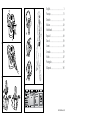
1
TOLL FREE Customer Contact Details: © 2006 Jabra, GN Mobile A/S (GN Netcom A/S). All rights reserved. Jabra® is a registered trademark of GN Mobile A/S (GN Netcom A/S). All other trademarks included herein are the property of their respective owners. The Bluetooth® word mark and logos are owned by the Bluetooth SIG, Inc. and any use of such marks by GN Mobile A/S (GN Netcom A/S) is under license. (Design and specifications subject to change without notice) Phone Numbers: www.jabra.com Belgique/Belgie 00800 722 52272 Danmark 702 52272 Deutschland 0800 1826756 Die Schweiz 00800 722 52272 España 900 984572 France 0800 900325 Italia 800 786532 Luxembourg 00800 722 52272 Nederland 0800 0223039 Norge 800 61272 Österreich 00800 722 52272 Portugal 00800 722 52272 Suomi 00800 722 52272 Sverige 020792522 United Kingdom 0800 0327026 International 00800 722 52272 Email Addresses: User manual Bluetooth Headset Deutsch [email protected] English [email protected] Français [email protected] Italiano [email protected] Nederlands [email protected] Español [email protected] Scandinavian [email protected] www.jabra.com Fig. 1 Fig. 4 Fig. 2 Fig. 5 English. . . . . . . . . . . . . . . . . . . . . . . . . . . . . . . . . . . . . . . . . . . . 1 Français . . . . . . . . . . . . . . . . . . . . . . . . . . . . . . . . . . . . . . . . . 11 Deutsch . . . . . . . . . . . . . . . . . . . . . . . . . . . . . . . . . . . . . . . . . 19 Italiano . . . . . . . . . . . . . . . . . . . . . . . . . . . . . . . . . . . . . . . . . . 29 Nederlands . . . . . . . . . . . . . . . . . . . . . . . . . . . . . . . . . . . . 39 Español. . . . . . . . . . . . . . . . . . . . . . . . . . . . . . . . . . . . . . . . . . 49 Dansk . . . . . . . . . . . . . . . . . . . . . . . . . . . . . . . . . . . . . . . . . . . . 59 Suomi . . . . . . . . . . . . . . . . . . . . . . . . . . . . . . . . . . . . . . . . . . . . 69 Svenska . . . . . . . . . . . . . . . . . . . . . . . . . . . . . . . . . . . . . . . . . 79 Norsk. . . . . . . . . . . . . . . . . . . . . . . . . . . . . . . . . . . . . . . . . . . . . 87 Português . . . . . . . . . . . . . . . . . . . . . . . . . . . . . . . . . . . . . . 95 Ελληνικά . . . . . . . . . . . . . . . . . . . . . . . . . . . . . . . . . . . . . . 105 Fig. 3 Fig. 6 PART NUMBER RevH 81-00157 English English Thank you . . . . . . . . . . . . . . . . . . . . . . . . . . . . . . . . . . . . . . . . . . . . . . . . . . . . . . . . . . . . . . . . . . . . 2 1. Charge your headset . . . . . . . . . . . . . . . . . . . . . . . . . . . . . . . . . . . . . . . . . . . . . . . . . . . . . . 3 2. Turn your headset on and off . . . . . . . . . . . . . . . . . . . . . . . . . . . . . . . . . . . . . . . . . . . . . . 4 3. Pair it with your phone . . . . . . . . . . . . . . . . . . . . . . . . . . . . . . . . . . . . . . . . . . . . . . . . . . . . 4 4. Wear it how you like it . . . . . . . . . . . . . . . . . . . . . . . . . . . . . . . . . . . . . . . . . . . . . . . . . . . . . 4 5. How to… . . . . . . . . . . . . . . . . . . . . . . . . . . . . . . . . . . . . . . . . . . . . . . . . . . . . . . . . . . . . . . . . . 5 6. What the lights mean . . . . . . . . . . . . . . . . . . . . . . . . . . . . . . . . . . . . . . . . . . . . . . . . . . . . . .6 7. Troubleshooting & FAQ . . . . . . . . . . . . . . . . . . . . . . . . . . . . . . . . . . . . . . . . . . . . . . . . . . . . 6 8. Need more help? . . . . . . . . . . . . . . . . . . . . . . . . . . . . . . . . . . . . . . . . . . . . . . . . . . . . . . . . . . 6 9. Taking care of your headset . . . . . . . . . . . . . . . . . . . . . . . . . . . . . . . . . . . . . . . . . . . . . . . . 7 10. Warranty . . . . . . . . . . . . . . . . . . . . . . . . . . . . . . . . . . . . . . . . . . . . . . . . . . . . . . . . . . . . . . . . . . 7 11.Certification and safety approvals . . . . . . . . . . . . . . . . . . . . . . . . . . . . . . . . . . . . . . . . . . 8 12. Glossary . . . . . . . . . . . . . . . . . . . . . . . . . . . . . . . . . . . . . . . . . . . . . . . . . . . . . . . . . . . . . . . . . . 8 What your headset can do Thank you ! Remember, driving comes first, not the call! Using a mobile phone while driving can distract you and increase the likelihood of an accident. If driving conditions demand it (such as bad weather, high traffic density, presence of children in the car, difficult road conditions), pull off the road and park before making or answering calls. Also, try to keep conversations short and do not make notes or read documents. Always drive safely and follow local laws. About your Jabra JX10 1. LED light • Blue indicates mode (pairing, active or standby) • Red/green indicates battery level (low, charging, or charged) 2. Volume up (+), volume down (-) 3. Charging socket 4.Pairing button – press to put headset into pairing mode 5. Answer/end button • Press to turn headset on (blue flash burst indicates success) • Press and hold to turn headset off (blue flash burst indicates success) • Tap to answer or end a call Your Jabra JX10 lets you do all this (dependent on your phone supporting the function: • Answer calls • End calls • Reject calls* • Voice dialling* • Last number redialling* • Call waiting* • Put call on hold* English English Thank you for purchasing the Jabra JX10 Bluetooth® Headset. We hope you enjoy it! This instruction manual will get you started and ready to make the most of your headset. * Phone dependent Specifications • Up to 6 hours talk time/standby time up to 200 hours • Rechargeable battery with charging option from AC power supply, PC via USB cable, desktop charger or car charger (not included) • Less than 10 grams • Operating range up to 10 metres (approx. 33 feet) • Headset and hands-free Bluetooth profiles • Bluetooth specification (see glossary) version 1.2 GETTING STARTED The Jabra JX10 is easy to operate. The answer/end button on the headset performs different functions depending on how long you press it. Instruction: Duration of press: Tap Press briefly Press Approx: 1 second Press and hold Approx: 5 seconds 1 Charge your headset Make sure that your Jabra JX10 headset is fully charged before you start using it. Use the AC adaptor to charge from a power socket, or charge directly from your PC with the USB cable provided. Connect your headset as shown in fig. 2. When the LED is solid red, your headset is charging. It may take up to five minutes for the solid red light to appear if the battery is completely empty. When the LED is green, it is fully charged. English 2 • • Turning your headset on and off Press the answer/end button to turn on your headset. Press and hold the answer/end button to turn off your headset. 3 Pair it with your phone Before you use your Jabra JX10, you need to pair it with your mobile phone. 1. Put the headset in pairing mode • Make sure the headset is on. • Press the pairing button marked . 2. Set your Bluetooth phone to ‘discover’ the Jabra JX10 Follow your phone’s instruction guide. This usually involves going to a ‘setup,’ ‘connect’ or ‘Bluetooth’ menu on your phone and selecting the option to ‘discover’ or ‘add’ a Bluetooth device. * (See example from a typical mobile phone in fig. 6). Answer a call • Tap the answer/end button on your headset to answer a call. End a call • Tap the answer/end button to end an active call. Make a call • When you make a call from your mobile phone, the call will (subject to phone settings) automatically transfer to your headset. If your phone does not allow this feature, tap on the Jabra JX10’s answer/end button to transfer the call to the headset. Reject a call* • Press the answer/end button when the phone rings to reject an incoming call. Depending on your phone settings, the person who called you will either be forwarded to your voice mail or hear a busy signal. Activate voice dialing* • Tap the answer/end button. For best results, record the voice-dialling tag through your headset. Please consult your phone’s user manual for more information about using this feature. 3. Your phone will find the Jabra JX10 Your phone then asks if you want to pair with it. Accept by pressing ‘Yes’ or ‘OK’ on the phone and confirm with the passkey or PIN = 0000 (4 zeros). Redial last number* • Press the answer/end button. Your phone will confirm when pairing is complete. In case of unsuccessful pairing, repeat steps 1 to 3. Adjust sound and volume • Press the volume up or down (+ or -) to adjust the volume. (Show fig 1). 4 Wear it how you like it The Jabra JX10 is ready to wear on your right ear. If you prefer the left, gently remove the earhook and rotate to fit left ear. (See fig. 4) For optimal performance, wear the Jabra JX10 and your mobile phone on the same side of your body or within line of sight. In general, you will get better performance when there are no obstructions between your headset and your mobile phone. 5 How to… English Charge from your desktop holder Connect your USB cable/AC power adaptor to the desktop holder. Place your JX10 in the cradle as shown in fig. 3 Call waiting and placing a call on hold* This lets you put a call on hold during a conversation and answer a waiting call. • Press the answer/end button once to put the active call on hold and answer the waiting call. • Press the answer/end button to switch between the two calls. • Tap the answer/end button to end the active conversation. * Functions marked with * are dependent on your phone supporting these features. Check your phone’s user manual for further information. What the lights mean English What you see Flashing blue light Flashing blue light Flashing red light Solid red light Solid green light Solid blue light What is the mean about your headset Flashing every second: active on a call Flashing every three seconds: in standby mode Running low on battery Charging Fully charged In pairing mode – see section 3 9 • Always store the Jabra JX10 with the power off and safely protected. •Avoid storage at extreme temperatures (above 45°C/113°F – including direct sunlight – or below -10°C/14°F). This can shorten battery life and may affect operation. High temperatures may also degrade performance. • Do not expose the Jabra JX10 to rain or other liquids. 10 7 Troubleshooting & FAQ I hear crackling noises For the best audio quality, always wear your headset on the same side of the body as your mobile phone. I cannot hear anything in my headset • Increase the volume on the headset. • Ensure that the headset is paired with the phone. • Make sure that the phone is connected to the headset – if it does not connect either from the phone’s Bluetooth menu or by tapping the answer/end button, follow the pairing procedure (see section 3). I have pairing problems even though my phone indicates otherwise You may have deleted your headset pairing connection in your mobile phone. Follow the pairing instructions in section 3. Will the Jabra JX10 work with other Bluetooth equipment? The Jabra JX10 is designed to work with Bluetooth mobile phones. It can also work with other Bluetooth devices that are compliant with Bluetooth version 1.1 or 1.2 and support a headset and/or hands-free profile. 8 Need more help? See the inside cover for your country’s support details. Taking care of your headset English 6 Warranty Jabra (GN Netcom) warrants this product against all defects in material and workmanship for a period of two years from the date of original purchase. The conditions of this warranty and our responsibilities under this warranty are as follows: • The warranty is limited to the original purchaser. • A copy of your receipt or other proof of purchase is required • The warranty is void if the serial number, date code label or product label is removed, or if the product has been subject to physical abuse, improper installation, modification, or repair by unauthorized third parties. • The responsibility of Jabra (GN Netcom) products shall be limited to the repair or replacement of the product at its sole discretion. • Any implied warranty on Jabra (GN Netcom) products is limited to two years from the date of purchase on all parts, including any cords and connectors. • Specifically exempt from any warranty are limited-life consumable components subject to normal wear and tear, such as microphone windscreens, ear cushions, decorative finishes, batteries, and other accessories. • Jabra (GN Netcom) is not liable for any incidental or consequential damages arising from the use or misuse of any Jabra (GN Netcom) product. • This warranty gives you specific rights and you may have other rights which vary from area to area. • Unless otherwise instructed in the User Manual, the user may not, under any circumstances, attempt to perform service, adjustments or repairs on this unit, whether in or out of warranty. It must be returned to the purchase point, factory or authorized service agency for all such work. • Jabra (GN Netcom) will not assume any responsibility for any loss or damage incurred in shipping. Any repair work on Jabra (GN Netcom) products by unauthorized third parties voids any warranty. Certification and safety approvals English CE This product is CE marked according to the provisions of the R & TTE Directive (99/5/EC). Hereby, GN Netcom, declares that this product is in compliance with the essential requirements and other relevant provisions of Directive 1999/5/EC. For further information please consult http://www.jabra.com Within the EU this device is intended to be used in Austria, Belgium, Cyprus, Czech Republic, Denmark, Estonia, Finland, France, Germany, Greece, Hungary, Ireland, Italy, Latvia, Lithuania, Luxembourg, Malta, Poland, Portugal, Slovakia, Slovenia, Spain, Sweden, The Netherlands, United Kingdom, and within EFTA in Iceland, Norway and Switzerland Merci . . . . . . . . . . . . . . . . . . . . . . . . . . . . . . . . . . . . . . . . . . . . . . . . . . . . . . . . . . . . . . . . . . . . . . . 10 1. Charger le casque . . . . . . . . . . . . . . . . . . . . . . . . . . . . . . . . . . . . . . . . . . . . . . . . . . . . . . . 11 2. Mettre en marche et éteindre le casque . . . . . . . . . . . . . . . . . . . . . . . . . . . . . . . . . . 12 3. Appairer le casque avec votre téléphone . . . . . . . . . . . . . . . . . . . . . . . . . . . . . . . . 12 4. Position au choix . . . . . . . . . . . . . . . . . . . . . . . . . . . . . . . . . . . . . . . . . . . . . . . . . . . . . . . . 12 5. Comment …… . . . . . . . . . . . . . . . . . . . . . . . . . . . . . . . . . . . . . . . . . . . . . . . . . . . . . . . . . . 13 6. Explication des voyants lumineux . . . . . . . . . . . . . . . . . . . . . . . . . . . . . . . . . . . . . . . . 14 Bluetooth The Bluetooth® word mark and logos are owned by the Bluetooth SIG, Inc. and any use of such marks by GN Netcom is under license. Other trademarks and trade names are those of their respective owners. 7. Dépannage et FAQ . . . . . . . . . . . . . . . . . . . . . . . . . . . . . . . . . . . . . . . . . . . . . . . . . . . . . . 14 12 10. Garantie . . . . . . . . . . . . . . . . . . . . . . . . . . . . . . . . . . . . . . . . . . . . . . . . . . . . . . . . . . . . . . . . 15 Glossary 1Bluetooth is a radio technology that connects devices, such as mobile phones and headsets, without wires or cords over a short distance (approx. 30 feet). Get more information at www.bluetooth.com. 2Bluetooth profiles are the different ways that Bluetooth devices communicate with other devices. Bluetooth phones support either the headset profile, the hands-free profile or both. In order to support a certain profile, a phone manufacturer must implement certain mandatory features within the phone’s software. 3Pairing creates a unique and encrypted link between two Bluetooth devices and lets them communicate with each other. Bluetooth devices will not work if the devices have not been paired. 4Passkey or PIN is a code that you enter on your mobile phone to pair it with your Jabra JX10. This makes your phone and the Jabra JX10 recognize each other and automatically work together. 5Standby mode is when the Jabra JX10 is passively waiting for a call. When you ‘end’ a call on your mobile phone, the headset goes into standby mode. Français Dispose of the product according to local standards and regulations. www.jabra.com/weee Français 11 8. Besoin d’aide ? . . . . . . . . . . . . . . . . . . . . . . . . . . . . . . . . . . . . . . . . . . . . . . . . . . . . . . . . . . 15 9. Entretien de l’oreillette . . . . . . . . . . . . . . . . . . . . . . . . . . . . . . . . . . . . . . . . . . . . . . . . . . 15 11. Autorisations de sécurité et de certification . . . . . . . . . . . . . . . . . . . . . . . . . . . . . . 16 12.Glossaire . . . . . . . . . . . . . . . . . . . . . . . . . . . . . . . . . . . . . . . . . . . . . . . . . . . . . . . . . . . . . . . . 17 Merci ! N’oubliez pas, la conduite est primordiale, pas l’appel ! Français Le fait d’utiliser un téléphone portable pendant que vous conduisez peut vous distraire et augmenter les risques d’accident. Si les conditions de conduite l’exigent (mauvais temps, trafic dense, présence d’enfants dans la voiture ou routes en mauvais état), sortez de la route et garez-vous avec de passer ou de prendre des appels. Essayez aussi de limiter vos conversations. Ne prenez pas de notes et ne lisez pas de documents. Conduisez toujours prudemment et suivez les réglementations locales. Vue d’ensemble du Jabra JX10 1. 2. 3. 4. 5. 10 Voyants lumineux • Bleu indique le mode (appairage, appel en cours ou veille). • Rouge/vert indique le niveau de charge de la batterie (bas, en charge ou chargée). Volume sonore haut (+), bas (-) Prise de charge Touche d’appairage – appuyez pour mettre le casque en mode appairage. Touche Réponse/Fin •A ppuyez pour mettre le casque en marche (un clignotement bleu indique que le casque est en marche). •A ppuyez et maintenez la pression pour éteindre le casque (un clignotement bleu indique que le casque est éteint). • Tapez pour répondre à un appel ou finir un appel en cours. Le Jabra JX10 permet les fonctions suivantes (si votre téléphone les supporte) : • réponse aux appels • fin d’appels • refus d’appels* • numérotation vocale* • rappel du dernier numéro* • double appel* • mise en attente d’appel* * Dépend du modèle de téléphone Spécifications • Jusqu’à 6 heures de conversation et jusqu’à 200 heures en veille • Batterie rechargeable, compatible avec tout chargeur d’alimentation en courant alternatif, PC via câble USB, chargeur de bureau ou de voiture (non fourni). • Moins de 10 grammes • Profiles Bluetooth : casque et mains libres • Spécification Bluetooth (voir Glossaire) version 1.2 Français Merci d’avoir acheté l’oreillette Bluetooth® Jabra JX10. Nous espérons que vous l’aimerez ! Ce manuel d’utilisation vous permettra d’utiliser et de tirer le meilleur parti de votre oreillette. Fonctions possibles du casque Première utilisation Le Jabra JX10 est facile à utiliser. La touche Réponse/Fin du casque assure diverses fonctions, selon la durée de pression. Instructions Tapez Appuyez Appuyez et maintenez la pression 1 Durée de pression Pression rapide Environ 1 s Environ 5 s Charger le casque Avant la première utilisation, assurez-vous que le casque Jabra JX10 est entièrement chargé. Utilisez l’adaptateur secteur CA ou chargez-le directement de votre PC avec le câble USB inclus. Branchez le casque comme indiqué sur la fig. 2. Quand le voyant rouge s’allume sans clignoter, le casque est en charge. Si la batterie est entièrement déchargée, il peut s’écouler jusqu’à cinq minutes avant que le voyant fixe allumé en continu apparaisse. Quand le voyant est vert, le casque est entièrement chargé. 11 2 • • Mettre en marche et éteindre le casque Pour mettre le casque en marche, appuyez sur la touche Réponse/Fin. Pour éteindre le casque, appuyez sur la touche Réponse/Fin et maintenez la pression. 3 Appairer le casque avec votre téléphone Français Avant d’utiliser le Jabra JX10, vous devez l’appairer avec votre téléphone mobile. Comment … répondre à un appel ? • Pour répondre à un appel, tapez sur la touche Réponse/Fin du casque. finir un appel ? • Pour finir un appel en cours, tapez sur la touche Réponse/Fin. effectuer un appel ? • Si vous effectuez un appel à partir de votre téléphone mobile, l’appel sera automatiquement transféré au casque (en fonction des paramètres du téléphone). Si votre téléphone ne permet pas cette fonction, tapez sur la touche Réponse/Fin du Jabra JX10 pour transférer l’appel vers le casque. 1. Mettez le casque en mode appairage • Assurez-vous que le casque est en marche. • Appuyez sur la touche d’appairage . refuser un appel ?* • P our refuser un appel entrant, appuyez sur la touche Réponse/Fin quand le téléphone sonne. Selon les paramètres de votre téléphone, le correspondant sera transféré sur votre messagerie vocale ou recevra la tonalité « occupé ». 2. Réglez votre téléphone Bluetooth pour qu’il « détecte » le Jabra JX10 Suivez le mode d’emploi de votre téléphone. Généralement, les étapes sont les suivantes : « réglages », « connexion » ou bien le menu Bluetooth de votre téléphone, puis l’option « détection » ou « ajout » d’un périphérique Bluetooth*. (Voir fig. 6, exemple à partir d’un téléphone mobile ordinaire). activer la numérotation vocale ?* • Tapez sur la touche Réponse/Fin. Vous obtiendrez de meilleurs résultats si vous enregistrez l’identité de numération vocale via votre casque. Veuillez consulter le mode d’emploi de votre téléphone pour davantage d’informations sur cette fonction. 3. Votre téléphone détecte le Jabra JX10 Votre téléphone vous demande ensuite si vous voulez appairer le casque avec le téléphone. Acceptez en appuyant sur “Oui” ou ‘OK’ sur le téléphone et saisissez le mot de passe ou code PIN = 0000 (4 zéros). rappeler le dernier numéro ?* • Appuyez sur la touche Réponse/Fin. Votre téléphone confirme que l’appairage est terminé. En cas d’échec, répétez les étapes 1 à 3. 4 Position au choix Le Jabra JX10 est livré pour être porté sur l’oreille droite. Si vous préférez le porter sur l’oreille gauche, retirez doucement l’oreillette et tournez-la pour l’adapter à l’oreille gauche. (Voir fig. 4) Pour une performance optimale, portez le Jabra JX10 et votre téléphone mobile du même côté ou dans la même ligne de visée. Vous obtiendrez en général une meilleure performance s’il n’y a aucun obstacle entre le casque et le téléphone. 12 5 Français Utilisation de votre chargeur de bureau Branchez votre câble USB/adaptateur de secteur sur le chargeur de bureau. Posez votre JX10 sur le support comme indiqué sur l’ill. 3. régler le son et le volume ? • Appuyez sur la touche de volume haut ou bas (+ ou -) pour régler le volume sonore. (Voir fig. 1) utiliser la fonction double appel/mise en attente ?* Cette fonction vous permet de mettre un appel en attente pendant que vous répondez à un autre appel. • Pour mettre l’appel en cours en attente et répondre à l’appel entrant, appuyez une fois sur la touche Réponse/Fin. • Pour passer d’un appel à l’autre, appuyez sur la touche Réponse/Fin. • Pour finir l’appel en cours, tapez sur la touche Réponse/Fin . * Les fonctions marquées * dépendent des fonctions supportées par votre téléphone. Pour plus d’informations, vérifiez le mode d’emploi de votre téléphone. 13 Français Ce que vous voyez Le voyant bleu clignote Le voyant bleu clignote Le voyant rouge clignote Le voyant rouge est llumé et ne clignote pas Le voyant vert est allumé et ne clignote pas Le voyant bleu est allumé et ne clignote 7 correspond sur le casque à Clignotements toutes les secondes : appel en cours Clignotements toutes les trois secondes : mode veille Batterie faible Batterie en charge Batterie entièrement chargée Mode appairage – voir section 3 Dépannage et FAQ Besoin d’aide ? Voir l’intérieur de couverture pour informations détaillées. 9 Entretien de l’oreillette • Eteignez toujours l’oreillette et emballez-la soigneusement avant de la ranger. •Evitez de l’exposer à des températures extrêmes (au-dessus de 45°C – y compris aux rayons du soleil – ou en dessous de -10°C). Cela risque de réduire la durée de vie de la batterie et d’entraîner des dysfonctionnements. Les températures élevées risquent aussi de diminuer ses performances. • Evitez tout contact avec la pluie ou d’autres liquides. 10 Garantie J’entends des craquements Pour une qualité audio optimale, portez toujours l’oreillette du même côté que votre téléphone portable. Jabra (GN Netcom) garantit ce produit contre tous les défauts, pièce et main d’œuvre, pendant deux ans à compter de la date initiale d'achat. Les conditions de cette garantie et nos responsabilités en vertu de cette garantie sont les suivantes : Je n’entends rien dans mon oreillette • Augmentez le volume dans votre oreillette. • Assurez-vous que le pairage entre l’oreillette et le téléphone a bien été effectué. • Assurez-vous que le téléphone est connecté à l’oreillette – si il ne se connecte pas à partir du menu Bluetooth du téléphone ou en tapant doucement sur le bouton répondre/raccrocher, suivez la procédure de pairage (voir la section 3). • La garantie ne s’applique qu’à l’acheteur original. J’ai des problèmes de pairage, même si mon téléphone indique l’inverse Vous avez peut-être effacé la connexion de pairage de votre oreillette dans votre téléphone portable. Suivez les instructions de pairage dans la section 3. L’oreillette Jabra JX10 fonctionne-t-elle avec d’autres appareils Bluetooth ? L’oreillette Jabra JX10 est conçue pour fonctionner avec des téléphones portables Bluetooth. Elle peut aussi fonctionner avec d’autres appareils Bluetooth compatibles avec les versions Bluetooth 1.1 ou 1.2 et supportant un profil oreillette et/ou mains-libres. Je ne peux pas utiliser les fonctions de rejet d’appel, de mise en attente d’un appel, de rappel du dernier numéro ou de numérotation vocale Ces fonctions dépendent du modèle de votre téléphone portable. Veuillez consulter le manuel d’utilisation de votre téléphone pour plus de renseignements. 14 8 Français 6 Explication des voyants lumineux • Une copie de votre reçu ou autre preuve d’achat est requise. • La garantie est nulle si le numéro de série, l’étiquette du code date ou l’étiquette du produit sont enlevés, ou si le produit a subi un usage inapproprié, une installation impropre, une modification ou une réparation par des tiers non autorisés. •La responsabilité de Jabra (GN Netcom) sur ses produits sera limitée à la réparation ou au remplacement du produit à l’entière discrétion de Jabra. •Toute garantie implicite sur les produits Jabra (GN Netcom) est limitée à deux ans à compter de la date d’achat pour toutes les pièces, y compris les cordons et connecteurs. • Sont spécifiquement exclus de toute garantie les consommables à durée de vie limitée soumis à une usure normale, tels que les bonnettes de microphone, les oreillettes, les décorations de finition, les batteries et autres accessoires. •Jabra (GN Netcom) n’est pas responsable des dommages accessoires ou indirects résultant de l’utilisation appropriée ou inappropriée de l’un des produits Jabra (GN Netcom). • Cette garantie vous donne des droits spécifiques et vous pouvez bénéficier d’autres droits qui varient d’un pays à l’autre. 15 •Jabra (GN Netcom) n’assumera aucune responsabilité en cas de perte ou dommage subi lors de l’expédition. Tout travail de réparation sur les produits Jabra (GN Netcom) par des personnes non autorisées annule toute garantie. 11 Autorisations de sécurité et de certification Français CE Ce produit porte le marquage CE conformément aux dispositions de la Directive 1999/5/ CE (R&TTE).merciales appartiennent à leurs propriétaires respectifs. GN Netcom déclare par la présente que ce produit est conforme aux principales exigences et autres dispositions pertinentes de la Directive 1999/5/CE. Pour de plus amples informations, nous vous invitons à visiter le site http://www.jabra.com Dans l’UE, ce dispositif est utilisable dans les pays suivants : Autriche, Belgique, Chypre, République tchèque, Danemark, Estonie, Finlande, France, Allemagne, Grèce, Hongrie, Irlande, Italie, Lettonie, Lituanie, Luxembourg, Malte, Pologne, Portugal, Slovaquie, Slovénie, Espagne, Suède, Pays Bas, Royaume-Uni, et dans les pays de l’AELE : Islande, Norvège et Suisse. 12 Glossaire 1La technologie Bluetooth est une technologie radio permettant de connecter des appareils, tels que des téléphones portables ou des oreillettes, sans fils ni cordons électriques sur une courte distance (environ 10 mètres). Pour plus d’informations, rendez-vous sur le site www.bluetooth.com. 2Les profils Bluetooth sont les différentes manières dont les appareils Bluetooth communiquent avec d’autres appareils. Les téléphones Bluetooth supportent soit le profil oreillette, soit le profil mains-libres, soit les deux. Afin de supporter un profil spécifique, le fabricant de téléphone doit intégrer certaines fonctions obligatoires dans le logiciel du téléphone. 3Le pairage crée un lien unique et crypté entre deux appareils Bluetooth et leur permet de communiquer entre eux. Les appareils Bluetooth ne fonctionneront pas si ils n’ont pas fait l’objet d’un pairage. 4Le code passe-partout ou PIN est un code que vous entrez dans votre téléphone portable afin d’effectuer un pairage avec votre oreillette Jabra JX10. Il permet à votre téléphone et à l’oreillette Jabra JX10 de se reconnaître et de fonctionner automatiquement ensemble. 5Le mode veille est actif lorsque l’oreillette Jabra JX10 attend passivement un appel. Lorsque vous « terminez » un appel sur votre téléphone portable, l’oreillette passe en mode veille. Français •Sauf indication contraire dans le manuel d’utilisation, l’utilisateur ne pourra, en aucun cas, tenter d’effectuer une opération de maintenance, d’ajustement ou de réparation sur cet appareil, qu'il soit ou non sous garantie. L’unité doit être retournée au point de vente, à l’usine ou au centre de maintenance agréé pour ce type d’opération. Bluetooth La marque et le logo Bluetooth® sont la propriété de Bluetooth SIG, Inc. et toute utilisation de telles marques par GN Netcom est sous licence. Toutes autres marques et dénominations commerciales appartiennent à leurs propriétaires respectifs. 16 Mettre le produit au rebut selon les règlements locaux standard. www.jabra.com/weee 17 Deutsch Vielen Dank . . . . . . . . . . . . . . . . . . . . . . . . . . . . . . . . . . . . . . . . . . . . . . . . . . . . . . . . . . . . . . . . . 20 1. Aufladen der Batterie . . . . . . . . . . . . . . . . . . . . . . . . . . . . . . . . . . . . . . . . . . . . . . . . . . . . 21 2. Ein- und Ausschalten des Headsets . . . . . . . . . . . . . . . . . . . . . . . . . . . . . . . . . 22 3. Anschluss an ein Telefon . . . . . . . . . . . . . . . . . . . . . . . . . . . . . . . . . . . . . . . . . . . . . . . 22 4. Tragen Sie es, wo Sie wollen . . . . . . . . . . . . . . . . . . . . . . . . . . . . . . . . . . . . . . . . . . . . 22 5. Tipps zur Benutzung . . . . . . . . . . . . . . . . . . . . . . . . . . . . . . . . . . . . . . . . . . . . . . . . . . . 23 6. Bedeutung der LED-Anzeige . . . . . . . . . . . . . . . . . . . . . . . . . . . . . . . . . . . . . . . . . . . 24 7. Fehlersuche und häufig gestellte Fragen (FAQ) . . . . . . . . . . . . . . . . . . . . . . . . 24 8. Weitere Hilfe? . . . . . . . . . . . . . . . . . . . . . . . . . . . . . . . . . . . . . . . . . . . . . . . . . . . . . . . . . . 25 9. Pflege Ihres Headsets . . . . . . . . . . . . . . . . . . . . . . . . . . . . . . . . . . . . . . . . . . . . . . . . . . . . 25 10. Garantie . . . . . . . . . . . . . . . . . . . . . . . . . . . . . . . . . . . . . . . . . . . . . . . . . . . . . . . . . . . . . . . . 25 11. Zertifizierung und sicherheitstechnische Genehmigungen . . . . . . . . . . . . . . . 26 Deutsch Deutsch 12. Glossar . . . . . . . . . . . . . . . . . . . . . . . . . . . . . . . . . . . . . . . . . . . . . . . . . . . . . . . . . . . . . . . . . . 27 18 19 Vielen Dank Funktionen des Headsets Vielen Dank, dass Sie das Bluetooth® Headset Jabra JX10 gekauft haben. Wir hoffen, dass Sie Freude daran haben! Diese Bedienungsanleitung macht Sie mit den ersten Schritten vertraut und damit, wie Sie Ihr Headset optimal einsetzen. Ihr Jabra JX10 bietet folgende Funktionen (je nachdem, ob Ihr Telefon die Funktion unterstützt): • Anrufe annehmen • Anrufe beenden • Anrufe ablehnen* • Sprachsteuerung* • Wahlwiederholung* • Anklopfen* • Anruf parken* Vergessen Sie nicht, erst kommt das Autofahren, dann das Telefongespräch! Die Benutzung eines Mobiltelefons während des Autofahrens kann Sie vom Autofahren ablenken und erhöht die Unfallwahrscheinlichkeit. Wenn die Verkehrsbedingungen es erfordern (wie schlechtes Wetter, hohe Verkehrsdichte, Kinder im Auto, schwierige Straßenverhältnisse), verlassen Sie die Straße und parken Sie vor dem Telefonieren oder der Annahme von Anrufen. Versuchen Sie auch, sich kurz zu fassen und machen Sie keine Notizen oder lesen in Dokumenten. Fahren Sie immer sicher und halten Sie die geltenden Vorschriften ein. Ihr Jabra JX10 Deutsch 1. LED-Anzeige • Blau zeigt den Modus an (Pairing, aktiv oder Standby) • Rot/grün zeigt den Batteriestatus an (entladen, Ladevorgang oder voll geladen) 2. Lautstärke (+), Lautstärke (-) 3. Ladebuchse 4.Pairing-Taste – Drücken, um das Headset in den Pairingmodus zu schalten 5. Rufannahme/Beenden-Taste • Drücken, um das Headset einzuschalten (blaues Aufleuchten zeigt das erfolgreiche Einschalten an) • Drücken und Halten zum Ausschalten des Headsets (blaues Aufleuchten zeigt das erfolgreiche Ausschalten an) • A ntippen, um ein Gespräch anzunehmen oder zu beenden 20 * Telefonabhängig Spezifikationen • Bis zu 6 Stunden Sprechzeit und bis zu 200 Stunden Standby-Betrieb • Aufladbare Batterie mit Ladeoption über Wechselstromnetzteil, PC via USB-Kabel, Desktop-Ladegerät oder Autosteckdose (nicht enthalten) • Weniger als 10 Gramm • Reichweite bis zu 10 Meter • Freisprechheadset mit Bluetooth-Option • Bluetooth-Spezifikation (siehe Glossar) Version 1.2 ZU BEGINN Das Jabra JX10 ist einfach zu bedienen. Die Rufannahme/Beenden-Taste am Headset bietet mehrere Funktionen, je nachdem, wie lange sie gedrückt wird. Aktion Antippen Drücken Drücken und Halten Bediendauer Kurz antippen Ca. 1 Sekunde Ca. 5 Sekunden 1 Aufladen der Batterie Laden Sie Ihr Jabra JX10 Headset erst vollständig auf, bevor Sie es erstmals einsetzen. Benutzen Sie dazu das Netzteil und eine Steckdose oder Ihren PC und das mitgelieferte USBKabel. Schließen Sie das Headset an wie in Abb. 2 gezeigt. Leuchtet die LED permanent rot, wird das Headset geladen. Wenn die Batterie vollkommen leer ist, kann es bis zu fünf Minuten dauern, bis das rote Dauerlicht aufleuchtet. Wechselt die LED auf grün, ist der Ladevorgang beendet. 21 Deutsch ! 2 Ein- und Ausschalten des Headsets • Drücken Sie die Taste Rufannahme/Beenden, um das Headset einzuschalten. •Drücken und Halten Sie die Taste Rufannahme/Beenden, um das Headset auszuschalten. 3 Anschluss an ein Telefon Bevor Sie Ihr Jabra JX10 benutzen können, müssen Sie es auf Ihr Mobiltelefon abstimmen. 1. Pairingmodus des Headsets aufrufen • Schalten Sie das Headset ein. • Drücken Sie die Pairing-Taste . Deutsch 2. Konfiguration eines Bluetooth-Telefons zur Erkennung des Jabra JX10 Folgen Sie den Anweisungen Ihres Telefonhandbuchs. In der Regel erfolgt dies über Menüs in Ihrem Telefon wie ‘Setup’, ‘Verbinden’ oder ‘Bluetooth’ und der Auswahl einer Option wie ‘Erkennung’ oder ‘Hinzufügen’ eines Bluetooth-Geräts. * (Siehe Beispiel eines typischen Menüs in einem Mobiltelefon, Abb. 6). 3. Das Telefon erkennt das Jabra JX10 automatisch. Das Telefon fragt anschließend, ob Sie das Gerät anbinden möchten. Antworten Sie mit ‘Ja’ oder mit ‘OK’ im Telefonmenü und bestätigen durch Eingabe des Passworts oder der PIN = 0000 (4 Nullen). Nach Abschluss der Anbindung bestätigt das Telefon den Vorgang. Gelingt die Anbindung nicht, wiederholen Sie die Schritte 1 bis 3. 4 Tragen Sie es, wo Sie wollen Werksseitig ist das Jabra JX10 zum Tragen am rechten Ohr konfiguriert. Wenn Sie möchten, können Sie durch vorsichtiges Abnehmen des Haltebügels und Umdrehen das Headset auch am linken Ohr tragen. (Siehe Abb. 4). Tragen Sie zur optimalen Leistung Ihr Jabra JX10 auf derselben Seite wie Ihr Mobiltelefon, zumindest aber in direktem Sichtkontakt. Das Headset funktioniert am besten, wenn sich zwischen ihm und dem Telefon keinerlei Hindernisse befinden. 22 5 Tipps zur Benutzung Einen Anruf annehmen • Tippen Sie kurz die Taste Rufannahme/Beenden am Headset an. Einen Anruf beenden • Tippen Sie erneut kurz die Taste Rufannahme/Beenden am Headset an. Einen Anruf tätigen • Wenn Sie mit Ihrem Mobiltelefon einen Anruf starten, wird das Gespräch automatisch (je nach Telefoneinstellungen) über das Headset geleitet. Bietet Ihr Telefon diese automatische Funktion nicht, tippen Sie kurz auf die Taste Rufannahme/Beenden am Jabra JX10, um das Gespräch über das Headset zu leiten. Einen Anruf ablehnen* • Drücken Sie die Taste Rufannahme/Beenden während des Klingelns, um einen ankommenden Anruf abzulehnen. Je nach Telefoneinstellung wird der Anrufer entweder an Ihre Mailbox umgeleitet oder er hört ein Besetztzeichen. Sprachsteuerung aktivieren* • Tippen Sie kurz auf die Taste Rufannahme/Beenden. Für beste Ergebnisse zeichnen Sie die Sprachbefehle am besten über das Headset auf. Im Handbuch Ihres Mobiltelefons finden Sie weitere Informationen zur Sprachsteuerung. Deutsch Laden von der Tischhalterung Verbinden Sie Ihr USB-Kabel/den Wechselstromadapter mit der Tischhalterung. Stellen Sie Ihr JX10 in die Basisstation wie in Abbildung 3 gezeigt. Wahlwiederholung* • Tippen Sie kurz auf die Taste Rufannahme/Beenden. Einstellung von Sound und Lautstärke • Drücken Sie die Tasten Lautstärke (+ oder -) zur Einstellung der Lautstärke. (Siehe Abb. 1). Anklopfen und Anrufe parken* Damit können Sie ein laufendes Gespräch unterbrechen und ein weiteres Gespräch annehmen. • Drücken Sie die Taste Rufannahme/Beenden einmal, um das aktive Gespräch zu parken und das neue Gespräch anzunehmen. • Drücken Sie die Taste Rufannahme/Beenden, um zwischen den Gesprächen hin- und herzuschalten. • Tippen Sie kurz die Taste Rufannahme/Beenden an, um das aktive Gespräch zu beenden. * Funktionen mit diesem Zeichen * hängen davon ab, ob Ihr Telefon diese Funktionen unterstützt. Im Handbuch Ihres Mobiltelefons finden Sie dazu weitere Informationen. 23 Bedeutung der LED-Anzeige LED-Aktivität Blaues Blinklicht Blaues Blinklicht Rotes Blinklicht Rotes Dauerlicht Grünes Dauerlicht Blaues Dauerlicht 7 Bedeutung Blinkt einmal pro Sekunde: aktiver Anruf läuft Blinkt alle drei Sekunden: Standby-Modus Batterie nahezu entladen Ladevorgang Batterie voll geladen Pairing-Modus – siehe Kapitel 3 Fehlersuche und häufig gestellte Fragen (FAQ) Weitere Informationen finden Sie auf dem Innendeckel 9 Pflege Ihres Headsets •Bewahren Sie das Jabra JX10 immer im ausgeschalteten Zustand und sicher geschützt auf. •Vermeiden Sie die Lagerung bei extremen Temperaturen (über 45 °C/113 °F – einschließlich des direkten Sonnenlichts – oder unter -10 °C/14 °F). Dies kann zu einer Verkürzung der Lebensdauer der Batterie führen und die Funktion beeinträchtigen. Hohe Temperaturen können auch das Betriebsverhalten verschlechtern. • Setzen Sie das Jabra JX10 nicht dem Regen oder anderen Flüssigkeiten aus. Deutsch Ich höre Knackgeräusche Zur Erzielung der besten Tonqualität tragen Sie Ihr Headset immer an derselben Körperseite wie Ihr Handy. 10 Ich kann nichts im Headset hören • Lautstärke am Headset erhöhen. • Überprüfen, ob das Pairing mit dem Telefon korrekt ist. • Achten Sie darauf, dass das Telefon mit dem Headset verbunden ist – wenn entweder über das Bluetooth-Menü des Telefons oder durch Antippen der Annehmen-/Auflegen-Taste keine Verbindung herstellbar ist, führen Sie die Pairing-Prozedur (siehe Abschnitt 3) aus. Jabra (GN Netcom) gewährt eine Garantie auf Materialfehler und Fehler in der Ausführung für einen Zeitraum von zwei Jahren ab dem Tag des Erstkaufs. Die Konditionen dieser Garantie und unserer Haftung sind wie folgt: Die Garantie beschränkt sich auf den ursprünglichen Käufer Als Kaufnachweis benötigen wir eine Kopie Ihrer Quittung Die Garantie verfällt, wenn die Seriennummer, der Datumscode oder das Produktschild entfernt wurde sowie bei Missbrauch, unsachgemäßer Installation, Änderung oder Reparatur durch nicht autorisierte Dritte Die Haftung für Produkte von Jabra (GN Netcom) beschränkt sich auf die Reparatur oder das Ersetzen von Produkten nach Ermessen des Unternehmens Jede implizierte Garantie auf Produkte von Jabra (GN Netcom) beschränkt sich für alle Teile einschließlich der Kabel und Anschlüsse auf zwei Jahre ab dem Kaufdatum Ausgenommen von der Garantie sind Verschleißteile mit begrenzter Lebensdauer wie z. B. Mikrofon-Windschutz, Ohrpolster, Zierteile, Akkus und anderes Zubehör Jabra (GN Netcom) übernimmt keine Haftung für Folgeschäden aufgrund der Benutzung oder des Missbrauchs eines Produktes Jabra (GN Netcom) Diese Garantie gibt Ihnen spezielle Rechte und möglicherweise haben Sie andere Rechte, die von Bereich zu Bereich variieren Sofern in diesem Benutzerhandbuch nichts anderes angegeben wird, sollte der Benutzer weder vor noch nach Ablauf der Garantiefrist versuchen, Service, Einstellungen oder Reparaturen an diesem Produkt selbst durchzuführen. Es muss für solche Arbeiten an den Händler, den Hersteller oder einen autorisierten Kundendienst zurückgeschickt werden 25 Ich habe Probleme beim Pairing, obwohl mein Telefon etwas anderes anzeigt. Möglicherweise haben Sie an Ihrem Handy die Pairing-Verbindung zum Headset gelöscht. Befolgen Sie die Pairing-Anweisungen in Abschnitt 3. Funktioniert das Jabra JX10 mit anderen Bluetooth-Geräten? Das Jabra JX10 ist für das Zusammenwirken mit Bluetooth-fähigen Handys ausgelegt. Es funktioniert auch mit anderen Bluetooth-Geräten, die mit den Bluetooth-Versionen 1.1 oder 1.2 kompatibel sind und Headset- und/oder FreihandProfile unterstützen. Anrufabweisung, Wartefunktion, Wahlwiederholung oder Sprachwahl können nicht verwendet werden Diese Funktionen werden möglicherweise von Ihrem Handy nicht unterstützt. Weitere Informationen hierzu können Sie in der Bedienungsanleitung Ihres Handys nachlesen. 24 8 Weitere Hilfe? • • • • • • • • • Garantie Deutsch 6 • Jabra (GN Netcom) haftet nicht für Verlust oder Schäden, die während des Transports entstehen. Sämtliche Reparaturen an Produkten von Jabra (GN Netcom) durch nicht autorisierte Dritte führen dazu, dass die Garantie verfällt 11 Zertifizierung und sicherheitstechnische Genehmigungen Glossar 1Bluetooth ist eine Funktechnologie zur Verbindung von Geräten wie Handys und Headsets ohne den Einsatz von Kabeln oder Leitungen über eine kurze Entfernung (ca. 10 m). Weitere Informationen erhalten Sie unter www.bluetooth.com. 2Bluetooth-Profile sind verschiedene Möglichkeiten, mit deren Bluetooth-Geräte mit anderen Geräten kommunizieren. Bluetooth-Telefone unterstützen entweder das Headset-Profil, das Freihand-Profil oder beide. Zur Unterstützung eines bestimmten Profils muss ein Handy-Hersteller bestimmte erforderliche Merkmale in der Software des Handys implementieren. 3Pairing erzeugt eine einzelne und verschlüsselte Verbindung zwischen zwei Bluetooth-Geräten und lässt sie miteinander kommunizieren. Bluetooth-Geräte funktionieren nicht miteinander, wenn vorher kein Pairing durchgeführt wurde. 4Schlüssel oder PIN ist ein Code, den Sie an Ihrem Handy eingeben, um ein Pairing mit Ihrem Jabra JX10 durchzuführen. Dadurch erkennen sich Ihr Telefon und das Jabra JX10 automatisch und funktionieren zusammen. 5Standby-Betrieb liegt dann vor, wenn das Jabra JX10 in passivem Zustand auf einen Anruf wartet. Wenn Sie nach einem Gespräch an Ihrem Handy „auflegen“, geht das Headset in den Standby-Betrieb. Deutsch Deutsch CE Dieses Produkt hat das CE-Zeichen gemäß der Bestimmungen der Endgeräterichtlinie (1999/5/EG). Hiermit erklärt GN Netcom, dass dieses Produkt die grundlegenden Anforderungen und andere Bestimmungen der Richtlinie 1999/5/EG erfüllt. Weitere Informationen finden Sie im Internet unter http://www.jabra.com Innerhalb der EU ist dieses Gerät für die Verwendung in Österreich, Belgien, Zypern, der Tschechischen Republik, Dänemark, Estland, Finnland, Frankreich, Deutschland, Griechenland, Ungarn, Irland, Italien, Lettland, Litauen, Luxemburg, Malta, Polen, Portugal, der Slowakei, Slowenien, Spanien, Schweden, Niederlande und Großbritannien und innerhalb der EFTA für die Verwendung in Island, Norwegen und der Schweiz vorgesehen. Bluetooth Der Markenname Bluetooth® sowie das Bluetooth® -Logo sind Eigentum von Bluetooth SIG, Inc. und jede Verwendung dieser Markenzeichen durch GN Netcom erfolgt unter Lizenz. Andere Markenzeichen und Markennamen sind Eigentum der jeweiligen Eigentümer. 12 26 Entsorgen Sie das Produkt gemäß den lokalen Normen und Bestimmungen. www.jabra.com/weee 27 Italiano Grazie . . . . . . . . . . . . . . . . . . . . . . . . . . . . . . . . . . . . . . . . . . . . . . . . . . . . . . . . . . . . . . . . . . . . . . . . 30 1. Ricarica dell’auricolare . . . . . . . . . . . . . . . . . . . . . . . . . . . . . . . . . . . . . . . . . . . . . . . . . . . . . 31 2. Accensione e spegnimento dell’auricolare . . . . . . . . . . . . . . . . . . . . . . . . . . . . . . . . . 32 3. Connessione dell’auricolare con il telefonino . . . . . . . . . . . . . . . . . . . . . . . . . . . . . . . 32 4. Indossatelo come volete . . . . . . . . . . . . . . . . . . . . . . . . . . . . . . . . . . . . . . . . . . . . . . . . . . . 32 5. Istruzioni per eseguire le operazioni . . . . . . . . . . . . . . . . . . . . . . . . . . . . . . . . . . . . . . . 33 6. Significato delle spie luminose . . . . . . . . . . . . . . . . . . . . . . . . . . . . . . . . . . . . . . . . . . . . . 34 7. Localizzazione guasti e FAQ (domande frequenti) . . . . . . . . . . . . . . . . . . . . . . . . . . 34 8. Avete bisogno di ulteriori informazioni? . . . . . . . . . . . . . . . . . . . . . . . . . . . . . . . . . . . . 35 9. Manutenzione della cuffia auricolare . . . . . . . . . . . . . . . . . . . . . . . . . . . . . . . . . . . . . . . 35 10. Garanzia . . . . . . . . . . . . . . . . . . . . . . . . . . . . . . . . . . . . . . . . . . . . . . . . . . . . . . . . . . . . . . . . . . 35 11. Certificazione e approvazioni sulla sicurezza . . . . . . . . . . . . . . . . . . . . . . . . . . . . . . . 36 Italiano Italiano 12.Glossario . . . . . . . . . . . . . . . . . . . . . . . . . . . . . . . . . . . . . . . . . . . . . . . . . . . . . . . . . . . . . . . . . . 37 28 29 Grazie per aver acquistato la cuffia auricolare Jabra JX10 Bluetooth®. Speriamo il prodotto sia di vostro gradimento! Il presente manuale di istruzioni vi consentirà di apprendere l’utilizzo della cuffia auricolare, consentendovi di ottenere i migliori risultati. ! Ricordate, dare sempre priorità alla guida, non alle telefonate! L’utilizzo di un cellulare durante la guida può essere motivo di distrazione, con conseguente aumento del rischio d’incidenti. Nel caso in cui le condizioni di guida lo richiedano (ad esempio in caso di cattive condizioni atmosferiche, traffico a densità elevata, presenza di bambini nella vettura, condizioni stradali difficoltose), prima di effettuare o rispondere a una chiamata, abbandonare la strada e parcheggiare. Inoltre, si raccomanda di effettuare conversazioni brevi e di non prendere appunti o leggere alcun documento. Guidare sempre in sicurezza e attenersi sempre alle legislazioni locali in vigore. Informazioni su Jabra JX10 Italiano 1. Spia del led • Blu indica la modalità (connessione, attivo o standby) • Rosso/verde indica il livello della batteria (scarica, in carica o carica) 2. Volume su (+), volume giù (-) 3. Presa del caricabatteria 4.Tasto connessione – premete per impostare l’auricolare sulla modalità connessione 5. Tasto risposta/fine •P remete per accendere l’auricolare (una spia blu lampeggiante indica che l’operazione è avvenuta) • Tenete premuto per spegnere l’auricolare (una spia blu lampeggiante indica che l’operazione è avvenuta) •P remete leggermente per rispondere o terminare una chiamata 30 Utilizzo dell’auricolare Jabra JX10 vi consente di fare molte cose (a seconda se il vostro telefonino contempla le funzioni descritte): • Rispondere alle chiamate • Terminare le chiamate • Rifiutare le chiamate* • Effettuare chiamate vocali* • Richiamare l’ultimo numero digitato* • Servizio di "call waiting" (informazione sulle chiamate entranti)* • Mettere in attesa le chiamate* * A seconda del telefono Caratteristiche tecniche • Fino a 6 ore di conversazione e fino a 200 ore in standby • Batteria ricaricabile con l’opzione di carica da alimentatore CA, da PC tramite cavo USB, da caricabatteria desktop o caricabatteria per automobile (non incluso). • Meno di 10 grammi • Range di funzionamento fino a 10 metri • Profili Bluetooth per auricolare e vivavoce • Caratteristiche tecniche Bluetooth (vedere glossario) versione 1.2 INFORMAZIONI PRELIMINARI Il funzionamento di Jabra JX10 è molto semplice. Il tasto risposta/fine sull’auricolare esegue diverse funzioni a seconda di come viene premuto. Istruzione Durata della pressione Premere brevemente Premere Tenere premuto Breve Circa: 1 secondo Circa: 5 secondi 1 Ricarica dell’auricolare Prima di utilizzare Jabra JX10 assicuratevi che sia completamente carico. Utilizzate l’adattatore AC per caricarlo da una presa di corrente, o caricatelo direttamente dal vostro PC con il cavo USB fornito in dotazione. Collegate l’auricolare come indicato in fig. 2. Quando il led è rosso, l’auricolare è in carica. Se la batteria è completamente scarica, possono trascorrere fino a cinque minuti prima che la luce rossa si accenda. Quando il led è verde, la carica è completata. 31 Italiano Grazie 2 Accensione e spegnimento dell’auricolare • • Per accendere l'auricolare premete il tasto risposta/fine. Per spegnere l'auricolare tenete premuto il tasto risposta/fine. 3 Connessione dell’auricolare con il telefonino Prima di utilizzare Jabra JX10, collegatelo al telefonino. Istruzioni per eseguire le operazioni Rispondere ad una chiamata • Per rispondere ad una chiamata, premete leggermente il tasto risposta/fine sull’auricolare. Terminare una chiamata • Per terminare una chiamata in corso, premete leggermente il tasto risposta/fine. Effettuare una chiamata • Quando effettuate una chiamata dal telefonino, la chiamata verrà automaticamente trasferita (a seconda delle impostazioni del telefonino) all’auricolare. Se il vostro telefonino non prevede questa funzione, premete leggermente il tasto risposta/fine di Jabra JX10 per trasferire la chiamata all’auricolare. 1. Impostate l’auricolare in modalità di connessione • Accertatevi che l’auricolare sia acceso. • Premete il tasto di connessione contrassegnato . Rifiutare una chiamata* • Per rifiutare una chiamata in arrivo, premete il tasto risposta/fine quando il telefonino squilla. A seconda delle impostazioni del telefonino, la persona che vi ha chiamato sarà trasferita alla casella vocale oppure udirà un segnale di linea occupata. 2. Impostate il telefonino Bluetooth in modo da ‘individuare’ Jabra JX10 Seguite le istruzioni fornite dal telefonino. Di solito queste suggeriscono di aprire il menu di “impostazioni”, quindi quello delle “connettività” o “Bluetooth” sul telefonino e selezionare l’opzione di “individuazione” o di “aggiunta”di un dispositivo Bluetooth * (vedere esempio di un comune telefonino nella fig. 6). Effettuare chiamate vocali* • Premete leggermente il tasto risposta/fine. Per ottenere i risultati migliori, registrate il comando vocale con l’auricolare. Consultare il manuale di istruzioni del telefonino per ulteriori informazioni sull’utilizzo di questa funzione. 3.Il telefonino rileverà Jabra JX10 Ora è possibile connettere l’auricolare al telefonino. Per accettare, premete “Yes” oppure “OK” sul telefonino e confermate con la password o PIN = 0000 (4 zeri). Viene ora visualizzato un messaggio di conferma della connessione. Se non riuscite ad effettuare la connessione, ripetete le fasi da 1 a 3. Italiano 4 Indossatelo come volete Jabra JX10 è pronto per essere indossato sull’orecchio destro. Se preferite il sinistro, rimuovete delicatamente il gancio per l’orecchio e ruotatelo per adattarlo all’orecchio sinistro. (Vedere la fig. 4) Per un funzionamento ottimale, posizionate Jabra JX10 e il telefonino sullo stesso lato del corpo oppure entro la linea visiva. In generale, otterrete un funzionamento migliore se non ci sono ostacoli tra l’auricolare e il telefonino. 32 5 Richiamare l’ultimo numero* • Premete il tasto risposta/fine. Regolare l’audio e il volume • Per regolare il volume premete il volume su o giù (+ o -). (Vedere la fig. 1) Servizio di “call waiting” (informazione sulle chiamate entranti) e di attesa delle chiamate* Questa funzione vi consente di mettere una chiamata in attesa durante una conversazione e di rispondere ad una chiamata entrante. • Per mettere in attesa la chiamata in corso e rispondere alla chiamata entrante, premete una volta il tasto risposta/fine. • Per passare da una chiamata all’altra, premete il tasto risposta/fine. • Per terminare la chiamata in corso, premete leggermente il tasto risposta/fine. Italiano Ricarica dal supporto Collegare il cavo USB/l’adattatore CA al supporto. Posizionare il JX10 nell’alloggiamento come indicato nella fig. 3 * Le funzioni contrassegnate con un asterisco (*) vengono eseguite a seconda se il vostro telefonino le prevede. Per ulteriori informazioni, consultate il manuale di istruzioni. 33 Significato delle spie luminose Cosa vedete Spia blu lampeggiante Spia blu lampeggiante Spia rossa lampeggiante Spia rossa fissa Spia verde fissa Spia blu fissa 7 Cosa significa Se lampeggia ogni secondo: chiamata in corso Se lampeggia ogni tre secondi: in modalità standby La batteria è scarica In carica Batteria completamente carica In modalità di connessione – vedere la sezione 3 Localizzazione guasti e FAQ (domande frequenti) Localizzazione guasti e FAQ (domande frequenti) Sento delle interferenze A garanzia della migliore qualità audio, portare sempre la cuffia auricolare sullo stesso lato del corpo dove è posizionato il cellulare. Non riesco a sentire nulla dalla cuffia auricolare • Aumentare il volume sulla cuffia auricolare. • Verificare che la cuffia auricolare sia accoppiata al telefono. • Verificare che il telefono sia collegato alla cuffia auricolare - in caso contrario collegarlo dal menu Bluetooth del telefono o sfiorando il tasto rispondi/termina dopo la procedura di pairing (vedi paragrafo 3). Ho problemi di pairing anche se il telefono non li segnala É probabile che il collegamento pairing alla cuffia auricolare sia stato annullato sul cellulare. Attenersi alle istruzioni per il pairing riportate al paragrafo 3. Italiano Jabra JX10 funziona con altri apparecchi Bluetooth? Jabra JX10 è stato progettato per funzionare con i cellulari Bluetooth. Può anche funzionare con altri dispositivi Bluetooth conformi a Bluetooth versione 1.1 o 1.2 e supportare profili con cuffia auricolare e/o viva-voce. Non riesco a utilizzare le funzioni Rifiuto chiamata, chiamata in attesa, richiama o viva voce Queste funzioni dipendono dal tipo di telefono. Per maggiori informazioni, verificare il manuale del telefono. 34 8 Avete bisogno di ulteriori informazioni? Per maggiori dettagli, consultate la copertina interna 9 Manutenzione della cuffia auricolare •Depositare sempre la cuffia auricolare Jabra JX10 disattivata e adeguatamente protetta. •Evitare di depositarla in ambienti a condizioni di temperatura estreme (superiori a 45°C/113°F – inclusa la luce solare diretta – o inferiori a -10°C/14°F). Quanto sopra potrebbe ridurre la durata della batteria e influenzare negativamente il funzionamento. Inoltre, le temperature elevate potrebbero ridurre le performance. • Non esporre Jabra JX10 alla pioggia o ad altri liquidi. 10 Garanzia Jabra (GN Netcom) garantisce che il prodotto non presenta difetti di materiale e di lavorazione per un periodo di due anni dalla data di acquisto originale. Le condizioni della presente garanzia e le nostre responsabilità in merito ad essa sono descritte di seguito: La garanzia è limitata all'acquirente originale È necessario conservare una copia della ricevuta o di un'altra prova di acquisto. La garanzia è nulla qualora vengano rimossi il numero di serie, l'etichetta del codice data o l'etichetta del prodotto, oppure qualora il prodotto venga danneggiato, installato non correttamente, modificato o riparato da terzi non autorizzati La responsabilità di Jabra (GN Netcom) verso i propri prodotti è limitata alla riparazione o alla sostituzione del prodotto a propria esclusiva discrezione Qualsiasi garanzia relativa ai prodotti Jabra (GN Netcom) ha una durata di due anni dalla data di acquisto e comprende tutti i componenti, inclusi cavi e connettori Dalla garanzia sono specificamente esclusi tutti i componenti consumabili dalla durata limitata normalmente soggetti a usura, come schermi antivento per microfono, imbottiture per cuffie, finiture decorative, batterie e altri accessori Jabra (GN Netcom) non è responsabile dei danni accidentali o conseguenti derivanti dall'uso corretto o improprio di qualsiasi prodotto Jabra (GN Netcom) La presente garanzia concede diritti specifici. L'utente però può avere diritti di altra natura che variano da zona a zona L'utente non è autorizzato, in nessun caso, a tentare di effettuare assistenza, regolazioni o riparazioni sull'unità, sia questa coperta da garanzia o meno, fatta eccezione per i casi in cui diversamente indicato nel Manuale utente. Per tali operazioni il prodotto deve essere rispedito al punto di acquisto, fabbrica o centro di assistenza autorizzato • • • • • • • Italiano 6 • • 35 danni avvenuti durante la spedizione. Qualsiasi lavoro di riparazione sui prodotti Jabra (GN Netcom) da parte di terzi non autorizzati annulla ogni tipo di garanzia 11 Certificazione e approvazioni sulla sicurezza CE Questo prodotto è contrassegnato dal marchio CE in conformità con le disposizioni della Direttiva R & TTE (1999/5/CE). Con ciò, GN Netcom dichiara che questo prodotto è conforme ai requisiti essenziali e ad altre rilevanti disposizioni previste dalla Direttiva 1999/5/CE. Per ulteriori informazioni, visitare il sito http://www.jabra.com All’interno dell’Unione Europea, questo dispositivo può essere utilizzato in Austria, Belgio, Cipro, Repubblica Ceca, Danimarca, Estonia, Finlandia, Francia, Germania, Grecia, Ungheria, Irlanda, Italia, Lettonia, Lituania, Lussemburgo, Malta, Polonia, Portogallo, Slovacchia, Slovenia, Spagna, Svezia, Paesi Bassi, Regno Unito e all’interno dei Paesi dell’EFTA in Islanda, Norvegia e Svizzera. Bluetooth Il marchio e i logo Bluetooth® sono di proprietà di Bluetooth SIG, Inc. e tali marchi vengono utilizzati da GN Netcom su licenza. Altri marchi e nomi commerciali appartengono ai rispettivi proprietari. Italiano 36 12 Glossario 1Bluetooth è una tecnologia radio che consente il collegamento di dispositivi, quali cellulari e cuffie auricolari, senza necessità di cavi o fili entro una breve distanza (circa 30 piedi). Per maggiori informazioni, consultare il sito www.bluetooth.com. 2I profili Bluetooth corrispondono ai diversi modi in cui i dispositivi Bluetooth comunicano con altri dispositivi. I telefoni Bluetooth supportano sia il profilo con cuffia auricolare, sia con viva-voce o entrambi. Al fine di supportare un determinato profilo, è necessario che il produttore del telefono implementi determinate funzioni obbligatori nell’ambito del software del telefono. 3Pairing consente di creare un collegamento unico e cifrato tra due dispositivi Bluetooth, consentendone la comunicazione reciproca. I dispositivi Bluetooth non potranno funzionare nel caso in cui i dispositivi non siano accoppiati. 4Chiave d’accesso o PIN corrisponde a un codice da immettere sul cellulare per accoppiarlo alla cuffia auricolare Jabra JX10. Ciò consentirà il riconoscimento reciproco di cellulare e cuffia auricolare Jabra JX10, consentendone un funzionamento contemporaneo automatico. 5Modalità standby corrisponde alla modalità in cui Jabra JX10 è passivamente in attesa di una chiamata call. ‘Terminando’ una chiamata sul cellulare, la cuffia auricolare si posizionerà in modalità di standby. Lo smaltimento del prodotto deve avvenire conformemente agli standard e alle normative locali. www.jabra.com/weee Italiano • Jabra (GN Netcom) non si assume nessuna responsabilità per eventuali perdite o 37 Nederlands Nederlands Nederlands Bedankt . . . . . . . . . . . . . . . . . . . . . . . . . . . . . . . . . . . . . . . . . . . . . . . . . . . . . . . . . . . . . . . . . . . . . 40 1. Uw headset opladen . . . . . . . . . . . . . . . . . . . . . . . . . . . . . . . . . . . . . . . . . . . . . . . . . . . . . 41 2. Uw headset in- en uitschakelen . . . . . . . . . . . . . . . . . . . . . . . . . . . . . . . . . . . . . . . . . . . 42 3. Met uw telefoon paren . . . . . . . . . . . . . . . . . . . . . . . . . . . . . . . . . . . . . . . . . . . . . . . . . . . 42 4. Dragen zoals u dat wilt . . . . . . . . . . . . . . . . . . . . . . . . . . . . . . . . . . . . . . . . . . . . . . . . . . . 42 5. Hoe moet ik… . . . . . . . . . . . . . . . . . . . . . . . . . . . . . . . . . . . . . . . . . . . . . . . . . . . . . . . . . . . 43 6. Wat de lampjes betekenen . . . . . . . . . . . . . . . . . . . . . . . . . . . . . . . . . . . . . . . . . . . . . . . 44 7. Foutopsporing en FAQ . . . . . . . . . . . . . . . . . . . . . . . . . . . . . . . . . . . . . . . . . . . . . . . . . . . 44 8. Meer hulp nodig? . . . . . . . . . . . . . . . . . . . . . . . . . . . . . . . . . . . . . . . . . . . . . . . . . . . . . . . . 45 9. Uw headset in goede staat houden . . . . . . . . . . . . . . . . . . . . . . . . . . . . . . . . . . . . . . . 45 10. Garantie . . . . . . . . . . . . . . . . . . . . . . . . . . . . . . . . . . . . . . . . . . . . . . . . . . . . . . . . . . . . . . . . . 45 11. Certificatie en veiligheidskeurmerken . . . . . . . . . . . . . . . . . . . . . . . . . . . . . . . . . . . . . 46 12.Woordenlijst . . . . . . . . . . . . . . . . . . . . . . . . . . . . . . . . . . . . . . . . . . . . . . . . . . . . . . . . . . . . . 47 38 39 Nederlands Bedankt voor het kopen van onze Jabra JX10 Bluetooth® Headset. We hopen dat hij u zal bevallen! Deze gebruikershandleiding zal u op weg helpen om de mogelijkheden van uw headset ten volle te benutten. ! Onthoud: rijden is de hoofdzaak, bellen slechts bijzaak! Telefoneren tijdens het rijden kan uw aandacht afleiden en het risico op ongevallen vergroten. Parkeer uw auto daarom langs de kant van de weg voor u gaat telefoneren of oproepen beantwoordt, zeker wanneer de rijomstandigheden dat vereisen (zoals slecht weer, druk verkeer, kinderen in de wagen, slechte staat van de weg). Probeer bovendien het gesprek kort te houden en maak geen aantekeningen of lees geen documenten. Rijd steeds veilig en houd u aan de plaatselijke wetgeving. Over uw Jabra JX10 1. LED-lampje • Blauw geeft de modus aan (paren, actief of stand-by) • Rood/groen geeft het batterijniveau aan (laag, opladen of opgeladen) 2. Volume omhoog (+), volume omlaag (-) 3. Oplaadaansluiting 4.Paartoets – drukken om headset in paarmodus te zetten 5. Toets beantwoorden/beëindigen • I ndrukken om headset in te schakelen (blauwe knippering geeft aan dat het gelukt is) • Ingedrukt houden om headset uit te schakelen (blauwe knippering geeft aan dat het gelukt is) • A anraken om een gesprek te beantwoorden of te beëindigen 40 Wat uw headset allemaal kan doen... Nederlands Bedankt Met uw Jabra JX10 is dit allemaal mogelijk (afhankelijk van of uw telefoon de functie ondersteunt): • Gesprekken beantwoorden • Gesprekken beëindigen • Gesprekken weigeren* • Voice dialing* • Laatste nummer herhalen* • Call-waiting* • Gesprek in de wacht zetten* * Afhankelijk van type telefoon Specificaties • Tot 6 uur gesprekstijd en tot 200 uur stand-by • Oplaadbare batterij met laadmogelijkheid voor AC-voeding, pc via USB-kabel, desktop-lader of autolader (niet bijgeleverd) • Minder dan 10 gram • Bereik maximaal 10 meter • Headset en handsfree Bluetooth profielen • Bluetooth specificatie (zie woordenlijst) versie 1.2 AAN DE SLAG De Jabra JX10 is eenvoudig te bedienen. De toets beantwoorden/beëindigen op de headset voert verschillende functies uit, afhankelijk van hoe lang u erop drukt. Instructie: Tijd dat knop wordt ingedrukt: Tikken Indrukken Ingedrukt houden Kort indrukken Ongeveer 1 seconde Ongeveer 5 seconden Uw headset opladen 1 Zorg dat uw Jabra JX10 headset volledig is opgeladen voordat u deze gaat gebruiken. Gebruik de AC-adapter om via een stopcontact op te laden of laad direct vanaf uw pc op met de meegeleverde USB-kabel. Sluit uw headset aan zoals getoond in fig. 2. Als het LED-lampje constant rood is, laadt uw headset op. Het kan tot vijf minuten duren voordat het rode lampje verschijnt, wanneer de batterij volledig leeg is. Als het LEDlampje groen is, is deze volledig opgeladen. 41 5 Een gesprek beantwoorden • Raak de toets beantwoorden/beëindigen op uw headset aan om een gesprek te beantwoorden. 2 • • Uw headset in- en uitschakelen Druk op de toets beantwoorden/beëindigen om uw headset in te schakelen. Houd de toets beantwoorden/beëindigen ingedrukt om uw headset uit te schakelen. 3 Met uw telefoon paren Voordat u uw Jabra JX10 gebruikt, moet u deze met uw mobiele telefoon paren. 1. Zet de headset in de paarmodus • Zorg dat de headset aan is. • Druk op de paartoets die gemarkeerd is met . 2. Stel uw Bluetooth telefoon in om de Jabra JX10 te ‘ontdekken’ Volg de handleiding van uw telefoon. Meestal gaat het om de volgende menu’s van uw telefoon: ‘instellen’, ‘aansluiten’ of ‘Bluetooth’. Vervolgens selecteert u de optie om een Bluetooth apparaat te ‘ontdekken’. * (Zie voorbeeld van een standaard mobiele telefoon in fig. 6.) 3.Uw telefoon vindt de Jabra JX10 Uw telefoon vraagt vervolgens of u wilt paren. Accepteren door op ‘Ja’ of ‘OK’ op de telefoon te drukken en bevestigen met het wachtwoord of PIN = 0000 (4 nullen). Uw telefoon bevestigt zodra het paren voltooid is. Als het paren is mislukt, moet u de stappen 1 tot 3 herhalen. 4 Dragen zoals u dat wilt De Jabra JX10 is klaar om op het rechteroor gedragen te worden. Als u deze liever op het linkeroor draagt, moet u de oorhaak verwijderen en draaien voor het linkeroor. (Zie fig. 4). Voor een optimale werking moet u de Jabra JX10 en uw mobiele telefoon aan dezelfde kant van het lichaam of in de gezichtslijn dragen. In het algemeen is de werking beter als er geen belemmeringen tussen uw headset en uw mobiele telefoon aanwezig zijn. 42 Hoe moet ik… Nederlands Nederlands Opladen vanaf uw desktophouder Sluit uw USB-kabel/AC-adapter aan op de desktophouder. Plaats uw JX10 in de slede, zoals afgebeeld in fig. 3 Een gesprek beëindigen • Raak de toets beantwoorden/beëindigen aan om een actief gesprek te beëindigen. Een gesprek voeren • Als u een gesprek vanaf uw mobiele telefoon voert, wordt het gesprek (afhankelijk van de telefooninstellingen) automatisch overgezet naar uw headset. Als uw telefoon dit niet toestaat, raakt u de toets beantwoorden/beëindigen van de Jabra JX10 aan om het gesprek naar de headset over te zetten. Een gesprek weigeren* • Druk als de telefoon gaat op de toets beantwoorden/beëindigen om een binnenkomend gesprek te weigeren. Afhankelijk van uw telefooninstellingen wordt de persoon die belt naar uw voice mail doorgeschakeld of hoort hij een in-gespreksignaal. Voice dialing activeren* • Raak de toets beantwoorden/beëindigen aan. Voor het beste resultaat moet u de voice dialing tag via uw headset opnemen. Raadpleeg de gebruikershandleiding van uw telefoon voor meer informatie. Laatste nummer herhalen* • Druk op de toets beantwoorden/beëindigen. Geluid en volume aanpassen • Druk op volume omhoog of omlaag (+ of -) om het volume aan te passen. (Zie fig. 1). Call-waiting en een gesprek in de wacht zetten* Hiermee kunt u een gesprek in de wacht zetten en een wachtend gesprek beantwoorden. • Druk eenmaal op de toets beantwoorden/beëindigen om het actieve gesprek in de wacht te zetten en het wachtende gesprek te beantwoorden. • Druk op de toets beantwoorden/beëindigen om tussen de twee gesprekken te wisselen. • Raak de toets beantwoorden/beëindigen aan om het actieve gesprek te beëindigen. * F uncties gemarkeerd met een * zijn afhankelijk van of uw telefoon deze functies ondersteunt. Raadpleeg de gebruikershandleiding van uw telefoon voor meer informatie. 43 Wat de lampjes betekenen Wat u ziet Wat dit betekent voor uw headset Blauw knipperlicht Blauw knipperlicht Rood knipperlicht Rood licht Groen licht Blauw licht Knippert elke seconde: in gesprek Knippert elke drie seconden: in stand-by modus Batterijniveau laag Opladen Volledig opgeladen In pai ring modus – zie hoofdstuk 3 7 Foutopsporing en FAQ Ik hoor krakende geluiden Voor de beste geluidskwaliteit draagt u uw headset en uw mobiele telefoon best altijd aan dezelfde kant van uw lichaam. Ik hoor niets door mijn headset • Verhoog het volume van de headset. • Controleer of de headset gekoppeld is aan uw telefoon (‘pairing’). • Zorg ervoor dat de telefoon is verbonden met de headset – als er geen verbinding tot stand komt via het Bluetooth menu van de telefoon of wanneer u kort op de aannemen/beëindigen knop drukt, volg dan de ‘pairing’ procedure (Zie hoofdstuk 3). Ik heb problemen bij de pairing, ook al geeft mijn telefoon aan dat alles in orde is. U heeft mogelijk de headset pairing verbinding verwijderd in uw mobiele telefoon. Volg de pairing instructies in hoofdstuk 3. Werkt de Jabra JX10 met andere Bluetooth apparatuur? De Jabra JX10 is bedoeld om te worden gebruikt met Bluetooth telefoons. Hij werkt ook met andere Bluetooth toestellen die Bluetooth 1.1 of 1.2 ondersteunen en compatibel zijn met een headset en/of handsfree profiel. De functies Gesprek Weigeren, Gesprek in Wachtstand, Herhaling Laatste Nummer of Voice Dialing zijn niet beschikbaar Deze functies zijn enkel beschikbaar indien ze worden ondersteund door uw toestel. Raadpleeg de handleiding van uw toestel voor meer informatie. 44 8 Meer hulp nodig? Nederlands Nederlands 6 Zie de omslag aan de binnenkant voor details. 9 Uw headset in goede staat houden • Berg de Jabra JX10 altijd op een veilige plek op en schakel hem steeds uit. •Berg hem nooit op onder extreme temperaturen (hoger dan 45°C – inclusief rechtstreeks zonlicht – of lager dan -10°C). Dit kan de levensduur van de batterij verkorten en de goede werking ervan beïnvloeden. Hoge temperaturen kunnen ook een negatieve invloed hebben op de prestaties van uw headset. • Stel de Jabra JX10 niet bloot aan regen of andere vloeistoffen. 10 Garantie Jabra (GN Netcom) garandeert dat dit product vrij is van alle gebreken in materiaal en afwerking voor een periode van twee jaar vanaf de datum van aankoop. De voorwaarden van deze garantie en onze verplichtingen krachtens deze garantie zijn als volgt: • De garantie geldt uitsluitend voor de oorspronkelijke koper • U dient een kopie van uw kwitantie of een ander betalingsbewijs te overleggen • De garantie geldt niet als het serienummer, de datumcode of het productetiket is verwijderd of als het product is blootgesteld aan een onzorgvuldige behandeling, verkeerd is geïnstalleerd, is gewijzigd of is gerepareerd door onbevoegde derden • De verplichtingen van Jabra (GN Netcom) met betrekking tot zijn producten zijn beperkt tot de reparatie of de vervanging van het product, zulks ter beoordeling van Jabra • Elke impliciete garantie op Jabra (GN Netcom) producten is beperkt tot twee jaar vanaf de datum van aankoop en geldt voor alle onderdelen, inclusief snoeren en stekkers • Specifiek uitgesloten van elke garantie zijn gebruiksonderdelen met een beperkte levensduur die onderhevig zijn aan normale slijtage, zoals windschermen voor de microfoon, oorkussentjes, sierkappen, batterijen en andere accessoires. • Jabra (GN Netcom) is niet aansprakelijk voor incidentele schade of gevolgschade die voortvloeit uit het gebruik of misbruik van Jabra (GN Netcom) producten • Deze garantie geeft u specifieke rechten, maar u kunt ook over andere rechten beschikken die plaatselijk kunnen verschillen 45 • Jabra (GN Netcom) aanvaardt geen enkele aansprakelijkheid voor een defect of schade die is ontstaan tijdens de verzending. Indien reparatiewerkzaamheden aan Jabra (GN Netcom) producten worden uitgevoerd door onbevoegde derden, vervalt de garantie 11 Certificatie en veiligheidskeurmerken CE Este producto lleva la marca CE de acuerdo con las provisiones de la Directiva 1999/5/CE sobre RTTE. Por el presente, GN Netcom declara que este producto cumple los requisitos esenciales y otras provisiones pertinentes de la Directiva 1999/5/CE. Para más información por favor consulte http://www.jabra.com Dentro de la UE, este dispositivo está destinado para su uso en Austria, Bélgica, Chipre, República Checa, Dinamarca, Estonia, Finlandia, Francia, Alemania, Grecia, Hungría, Irlanda, Italia, Letonia, Lituania, Luxemburgo, Malta, Polonia, Portugal, Eslovaquia, Eslovenia, España, Suecia, Países Bajos, Reino Unido y en los países de la AELC en Islandia, Noruega y Suiza. Bluetooth La marca literal y los logotipos Bluetooth® son propiedad de Bluetooth SIG. Inc, y cualquier uso de dichas marcas por GN Netcom se hace bajo licencia. Otras marcas y nombres comerciales son propiedad de sus respectivos titulares. 46 12 Woordenlijst Nederlands Nederlands • Behoudens andere instructies in de Gebruikershandleiding mag de gebruiker nimmer onderhouds-, afstel-, of reparatiewerkzaamheden uitvoeren aan dit apparaat, ongeacht of dit wel of niet onder de garantie valt. Het apparaat moet voor alle genoemde werkzaamheden worden teruggestuurd naar de winkel, de fabriek of een erkend servicebedrijf 1Bluetooth is een radiotechnologie waarmee toestellen zoals mobiele telefoons en headsets zonder draden of kabels over een korte afstand (zo’n 10m) met elkaar kunnen verbonden worden. Surf naar www.bluetooth.com voor meer informatie. 2Bluetooth profielen zijn de verschillende manieren waarop Bluetooth toestellen communiceren met andere toestellen. Bluetooth telefoons ondersteunen het headset profiel, het handsfree profiel of beide profielen. Om een bepaald profiel te ondersteunen, moet de fabrikant van de telefoon bepaalde functies integreren in de software van de telefoon. 3Pairing brengt een unieke en beveiligde verbinding tot stand tussen twee Bluetooth toestellen en zorgt ervoor dat ze met elkaar kunnen communiceren. Bluetooth toestellen zullen niet kunnen communiceren wanneer ze niet eerst zijn gekoppeld (‘pairing’). 4Sleutelcode of PIN is een code die u op uw mobiele telefoon invoert om hem te koppelen aan uw Jabra JX10. Hierdoor gaan uw telefoon en de Jabra JX10 elkaar herkennen en automatisch samenwerken. 5Stand-by modus is wanneer de Jabra JX10 passief wacht op een gesprek. Wanneer u een gesprek op uw mobiele telefoon beëindigt, schakelt de headset automatisch over op de stand-by modus. Het afdanken van het product dient te geschieden in overeenstemming met de plaatselijk geldende normen en wet- en regelgeving. www.jabra.com/weee “Dit apparaat bevat batterijen, deze na afdanking inleveren.” 47 Español Gracias . . . . . . . . . . . . . . . . . . . . . . . . . . . . . . . . . . . . . . . . . . . . . . . . . . . . . . . . . . . . . . . . . . . . . . 50 1. Carga del microcasco . . . . . . . . . . . . . . . . . . . . . . . . . . . . . . . . . . . . . . . . . . . . . . . . . . . . 51 2. Encendido y apagado del microcasco . . . . . . . . . . . . . . . . . . . . . . . . . . . . . . . . . . . . 52 3. Sincronización con su teléfono . . . . . . . . . . . . . . . . . . . . . . . . . . . . . . . . . . . . . . . . . . .52 4. Llévelo como más le guste . . . . . . . . . . . . . . . . . . . . . . . . . . . . . . . . . . . . . . . . . . . . . . . 52 5. Cómo... . . . . . . . . . . . . . . . . . . . . . . . . . . . . . . . . . . . . . . . . . . . . . . . . . . . . . . . . . . . . . . . . . 53 Español Español 6. Significado de las luces . . . . . . . . . . . . . . . . . . . . . . . . . . . . . . . . . . . . . . . . . . . . . . . . . . 54 7. Determinación de problemas y preguntas frecuentes . . . . . . . . . . . . . . . . . . . . . 54 8. ¿Necesita más ayuda? . . . . . . . . . . . . . . . . . . . . . . . . . . . . . . . . . . . . . . . . . . . . . . . . . . . 55 9. Cuidado del auricular . . . . . . . . . . . . . . . . . . . . . . . . . . . . . . . . . . . . . . . . . . . . . . . . . . . . 55 10. Garantía . . . . . . . . . . . . . . . . . . . . . . . . . . . . . . . . . . . . . . . . . . . . . . . . . . . . . . . . . . . . . . . . 55 11. Certificación y aprobaciones de seguridad . . . . . . . . . . . . . . . . . . . . . . . . . . . . . . . 56 12. Glosario . . . . . . . . . . . . . . . . . . . . . . . . . . . . . . . . . . . . . . . . . . . . . . . . . . . . . . . . . . . . . . . . . 57 48 49 Gracias por adquirir el auricular Bluetooth® Jabra JX10. Esperamos que lo disfrute. Este manual de instrucciones le explicará cómo empezar a usarlo y cómo aprovechar al máximo su auricular. ! Recuerde, lo prioritario es conducir, no hablar por teléfono. Español La utilización del teléfono móvil mientras se conduce puede provocar distracciones y aumentar la probabilidad de tener un accidente. Si las condiciones de circulación lo aconsejan (mal tiempo, gran densidad de tráfico, niños en el coche, carretera en mal estado...), aparte el coche de la vía y aparque antes de realizar o responder llamadas. Intente también que las conversaciones sean cortas y no tome notas ni lea documentos. Conduzca siempre con seguridad y respete la legislación local. Acerca del microcasco Jabra JX10 1. Colores de los LED • Azul, indica modo (sincronización, activo o en espera) • Rojo/verde, indica el nivel de carga de la batería (bajo, en carga o cargado) 2. Subir volumen (+), bajar volumen (-) 3. Conector de carga 4.Botón de sincronización – pulse para poner el microcasco en modo de sincronización 5. Botón contestar/finalizar llamada •P ulsar para encender el microcasco (el destello azul indica que el microcasco está encendido) •M anténgalo pulsado para apagar el microcasco (el destello azul indica que el microcasco se ha apagado) •P ulse brevemente para responder o finalizar una llamada 50 Funciones de su microcasco Su microcasco Jabra JX10 le permite realizar las siguientes funciones (siempre que su teléfono las permita): • Responder llamadas • Terminar llamadas • Rechazar llamadas* • Marcar por voz* • Repetir el último número marcado* • Llamada en espera* • Poner una llamada en espera* * En función de las características del modelo de teléfono Español Gracias Especificaciones • Hasta 6 horas de conversación y hasta 200 en modo standby • Batería recargable con opción de carga a través de fuente de alimentación de CA, ordenador por cable USB o cargador de automóvil (no incluido) • Menos de 10 gramos • Distancia de funcionamiento 10 metros • Perfiles Bluetooth de microcasco y manos libres • Especificación Bluetooth (véase el glosario) versión 1.2 PARA COMENZAR El microcasco Jabra JX10 se maneja fácilmente. El botón contestar/finalizar llamada del microcasco realiza diferentes funciones dependiendo del tiempo de pulsación. Instrucción Pulsar brevemente Pulsar Mantener pulsado Duración Un instante Aproximadamente 1 segundo Aproximadamente 5 segundos 1 Carga del microcasco Asegúrese de que su microcasco Jabra JX10 está totalmente cargado antes de ponerlo en servicio. Utilice un adaptador de CA para cargarlo de un conector de electricidad, o bien cárguelo directamente desde su ordenador con el cable USB que viene con el equipo. Conecte su microcasco como se muestra en la figura 2. El LED se ilumina fijamente de color rojo cuando el microcasco se está cargando. Si la batería está completamente vacía, puede tardar más de cinco minutos en aparecer la luz roja fija. El LED se ilumina en verde cuando está totalmente cargado. 51 2 Encendido y apagado del microcasco • • Pulse el botón contestar/finalizar llamada para encender el microcasco. Mantenga pulsado el botón contestar/finalizar llamada para apagar el microcasco. 3 Sincronización con su teléfono Español Antes de utilizar su microcasco JX10 debe sincronizarlo con su teléfono móvil. 1. Poner el microcasco en modo de emparejamiento • Asegúrese de que el microcasco está encendido. • Pulse el botón de sincronización que lleva el símbolo . 2.Ajustar su teléfono compatible con Bluetooth para que «descubra» el microcasco Jabra JX10 Siga las instrucciones de la guía de usuario de su teléfono. Para ello generalmente debe utilizar cualquiera de los siguientes menús: «configurar», «conectar» o «Bluetooth» en su teléfono y seleccionar la opción «descubrir» o «añadir» un dispositivo Bluetooth. * (Véase el ejemplo de un teléfono móvil típico en la figura 6) 3. Su teléfono encontrará el microcasco Jabra JX10 A continuación, su teléfono le preguntará si desea realizar la sincronización. Acepte pulsando «Sí»o «OK» en el teléfono y confirme con la contraseña o PIN = 0000 (4 ceros). Su teléfono confirmará que ha concluido la sincronización. En caso de que la sincronización no se haya realizado, repita los pasos del 1 al 3. 4 Llévelo como más le guste El microcasco Jabra JX10 está listo para colocarlo en la oreja derecha. Si prefiere utilizarlo en la derecha, levante suavemente el gancho y hágalo girar para ajustarlo a la oreja derecha. (Véase la figura 4). Para un funcionamiento óptimo, lleve el microcasco Jabra JX10 y su teléfono móvil en el mismo lado de su cuerpo o procurando que haya una línea recta entre ambos. Generalmente obtendrá un mejor funcionamiento si no hay obstáculos entre el microcasco y el teléfono móvil. 52 5 Cómo… Contestar una llamada • Pulse brevemente el botón contestar/finalizar llamada de su microcasco para responder una llamada. Finalizar una llamada • Pulse brevemente el botón contestar/finalizar llamada para poner fin a una llamada activa. Realizar una llamada • Al hacer una llamada desde su teléfono móvil, la llamada pasará automáticamente (dependiendo de la configuración del teléfono) al microcasco. Si su teléfono no permite realizar esta función, pulse brevemente el botón contestar/finalizar llamada del microcasco JX10 para hacer pasar la llamada al microcasco. Español Cargue desde su ordenador Conecte el adaptador USB/de corriente alterna al puerto adecuado. Coloque el JX10 en el cargador, como se muestra en la figura 3. Rechazar una llamada* • Pulse el botón contestar/finalizar llamada cuando suene el teléfono para rechazar una llamada entrante. Dependiendo de la configuración de su teléfono, la persona que le ha llamado será atendida por su buzón de voz o escuchará la señal de ocupado. Activar la marcación por voz* • Pulse brevemente el botón contestar/finalizar llamada. Para obtener mejores resultado, guarde la etiqueta de marcación por voz a través del microcasco. Para obtener más información sobre cómo utilizar esta función, consulte el manual de usuario de su teléfono. Volver a marcar el último número marcado* • Pulse el botón contestar/finalizar llamada. Ajustar el sonido y el volumen • Pulse los botones (+ o -) para subir o bajar el volumen. (Véase la figura 1). Llamada en espera y dejar una llamada en espera* Esta función le permite poner en espera una llamada durante una conversación y responder a una llamada en espera. • Pulse el botón contestar/finalizar llamada una vez para poner en espera la llamada activa y responder la llamada en espera. • Pulse el botón contestar/finalizar llamada para pasar de una llamada a la otra. • Pulse brevemente el botón contestar/finalizar llamada para poner fin a la conversación activa. * L as funciones marcadas con un * dependen de que su teléfono permita su ejecución. Para más información, consulte el manual de usuario de su teléfono 53 Significado de las luces Luz visible Azul intermitente Azul intermitente Roja intermitente Roja fija Verde fija Azul fija Español 7 Significado en el microcasco Parpadeo cada segundo: llamada activa Parpadeo cada tres segundos: modo en espera Batería baja En carga Carga completa Modo de aparejamiento – véase el apartado 3 Determinación de problemas y preguntas frecuentes Oigo crepitaciones Para conseguir la mejor calidad de audio, lleve siempre el auricular al mismo lado del cuerpo que el teléfono móvil. No se oye nada a través del auricular • Aumente el volumen del auricular. • Compruebe que el auricular está encajado con el teléfono. • Compruebe que el teléfono esté conectado al auricular. En caso negativo, conéctelo sea mediante el menú Bluetooth del teléfono o pulsando ligeramente el botón de respuesta/finalización y siguiendo el procedimiento de encaje (consulte la sección 3). Tengo problemas de encaje, aunque el teléfono indica lo contrario Es posible que haya eliminado la conexión de encaje con el auricular de su teléfono móvil. Siga las instrucciones de encaje de la sección 3. ¿Funciona el Jabra JX10 con otros equipos Bluetooth? El Jabra JX10 se ha diseñado para funcionar con teléfonos móviles Bluetooth. También puede funcionar con otros dispositivos Bluetooth conformes con la norma Bluetooth versión 1.1 o 1.2 y admiten un perfil de auriculares o de manos libres. No puedo usar el rechazo de llamadas, la retención de llamada, el remarcado o la marcación por voz Estas funciones dependen de si su teléfono dispone de ellas. Consulte el manual de su teléfono si precisa más detalles. 54 8 ¿Necesita más ayuda? Para más información, consulte la contraportada. 9 Cuidado del auricular • Guarde siempre el Jabra JX10 apagado y bien protegido. •Evite guardarlo con temperaturas extremas (más de 45 °C/113 °F – o bajo la luz solar directa – o menos de -10 °C/14 °F). Podría reducir la duración de la batería y afectar al funcionamiento. Las temperaturas elevadas también pueden reducir las prestaciones. • No exponga el Jabra JX10 a la lluvia ni a otros líquidos. 10 Español 6 Garantía Jabra (GN Netcom) garantiza este producto respecto a cualquier defecto de materiales y mano de obra por un periodo de dos años a partir de la fecha de la compra original. Las condiciones de esta garantía y nuestras responsabilidades bajo esta garantía se detallan a continuación: • La garantía está limitada al comprador original •Se requiere una copia de la factura u otra prueba de compra •La garantía será nula si se retira el número de serie, la etiqueta con código de fecha o la etiqueta del producto, o si el producto ha sido sometido a abuso físico, o a instalación, modificación o reparación incorrecta por terceros no autorizados •La responsabilidad de Jabra (GN Netcom) queda limitada a la reparación o sustitución del producto a su sola discreción •Cualquier garantía implícita sobre los productos de Jabra (GN Netcom) está limitada al periodo de dos años a partir de la fecha de la compra respecto a todas las piezas, incluyendo cualesquiera cables y conectores •Se excluyen específicamente de cualquier garantía aquellos componentes consumibles de vida limitada sujetos al desgaste normal, tales como cortavientos de micrófonos, almohadillas de auriculares, acabados decorativos, pilas y otros accesorios •Jabra (GN Netcom) no será responsable de cualquier daño incidental o consecuente que surja del uso o mal uso de cualquier producto de Jabra (GN Netcom) •Esta garantía le otorga a usted derechos legales específicos, y es posible que usted tenga otros derechos que varían de un lugar a otro 55 11 Certificación y aprobaciones de seguridad Español CE Este producto lleva la marca CE de acuerdo con las provisiones de la Directiva 1999/5/CE sobre RTTE. Por el presente, GN Netcom declara que este producto cumple los requisitos esenciales y otras provisiones pertinentes de la Directiva 1999/5/CE. Para más información por favor consulte http://www.jabra.com Dentro de la UE, este dispositivo está destinado para su uso en Austria, Bélgica, Chipre, República Checa, Dinamarca, Estonia, Finlandia, Francia, Alemania, Grecia, Hungría, Irlanda, Italia, Letonia, Lituania, Luxemburgo, Malta, Polonia, Portugal, Eslovaquia, Eslovenia, España, Suecia, Países Bajos, Reino Unido y en los países de la AELC en Islandia, Noruega y Suiza. Bluetooth La marca literal y los logotipos Bluetooth® son propiedad de Bluetooth SIG. Inc, y cualquier uso de dichas marcas por GN Netcom se hace bajo licencia. Otras marcas y nombres comerciales son propiedad de sus respectivos titulares. 56 12 Glosario 1Bluetooth es una tecnología de radio que conecta dispositivos, como teléfonos móviles y auriculares, sin cables a una distancia corta (aprox. 19 m /30 pies). Encontrará más información en www.bluetooth.com. 2Los perfiles Bluetooth son las distintas formas que usan los dispositivos Bluetooth para comunicarse entre ellos. Los teléfonos móviles Bluetooth admiten el perfil de auriculares, el perfil de manos libres o ambos. Para admitir un perfil determinado, un fabricante de teléfonos debe aplicar determinadas características obligatorias en el software del teléfono. 3El encaje crea un enlace exclusivo y cifrado entre dos dispositivos Bluetooth y le permite comunicarse entre ellos. Los dispositivos Bluetooth no funcionan si no han sido encajados. 4La clave de paso o el PIN es un código que se introduce en el teléfono móvil para encajarlo con el Jabra JX10. De este modo el teléfono y el Jabra JX10 se reconocen entre ellos y funcionan conjuntamente de modo automático. 5El modo de espera es cuando el Jabra JX10 espera pasivamente una llamada. Cuando usted “finaliza” una llamada en su teléfono móvil, el auricular pasa a modo de espera Este producto debe desecharse según los estándares y normativas locales. www.jabra.com/weee Español •A menos que se indique lo contrario en el Manual del usuario, el usuario no puede bajo circunstancia alguna intentar realizar tareas de mantenimiento, ajustes o reparaciones de esta unidad, esté dentro o fuera de garantía. Debe ser devuelta al punto de venta, a la fábrica o a una agencia de servicio autorizado para la realización de dichos trabajos •Jabra (GN Netcom) no será responsable de pérdida o daño alguno que se produzca durante el transporte. Cualquier trabajo de reparación sobre los productos de Jabra (GN Netcom) por terceros no autorizados anula cualquier garantía 57 Dansk Tillykke! . . . . . . . . . . . . . . . . . . . . . . . . . . . . . . . . . . . . . . . . . . . . . . . . . . . . . . . . . . . . . . . . . . . . . . . 60 1. Opladning af headsettet . . . . . . . . . . . . . . . . . . . . . . . . . . . . . . . . . . . . . . . . . . . . . . . . . . . 61 2. Tænd/sluk for headsettet . . . . . . . . . . . . . . . . . . . . . . . . . . . . . . . . . . . . . . . . . . . . . . . . . . 62 3. Parring med din telefon . . . . . . . . . . . . . . . . . . . . . . . . . . . . . . . . . . . . . . . . . . . . . . . . . . . 62 4. Bær headsettet efter eget ønske . . . . . . . . . . . . . . . . . . . . . . . . . . . . . . . . . . . . . . . . . . . 62 5. Sådan … . . . . . . . . . . . . . . . . . . . . . . . . . . . . . . . . . . . . . . . . . . . . . . . . . . . . . . . . . . . . . . . . . . 63 6. Det betyder lysene . . . . . . . . . . . . . . . . . . . . . . . . . . . . . . . . . . . . . . . . . . . . . . . . . . . . . . . . 64 7. Fejlfinding og ofte stillede spørgsmål . . . . . . . . . . . . . . . . . . . . . . . . . . . . . . . . . . . . . . 64 8. Har du brug for yderligere assistance? . . . . . . . . . . . . . . . . . . . . . . . . . . . . . . . . . . . . . 65 9. Pleje og vedligeholdelse . . . . . . . . . . . . . . . . . . . . . . . . . . . . . . . . . . . . . . . . . . . . . . . . . . . 65 10. Garanti . . . . . . . . . . . . . . . . . . . . . . . . . . . . . . . . . . . . . . . . . . . . . . . . . . . . . . . . . . . . . . . . . . . 65 11. Registrering og sikkerhedsgodkendelse . . . . . . . . . . . . . . . . . . . . . . . . . . . . . . . . . . . . 66 Dansk Dansk 12.Ordliste . . . . . . . . . . . . . . . . . . . . . . . . . . . . . . . . . . . . . . . . . . . . . . . . . . . . . . . . . . . . . . . . . . . 67 58 59 Tillykke med dit nye Jabra JX10 Bluetooth®-headset. Vi håber, du får stor glæde af det! Læs denne brugsanvisning grundigt igennem for at få mest muligt ud af headsettet. ! Husk, at det vigtigste er trafiksikkerheden! Hvis du taler i mobiltelefon, mens du kører, kan du miste koncentrationen og køre galt. Sørg derfor altid for at køre ind til siden, før du foretager eller besvarer et telefonopkald, herunder især hvis vejret er dårligt, trafikken er tæt, der er børn i bilen, eller vejen er ujævn. Sørg ligeledes for at gøre telefonsamtalerne korte, og undlad at tage notater eller læse imens. Kør altid sikkert, og overhold loven! Om Jabra JX10 Dansk 1. LED • Blå angiver tilstand (parring, aktiv eller standby) • Rød angiver batteriniveau (næsten opbrugt, lader eller fuldt opladet) 2. Lydstyrke op (+), lydstyrke ned (-) 3. Opladerstik 4.Tryk på parring-knap for at sætte headsettet i parring-tilstand 5. Besvar/afslut-knap • Tryk på besvar/afslut-knap for at tænde headsettet (en række blå blink angiver, at parringen er fuldført) • Tryk på og hold besvar/afslut-knap nede for at slukke headsettet (en række blå blink angiver, at headsettet er slukket) • Tryk let på besvar/afslut-knap for at besvare eller afslutte et opkald 60 Headset-funktioner Med Jabra JX10 kan du (afhængigt af om telefonen understøtter funktionen): • Besvare opkald • Afslutte opkald • Afvise opkald* • Foretage stemmeopkald* • Ringe til det sidst opkaldte nummer* • Sætte opkald i venteposition* • Parkere et opkald* * Afhænger af telefonen Specifikationer • Op til 6 timers taletid og op til 200 timers standbytid • Genopladeligt batteri med opladning fra stikkontakt, en pc via USB-kabel, en bordlader eller en billader (medfølger ikke). • Mindre end 10 gram • Rækkevidden er op til 10 meter • Headset- og håndfri Bluetooth-profiler • Bluetooth-specifikation (se ordliste) version 1.2 Kom i gang Dansk Tillykke! Jabra JX10 er nemt at betjene. Knappen til besvarelse/afslutning af et opkald på headsettet udfører forskellige funktioner, afhængigt af hvordan du trykker på den. Handling: Varighed: Kort tryk Tryk og slip Tryk Ca. 1 sekund Tryk og hold nede Ca. 5 sekunder Opladning af headsettet 1 Sørg for, at Jabra JX10-headsettet er fuldt opladet, før du bruger det. Brug opladeren til opladning fra en stikkontakt, eller oplad direkte fra din pc med det medfølgende USBkabel. Tilslut headsettet som vist i figur 2. Når LED’en lyser rødt, er headsettet i gang med at blive opladet. Det kan tage op til fem minutter, før det røde lys vises, hvis batteriet er helt opbrugt. Når LED’en lyser grønt, er headsettet fuld opladet. 61 Opladning fra holderen på skrivebordet Tilslut USB-/opladeren til holderen på skrivebordet. Sæt JX10 i holderen som vist i fig. 3. 5 2 Tænd/sluk for headsettet Besvarer du et opkald • Tryk let på besvar/afslut-knappen for at besvare et opkald. • • Afslutter du et opkald • Tryk let på besvar/afslut-knappen for at afslutte et aktivt opkald. 3 Parring med din telefon Før du kan bruge Jabra JX10, skal du oprette parring mellem headsettet og din mobiltelefon. 1. Sæt headsettet i parring-tilstand • Kontroller, at headsettet er tændt. • Tryk på parring-knappen med mærket . 2. Angiv din Bluetooth-telefon til registrering af Jabra JX10 Følg vejledningen til telefonen. Du skal typisk bruge en opsætnings-, tilslutningseller Bluetooth-menu på telefonen og vælge en indstilling til at finde eller tilføje en Bluetooth-enhed. * (Se eksemplet fra en almindelig mobiltelefon i figur 6). Dansk 3. Telefonen finder Jabra JX10 Du bliver derefter spurgt, om du vil oprette parring mellem telefonen og headsettet. Accepter ved at trykke på Ja eller OK på telefonen, og bekræft med adgangskoden eller pinkoden = 0000 (fire nuller). Telefonen bekræfter, når parringen er fuldført. Hvis parringen ikke lykkes, skal du gentage trin 1 til 3. 4 Bær headsettet efter eget ønske Jabra JX10 er klar til brug på det højre øre. Hvis du foretrækker det venstre, skal du forsigtigt slå ørebøjlen ud og dreje den, så den passer til det venstre øre. (Se figur 4). Hvis du vil opnå maksimal ydeevne, skal du have Jabra JX10 og mobiltelefonen på samme side af kroppen eller over for hinanden. Ydeevnen forbedres som regel, hvis der ikke er nogen hindringer mellem headsettet og mobiltelefonen. 62 Foretager du et opkald • Når du foretager et opkald fra mobiltelefonen, overføres opkaldet (afhængigt af telefonens indstillinger) automatisk til headsettet. Hvis telefonen ikke understøtter denne funktion, skal du trykke let på besvar/afslut-knappen på Jabra JX10 for at modtage opkaldet i headsettet. Afviser du et opkald* • Tryk på besvar/afslut-knappen, når telefonen ringer, for at afvise et indgåede opkald. Den, der ringer til dig, vil, afhængigt af telefonens indstillinger, blive viderestillet til telefonsvareren eller høre en optaget-tone. Aktiverer du stemmeopkald* • Tryk let på besvar/afslut-knappen. Optag stemmekoden via headsettet for at opnå det bedste resultat. Du kan få flere oplysninger om denne funktion i brugervejledningen til telefonen. Ringer du til det sidst opkaldte nummer* • Tryk på besvar/afslut-knappen. Dansk Tryk på besvar/afslut-knappen for at tænde headsettet. Tryk på og hold besvar/afslut-knappen nede for at slukke headsettet. Sådan … Justerer du lyd og lydstyrke • Tryk på lydstyrke op eller ned (+ eller -) for at justere lydstyrken. (Se figur 1). Sætter du et opkald i venteposition, eller parkerer du et opkald* Disse funktioner gør det muligt at parkere en samtale og besvare et ventende opkald. • Tryk på besvar/afslut-knappen en gang for at parkere det aktive opkald og besvare det ventende. • Tryk på besvar/afslut-knappen for at skifte mellem de to opkald. • Tryk let på besvar/afslut-knappen for at afslutte den aktive samtale. * Funktioner, der er markeret med*, afhænger af, om telefonen understøtter disse funktioner. Du kan få yderligere oplysninger i brugervejledningen til telefonen. 63 Det betyder lysene Hvis LED’en Blinker blåt Blinker blåt Blinker rødt Lyser rødt Lyser grønt Lyser blåt 7 Har det følgende betydning for headsettet Blinker hvert sekund: Der er et aktivt opkald Blinker hvert 3. sekund: i standby-tilstand Ved at løbe tør for batteri Oplader Fuldt opladet I parring-tilstand – se afsnit 3 Fejlfinding og ofte stillede spørgsmål Jeg kan høre en knitrende lyd Bær altid headsettet på den samme side af kroppen som mobiltelefonen for at opnå den bedste lydkvalitet. Dansk Jeg kan ikke høre noget i headsettet • Skru op for lydstyrken i headsettet. • Kontrollér, at headsettet er parret med telefonen. • Kontrollér, at telefonen er sluttet til headsettet. Hvis du ikke kan oprette forbindelse via telefonens Bluetooth-menu eller ved at trykke kort på knappen ”Answer/end”, skal du følge anvisningerne til parring af enhederne (se afsnit 3). Jeg har problemer med at parre enhederne, selvom telefonen viser noget andet Du har muligvis slettet parringen af headsettet i mobiltelefonen. Følg anvisningerne til parring af enhederne, der er beskrevet i afsnit 3. Understøtter Jabra JX10-headsettet andet Bluetooth-udstyr? Jabra JX10-headsettet er beregnet til brug med mobiltelefoner, der understøtter Bluetooth. Det kan også bruges sammen med andet Bluetooth-udstyr, der understøtter Bluetooth i version 1.1 eller 1.2 i headset- og / eller håndfri profil. Jeg kan ikke anvende funktionerne “Afvis opkald”, “Stil opkald i venteposition” eller “Stemmestyret opkald” Disse funktioner er kun tilgængelige, hvis telefonen understøtter dem. Se, om det er tilfældet, i brugsanvisningen til telefonen. 64 8 Har du brug for yderligere assistance? Se indvendigt på omslaget for at få supportoplysninger for dit land. 9 Pleje og vedligeholdelse •Opbevar altid Jabra JX10-headsettet et sikkert sted, og sluk altid for headsettet, hvis du ikke skal bruge det i længere tid. •Beskyt headsettet mod direkte sollys og ekstreme temperaturer (over 45° C og under -10° C), da dette kan reducere batteriets levetid og medføre funktionssvigt. Høje temperaturer kan desuden hæmme ydeevnen. • Beskyt Jabra JX10-headsettet mod regn og andre væsker. 10 Garanti Jabra (GN Netcom) yder garanti på dette produkt for alle defekter vedrørende materialer og kvalitet i en periode på to år fra den oprindelige købsdato. Vilkårene i den foreliggende garanti og vores ansvar i henhold til denne garanti er som følger: • Garantien er begrænset til den oprindelige køber • En kopi af kvitteringen eller anden dokumentation på køb kræves •Garantien er ugyldig, hvis serienummeret, datokodeetiketten eller produktetiketten fjernes, eller hvis produktet er blevet udsat for hårdhændet eller uforsvarlig behandling, forkert installation, modifikation eller reparation af en uautoriseret tredjepart • Ansvar i forbindelse med Jabra-produkter (GN Netcom) er begrænset til reparation eller erstatning af produktet efter producentens skøn • Enhver stiltiende garanti på Jabra-produkter (GN Netcom) er begrænset til to år fra købsdatoen på alle dele, herunder ledninger og stik • Specifikke dele, som ikke er omfattet af garantien, er forbrugskomponenter med begrænset levetid, der er udsat for normal slitage, f.eks. vindskærm til mikrofonen, ørepuder, dekorativ finish, batterier og andet tilbehør • Jabra (GN Netcom) er ikke ansvarlig for tilfældige skader eller følgeskader, der måtte opstå som følge af brug eller misbrug af et Jabra-produkt (GN Netcom) • Denne garanti giver dig specifikke rettigheder, og du kan have andre rettigheder, der varierer fra område til område Dansk 6 65 11 Registrering og sikkerhedsgodkendelse Dansk CE Dette produkt er CE-mærket i overensstemmelse med bestemmelserne i R & TTEdirektivet (1999/5/EF). GN Netcom erklærer herved, at dette produkt overholder de væsentlige krav og andre relevante bestemmelser i direktivet 1999/5/EF. Yderligere oplysninger findes på adressen http://www.jabra.com Denne enhed er inden for EU beregnet til brug i Østrig, Belgien, Cypern, Tjekkiet, Danmark, Estland, Finland, Frankrig, Tyskland, Grækenland, Ungarn, Irland, Italien, Letland, Litauen, Luxembourg, Malta, Polen, Portugal, Slovakiet, Slovenien, Spanien, Sverige, Holland, Storbritannien, og inden for EFTA på Island, i Norge samt i Schweiz. Bluetooth Bluetooth®-varemærket og -logoer tilhører Bluetooth SIG, Inc., og enhver brug af sådanne varemærker af GN Netcom foregår under licens. Andre varemærker og varebetegnelser tilhører deres respektive ejere. 66 12 Ordliste 1Bluetooth: en radioteknologi, der sikrer, at enheder såsom mobiltelefoner og headset kan tilsluttes på kort afstand uden brug af ledninger eller kabler (cirka 10 meter). Læs mere på www.bluetooth.com. 2Bluetooth-profiler: forskellige måder, hvorpå Bluetooth-enheder kan kommunikere med hinanden. Telefoner, der understøtter Bluetooth, er enten baseret på en headset-profil, en håndfri profil eller begge. Før en enhed kan understøtte en bestemt profil, skal producenten af telefonen implementere forskellige obligatoriske funktioner i den software, der leveres med telefonen. 3Parring: metode, der bruges til at oprette en unik eller krypteret forbindelse mellem to Bluetooth-enheder, så de kan kommunikere med hinanden. Bluetooth-enheder fungerer kun, hvis de er blevet parret. 4Adgangsnøgle eller PIN-kode: en kode, der skal indtastes i en mobiltelefon, før den kan parres med en Jabra JX10-adapter. Koden sikrer, at telefonen og Jabra JX10adapteren genkender hinanden og automatisk samarbejder. 5Standby-tilstand: den tilstand, hvor Jabra JX10-headsettet passivt venter på et opkald. Når du ’afslutter’ en samtale på mobiltelefonen, går headsettet automatisk i standby-tilstand. Dansk • Brugeren må under ingen omstændigheder forsøge at udføre service, justeringer eller reparationer af denne enhed, uanset om det ligger inden for garantien eller ej, medmindre det er angivet i denne brugervejledning. Produktet skal returneres til købsstedet, fabrikken eller et autoriseret servicecenter for at få udført alt sådant arbejde • Jabra (GN Netcom) påtager sig intet ansvar for tab eller skader, der opstår under forsendelsen. Alt reparationsarbejde på Jabra-produkter (GN Netcom) udført af uautoriserede tredjeparter gør garantien ugyldig Bortskaf produktet i overensstemmelse med lokale bestemmelser og love. www. jabra.com/weee 67 Suomi Kiitos . . . . . . . . . . . . . . . . . . . . . . . . . . . . . . . . . . . . . . . . . . . . . . . . . . . . . . . . . . . . . . . . . . . . . . . . 70 1. Kuulokkeen lataaminen . . . . . . . . . . . . . . . . . . . . . . . . . . . . . . . . . . . . . . . . . . . . . . . . . . 71 2. Kuulokkeen ottaminen käyttöön ja poistaminen käytöstä . . . . . . . . . . . . . . . . . 72 3. Yhdistäminen matkapuhelimeen . . . . . . . . . . . . . . . . . . . . . . . . . . . . . . . . . . . . . . . . . 72 4. Käytä kuuloketta haluamallasi tavalla . . . . . . . . . . . . . . . . . . . . . . . . . . . . . . . . . . . . . 72 5. Kuulokkeen käyttö . . . . . . . . . . . . . . . . . . . . . . . . . . . . . . . . . . . . . . . . . . . . . . . . . . . . . . . 73 6. Merkkivalojen merkitys . . . . . . . . . . . . . . . . . . . . . . . . . . . . . . . . . . . . . . . . . . . . . . . . . . . 74 7. Vianmääritys ja usein kysytyt kysymykset . . . . . . . . . . . . . . . . . . . . . . . . . . . . . . . . . 74 8. Tarvitsetko lisäapua? . . . . . . . . . . . . . . . . . . . . . . . . . . . . . . . . . . . . . . . . . . . . . . . . . . . . . 75 9. Sankaluurien hoito . . . . . . . . . . . . . . . . . . . . . . . . . . . . . . . . . . . . . . . . . . . . . . . . . . . . . . . 75 10. Takuu . . . . . . . . . . . . . . . . . . . . . . . . . . . . . . . . . . . . . . . . . . . . . . . . . . . . . . . . . . . . . . . . . . . . 75 11. Sertifiointi ja turvallisuushyväksynnät . . . . . . . . . . . . . . . . . . . . . . . . . . . . . . . . . . . . . 76 Suomi Suomi 12.Sanasto . . . . . . . . . . . . . . . . . . . . . . . . . . . . . . . . . . . . . . . . . . . . . . . . . . . . . . . . . . . . . . . . . . 77 68 69 Kiitos, että valitsit Jabra JX10 Bluetooth® -sankaluurit. Toivottavasti nautit tuotteen käytöstä! Tämän käyttöoppaan avulla pääset käytössä alkuun ja voit hyödyntää sankaluureja mahdollisimman tehokkaasti. ! Muista keskittyä ajamiseen - älä puhumiseen! Matkapuhelimen käyttäminen häiritsee ajamista ja lisää onnettomuusriskiä. Pysäköi tien sivuun ennen puheluiden soittamista tai niihin vastaamista, jos ajo-olosuhteet edellyttävät sitä (esimerkiksi huono sää, paljon liikennettä, lapsia autossa, vaikeat tieolosuhteet). Pidä keskustelut lyhyinä. Älä tee puhelun aikana muistiinpanoja tai lue mitään. Aja aina turvallisesti ja noudata paikallisia lakeja. Jabra JX10 -kuulokkeen käyttö Suomi 1. Merkkivalo • Sininen osoittaa laitteen tilaa (yhdistämis-, käyttö- tai valmiustila) • Punainen/vihreä osoittaa akun lataustasoa (virta lopussa, lataus käynnissä tai latautunut) 2. Lisää äänenvoimakkuutta (+), vähemmän äänenvoimakkuutta (-) 3. Latausliitäntä 4.Yhdistämispainike – voit asettaa kuulokkeen yhdistämistilaan painamalla 5. Vastaus-/lopetuspainike • Voit ottaa kuulokkeen käyttöön painamalla (sininen valo välähtää ja kertoo toimenpiteen onnistuneen) •V oit poistaa kuulokkeen käytöstä painamalla ja pitämällä alhaalla (sininen valo välähtää ja kertoo toimenpiteen onnistuneen) •V oit vastata puheluun tai lopettaa sen napsauttamalla 70 Kuulokkeen ominaisuudet Jabra JX10 -kuulokkeen avulla voit käyttää kaikkia seuraavia toimintoja (jos puhelimesi tukee niitä): • Puheluun vastaaminen • Puhelun lopetus • Puhelun hylkääminen* • Äänikomentojen käyttö* • Viimeisen numeron uudelleenvalinta* • Koputus* • Puhelun asettaminen pitoon* * Määräytyy puhelinmallin mukaan Laitteen ominaisuudet • Puheaika jopa 6 h ja valmiusaika jopa 200 h • Batterie rechargeable, compatible avec tout chargeur d’alimentation en courant alternatif, PC via câble USB, chargeur de bureau ou de voiture (non fourni). • Alle 10 grammaa • Kantomatka jopa 10 metriä • Kuuloke- ja hands-free -Bluetooth-profiilit • Bluetooth-ominaisuudet (katso sanasto) versio 1.2 Aloitusopas Jabra JX10 -kuuloketta on helppo käyttää. Kuulokkeen vastaus-/lopetuspainike toimii eri tavalla sen mukaan, kuinka pitkään sitä painetaan. Ohje: Painalluksen kesto: Napsauta Paina lyhyesti Paina Noin 1 sekunti Paina ja pidä painettuna Noin 5 sekuntia 1 Kuulokkeen lataaminen Varmista ennen käyttöä, että Jabra JX10 -kuulokkeesi on täysin latautunut. Käytä pistorasiaan kytkettyä verkkomuuntajaa tai lataa suoraan tietokoneesta laitteen mukana tulleen USB-kaapelin avulla. Kytke kuuloke kuvan 2 mukaisella tavalla. Kun merkkivalo palaa tasaisesti punaisena, kuulokkeesi on latautumassa. Jos paristo on täysin tyhjä, punainen valo voi syttyä palamaan vasta viiden minuutin kuluttua. Kun merkkivalo palaa vihreänä, se on täysin latautunut. 71 Suomi Kiitos 2 Kuulokkeen ottaminen käyttöön ja poistaminen käytöstä • Voit ottaa kuulokkeen käyttöön painamalla vastaus-/lopetuspainiketta. •Voit poistaa kuulokkeen käytöstä painamalla vastaus-/lopetuspainiketta ja pitämällä sen painettuna. 3 Yhdistäminen matkapuhelimeen Jabra JX10 -kuuloke on yhdistettävä matkapuhelimeen ennen käyttöä. 1. Aseta kuuloke yhdistämistilaan • Varmista, että kuuloke on otettu käyttöön. • Paina -merkillä varustettua yhdistämispainiketta. 2. Aseta Bluetooth-puhelin löytämään Jabra JX10 Noudata puhelimen käyttöoppaan ohjeita. Yleensä ensin siirrytään puhelimen asetus-, yhteys- tai Bluetooth-valikkoon, josta valitaan sitten toiminto, jolla löydetään tai lisätään Bluetooth-laite. * (Tyypillistä matkapuhelinta kuvaava esimerkki on kuvassa 6). 3. Puhelin löytää Jabra JX10 -kuulokkeen Puhelin kysyy, haluatko yhdistää kuulokkeen siihen. Hyväksy painamalla puhelimen Kyllä- tai OK-painiketta ja vahvista antamalla salasana tai PIN-koodi, joka on 0000 (4 nollaa). Puhelin vahvistaa yhdistämisen, kun se on valmis. Jos yhdistäminen epäonnistuu, suorita vaiheet 1-3 uudelleen. 4 Käytä kuuloketta haluamallasi tavalla Suomi Jabra JX10 on valmis käytettäväksi oikeassa korvassa. Jos haluat käyttää kuuloketta vasemmassa korvassa, poista korvakiinnike varovasti ja käännä sitä. (Katso kuvaa 4). Paras yhteys saavutetaan, jos Jabra JX10 ja matkapuhelin ovat kehon samalla puolella tai näköyhteydessä toisiinsa. Suorituskykyä yleensä paranee, jos kuulokkeen ja matkapuhelimen välillä ei ole esteitä. 72 5 Kuulokkeen käyttö Puheluun vastaaminen • Voit vastata puheluun napsauttamalla kuulokkeen vastaus-/lopetuspainiketta. Puhelun lopettaminen •V oit lopettaaksesi meneillään olevan puhelun napsauttamalla kuulokkeen vastaus-/lopetuspainiketta. Puhelun soittaminen • K un soitat puhelun matkapuhelimesta, puhelu siirtyy (puhelimen asetusten mukaisesti) automaattisesti kuulokkeeseen. Jos puhelin ei tue tätä toimintoa, voit siirtää puhelun kuulokkeeseen napsauttamalla Jabra JX10 -kuulokkeen vastaus/lopetuspainiketta. Puhelun hylkääminen* • Voit hylätä tulevan puhelun painamalla puhelimen soidessa vastaus/lopetuspainiketta. Puhelimesi asetusten mukaisesti puhelu siirtyy puhelinvastaajaasi tai soittaja kuulee varattu-äänen. Äänikomentojen* käyttöönotto • Napsauta vastaus-/lopetuspainiketta. Parhaan tuloksen saat tallentamalla äänikomennot kuulokkeesi kautta. Lisätietoja tämän toiminnon käytöstä saat puhelimesi käyttöoppaasta. Viimeisen numeron uudelleenvalinta* • Paina vastaus-/lopetuspainiketta. Ääniasetukset ja äänenvoimakkuuden säätö • Voit säätää äänenvoimakkuutta painamalla äänenvoimakkuuden säätöpainiketta ylös- tai alaspäin (+ tai -). (Katso kuvaa 1). Koputus ja puhelun asettaminen pitoon* Tämän toiminnon avulla voit asettaa käynnissä olevan puhelun pitoon ja vastata odottavaan puheluun. • Voit asettaa meneillään olevan puhelun pitoon ja vastata odottavaan puheluun painamalla vastaus-/lopetuspainiketta kerran. • Voit vaihdella puheluiden välillä painamalla vastaus-/lopetuspainiketta. • Voit lopettaa meneillään olevan puhelun napsauttamalla vastaus-/ lopetuspainiketta. Suomi Lataaminen pöytätelineen avulla Kytke USB-kaapeli tai muuntaja pöytätelineeseen. Aseta JX10 telineeseen kuvassa 3 esitetyllä tavalla. * T ähdellä * merkityt toiminnot ovat käytössä ainoastaan, jos puhelimesi tukee niitä. Lisätietoja saat puhelimesi käyttöoppaasta. 73 6 Merkkivalojen merkitys Merkkivalo: Vilkkuva sininen merkkivalo Vilkkuva sininen merkkivalo Vilkkuva punainen merkkivalo Tasaisesti palava punainen merkkivalo Tasaisesti palava vihreä merkkivalo Tasaisesti palava sininen merkkivalo Kuulokkeen toimintaan liittyvä merkitys: Vilkkuu sekunnin välein: puhelu meneillään Vilkkuu kolmen sekunnin välein: valmiustilassa Akun virta on ehtymässä Lataus käynnissä Täysin latautunut Yhdistämistilassa – katso osaa 3 7 Vianmääritys ja usein kysytyt kysymykset Kuulen häiriöääniä Äänenlaatu on paras, kun käytät sankaluureja ja matkapuhelinta kehon samalla puolella. Sankaluureista ei kuulu mitään • Nosta sankaluurien äänenvoimakkuutta. • Varmista, että sankaluurit ja matkapuhelin muodostavat laiteparin. • Varmista, että puhelin on kytketty sankaluureihin – jos kytkentä ei muodostu puhelimen Bluetooth-valikosta tai napauttamalla vastaus-/lopetusnäppäintä, noudata laiteparin muodostuksen ohjeita (katso osio 3). 8 Tarvitsetko lisäapua? Lisätietoja saat sisäkannesta. 9 Sankaluurien hoito • Säilytä Jabra JX10 aina virta pois kytkettynä ja hyvin suojattuna. •Vältä säilyttämistä äärilämpötiloissa (yli 45 °C tai alle -10 °C). Älä myöskään säilytä suorassa auringonvalossa. Tämä voi lyhentää akun käyttöikää ja haitata toimintaa. Myös suuret lämpötilat voivat haitata toimintaa. • Älä altista Jabra JX10:aa sateelle tai muille nesteille. 10 Takuu Jabra (GN Netcom) antaa tälle tuotteelle kahden vuoden materiaali- ja valmistusvirhetakuun alkuperäisestä ostopäivästä lukien. Takuun ehdot ja valmistajan vastuut takuuseen liittyen ovat seuraavat: • Takuu koskee vain alkuperäistä ostajaa • Takuu edellyttää kopiota ostokuitista tai muuta ostotodistusta • Takuu raukeaa, jos tuotteen sarjanumero, päivämäärämerkintä tai tuotemerkintä on poistettu tai jos valtuuttamaton, ulkopuolinen henkilö on käsitellyt tuotetta väärin, asentanut sen väärin, muunnellut tai korjannut sitä Suomi Laiteparin muodostamisessa on ongelmia, vaikka puhelin ilmoittaakin muuta Sankaluurien laitepariyhteys on voitu poistaa matkapuhelimesta. Noudata kohdassa 3 esitettyjä ohjeita laiteparin muodostamiseksi. • Jabra (GN Netcom) -tuotteiden takuuvastuu rajoittuu tuotteen korjaamiseen tai Toimiiko Jabra JX10 muiden Bluetooth-laitteiden kanssa? Jabra JX10 on suunniteltu toimimaan Bluetooth-yhteensopivien matkapuhelimien kanssa. Tuote voi toimia myös yhdessä muiden Bluetooth-laitteiden kanssa, jotka ovat yhteensopivia Bluetooth-version 1.1 tai 1.2 kanssa ja tukevat sankaluurien profiilia ja/tai HF-profiilia. • Mitkään takuut eivät koske normaalille kulumiselle alttiita kulutusosia, kuten vaihtamiseen yrityksen oman harkinnan mukaan • Jabra (GN Netcom) -tuotteita mahdollisesti koskeva oletettu takuu rajoittuu kaikkien osien, myös johtojen ja liitinten, osalta kahteen vuoteen ostopäivästä lukien mikrofonin tuulisuojuksia, korvatyynyjä, pintakoristeluja, akkuja ja muita lisävarusteita • Jabra (GN Netcom) ei ole vastuussa mistään satunnaisista tai välillisistä vahingoista, jotka aiheutuvat Jabra (GN Netcom) -tuotteiden asianmukaisesta tai virheellisestä käytöstä Suomi • Tämä takuu antaa käyttäjälle tietyt oikeudet, ja käyttäjällä saattaa olla muitakin oikeuksia asuinpaikasta riippuen. 74 75 • Ellei käyttöoppaassa muuta mainita, käyttäjä ei missään tilanteessa saa yrittää huoltaa, säätää tai korjata tätä laitetta, ovatpa huoltokohteet takuunalaisia tai eivät. Kaikkia tällaisia toimenpiteitä varten tuote on toimitettava ostopaikkaan, tehtaalle tai valtuutettuun huoltopisteeseen • Jabra (GN Netcom) ei ole vastuussa mistään kuljetuksen aikana tapahtuvista menetyksistä tai vahingoista. Jabra (GN Netcom) -tuotteiden kaikki takuut raukeavat, jos tuotteita korjaa valtuuttamaton, ulkopuolinen henkilö 11 Sertifiointi ja turvallisuushyväksynnät Sanasto 1Bluetooth on radiotekniikka, joka kytkee matkapuhelimien ja sankaluurien tapaiset laitteet langattomasti toisiinsa lyhyellä matkalla (noin 10 metriä). Lisätietoja on osoitteessa www.bluetooth.com. 2Bluetooth-profiilit ovat eri tapoja, joiden avulla Bluetooth-laitteet siirtävät tietoja muiden laitteiden kanssa. Bluetooth-yhteensopivat puhelimet tukevat joko sankaluuriprofiilia, HF-profiilia tai kumpaakin. Tietyn profiilin tukemiseksi puhelimen valmistajan on toteutettava tiettyjä pakollisia ominaisuuksia puhelimen ohjelmistoon. 3Laiteparin muodostus luo yksilöivän salatun linkin kahden Bluetooth-laitteen välille ja mahdollistaa niiden välisen tiedonsiirron. Bluetooth-laitteet eivät toimi, jos niiden välille ei ole muodostettu laiteparia. 4Salasana tai PIN on koodi, joka annetaan matkapuhelimeen, jotta se voi muodostaa laiteparin Jabra JX10:n kanssa. Näin puhelin ja Jabra JX10 tunnistavat toisensa ja toimivat automaattisesti yhdessä. 5Valmiustilassa Jabra JX10 odottaa passiivisesti puhelua. Kun päätät puhelun matkapuhelimesta, sankaluurit menevät valmiustilaan. Suomi Suomi CE Tämä laite on CE-hyväksytty radio- ja telepäätelaitedirektiivin R & TTE (1999/5/EY) määräysten mukaisesti. GN Netcom vakuuttaa täten, että tuote on direktiivin 1999/5/EY olennaisten vaatimusten ja muiden asiaankuuluvien määräysten mukainen. Lisätietoja osoitteesta http://www.jabra.com Tämä laite on tarkoitettu käytettäväksi seuraavissa EU-maissa: Belgia, Espanja, Hollanti, Irlanti, Iso-Britannia, Italia, Itävalta, Kreikka, Kypros, Latvia, Liettua, Luxemburg, Malta, Portugali, Puola, Ranska, Ruotsi, Saksa, Slovakia, Slovenia, Suomi, Tanska, Tshekki, Unkari, Viro, ja Efta-maissa: Islanti, Norja ja Sveitsi. Bluetooth The Bluetooth®-sana, merkki ja logot ovat Bluetooth SIG, Inc:n omaisuutta, ja GN Netcom käyttää niitä erikoisluvalla. Muut tavaramerkit ja kauppanimet ovat omistajiensa omaisuutta. 12 76 Tuotetta koskevat määräykset noudattavat kunkin maan omia standardeja ja säännöksiä. www.jabra.com/weee 77 Svenska Svenska Svenska Tack . . . . . . . . . . . . . . . . . . . . . . . . . . . . . . . . . . . . . . . . . . . . . . . . . . . . . . . . . . . . . . . . . . . . . . . . . 80 1. Ladda headsetet . . . . . . . . . . . . . . . . . . . . . . . . . . . . . . . . . . . . . . . . . . . . . . . . . . . . . . . . . 81 2. Slå på och stänga av headsetet . . . . . . . . . . . . . . . . . . . . . . . . . . . . . . . . . . . . . . . . . . . 82 3. Para ihop headsetet med telefonen . . . . . . . . . . . . . . . . . . . . . . . . . . . . . . . . . . . . . . . 82 4. Bär headsetet som det passar dig . . . . . . . . . . . . . . . . . . . . . . . . . . . . . . . . . . . . . . . . . 82 5. Hur gör du för att … . . . . . . . . . . . . . . . . . . . . . . . . . . . . . . . . . . . . . . . . . . . . . . . . . . . . . . 83 6. Lampornas betydelse . . . . . . . . . . . . . . . . . . . . . . . . . . . . . . . . . . . . . . . . . . . . . . . . . . . . 84 7. Felsökning och vanliga frågor . . . . . . . . . . . . . . . . . . . . . . . . . . . . . . . . . . . . . . . . . . . . 84 8. Behöver du mer hjälp? . . . . . . . . . . . . . . . . . . . . . . . . . . . . . . . . . . . . . . . . . . . . . . . . . . . 84 9. Skötsel av headset . . . . . . . . . . . . . . . . . . . . . . . . . . . . . . . . . . . . . . . . . . . . . . . . . . . . . . . 85 10. Garanti . . . . . . . . . . . . . . . . . . . . . . . . . . . . . . . . . . . . . . . . . . . . . . . . . . . . . . . . . . . . . . . . . . 85 11. Certifieringar och säkerhetsgodkännanden . . . . . . . . . . . . . . . . . . . . . . . . . . . . . . . 86 12. Ordlista . . . . . . . . . . . . . . . . . . . . . . . . . . . . . . . . . . . . . . . . . . . . . . . . . . . . . . . . . . . . . . . . . . 86 78 79 Gratulerar till ditt köp av Jabra JX10 Jabra JX10 Bluetooth® Headset. Vi hoppas att du skall få mycket nöje med produkten! Den här bruksanvisningen hjälper dig att komma igång och använda ditt headset på bästa sätt. Allt det här kan du göra med Jabra JX10 (beroende på om telefonen har stöd för funktionen): • Besvara samtal • Avsluta samtal • Avvisa samtal* • Använda röstuppringning* • Slå om det senast slagna numret* • Använda samtal väntar* • Parkera samtal* ! Kom ihåg att bilkörningen kommer i första hand, inte samtalet! Användandet av mobiltelefon medan man kör kan inverka distraherande och öka sannolikheten för olyckstillbud. Vid körning under krävande förhållande (såsom dåligt väder, rusningstrafik, barn i bilen eller dåliga vägförhållanden), kör åt sidan och stanna bilen innan du svarar eller ringer ett samtal. I övrigt, försök hålla samtalen korta och gör inga anteckningar under tiden. Kör alltid försiktigt och följ gällande trafikregler. Om Jabra JX10 1. LED-lampa • Blått visar läget (ihopparning, aktiv eller standby) • Rött/grönt visar batterinivån (låg, laddar eller full) 2. Volym upp (+), volym ned (-) 3. Laddningsuttag 4.Knapp för ihopparning– tryck på knappen för att ställa in headsetet i ihopparningsläge 5. Svara/avsluta-knapp • Tryck på knappen för att slå på headsetet (några blå blinkningar visar att det slagits på) • Tryck på knappen och håll in den för att stänga av headsetet (några blå blinkningar visar att det stängts av) • Tryck lätt på knappen för att besvara eller avsluta ett samtal 80 Headsetets funktioner Svenska Svenska Tack * Telefonberoende funktion Tekniska data • Upp till 6 timmars taltid och 200 timmars passningstid • Uppladdningsbart batteri som kan laddas via nätspänningsadapter, via dator genom USB-kabel, med skrivbordsladdare eller med billaddare (ingår ej) • Mindre än 10 gram • Räckvidd upp till 10 meter • Bluetooth-profiler för headset och handsfree • Bluetooth-specifikation (se ordlistan) version 1.2 Komma igång Jabra JX10 är enkelt att använda. Med knappen svara/avsluta på headsetet kan du utföra olika åtgärder, beroende på hur länge du håller in knappen. Instruktion Knapptryckningens längd Tryck lätt Tryck Tryck och håll in Kortvarig tryckning Cirka 1 sekund Cirka 5 sekunder 1 Ladda headsetet Kontrollera att Jabra JX10-headsetet är fulladdat innan du börjar använda det. Använd nätadaptern och ladda via ett nätuttag, eller ladda direkt från datorn via den medföljande USB-kabeln. Anslut headsetet enligt bild 2. När lampan lyser med fast rött sken, laddas headsetet. Det kan ta upp till fem minuter innan lampan börjar lysa med fast rött sken om batteriet är helt urladdat. När LED-lampan lyser grönt är det fulladdat. 81 Svenska 2 Slå på och stänga av headsetet • • Tryck på knappen svara/avsluta för att sätta på headsetet. Tryck på och håll in knappen svara/avsluta för att stänga av headsetet. 3 Para ihop headsetet med telefonen Innan du använder Jabra JX10 måste du para ihop headsetet med en mobiltelefon. 1. Ställ in headsetet i ihopparningsläget • Kontrollera att headsetet är på. • Tryck på ihopparningsknappen, märkt 2. Ställ in Bluetooth-telefonen för att ”upptäcka” Jabra JX10 Följ instruktionerna i användarhandboken för telefonen. Vanligtvis går du till menyn ”inställning”, ”anslutning” eller ”Bluetooth” på telefonen och väljer alternativet ”upptäcka” eller ”lägga till” en Bluetooth-enhet. * (Se exemplet med en typisk mobiltelefon på bild 6). 3. Telefonen upptäcker Jabra JX10 Du får en fråga om du vill para ihop telefonen med headsetet. Acceptera genom att trycka på ”Ja” (Yes) eller ”OK” på telefonen och bekräfta med lösenord eller PIN-kod = 0000 (4 nollor). En bekräftelse visas när enheterna parats ihop. Om det inte går att para ihop enheterna, upprepa då steg 1 till 3. 4 Bär headsetet som det passar dig Jabra JX10 är färdig att fästas på höger öra. Om du hellre använder det vänstra örat tar du försiktigt bort öronkroken och snurrar den så att den passar på vänster öra. (Se bild 4). Du får bäst resultat om du bär Jabra JX10 och mobiltelefonen på samma sida av kroppen, med fri sikt mellan dem. Rent allmänt blir prestanda högre när det inte finns några hinder mellan headsetet och mobiltelefonen. 82 5 Hur gör du för att … Svenska Ladda från skrivbordshållaren Anslut USB-kabeln/nätspänningsadaptern till skrivbordshållaren. Placera din JX10 i dockningsstationen så som visas i fig. 3. Besvara ett samtal • Tryck lätt på knappen svara/avsluta på headsetet för att ta emot ett samtal. Avsluta ett samtal • Tryck lätt på knappen svara/avsluta för att avsluta ett pågående samtal. Ringa ett samtal • När du ringer ett samtal från mobiltelefonen, så överförs det (beroende på telefonens inställningar) automatiskt till headsetet. Om telefonen inte har stöd för den här funktionen trycker du lätt på knappen svara/ta emot på Jabra JX10 för att överföra samtalet till headsetet. Avvisa ett samtal* • Tryck på knappen svara/avsluta när telefonen ringer om du vill avvisa ett ankommande samtal. Beroende på telefoninställningarna, så vidarebefordras personen som ringer till röstbrevlådan, eller så hörs en upptagetton. Aktivera röstuppringning* • Tryck lätt på knappen svara/avsluta. Du får bäst resultat om du spelar in röstuppringningsfrasen via headsetet. Du kan läsa mer om den här funktionen i användarhandboken för telefonen. Slå om det senast slagna numret* • Tryck på knappen svara/avsluta. Ändra ljud och volym • Tryck på volym upp eller ned (+ eller -) för att ändra volymen. (Se bild 1). Samtal väntar och parkera samtal* Med den här funktionen kan du parkera ett pågående samtal och besvara ett samtal som väntar. • T ryck en gång på knappen svara/avsluta för att parkera det pågående samtalet och besvara det väntande samtalet. • Tryck på knappen svara/avsluta för att växla mellan de två samtalen. • Tryck lätt på knappen svara/avsluta för att avsluta det pågående samtalet. * F unktioner som är markerade med * är beroende av om telefonen har stöd för dessa funktioner. Mer information finns i användarhandboken för telefonen. 83 Lampornas betydelse Svenska Vad som visas Blinkande blå lampa Blinkande blå lampa Blinkande röd lampa Lampa med fast rött sken Lampa med fast grönt sken Lampa med fast blått sken 7 Vad det betyder för headsetet Blinkar varje sekund: samtal aktivt Blinkar varje tredje sekund: standbyläge Batteriet börjar ta slut Laddar Fulladdat Ihopparningsläge – se avsnitt 3 Felsökning och vanliga frågor Jag hör skrapande störningsljud För bäst ljudkvalitet bör du alltid bära headsetet på samma sida av kroppen som mobiltelefonen. Jag hör ingenting i mitt headset • Öka volymen på headsetet. • Kontrollera att headsetet är länkat till telefonen. • Kontrollera att telefonen är ansluten till headsetet – om den inte kan anslutas från telefonens Bluetooth-meny eller genom att trycka lätt på svara-/avslutaknappen – följ anvisningarna för länkning (se avsnitt 3). Jag har problem att länka trots att telefonen inte visar något fel Du kanske har raderat länkningsinformationen från mobiltelefonen. Följ anvisningarna för länkning i avsnitt 3. Fungerar Jabra JX10 med annan Bluetooth-utrustning? Jabra JX10 är konstruerad för att fungera tillsammans med mobiltelefoner som har Bluetooth. Enheten kan också fungera tillsammans med andra Bluetooth-enheter som är kompatibla med Bluetooth version 1.1 eller 1.2 och som har stöd för headset och/eller handsfree-utrustning. Jag kan inte använda Avvisa samtal, väntande samtal, återuppringning eller röstuppringning Din telefon måste också ha stöd för dessa funktioner. Läs telefonens bruksanvisning för ytterligare information. 8 Behöver du mer hjälp? På omslagets insida finns mer information. 84 9 Skötsel av headset • Förvara alltid Jabra JX10 med strömmen avstängd och på lämplig skyddad plats. •Förvara inte enheten vid extrema temperaturer (över 45 °C – inte heller i direkt solljus – eller under -10 °C). I så fall kan batteriets livslängd förkortas, och funktionen försämras. Höga temperaturer kan också försämra funktionen. • Utsätt inte Jabra JX10 för regn eller andra vätskor. 10 Svenska 6 Garanti Jabra (GN Netcom) lämnar garanti på alla materialfel och tillverkningsfel på den här produkten under en ettårsperiod från det ursprungliga inköpsdatumet. Villkoren i garantin och våra skyldigheter enligt garantin framgår av följande punkter: • Garantin är begränsad till den ursprungliga köparen • En kopia av kvittot eller annat inköpsbevis krävs • Garantin förklaras som ogiltig om serienumret, etiketten med datummärkning eller produktetiketten tas bort, eller om produkten har hanterats vårdslöst, installerats felaktigt, modifierats eller reparerats av en obehörig tredje part •Ansvar för produkter som tillverkats av Jabra (GN Netcom) är begränsat till reparation av produkten eller erbjudande om ny produkt enligt beslut från Jabra • Eventuell underförstådd garanti på Jabra:s (GN Netcoms) produkter begränsas till två år från inköpsdatum för alla delar, inklusive eventuella sladdar och kontakter • Särskilt undantagna från garanti är förbrukningsartiklar med begränsad livslängd som utsätts för normalt slitage, såsom vindskydd till mikrofonen, skydd till hörsnäckan, dekorativ ytbehandling, batterier och andra tillbehör • Jabra (GN Netcom) ansvarar inte för några följdskador som uppstår på grund av användning eller missbruk av någon produkt från Jabra (GN Netcom) • Den här garantin ger dig särskilda rättigheter och du kan även ha andra rättigheter som varierar mellan olika områden • Om inte annat anges i användarhandboken får användaren under inga omständigheter försöka utföra service på, göra justeringar av eller reparera den här enheten, vilket gäller oberoende av om garantitiden har löpt ut eller ej. När sådant arbete måste utföras ska enheten returneras till inköpsstället, fabriken eller en behörig serviceverkstad • Jabra (GN Netcom) ansvarar inte för eventuella förluster eller skador som uppstår vid leverans. Reparationsarbete som utförs på Jabra:s (GN Netcoms) produkter av en obehörig tredje part medför att garantin ogiltigförklaras 85 Certifieringar och säkerhetsgodkännanden Svenska CE Den här produkten är CE-märkt i enlighet med bestämmelserna i direktivet R & TTE (1999/5/EG). GN Netcom intygar härmed att den här produkten uppfyller de nödvändiga kraven och övriga relevanta bestämmelser i direktivet 1999/5/EG. Mer information finns på http://www.jabra.com Inom EU är denna enhet avsedd att användas i Belgien, Cypern, Danmark, Estland, Finland, Frankrike, Grekland, Irland, Italien, Lettland, Litauen, Luxemburg, Malta, Nederländerna, Polen, Portugal, Slovakien, Slovenien, Spanien, Storbritannien, Sverige, Tjeckien, Tyskland, Ungern samt Österrike, och inom EFTA i Island, Norge och Schweiz. Bluetooth The Bluetooth®-produktnamnet och tillhörande logotyper ägs av Bluetooth SIG, Inc. och all användning av sådana varumärken av GN Netcom sker på licens. Övriga varumärken och produktnamn tillhör respektive ägare. 12 Ordlista 1Bluetooth är en radioteknik som används för att ansluta enheter till varandra. Det kan röra sig om mobiltelefoner och headset, utan kablar eller sladdar, och avståndet är relativt kort (cirka 10 meter). Mer information finns på www.bluetooth.com. 2Bluetooth-profiler är olika sätt som Bluetooth-enheterna använder för att kommunicera med andra enheter. Bluetooth-telefoner stöder antingen headsetprofil, handsfree-profil eller båda. För att kunna stödja en viss profil måste telefontillverkaren lägga in vissa obligatoriska funktioner i telefonens programvara. 3Länkning innebär att man skapar en unik och krypterad länk mellan två Bluetoothenheter, varpå dessa kan kommunicera med varandra. Bluetooth-enheter fungerar inte om enheterna inte länkats. 4Lösenord eller PIN-kod är en kod som knappas in på mobiltelefonen för att länka den till Jabra JX10. Telefonen och Jabra JX10 känner då igen varandra och arbetar automatiskt tillsammans. 5Viloläget (standby) är när Jabra JX10 passivt väntar på ett samtal. När man avslutar ett samtal på mobiltelefonen så växlar headsetet över till viloläget. 86 Kassera produkten enligt lokala lagar och bestämmelser. www.jabra.com/weee Norsk Tusen takk . . . . . . . . . . . . . . . . . . . . . . . . . . . . . . . . . . . . . . . . . . . . . . . . . . . . . . . . . . . . . . . . . . . 88 1. Opplading av hodesettet . . . . . . . . . . . . . . . . . . . . . . . . . . . . . . . . . . . . . . . . . . . . . . . . . 89 2. Slå av og på hodesettet . . . . . . . . . . . . . . . . . . . . . . . . . . . . . . . . . . . . . . . . . . . . . . . . . . . 90 3. Pare den med telefonen . . . . . . . . . . . . . . . . . . . . . . . . . . . . . . . . . . . . . . . . . . . . . . . . . . 90 4. Ha den på slik du liker best . . . . . . . . . . . . . . . . . . . . . . . . . . . . . . . . . . . . . . . . . . . . . . . 90 5. Hvordan… . . . . . . . . . . . . . . . . . . . . . . . . . . . . . . . . . . . . . . . . . . . . . . . . . . . . . . . . . . . . . . . 91 6. Hva lysene betyr . . . . . . . . . . . . . . . . . . . . . . . . . . . . . . . . . . . . . . . . . . . . . . . . . . . . . . . . . 92 Norsk 11 7. Feilsøking og ofte stilte spørsmål . . . . . . . . . . . . . . . . . . . . . . . . . . . . . . . . . . . . . . . . . 92 8. Behov for mer hjelp? . . . . . . . . . . . . . . . . . . . . . . . . . . . . . . . . . . . . . . . . . . . . . . . . . . . . . 92 9. Ta vare på hodesettet . . . . . . . . . . . . . . . . . . . . . . . . . . . . . . . . . . . . . . . . . . . . . . . . . . . . 93 10. Garanti . . . . . . . . . . . . . . . . . . . . . . . . . . . . . . . . . . . . . . . . . . . . . . . . . . . . . . . . . . . . . . . . . . 93 11. Sertifikater og sikkerhetsgodkjenninger . . . . . . . . . . . . . . . . . . . . . . . . . . . . . . . . . . 94 12. Ordliste . . . . . . . . . . . . . . . . . . . . . . . . . . . . . . . . . . . . . . . . . . . . . . . . . . . . . . . . . . . . . . . . . . 94 87 Tusen takk Tusen takk for at du har kjøpt Bluetooth® hodesettet Jabra JX10. Vi håper du får mye glede av det! Denne brukerveiledningen vil sørge for at du kommer i gang, slik at du får mest mulig ut av ditt hodesett. Jabra JX10 har følgende funksjoner (avhengig av telefonsystemets begrensninger): • Telefonsvarer • Avslutte samtaler • Avvise samtaler* • Stemmeoppringing* • Ringe opp siste nummer* • Samtale venter* • Samtale på hold* Husk, kjøringen kommer i første rekke, ikke samtalen! Norsk Når du bruker en mobiltelefon mens du kjører, kan dette distrahere deg, og øke risikoen for ulykker. Hvis kjøreforholdene krever det (som dårlig vær, tett trafikk, barn i bilen eller dårlig vei), må du kjøre til siden, og parkere bilen før du ringer ut eller svarer på innkommende samtaler. I tillegg bør du prøve å holde samtalene så korte som mulig, og ikke ta notater under samtalen, eller lese i dokumenter. Kjør alltid forsiktig, og følg de lokale lovene. Om Jabra JX10 1. Lysdiode (LED) • Indikasjonsmodus blå (paring, aktiv eller standby) • Indikasjonsmodus rød/grønn for batterinivå (lavt, lader eller oppladet) 2. Volum opp (+), volum ned (-) 3. Ladebase 4.Parings-knapp – trykk for å sette hodesettet i paringsmodus 5. Svar/avslutt-knapp • Trykk for å slå på hodesett (blå blinking betyr at den er slått på) • Trykk og hold for å slå av hodesett (blå blinking betyr at den er slått av) •G i et lett slag for å svare eller avslutte en samtale 88 * Telefonavhengig Spesifikasjoner • Opp til 6 timers taletid og opp til 200 timers standby • Oppladbart batteri med lademuligheter via AC strømtilførsel, PC via USB, bordlader eller billader (ikke inkludert) • Mindre enn 10 gram • Brukerradius på opp til 10 meter • Hodesett og håndfri Bluetooth-profiler • Bluetooth-spesifikasjoner (se ordliste) versjon 1.2 Norsk ! Hodesettets funksjoner TA I BRUK HODESETTET Jabra JX10 er enkel i bruk. Svar/avslutt-knappen på hodesettet har forskjellige funksjoner, alt etter hvor lenge du trykker på den. Instruksjon: Trykkets varighet: Lett trykk Trykk Trykk og hold inne Trykk raskt Ca.: 1 sekund Ca.: 5 sekunder Opplading av hodesettet 1 Det er viktig at Jabra JX10 er helt oppladet før det tas i bruk. Bruk adapteren til å lade opp hodesettet via strømnettet, eller lad det opp via datamaskinen med den vedlagte USB-kabelen. Koble hodesettet som vist på bilde 2. Når lysdioden lyser rødt betyr det at hodesettet lader. Hvis batteriet er fullstendig utladet, kan det ta inntil fem minutter før den røde lampen lyser. Når lysdioden lyser grønt er hodesettet ladet helt opp. 89 Opplading i ladestativet Koble USB-kabel/strømadapter til ladestativet. Plasser JX10 i laderen som vist på fig. 3 5 2 Slå av og på hodesettet …svare på en samtale • Slå lett på svar/avslutt-knappen på hodesettet for å svare på en samtale. • • …avslutte en samtale • Slå lett på svar/avslutt-knappen for å avslutte en samtale. 3 Pare den med telefonen Det er nødvendig at du parer Jabra JX10 med mobiltelefonen før den kan tas i bruk. Norsk 1. Sett hodesettet i paringsmodus • Slå på hodesettet. • Trykk på parings-knappen merket . 2. Innstill Bluetooth-telefonen slik at den ”oppdager” Jabra JX10 Følg telefonens brukermanual. Vanligvis innebærer dette at man finner fram til oppsett-, tilkoblings- eller Bluetooth-meny på mobilen og velger oppdag (”discover”) eller legg til (”add”) et Bluetooth-apparat. * (Se eksempel på en typisk mobiltelefon på bilde 6.) 3. Telefonen finner Jabra JX10 Telefonen spør deretter om du ønsker å pare med den. Aksepter ved å trykke på Ja (”Yes”) eller OK på telefonen og bekreft med pin-koden som er 0000 = 4 nulltall. Telefonen vil bekrefte når paring er opprettet. Hvis paringen ikke er vellykket, gjentas trinn 1 til 3. 4 Ha den på slik du liker best Jabra JX10 er klar til å bæres på høyre øre. Ønsker du i stedet å ha den på det venstre øret, er det bare å rotere øretelefonen forsiktig 180 grader. (Se bilde 4). For optimal ytelse bør mobiltelefonen og Jabra JX10 bæres på samme side av kroppen eller det bør være synslinje mellom dem. Generelt sett vil du få bedre ytelse hvis det ikke er hindringer mellom hodesettet og mobiltelefonen. 90 …ringe • Når du ringer fra din mobiltelefon vil samtalen (betinget av oppsettet i telefonen) automatisk overføres til hodesettet. Hvis denne funksjonen ikke kan brukes på din telefon, slår du lett på Jabra JX10s svare/avslutte-knapp for å overføre samtalen til hodesettet. Norsk Trykk svar/avslutt-knappen for å slå på hodesettet. Trykk og hold nede svar/avslutt-knappen for å slå av hodesettet. Hvordan… …avvise en samtale* • T rykk svar/avslutt-knappen når telefonen ringer for å avvise samtalen. Alt etter innstillingene på mobilen, vil den som ringer bli videresendt til telefonsvarer eller høre et opptattsignal. …aktivere stemmeoppringing* • Slå lett på svar/avslutt-knappen. Best resultat blir det hvis du kan tale inn stemm eoppringingsreplikken via hodesettet (hvis dette er mulig med din mobiltelefon). Se brukermanualen til mobiltelefonen for mer informasjon om bruk av denne funksjonen. …ringe opp siste nummer* • Trykk på svar/avslutt-knappen. …justere lyd og volum • Trykk på volum opp eller ned (+ eller -) for å justere volumet. (Se bilde 1). …la samtaler vente og la en samtale stå på hold* Lar deg sette en samtale på hold for å svare på en ventende samtale. • Trykk svar/avslutt-knappen en gang for å sette en samtale på hold og for å svare på en ventende samtale. • Trykk svar/avslutt-knappen for å skifte mellom de to samtalene. • Slå lett på svar/avslutt-knappen for å avslutte en samtale. * Funksjoner markert med stjerne (*) er avhengig av at mobiltelefonen støtter funksjonen. Se mobiltelefonens brukermanual for mer informasjon. 91 Hva lysene betyr Hva du ser Blinkende blått lys Blinkende blått lys Blinkende rødt lys Rødt lys (blinker ikke) Grønt lys (blinker ikke) Blått lys (blinker ikke) Norsk 7 Hva det innebærer for hodesettet Blinker hvert sekund: aktiv med samtale Blinker hvert tredje sekund: i standby-modus Svakt batteri Lader Oppladet I paringsmodus – se avsnitt 3 Feilsøking og ofte stilte spørsmål Jeg hører spraking For best mulig lydkvalitet, bør du alltid ha hodesettet på samme side av kroppen som mobiltelefonen. Jeg kan ikke høre noe i hodesettet • Øk lydvolumet på hodesettet. • Sjekk at hodesettet er sammenkoblet med mobiltelefonen. • Sørg for at mobiltelefonen er tilkoblet hodesettet. Hvis de ikke vil la seg koble sammen, enten fra mobiltelefonens Bluetooth-meny, eller ved å klikke lett på svar-/avbryt-knappen, må du følge sammenkoblingsprosedyren (se avsnitt 3). Jeg har sammenkoblingsproblemer selv om mobiltelefonen sier noe annet Du kan ha slettet sammenkoblingen fra mobiltelefonen. Følg sammenkoblingsinstru ksjonene i avsnitt 3. Vil Jabra JX10 fungere sammen med annet Bluetooth-utstyr? Jabra JX10 er konstruert for å kunne fungere sammen med Bluetooth mobiltelefoner. Det kan også fungere sammen med andre enheter som er kompatible med Bluetooth versjon 1.1 eller 1.2 og som støtter et hodesett- og/eller en handsfree-profil. Jeg kan ikke bruke avvis samtale, samtale på venting, tilbakeringing eller stemmeaktivert oppringing Disse funksjonene er tilgjengelige hvis telefonen har støtte for dem. Se i telefonens brukerveiledning for mer informasjon. 8 Behov for mer hjelp? 9 Ta vare på hodesettet • Oppbevar alltid Jabra JX10 med strømmen avslått og på et sikkert sted. •Oppbevar ikke enheten ved ekstreme temperaturer (over 45°C/113°F, inkludert i direkte sollys, eller under -10°C/14°F). Dette kan forkorte batteriets levetid, og kan påvirke bruken. Høye temperaturer kan også redusere ytelsen. • Ikke utsett Jabra JX10 for regn eller andre flytende væsker. 10 Garanti Jabra (GN Netcom) gir garanti for dette produktet for alle material- eller produksjonsdefekter for to år fra opprinnelig kjøpsdato. Betingelsene for denne garantien og vårt ansvar iht. denne garantien er som følger: Norsk 6 • Garantien gjelder kun for opprinnelig kjøper • Det må fremvises kopi av kvittering eller annet kjøpsbevis • Garantien er ikke gyldig hvis serienummeret, datokodetiketten eller produktetiketten fjernes, eller dersom produktet har blitt utsatt for fysisk mishandling, feilaktig installering, modifisering eller reparasjon foretatt av uautoriserte tredjeparter • Jabras (GN Netcom) produktansvar er begrenset til reparasjon eller utskifting av produktet etter eget forgodtbefinnende • Enhver underforstått garanti for Jabras (GN Netcom) produkter er begrenset til to år fra kjøpsdato for alle parter, inkludert ledninger og konnektorer • Unntatt fra denne garantien er forbrukskomponenter med begrenset levetid som er utsatt for normal slitasje, som mikrofonvindskjermer, øreputer, dekorative overflater, batterier og annet tilbehør • Jabra (GN Netcom) er ikke erstatningsansvarlig for noen bi- eller følgeskader som resultat av bruk eller misbruk av noen av Jabras (GN Netcom) produkter • Denne garantien gir deg spesifikke rettigheter, og du kan også ha andre rettigheter som varierer avhengig av område • Med mindre annet er oppgitt i brukerhåndboken, må brukeren ikke, under noen omstendigheter, prøve å utføre service, justeringer eller reparasjoner på denne enheten, innenfor eller utenfor garantiperioden. Den må returneres til salgssted, fabrikk eller autorisert serviceagentur for slikt arbeid • Jabra (GN Netcom) påtar seg ikke ansvar for tap eller skade som oppstår under frakt. Reparasjonsarbeid som er fortatt på Jabras (GN Netcom) produkter av uautoriserte tredjeparter fører til at garantien oppheves Se innsiden av omslaget for mer informasjon 92 93 11 Sertifikater og sikkerhetsgodkjenninger Norsk CE Dette produktet er CE-merket iht. bestemmelsene i R & TTE-direktivet (1999/5/EG). GN Netcom erklærer herved at dette produktet er i samsvar med de viktigste krav og andre aktuelle bestemmelser i Direktiv 1999/5/EG. For ytterligere informasjon, se http://www.jabra.com I EU er dette apparatet ment å brukes i Østerrike, Belgia, Kypros, Tsjekkia, Danmark, Estland, Finland, Frankrike, Tyskland, Hellas, Ungarn, Irland, Italia, Latvia, Litauen, Luxembourg, Malta, Polen, Portugal, Slovakia, Slovenia, Spania, Sverige, Nederland, Storbritannia, og innen EFTA i Norge, Sveits og på Island. Bluetooth Ordmerket og logoene Bluetooth® eies av Bluetooth SIG, Inc., og enhver bruk av slike merker av GN Netcom er lisensiert. Andre varemerker og varenavn tilhører de respektive eierne. Português Agradecimento . . . . . . . . . . . . . . . . . . . . . . . . . . . . . . . . . . . . . . . . . . . . . . . . . . . . . . . . . . . . . . . 96 1. Carregar o auscultador . . . . . . . . . . . . . . . . . . . . . . . . . . . . . . . . . . . . . . . . . . . . . . . . . . . . 97 2. Ligar e desligar o auscultador . . . . . . . . . . . . . . . . . . . . . . . . . . . . . . . . . . . . . . . . . . . . . . 98 3. Emparelhar com o telefone . . . . . . . . . . . . . . . . . . . . . . . . . . . . . . . . . . . . . . . . . . . . . . . . 98 4. Utilize-o da forma que pretender . . . . . . . . . . . . . . . . . . . . . . . . . . . . . . . . . . . . . . . . . . 99 5. Como... . . . . . . . . . . . . . . . . . . . . . . . . . . . . . . . . . . . . . . . . . . . . . . . . . . . . . . . . . . . . . . . . . . . 99 6. Significado das luzes . . . . . . . . . . . . . . . . . . . . . . . . . . . . . . . . . . . . . . . . . . . . . . . . . . . . . 100 7. Resolução de problemas e perguntas frequentes . . . . . . . . . . . . . . . . . . . . . . . . . . 100 8. Necessita de mais ajuda? . . . . . . . . . . . . . . . . . . . . . . . . . . . . . . . . . . . . . . . . . . . . . . . . . 101 Ordliste 1Bluetooth er en radiobasert teknologi som kobler sammen enheter, som mobiltelefoner og hodesett, uten kabler over kort avstand (omtrent 30 fot). Du kan finne mer informasjon på www.bluetooth.com. 2Bluetooth-profiler er de forskjellige måtene Bluetooth-enheter kommuniserer med andre enheter på. Bluetooth-telefoner støtter enten hodesett-profilen, handsfree-profilen eller begge. For å kunne støtte en spesiell profil, må mobiltelefonprodusenten implementere enkelte påkrevde funksjoner i mobiltelefonens programvare. 3Sammenkobling / Pairing lager en unik kryptert link mellom to Bluetooth-enheter, og lar disse kommunisere med hverandre. Bluetooth-enheter vil ikke fungere mot enheter de ikke er sammenkoblet mot. 4Pass-kode eller PIN er en kode du taster inn på mobiltelefonen for å koble den sammen med Jabra JX10. Dette gjør at Jabra JX10 og mobiltelefonen kjenner hverandre igjen, og automatisk fungerer sammen. 5Ventemodus (Stand by) er når Jabra JX10 passivt venter på en samtale. Når du ”avslutter” en samtale på mobiltelefonen, går hodesettet inn i ventemodus. 94 Produktet må kun kastes i overensstemmelse med lokale miljøbestemmelser. www.jabra.com/weee 9. Cuidados a ter com o seu auricular . . . . . . . . . . . . . . . . . . . . . . . . . . . . . . . . . . . . . . . . 101 10. Garantia . . . . . . . . . . . . . . . . . . . . . . . . . . . . . . . . . . . . . . . . . . . . . . . . . . . . . . . . . . . . . . . . . 102 11. Certificação e aprovações de segurança . . . . . . . . . . . . . . . . . . . . . . . . . . . . . . . . . . . 103 12. Glossário . . . . . . . . . . . . . . . . . . . . . . . . . . . . . . . . . . . . . . . . . . . . . . . . . . . . . . . . . . . . . . . . . 103 Português 12 95 Muito Obrigado por ter adquirido este Auricular Jabra JX10 Bluetooth®. Esperamos que tire o melhor partido dele. Este manual de instruções irá guiá-lo durante os primeiros passos com o seu novo auricular e ajudá-lo a tirar o maior rendimento dele. ! E lembre-se: a condução é mais importante do que a chamada telefónica! A utilização de um telemóvel enquanto se conduz poderá distraí-lo e aumentar a probabilidade de um acidente vir a ocorrer. Se as condições de condução assim o exigirem (como más condições atmosféricas, a presença de crianças dentro do veículo, estrada em mau estado), encoste o veículo e estacione num local seguro antes de iniciar ou atender chamadas telefónicas. Além disso, tente encurtar o tempo da conversa e não tome apontamentos nem leia documentos. Conduza sempre em segurança e respeite a legislação em vigor. Português Acerca do Jabra JX10 1. Luz de LED • Azul indica o modo (a emparelhar, activo ou em espera) • Vermelha/verde indica o nível da bateria (fraca, em carga ou carregada) 2. Aumentar volume (+), reduzir volume (-) 3. Tomada de carga 4.Botão de emparelhamento – Prima para colocar o auscultador em modo de emparelhamento 5. Botão de atender/terminar •P rima para ligar o auscultador (Uma luz azul intermitente rápida indica que o procedimento foi bem-sucedido) •P rima sem soltar para desligar o auscultador (Uma luz azul intermitente rápida indica que o procedimento foi bem-sucedido) • Toque para atender ou terminar uma chamada 96 O que o auscultador permite fazer O Jabra JX10 permite-lhe executar as acções seguintes (Dependente do telefone suportar a função): • Atender chamadas • Terminar chamadas • Rejeitar chamadas* • Marcação por voz* • Remarcar o último número* • Chamada em espera* • Colocar uma chamada em espera* * Dependente do telefone Especificações • Até 6 horas de conversação e até 200 horas em espera • Bateria recarregável com opção de carregamento a partir de fonte de alimentação CA, PC através de cabo USB, carregador de secretária ou carregador de isqueiro (não incluído) • Inferior a 10 gramas • Raio de funcionamento até 10 metros (aproximadamente 33 pés) • Perfis Bluetooth de mãos livres e auscultador • Especificações de Bluetooth (consulte o glossário), versão 1.2 Português Agradecimento Iniciar O Jabra JX10 é fácil de funcionar. O botão de atender/terminar no auscultador possui diferentes funções, dependendo do modo como premir. Instrução: Tempo: Toque Carregue ligeiramente Carregue Aprox.: 1 segundo Carregue sem soltar Aprox.: 5 segundos 1 Carregar o auscultador Certifique-se de que o auscultador Jabra JX10 está totalmente carregado antes de o utilizar. Utilize o adaptador de CA para efectuar o carregamento a partir de uma tomada eléctrica, ou carregue-o directamente a partir do PC com o cabo USB fornecido. Ligue o auscultador como mostrado na Figura 2. Quando o LED estiver vermelho fixo, o 97 Carregar a partir do suporte de secretária Ligue o adaptador de alimentação CA/cabo USB ao suporte de secretária. Coloque o JX10 no encaixe conforme mostrado na fig. 3 2 • • Ligar e desligar o auscultador Prima o botão de atender/terminar para ligar o auscultador. Prima sem soltar o botão de atender/terminar para desligar o auscultador. 3 Emparelhar com o telefone Antes de utilizar o Jabra JX10, necessita de o emparelhar com o telemóvel. 1. Coloque o auscultador em modo de emparelhamento • Certifique-se de que o auscultador está ligado. • Prima o botão de emparelhamento marcado . Português 2. Configure o telefone Bluetooth para ‘descobrir’ o Jabra JX10 Siga as instruções fornecidas no manual do telefone. Este procedimento implica, geralmente, o acesso a um menu de ‘configuração’, ‘ligação’ ou ‘Bluetooth’ no telefone e a selecção da opção para ‘descobrir’ ou ‘adicionar’ um dispositivo Bluetooth. * (Veja o exemplo a partir de um telemóvel típico na Figura 6) 3.O telefone encontrará o Jabra JX10 O telefone pergunta, em seguida, se pretende efectuar o emparelhamento. Responda afirmativamente premindo ‘Sim’ ou ‘OK’ no telefone e confirme com a senha ou PIN = 0000 (4 zeros). O telefone confirmará quando o emparelhamento estiver concluído. No caso do emparelhamento não ser bem-sucedido, repita os passos de 1 a 3. Utilize-o da forma que pretender 4 O Jabra JX10 está preparado para ser utilizado no ouvido direito. Se preferir utilizá-lo no ouvido esquerdo, retire cuidadosamente o suporte e rode-o para o adaptar ao ouvido esquerdo. (Consulte a Figura 4). Para obter um desempenho optimizado, utilize o Jabra JX10 e o telemóvel no mesmo lado do corpo, ou dentro do raio de alcance. Em geral, obterá o melhor desempenho quando não existem obstáculos entre o auscultador e o telemóvel. 5 Como… Atender uma chamada • Toque no botão atender/terminar no auscultador para atender uma chamada. Terminar uma chamada • Toque no botão atender/terminar para terminar uma chamada activa. Efectuar uma chamada • Quando efectuar uma chamada do telemóvel, ela será transferida automaticamente para o auscultador (dependente das definições do telefone). Se o telefone não permitir esta funcionalidade, toque no botão de atender/terminar do Jabra JX10 para transferir a chamada para o auscultador. Português auscultador está a ser carregado. Pode demorar até cinco minutos para o indicador luminoso vermelho fixo aparecer, se a bateria estiver completamente vazia. Quando o LED ficar verde, significa que está totalmente carregado. Rejeitar uma chamada* • Prima o botão de atender/terminar quando o telefone tocar, para rejeitar uma chamada recebida. Dependendo das definições do telefone, a pessoa que ligou será encaminhada para o correio de voz ou ouvirá um sinal de ocupado. Activar a marcação por voz* • Toque no botão de atender/terminar. Para obter os melhores resultados, grave a informação de marcação por voz através do auscultador. Consulte o Manual do Utilizador do telefone para obter mais informações sobre a utilização desta funcionalidade. Remarcar último número* • Prima o botão de atender/terminar. Ajustar o som e o volume • Prima o botão de aumentar ou reduzir volume (+ ou -) para ajustar o volume. (Consulte a Figura 1). 98 99 *A s funções marcadas com * estão dependentes do telefone aceitar, ou não, estas funcionalidades. Consulte o Manual do Utilizador do telefone para obter mais informações. 6 Significado das luzes ApresentadaO que significa relativamente ao auscultador Português Luz azul intermitente Luz azul intermitente Luz vermelha intermitente Luz vermelha fixa Luz verde fixa Luz azul fixa 7 A piscar em cada segundo: Activar numa chamada A piscar em cada três segundos: Em modo de espera Bateria fraca Em carregamento Completamente carregado Em modo de emparelhamento – Consulte a secção 3 Resolução de problemas e perguntas frequentes Oiço estalidos • Para obter a melhor qualidade áudio, utilize sempre o seu auricular do mesmo lado do corpo onde posicionar o seu telemóvel. O Jabra JX10 é compatível com outros equipamentos Bluetooth? • O Jabra JX10 foi concebido para trabalhar com telemóveis Bluetooth. Também poderá funcionar com outros equipamentos Bluetooth que sejam compatíveis com as versões Bluetooth 1.1 e 1.2 e suporte um perfil auricular ou mãos-livres. Não consigo utilizar as funcionalidades de Rejeitar uma chamada, Chamada em espera, Remarcação ou Marcação por voz. • Estas funcionalidades dependem das características do seu telemóvel. Por favor, consulte o manual de utilizador do seu telemóvel para saber mais pormenores. 8 Necessita de mais ajuda? Consulte a tampa interior para obter detalhes 9 Cuidados a ter com o seu auricular • Arrume sempre o Jabra JX10 desligado e protegido. •Evite arrumá-lo a temperaturas muito elevadas (acima de 45ºC/113ºF – incluindo luz solar directa – ou abaixo de –10ºC/14ºF). Isto poderá encurtar a vida da bateria e afectar o seu funcionamento. As elevadas temperaturas também deterioram o desempenho. • Não exponha o Jabra JX10 a chuva ou a outros líquidos Português Chamada em espera e colocar uma chamada em espera* Esta função permite-lhe colocar uma chamada em espera durante uma conversa, e atender uma chamada em espera. •P rima uma vez o botão de atender/terminar para colocar uma chamada activa em espera, e atender a chamada em espera. • Prima o botão de responder/terminar para alternar entre as duas chamadas. • Toque no botão atender/terminar para terminar a conversa activa. Não oiço nada no meu auricular • Aumente o volume do auricular. • Assegure-se de que o auricular está sincronizado com o telemóvel. • Assegure-se de que o telemóvel está ligado ao auricular. Caso não se ligue a partir do menu Bluetooth do telemóvel ou através do toque no botão de atender/ terminar, siga o procedimento de sincronização (veja a Secção 3). Tenho problemas de sincronização, apesar de o meu telemóvel indicar o contrário • Poderá ter apagado a sua ligação de sincronização ao auricular no seu telemóvel. Siga as instruções de sincronização da secção 3. 100 101 Garantia A Jabra (GN Netcom) garante este produto contra todos os defeitos de fabrico e material durante o período de dois anos a contar da data de aquisição original. Seguem-se as condições desta garantia e as nossas responsabilidades ao abrigo desta mesma garantia: • A garantia está limitada ao comprador original • Tem de apresentar uma cópia do recibo ou outra prova de compra • A garantia será anulada se retirar o número de série, a etiqueta do código da data ou a etiqueta do produto ou se o produto tiver sofrido abuso físico, instalação imprópria, modificações ou reparações por parte de terceiros não autorizados • A responsabilidade pelos produtos da Jabra (GN Netcom) está limitada à reparação ou substituição do produto, segundo decisão exclusiva da Jabra • Todas as garantias implícitas dos produtos Jabra (GN Netcom) estão limitadas a dois anos, a contar da data de aquisição de todas as peças, incluindo todos os cabos e conectores • Especificamente isentos de qualquer garantia estão os consumíveis com duração limitada sujeitos ao desgaste normal da utilização, como as protecções anti-vento do microfone, as almofadas dos ouvidos, os elementos decorativos, as pilhas e outros acessórios Português • A Jabra (GN Netcom) não se responsabiliza por quaisquer danos acidentais ou consequenciais, resultantes do uso ou utilização indevida de qualquer produto Jabra (GN Netcom) • Esta garantia fornece direitos específicos, sendo que o utilizador poderá ter outros direitos que podem variar conforme a região • Salvo indicação em contrário no Manual do utilizador, o utilizador não pode, em nenhuma circunstância, efectuar a manutenção, nem fazer ajustes ou reparações neste produto, dentro ou fora do prazo da garantia. Para tais trabalhos, o produto tem de ser devolvido ao local de aquisição, à fábrica ou a um centro de assistência autorizado • A Jabra (GN Netcom) não assume nenhuma responsabilidade por quaisquer perdas ou danos incorridos durante o envio. Qualquer garantia será anulada se forem efectuados trabalhos de reparação em produtos da Jabra (GN Netcom) por terceiros não autorizados 102 11 Certificação e aprovações de segurança CE Este produto tem a marca CE, de acordo com o estabelecido na Directiva R & TTE (1999/5/CE). No presente documento, a GN Netcom declara que este produto está em conformidade com os requisitos essenciais e outras disposições relevantes da Directiva 1999/5/CE. Para obter mais informações, visite o site http://www.jabra.com Na UE, este dispositivo destina-se a ser utilizado na Áustria, Bélgica, Chipre, República Checa, Dinamarca, Estónia, Finlândia, França, Alemanha, Grécia, Hungria, Irlanda, Itália, Letónia, Lituânia, Luxemburgo, Malta, Polónia, Portugal, Eslováquia, Eslovénia, Espanha, Suécia, Holanda, Reino Unido e, na EFTA, na Islândia, Noruega e Suíça Bluetooth A marca Bluetooth® e os logótipos são propriedade da Bluetooth SIG, Inc. e para utilizar qualquer uma destas marcas necessita de uma licença da GN Netcom. Outras marcas comerciais e nomes de marcas pertencem aos respectivos proprietários. 12 Glossário 1Bluetooth é uma tecnologia rádio que liga aparelhos, como telemóveis e auriculares, sem fios ou cabos, a uma curta distância (aprox. 10 metros). Obtenha mais informações em www.bluetooth.com. 2Perfis Bluetooth são as diferentes formas que os aparelhos Bluetooth possuem para comunicar uns com os outros. Os telemóveis Bluetooth suportam o perfil de auricular, de mãos-livres ou ambos. Para suportar um certo perfil, o fabricante de telemóveis terá que implementar algumas características obrigatórias no software do telemóvel. 3Sincronização cria uma ligação única e encriptada entre dois aparelhos Bluetooth e permite-lhes comunicar um com o outro. Os aparelhos Bluetooth não funcionam se não tiverem sido sincronizados. 4Palavra-passe ou PIN é o código que se introduz no seu telemóvel para sincronizálo com o seu Jabra JX10. Isto faz com que o seu telemóvel e o Jabra JX10 se reconheçam mutuamente e trabalhem automaticamente em conjunto. 5Modo de espera é o modo em que o Jabra JX10 se encontra passivamente à espera de uma chamada. Quando se “termina” uma chamada, o auricular fica em modo de espera. Elimine o produto de acordo com os padrões e regulamentações locais. www.jabra.com/weee Português 10 103 Ελληνικά Σας ευχαριστούμε . . . . . . . . . . . . . . . . . . . . . . . . . . . . . . . . . . . . . . . . . . . . . . . . . . . . . . . . . . . 106 1. Φορτίστε τα ακουστικά σας . . . . . . . . . . . . . . . . . . . . . . . . . . . . . . . . . . . . . . . . . . . . . . 107 2. Ενεργοποίηση και απενεργοποίηση των ακουστικών σας . . . . . . . . . . . . . . . . . 108 3. Σύνδεση με το τηλέφωνό σας . . . . . . . . . . . . . . . . . . . . . . . . . . . . . . . . . . . . . . . . . . . 108 4. Φορέστε το όπως σας αρέσει . . . . . . . . . . . . . . . . . . . . . . . . . . . . . . . . . . . . . . . . . . . . 109 5. Πώς να... . . . . . . . . . . . . . . . . . . . . . . . . . . . . . . . . . . . . . . . . . . . . . . . . . . . . . . . . . . . . . . . . 109 6. Ερμηνεία των φωτεινών ενδείξεων . . . . . . . . . . . . . . . . . . . . . . . . . . . . . . . . . . . . . . . 110 7. Αντιμετώπιση προβλημάτων και Συνήθεις ερωτήσεις . . . . . . . . . . . . . . . . . . . . . 110 8. Χρειάζεστε περισσότερη βοήθεια; . . . . . . . . . . . . . . . . . . . . . . . . . . . . . . . . . . . . . . . 111 9. Φροντίδα του ακουστικού . . . . . . . . . . . . . . . . . . . . . . . . . . . . . . . . . . . . . . . . . . . . . . . 111 10. Εγγύηση . . . . . . . . . . . . . . . . . . . . . . . . . . . . . . . . . . . . . . . . . . . . . . . . . . . . . . . . . . . . . . . . 111 11. Εγκρίσεις πιστοποίησης και ασφάλειας . . . . . . . . . . . . . . . . . . . . . . . . . . . . . . . . . . . 112 Ελληνικά 104 Ελληνικά 12.Γλωσσάρι . . . . . . . . . . . . . . . . . . . . . . . . . . . . . . . . . . . . . . . . . . . . . . . . . . . . . . . . . . . . . . . 113 105 Σας ευχαριστούμε Σας ευχαριστούμε που αγοράσατε το ακουστικό Bluetooth® Jabra JX10. Ελπίζουμε να το ευχαριστηθείτε! Αυτό το εγχειρίδιο οδηγιών θα σας βοηθήσει να αρχίσετε να χρησιμοποιείτε και να αξιοποιήσετε απόλυτα το ακουστικό. Το Jabra JX10 σας επιτρέπει να κάνετε τα εξής (αν το τηλέφωνό σας υποστηρίζει την αντίστοιχη λειτουργία: • Απάντηση κλήσεων • Τερματισμός κλήσεων • Απόρριψη κλήσεων* • Φωνητική κλήση* • Εκ νέου κλήση του τελευταίου αριθμού* • Αναμονή κλήσης* • Κλήση σε αναμονή* Να θυμάστε, η οδήγηση είναι σημαντικότερη από το τηλεφώνημα! Η χρήση κινητού τηλεφώνου κατά την οδήγηση μπορεί να αποσπάσει την προσοχή σας και να αυξήσει την πιθανότητα ατυχήματος. Εάν το απαιτούν οι συνθήκες οδήγησης (όπως άσχημες καιρικές συνθήκες, μεγάλη κυκλοφορία, παρουσία παιδιών στο αυτοκίνητο, επικίνδυνη κατάσταση οδοστρώματος), σταθμεύστε στην άκρη του δρόμου προτού καλέσετε ή απαντήσετε κάποια κλήση. Επίσης, προσπαθήστε να είστε σύντομοι στις συνομιλίες, μην κρατάτε σημειώσεις και μην διαβάζετε έγγραφα. Να οδηγείτε πάντα με ασφάλεια και να τηρείτε την τοπική νομοθεσία. Σχετικά με το Jabra JX10 Ελληνικά 106 1. Ένδειξη φωτοδιόδου (LED) • Το μπλε υποδηλώνει κατάσταση λειτουργίας (σε σύνδεση, ενεργή ή σε αναμονή) • Το κόκκινο/ πράσινο υποδηλώνει στάθμη μπαταρίας (χαμηλή, φόρτιση, φορτισμένη) 2. Αύξηση έντασης (+), μείωση έντασης (-) 3. Υποδοχή φόρτισης 4.Κουμπί συνδυασμού – πατήστε για εφαρμογή κατάστασης λειτουργίας σύνδεσης στα ακουστικά 5. Κουμπί τερματισμού/ απάντησης •Π ατήστε για ενεργοποίηση των ακουστικών (το γρήγορο άναμμασβήσιμο του μπλε υποδηλώνει επιτυχία) •Π ατήστε και κρατήστε το πατημένο για απενεργοποίηση των ακουστικών (το γρήγορο άναμμα-σβήσιμο του μπλε υποδηλώνει επιτυχία) • Πατήστε ελαφρά για να απαντήσετε ή να τερματίσετε μια κλήση * εξαρτάται από το τηλέφωνο Προδιαγραφές • Χρόνος ομιλίας μέχρι 6 ώρες και χρόνος αναμονής μέχρι 200 ώρες • Επαναφορτιζόμενη μπαταρία με δυνατότητα φόρτισης με εναλλασσόμενο ρεύμα, από τον Η/Υ μέσω της θύρας USB, με επιτραπέζιο φορτιστή ή φορτιστή αυτοκινήτου (δεν περιλαμβάνεται) • Λιγότερο από 10 γραμμάρια. • Εμβέλεια λειτουργίας μέχρι και 10 μέτρα (περίπου 33 πόδια) • Ακουστικά και προφίλ Bluetooth χωρίς χειροσυσκευή • Έκδοση (δείτε στο γλωσσάριο) προδιαγραφών Bluetooth 1.2 Ξεκινώντας Το Jabra JX10 είναι εύκολο στη λειτουργία. Το κουμπί απάντησης/ τερματισμού στα ακουστικά εκτελεί διαφορετικές λειτουργίες ανάλογα με τον χρόνο που το πατάτε. Οδηγία Χρόνος πατήματος Ελαφρό πάτημα Σύντομο πάτημα Πάτημα1 δευτερ. περίπου Πάτημα και κράτημα 5 δευτερ. περίπου 1 Φορτίστε τα ακουστικά σας Βεβαιωθείτε ότι το σετ ακουστικών σας Jabra JX10 είναι πλήρως φορτισμένο πριν ξεκινήσετε να το χρησιμοποιείτε. Χρησιμοποιήστε τον προσαρμογέα AC για να φορτίσετε από πρίζα, ή φορτίστε απευθείας από το PC σας με το καλώδιο USB που παρέχεται. Ελληνικά ! Τι μπορούν να κάνουν τα ακουστικά σας 107 Φορτίστε από τη βάση του επιτραπέζιου υπολογιστή σας Συνδέστε τον προσαρμογέα τροφοδοσίας AC/ καλωδίου USB στη βάση του επιτραπέζιου υπολογιστή σας. Τοποθετήστε το JX10 στο πλαίσιο όπως φαίνεται στο σχ.. 3 2 Ενεργοποίηση και απενεργοποίηση των ακουστικών σας •Πατήστε το κουμπί απάντησης/ τερματισμού για να ενεργοποιήσετε τα ακουστικά σας. •Πατήστε και κρατήστε πατημένο το κουμπί απάντησης/ τερματισμού για να απενεργοποιήσετε τα ακουστικά σας. 4 Φορέστε το όπως σας αρέσει Το Jabra JX10 είναι έτοιμο να φορεθεί στο δεξιό αυτί σας. Αν προτιμάτε να το φοράτε στο αριστερό αυτί, αφαιρέστε το άγκιστρο του αυτιού και περιστρέψτε για προσαρμογή στοαριστερό αυτί. (Δείτε σχ. 4). Για βέλτιστες επιδόσεις, φορέστε το Jabra JX10 και το κινητό σας τηλέφωνο στην ίδια πλευρά ή εντός της γραμμής οπτικής επαφής. Γενικά, θα έχετε καλύτερες επιδόσεις όταν δεν υπάρχουν εμπόδια μεταξύ των ακουστικών και του κινητού σας τηλεφώνου. 5 Πως να… Απαντήσετε σε μια κλήση • Πατήστε ελαφρά το κουμπί απάντησης/ τερματισμού στο σετ ακουστικών σας για να απαντήσετε σε μια κλήση. Πριν χρησιμοποιήσετε το Jabra JX10, θα χρειαστεί να το συνδέσετε με το κινητό σας τηλέφωνο. Τερματίσετε μια κλήση • Πατήστε ελαφρά το κουμπί απάντησης/ τερματισμού για να τερματίσετε μια ενεργή κλήση. Σύνδεση με το τηλέφωνό σας 3 1. Θέστε τα ακουστικά σε κατάσταση λειτουργίας σύνδεσης • Βεβαιωθείτε ότι είναι ενεργοποιημένα. • Πατήστε το κουμπί σύνδεσης που είναι σημειωμένο . 2. Ρυθμίστε το τηλέφωνό σας Bluetooth να «ανακαλύψει» το Jabra JX10 Ακολουθήστε το εγχειρίδιο οδηγιών του τηλεφώνου σας. Αυτό συνήθως συνεπάγεται τη μετάβαση σε κάποιο μενού ‘ρυθμίσεων,’ ‘σύνδεσης’ ή ‘Bluetooth’ στο τηλέφωνό σας και ενεργοποίησης της επιλογής «ανακάλυψης» ή «προσθήκης» μιας συσκευής Bluetooth. * (Δείτε παράδειγμα από ένα συνηθισμένο κινητό τηλέφωνο στο σχήμα. 6). Ελληνικά 3.Το τηλέφωνό σας θα βρει το Jabra JX10 Στη συνέχεια το τηλέφωνό σας ρωτάει αν θέλετε να συνδεθείτε μαζί του. Δεχτείτε πατώντας «Ναι» ή «OK» στο τηλέφωνο και επιβεβαιώστε με το passkey (αντικλείδι) ή PIN = 0000 (4 μηδενικά). Θα υπάρξει επιβεβαίωση από το τηλέφωνό σας όταν η σύνδεση ολοκληρωθεί. Σε περίπτωση ανεπιτυχούς σύνδεσης, επαναλάβετε τα βήματα 1 ως 3. Πραγματοποιήσετε μια κλήση • Όταν πραγματοποιείτε μια κλήση από το κινητό σας τηλέφωνο, η κλήση (ανάλογα με τις ρυθμίσεις του τηλεφώνου) μεταφέρεται αυτόματα στο σετ των ακουστικών σας. Αν το τηλέφωνό σας δεν διαθέτει αυτή τη δυνατότητα, πατήστε ελαφρά το κουμπί απάντησης/ τερματισμού του Jabra JX10 για να μεταφέρετε την κλήση στο σετ των ακουστικών. Απορρίψετε μια κλήση* • Πατήστε το κουμπί απάντησης/ τερματισμού όταν χτυπήσει το τηλέφωνο για να απορρίψετε μια εισερχόμενη κλήση. Ανάλογα με τις ρυθμίσεις του τηλεφώνου σας, το άτομο που σας κάλεσε είτε θα προωθηθεί στο φωνητικό ταχυδρομείο σας είτε θα ακούσει σήμα κατειλημμένο. Ενεργοποιήσετε φωνητική κλήση* • Πατήστε ελαφρά το κουμπί απάντησης/ τερματισμού. Για άριστα αποτελέσματα, καταγράψτε την ετικέτα πληροφοριών φωνητικής κλήσης μέσω των ακουστικών σας. Παρακαλούμε συμβουλευτείτε το εγχειρίδιο χρήστη του τηλεφώνου σας για περισσότερες πληροφορίες σχετικά με τη χρήση αυτού του χαρακτηριστικού. Ελληνικά Συνδέστε το σετ ακουστικών σας όπως φαίνεται στο σχ, 2. Όταν η φωτοδίοδος είναι σταθερά κόκκινη, τα ακουστικά σας φορτίζουν. Αν η μπαταρία είναι πλήρως αποφορτισμένη, μπορεί να χρειαστούν μέχρι και πέντε λεπτά για να εμφανιστεί η σταθερή κόκκινη φωτεινή ένδειξη. Όταν είναι πράσινη, είναι πλήρως φορτισμένα. Καλέσετε ξανά τον τελευταίο αριθμό* • Πατήστε το κουμπί απάντησης/ τερματισμού. 108 109 Αναμονή κλήσης και τοποθέτηση κλήσης σε αναμονή* Αυτό σας επιτρέπει να θέσετε μια κλήση σε αναμονή στη διάρκεια συνομιλίας και να απαντήσετε μια κλήση αναμονής. •Π ατήστε το κουμπί απάντησης/ τερματισμού μια φορά για να θέσετε την ενεργή κλήση σε αναμονή και να απαντήσετε στην κλήση που είναι σε αναμονή. •Π ατήστε το κουμπί απάντησης/ τερματισμού για να κάνετε εναλλαγή μεταξύ των δύο κλήσεων. •Πατήστε ελαφρά το κουμπί απάντησης/ τερματισμού για να τερματίσετε την συνομιλία που εξελίσσεται. Έχω προβλήματα ζεύξης, παρόλο που το τηλέφωνό μου υποδεικνύει το αντίθετο Ενδεχομένως να έχετε διαγράψει τη σύνδεση ζεύξης του ακουστικού στο κινητό σας τηλέφωνο. Εκτελέστε τις οδηγίες ζεύξης στην ενότητα 3. * Οι λειτουργίες που είναι σημειωμένες με * εξαρτώνται από τη δυνατότητα που έχει το τηλέφωνό σας να υποστηρίξει αυτά τα χαρακτηριστικά. Ανατρέξτε στο εγχειρίδιο χρήστη του τηλεφώνου σας για περαιτέρω πληροφορίες. 6 Ερμηνεία των φωτεινών ενδείξεων Τι βλέπετε Μπλε ένδειξη που αναβοσβήνει Μπλε ένδειξη που αναβοσβήνει Κόκκινη ένδειξη που αναβοσβήνει Διαρκής κόκκινη ένδειξη Διαρκής πράσινη ένδειξη Διαρκής μπλε ένδειξη Ερμηνεία σε σχέση με τα ακουστικά σας Άναμμα-σβήσιμο κάθε δευτερόλεπτο: ενεργοποιημένο σε κλήση Άναμμα-σβήσιμο κάθε τρία δευτερόλεπτα: σε κατάσταση λειτουργίας αναμονής Χαμηλή στάθμη μπαταρίας Φορτίζει Πλήρως φορτισμένο Σε κατάσταση λειτουργίας σύνδεσης –δείτε ενότητα 3 Ελληνικά Αντιμετώπιση προβλημάτων και Συνήθεις ερωτήσεις 7 Ακούω τριγμούς Για καλύτερη ποιότητα ήχου, πάντα να φοράτε το ακουστικό στην ίδια πλευρά του σώματός σας με το κινητό τηλέφωνο. Δεν ακούγεται τίποτα στο ακουστικό • Αυξήστε την ένταση του ήχου στο ακουστικό. • Βεβαιωθείτε ότι το ακουστικό είναι συνδεμένο με το τηλέφωνο. Μπορεί το Jabra JX10 να συνεργαστεί με άλλες συσκευές Bluetooth; Το Jabra JX10 έχει σχεδιαστεί να συνεργάζεται με κινητά τηλέφωνα Bluetooth. Μπορεί, ακόμη, να συνεργαστεί και με άλλες συσκευές Bluetooth που είναι συμβατές με Βluetooth έκδοση 1.1 ή 1.2 και υποστηρίζουν προφίλ ακουστικού και/ή hands-free. Δεν μπορώ να χρησιμοποιήσω τις λειτουργίες Απόρριψη κλήσεων, κλήση σε κράτηση, Επανάκληση ή φωνητική κλήση Οι λειτουργίες αυτές διατίθενται εάν υποστηρίζονται από το κινητό σας. Για περισσότερες πληροφορίες, ανατρέξτε στις οδηγίες χρήσης του κινητού σας τηλεφώνου 8 Χρειάζεστε επιπλέον βοήθεια; Δείτε στο εσωτερικό κάλυμμα για λεπτομέρειες 9 Φροντίδα του ακουστικού • Να φυλάτε πάντα το Jabra JX10 σβηστό και προστατευμένο. •Να αποφεύγετε τη φύλαξη σε χώρους με υπερβολικές θερμοκρασίες (υψηλότερα από 45°C, συμπεριλαμβανομένης και της έκθεσης σε άμεσο ηλιακό φως, ή χαμηλότερα από -10°C). Ενδέχεται να μειωθεί η διάρκεια ζωής της μπαταρίας και να επηρεαστεί η λειτουργία. Οι υψηλές θερμοκρασίες μπορεί να μειώσουν την απόδοση. • Μην εκθέτετε το Jabra JX10 σε βροχή ή άλλα υγρά. 10 Εγγύηση Η Jabra (GN Netcom) καλύπτει τη συσκευή αυτή με εγγύηση για οποιοδήποτε ελάττωμα στο υλικό και στην εργασία για μια περίοδο δύο ετών από την ημερομηνία πρώτης αγοράς. Οι όροι της εγγύησης και οι ευθύνες της εταιρείας στα πλαίσια της εγγύησης αυτής είναι ως εξής: • Η εγγύηση περιορίζεται στον αρχικό αγοραστή • Απαιτείται αντίγραφο της απόδειξης αγοράς Ελληνικά 110 • Βεβαιωθείτε ότι το τηλέφωνο είναι συνδεδεμένο με το ακουστικό. Εάν δεν συνδέεται από το μενού Bluetooth του τηλεφώνου ή με το πάτημα του κουμπιού απάντησης/τερματισμού, εκτελέστε τη διαδικασία ζεύξης (βλέπε ενότητα 3). Να ρυθμίσετε ήχο και ένταση •Π ατήστε το κουμπί αύξηση ή μείωσης της έντασης (+ ή -) για να ρυθμίσετε την ένταση. (Δείτε σχ. 1). 111 • Η εγγύηση καθίσταται άκυρη εάν η ετικέτα με το σειριακό αριθμό, η ετικέτα με τον κωδικό ημερομηνίας ή η ετικέτα προϊόντος αφαιρεθεί ή εάν η συσκευή υποβληθεί σε κακή χρήση, εσφαλμένη εγκατάσταση, τροποποίηση ή επισκευή από μη εξουσιοδοτημένους τρίτους • Η ευθύνη της Jabra (GN Netcom) για τα προϊόντα της περιορίζεται στην επισκευή ή την αντικατάστασή τους, κατά την απόλυτη κρίση της • Τυχόν έμμεσες εγγυήσεις για τα προϊόντα της Jabra (GN Netcom) περιορίζονται σε διάρκεια δύο ετών από την ημερομηνία αγοράς για όλα τα παρελκόμενα, συμπεριλαμβανομένων των καλωδίων και των συνδέσμων • Ειδικότερα, εξαιρούνται όλων των εγγυήσεων τα αναλώσιμα μέρη περιορισμένης διάρκειας ζωής τα οποία υπόκεινται σε φυσιολογική φθορά, όπως π.χ. οι διατάξεις προστασίας μικροφώνων, τα αφρολέξ για το αυτί, τα διακοσμητικά μέρη, οι μπαταρίες και άλλα παρελκόμενα • Η Jabra (GN Netcom) δε φέρει καμία ευθύνη για τυχόν συμπτωματική ή παρεπόμενη ζημία που οφείλεται στην κανονική ή κακή χρήση οποιουδήποτε προϊόντος της • Η εγγύηση αυτή σάς παρέχει συγκεκριμένα δικαιώματα, αλλά ενδέχεται να έχετε και άλλα δικαιώματα τα οποία διαφέρουν από περιοχή σε περιοχή • Ο χρήστης σε καμία περίπτωση δεν επιτρέπεται να εκτελεί εργασίες συντήρησης, ρύθμισης ή επισκευής στη συσκευή αυτή, είτε στα πλαίσια της εγγύησης είτε εκτός αυτής, παρά μόνον εάν αναφέρεται διαφορετικά στο Εγχειρίδιο χρήσης. Για την εκτέλεση όλων των ανωτέρω εργασιών, η συσκευή πρέπει να παραδίδεται στο κατάστημα αγοράς, στο εργοστάσιο κατασκευής ή σε εξουσιοδοτημένο κέντρο σέρβις • Η Jabra (GN Netcom) δεν αναλαμβάνει καμία ευθύνη για τυχόν ζημίες που θα λάβουν χώρα κατά την αποστολή. Τυχόν εργασίες επισκευής προϊόντων της Jabra (GNNetcom) από μη εξουσιοδοτημένους τρίτους θα καταστήσουν κάθε εγγύηση άκυρη Ελληνικά 112 12 Γλωσσάρι 1Bluetooth: Τεχνολογία ραδιοσυχνοτήτων που συνδέει συσκευές, όπως κινητά τηλέφωνα και ακουστικά σε μικρή απόσταση (περίπου 10 μέτρα), χωρίς τη χρήση καλωδίων. Περισσότερες πληροφορίες υπάρχουν στην διαδικτυακή τοποθεσία www. bluetooth.com. 2Προφίλ Bluetooth: Οι διάφοροι τρόποι με τους οποίους μια συσκευή Bluetooth επικοινωνεί με άλλες συσκευές. Τα τηλέφωνα Bluetooth υποστηρίζουν το προφίλ ακουστικού, το προφίλ hands-free ή και τα δύο. Για την υποστήριξη ενός συγκεκριμένου προφίλ, ο κατασκευαστής του τηλεφώνου θα πρέπει υποχρεωτικά να ενσωματώσει ορισμένα στοιχεία στο λογισμικό του τηλεφώνου. 3Ζεύξη: Δημιουργεί μια μοναδική, κρυπτογραφημένη σύνδεση μεταξύ δύο συσκευών Bluetooth, επιτρέποντας την επικοινωνία μεταξύ τους. Οι συσκευές Bluetooth δεν λειτουργούν εάν δεν έχουν συζευχθεί. 4Κωδικός ή PIN: Ο κωδικός που πληκτρολογείτε στο κινητό τηλέφωνο, προκειμένου να συζευχθεί με το Jabra JX10. Έτσι το τηλέφωνο και το Jabra JX10 αναγνωρίζονται μεταξύ τους και συνεργάζονται αυτόματα. 5Κατάσταση αναμονής: Όταν το Jabra JX10 αναμένει κάποια κλήση. Όταν “τερματίζετε” μια κλήση στο κινητό σας τηλέφωνο, το ακουστικό περνά σε κατάσταση αναμονής. Εγκρίσεις πιστοποίησης και ασφάλειας CE Η συσκευή αυτή φέρει τη σήμανση CE σύμφωνα με τις διατάξεις της Οδηγίας 1999/5/ ΕΟΚ περί τερματικού ραδιοφωνικού και τηλεπικοινωνιακού εξοπλισμού (R&TTE). Με το παρόν, η GN Netcom δηλώνει υπεύθυνα ότι αυτή η συσκευή συμμορφούται με τις ουσιώδεις απαιτήσεις και άλλες σχετικές διατάξεις της Οδηγίας 1999/5/ΕΟΚ. Για περισσότερες πληροφορίες, επισκεφθείτε τη διεύθυνση http://www.jabra.com στο Διαδίκτυο. Εντός της Ε.Ε., αυτή η συσκευή προορίζεται για χρήση στην Αυστρία, το Βέλγιο, την Κύπρο, τη Δημοκρατία της Τσεχίας, τη Δανία, την Εσθονία, τη Φινλανδία, τη Γαλλία, τη Γερμανία, την Ελλάδα, την Ουγγαρία, την Ιρλανδία, την Ιταλία, τη Λετονία, τη Λιθουανία, το Λουξεμβούργο, τη Μάλτα, την Πολωνία, την Πορτογαλία, τη Σλοβακία, τη Σλοβενία, την Ισπανία, τη Σουηδία, την Ολλανδία, το Ηνωμένο Βασίλειο και, στις χώρες της Ε.Ζ.Ε.Σ., στην Ισλανδία, τη Νορβηγία και την Ελβετία Απορρίψτε το προϊόν σύμφωνα με τα τοπικά πρότυπα και κανονισμούς. www.jabra.com/weee Ελληνικά 11 Bluetooth Το σήμα και τα λογότυπα Bluetooth® ανήκουν στην Bluetooth SIG, Inc. και κάθε χρήση τους από την GN Netcom γίνεται κατόπιν ειδικής αδείας. Οι υπόλοιπες εμπορικές ονομασίες ανήκουν στους αντίστοιχους κατόχους τους. 113